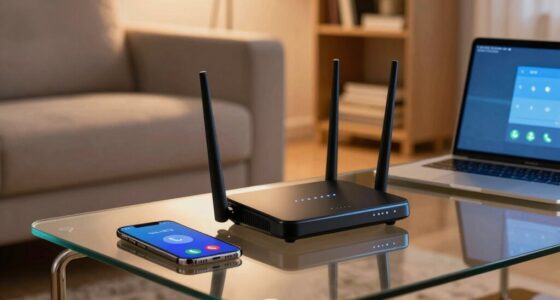
Setting up a guest network is an easy way to boost your home’s cybersecurity. It creates a separate Wi-Fi connection for visitors, keeping your main network safe from potential vulnerabilities. This isolation prevents guests’ devices from accessing your personal data and devices, reducing the risk of cyber threats. By enabling encryption and device isolation, you can protect sensitive information and improve overall security. Keep going to discover how to make the most of your guest network setup.

Prime made for students and young adults
- Fast, free delivery for dorm and study essentials
- Prime Video and Amazon Music included
- Member-only deals
Key Takeaways
- Guest networks isolate visitors from main devices, reducing potential security vulnerabilities.
- Creating a separate Wi-Fi prevents unauthorized access to sensitive home data.
- Encrypted guest networks protect data transmitted between devices and the router.
- Easily set up through router settings, offering a straightforward security enhancement.
- Network segmentation limits cyber threats, safeguarding the entire home system.
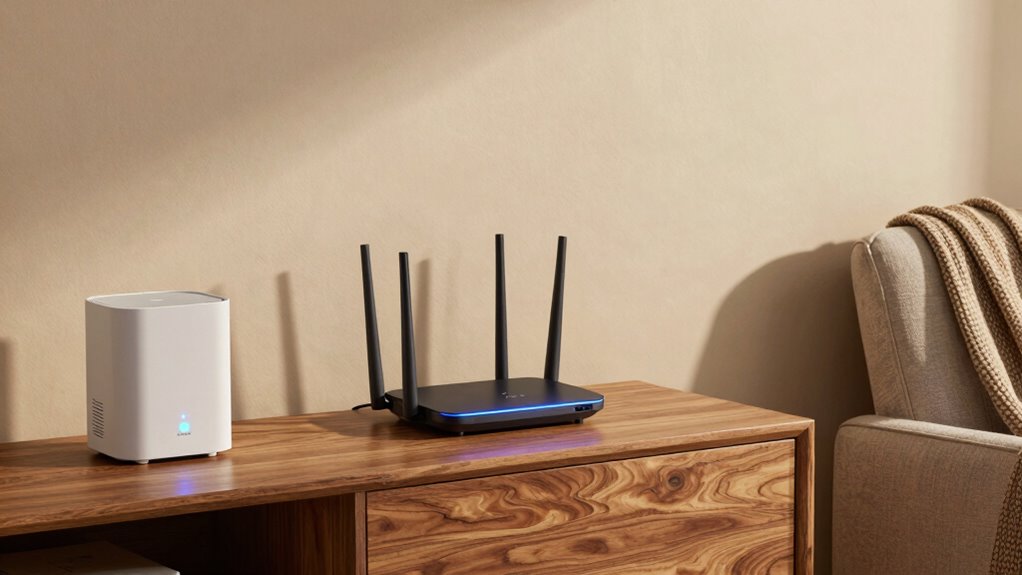
Have you ever worried about the security risks when guests connect to your home Wi-Fi? It’s a common concern, especially as more devices join your network and cyber threats become increasingly sophisticated. One simple, effective way to protect your household is by setting up a guest network. This creates a separate Wi-Fi connection solely for visitors, keeping your main network safe from potential vulnerabilities.
Setting up a guest Wi-Fi network helps protect your main network from security risks and vulnerabilities.
A key advantage of a guest network is network encryption. When you enable it, all data transmitted between your guests’ devices and your Wi-Fi router gets scrambled. This prevents outsiders from intercepting sensitive information, such as passwords, emails, or personal files. Network encryption acts as a digital shield, ensuring that even if someone tries to eavesdrop on your guests’ online activities, they’ll only see meaningless, encrypted data. This layer of security is essential for maintaining privacy and preventing cyberattacks that could compromise your entire home network.
Implementing a guest network is usually straightforward with most modern routers. You can create this separate network through your router’s admin panel, assigning it a different name and password. Make sure to enable network encryption, such as WPA3 or WPA2, to secure the connection. Additionally, activate device isolation if your router supports it, further strengthening your network’s security posture. Many routers also offer security features that enhance the protection of your network from potential threats. Understanding cyber threats and how they can target home networks underscores the importance of these security measures. Recognizing the importance of network segmentation can help prevent a breach from spreading across your entire home system, providing an added layer of protection.
Popular right now

Samsung 75-Inch M80H Series Mini LED 4K Smart TV (2026)

Ninja Luxe Café Mini Plus Espresso and Drip Coffee Machine with AutoFroth, Stainless Steel (ES351)

Bose QuietComfort True Wireless Earbuds with Active Noise Cancellation, Black
As an affiliate, we earn on qualifying purchases.
Frequently Asked Questions
Can Guest Networks Be Used on All Types of Routers?
Guest networks can be used on many routers, but compatibility depends on your device’s router model and firmware. You should check your router’s settings or manual to see if it supports guest networks. Sometimes, firmware updates are needed to enable this feature. If your router isn’t compatible, consider upgrading to a newer model that offers easier setup and better security for your guests.
How Often Should I Change My Guest Network Password?
You should change your guest network password every few months—because, clearly, your Wi-Fi is the crown jewel of cybersecurity. Regular password updates are key to security best practices, preventing enthusiastic hackers from lingering too long. Think of it as locking your door—except it’s your Wi-Fi door. Keep your network safe by making password changes a routine, ensuring your guests stay connected without risking your online kingdom.
Are Guest Networks Vulnerable to Hacking Attempts?
Guest networks can face hacker vulnerabilities if not properly secured, making them potentially vulnerable to guest network threats. However, with strong passwords, updated firmware, and network segmentation, you considerably reduce these risks. While no system is completely immune, taking these precautions helps protect your home from guest network threats, ensuring your main network remains safe. Regularly monitoring and changing passwords also strengthen your defenses against hacker vulnerabilities.
Can I Limit Bandwidth for Guests on My Network?
Yes, you can limit bandwidth for guests on your network. Use bandwidth management tools available on your router to allocate specific speeds, ensuring guests don’t hog your bandwidth. Network segmentation helps by creating separate networks for guests and your devices, making management easier. This way, you control how much bandwidth guests use, maintaining better performance for your main devices while keeping your network secure and efficient.
Do Guest Networks Impact My Main Wi-Fi Speed?
Think of your main Wi-Fi as a busy highway and guest access as a side street. Setting up network segmentation with a guest network doesn’t slow down your primary connection; instead, it creates a separate lane. This keeps your devices running smoothly, preventing guest traffic from clogging your main network. So, guest networks generally don’t impact your main Wi-Fi speed, offering a safer, more controlled environment for all users.
Conclusion
Setting up a guest network is a simple step that can considerably boost your home’s security. Imagine your guests connecting easily without risking your main data, like a barrier protecting your digital house. Isn’t it reassuring to know that one small change can make your home safer? Don’t wait—create a guest network today and enjoy peace of mind, knowing your private information stays private. After all, isn’t security worth a little effort?