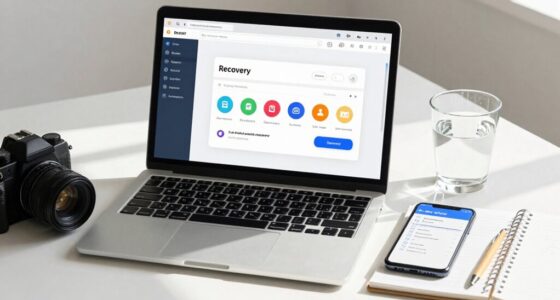

To prepare your digital emergency card, you should document your essential online account details, including usernames, passwords, and recovery options like backup emails and phone numbers. Include security measures such as two-factor authentication and password management tools. List your backup storage locations and recovery steps for hardware failures or malware. Keep this information protected and updated regularly. Staying organized now ensures you’re ready to act quickly and minimize damage—continue to learn how to optimize your plan.
Key Takeaways
- Record account login details, security questions, and recovery options for quick access during emergencies.
- Document cybersecurity protocols, including password management, 2FA settings, and trusted security tools.
- List backup locations, recovery procedures, and credentials for data restoration after hardware or malware issues.
- Encrypt or securely store the digital card, and regularly update information to ensure accuracy and security.
- Include trusted contacts authorized to access or assist with your digital accounts in crisis situations.
In today’s fast-paced world, having a Digital Emergency Card can be a lifesaver when every second counts. This digital document consolidates essential information about your online accounts, personal data, and security measures, guaranteeing you’re prepared if disaster strikes. One of the most important aspects of creating this card is documenting your cybersecurity protocols. You should include details about your password management practices, such as whether you use a password manager, how complex your passwords are, and the steps you’ve taken to guarantee two-factor authentication is enabled on all key accounts. This way, if you ever lose access or get locked out, someone authorized can follow your documented protocols to regain control swiftly. Additionally, note any specific security questions, backup email addresses, or recovery phone numbers associated with your accounts. These details are essential for verifying your identity during recovery processes and can help reduce downtime during a cybersecurity breach. Incorporating vetted security solutions can further strengthen your protection and ensure your protocols are reliable.
Equally critical is outlining your data recovery strategies. Your Digital Emergency Card should specify the steps to recover key data in case of hardware failure, malware infection, or accidental deletion. Document where your backups are stored—whether in the cloud or on external drives—and include instructions on how to access and restore these backups. Mention the frequency of your backups so that anyone following your instructions knows the data is recent. If you use specific data recovery tools, list them along with login credentials or access methods. You should also note any cloud services or third-party platforms that hold copies of your essential files. Having this information documented ensures that, even if your devices are compromised or inaccessible, recovery efforts can proceed quickly and smoothly.
Preparing your Digital Emergency Card with detailed cybersecurity protocols and data recovery strategies isn’t just about reacting to crises; it’s about proactively minimizing damage and downtime. It’s essential to keep this information secure yet accessible to trusted individuals in an emergency. Consider encrypting your digital card with a strong password or storing it in a secure, password-protected location. Regularly updating the details ensures that your information stays current and effective. By documenting these key aspects beforehand, you greatly reduce the chaos and confusion during an emergency, allowing for faster response times. This careful preparation gives you peace of mind, knowing that when trouble hits, you or your trusted contacts can act swiftly to secure your digital life and recover key information efficiently.
Frequently Asked Questions
How Secure Is My Digital Emergency Card Information?
Your digital emergency card’s security depends on the platform’s digital security measures and privacy protection. Typically, it uses encryption and secure login protocols to safeguard your sensitive information. To stay protected, make certain you choose a reputable service with strong privacy policies, enable two-factor authentication, and regularly update your passwords. Remember, staying vigilant about digital security helps prevent unauthorized access and keeps your emergency data safe in critical moments.
Can I Update My Digital Emergency Card After Creation?
Yes, you can update your digital emergency card after creation. You should regularly review and modify it to keep your emergency contact details and medical history current. This guarantees responders have accurate information during emergencies. Simply access your digital emergency card through the app or platform you used to create it, make the necessary changes, and save. Staying updated helps protect your health and makes sure first responders have the most recent info.
Is My Digital Emergency Data Accessible Offline?
You might worry about offline access, but rest assured, your digital emergency data is available even without internet. Many systems use data synchronization, so your info stays updated and accessible offline. Just guarantee you’ve downloaded or saved your data securely beforehand. This way, you can confidently retrieve critical information during emergencies, no matter where you are, without relying on internet connectivity.
What Devices Are Compatible With the Digital Emergency Card?
Your digital emergency card is compatible with most smartphones, including iOS and Android devices. It easily integrates with popular health and safety apps through seamless app integration, ensuring quick access during emergencies. You can also view it on tablets and certain smart devices. Just make sure your device’s software is up to date for ideal device compatibility and smooth app integration, so your critical information is always accessible when you need it most.
How Do I Share My Digital Emergency Card With Others?
You can share your digital emergency card easily by using the sharing options available within the app or platform. Set access permissions to control who can view or edit your information, ensuring your data stays secure. Send the link via email, messaging apps, or QR code, depending on what the platform offers. Make sure you review access permissions before sharing to keep your sensitive details protected.
Conclusion
Don’t wait until it’s too late—your digital emergency card could be the difference between chaos and clarity in a crisis. Have you documented everything you might need? The moment trouble strikes, it might be the last thing on your mind. Make sure your essential info is ready and accessible now, because when disaster hits, being prepared could be your greatest safeguard. Will you take the step today that could save you when it really counts?