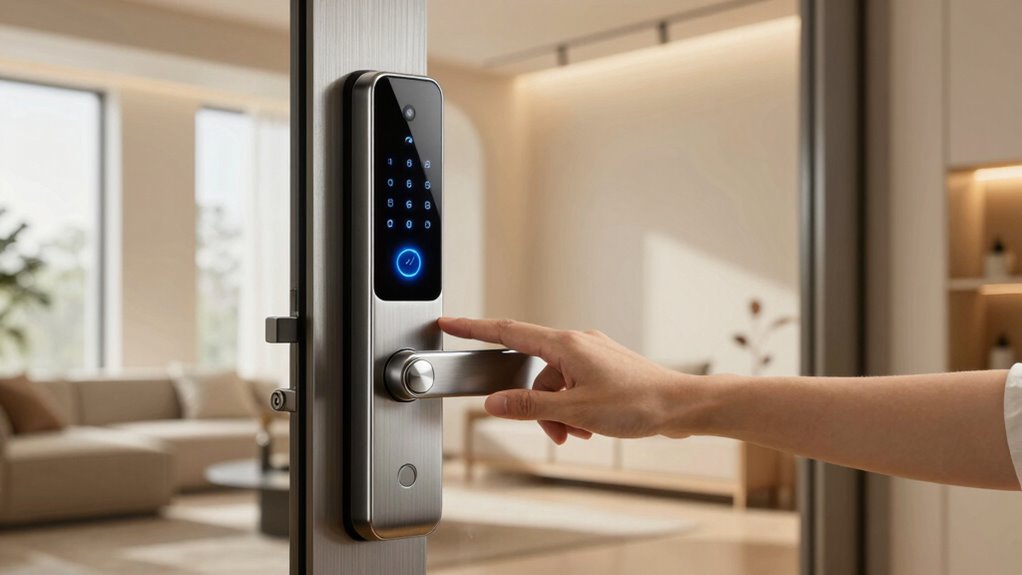
If you’re searching for a smart lock with auto unlock, you’re seeking a combination of convenience and security that automatically grants access as you approach. The SwitchBot Lock Vision Pro stands out for its advanced biometric features like 3D face recognition and palm vein scanning, making it ideal for tech enthusiasts. The Wyze Auto-Lock Bolt v2 offers a budget-friendly, straightforward solution perfect for those new to smart locks. However, choosing the right auto-unlock smart lock involves balancing ease of use, security features, compatibility, and price. Continue reading for a detailed comparison and help narrowing down your best fit.

Prime made for students and young adults
- Fast, free delivery for dorm and study essentials
- Prime Video and Amazon Music included
- Member-only deals
Key Takeaways
- Top-performing models combine biometric options with reliable auto-unlock functionality for enhanced security.
- Price varies widely, with premium options offering more features but not always better auto-unlock performance.
- Compatibility with smart home ecosystems is crucial for seamless automation and voice control.
- Build quality and battery life are often overlooked but critical for consistent auto-unlock operation.
- Ease of installation and user interface significantly affect day-to-day convenience and satisfaction.
| SwitchBot Lock Vision Pro Smart Lock with 3D Face Recognition, Palm Vein, and Fingerprint, WiFi No Hub, Auto-Lock, Matter, Apple Home, Alexa, Google |  | Best Overall with Advanced Biometric Security | Unlock Methods: Face, Palm Vein, Fingerprint, NFC, PIN, App, Physical Key | Battery Life: 12 months | Battery Type: DualPower 10,000mAh + CR123A backup | VIEW ON AMAZON | See Our Full Breakdown |
| Wyze Auto-Lock Bolt v2 Fingerprint Keyless Entry Smart Lock |  | Best for Fast, AI-Enhanced Fingerprint Recognition | Battery Life: 8 months | Power Source: 8 AA batteries, USB-C backup | Connectivity: Wi-Fi | VIEW ON AMAZON | See Our Full Breakdown |
| Tapo Smart Wi-Fi Deadbolt Door Lock, Keyless Tactile Buttons, DL100 |  | Best for Durability and All-Weather Use | Battery Life: Up to 300 days in Bluetooth mode | Power: 4xAA batteries included | Weatherproof Rating: IP54 | VIEW ON AMAZON | See Our Full Breakdown |
| Yale Assure Lock 2 Keypad Deadbolt with Wi-Fi, Black Suede |  | Best for Seamless Auto-Unlock and User-Friendly Setup | Connectivity: Wi-Fi (2.4 GHz only) | Auto-Lock: Yes | App Support: Yale Access App | VIEW ON AMAZON | See Our Full Breakdown |
| Veise VE017 Fingerprint Smart Door Lock with App Control, Satin Nickel |  | Best for Multi-User Management and Biometric Security | Material: All-zinc alloy, scratch-resistant | Battery Life: ≥12 months | Power Source: 4 AA batteries | VIEW ON AMAZON | See Our Full Breakdown |
| Philips Wi-Fi Smart Deadbolt Lock, Keyless Entry Door Lock for Front Door |  | Best Overall Smart Lock with Auto Unlock | Unlocking Methods: Fingerprint, Passcode, Key, Voice, Remote App | Connectivity: WiFi | Biometric Recognition: 0.3 seconds | VIEW ON AMAZON | See Our Full Breakdown |
| Philips WiFi Keypad Door Lock with Handle, Built-in WiFi, APP Remote Control, Voice & Fingerprint Unlock, Satin Nickel |  | Best for Easy Installation and Versatile Control | Connectivity: WiFi (2.4GHz) | Control: App, Voice, Fingerprint, Passcodes | Fingerprint Speed: 0.3 seconds | VIEW ON AMAZON | See Our Full Breakdown |
| ULTRALOQ U-Bolt Pro WiFi Smart Lock with Door Sensor |  | Best for Durability and Smart Security Integration | Connectivity: WiFi 2.4GHz | Fingerprint Storage: Up to 100 | Passcode Capacity: Up to 50 | VIEW ON AMAZON | See Our Full Breakdown |
| ULTRALOQ Bolt SE Wi-Fi Smart Lock with Matter over Thread and App Control |  | Best for Future-Proof Smart Home Integration | Fingerprint Capacity: 50 | Passcode Capacity: 50 | Connectivity: Wi-Fi 2.4 GHz, Matter over Thread | VIEW ON AMAZON | See Our Full Breakdown |
| Philips Wi-Fi Smart Deadbolt Lock, Keyless Entry Door Lock for Front Door |  | Best for Basic Remote Access and Convenience | Connectivity: Wi-Fi 2.4GHz | Supported Access Methods: App, passcode, fingerprint, voice, key | Remote Control Range: 65 ft | VIEW ON AMAZON | See Our Full Breakdown |
| Philips WiFi Keypad Deadbolt with Handle, Built-in WiFi, App Remote Control |  | Best Overall | WiFi Compatibility: 2.4GHz WiFi, no hub required | Auto-Lock: Yes, customizable from 0-180 seconds | Battery Life: Up to 6 months | VIEW ON AMAZON | See Our Full Breakdown |
| Philips Wi-Fi Smart Deadbolt Lock with 2 Handles and Keypad |  | Best Value Pick | Includes: 2 handle levers, Wi-Fi smart lock | Unlocking Methods: Fingerprint, PIN, Keys, App | Wi-Fi Frequency: 2.4GHz | VIEW ON AMAZON | See Our Full Breakdown |
| Philips WiFi Smart Keypad Deadbolt Lock, App Remote Control, No Hub Needed |  | Best for Outdoor Use | Battery Life: Up to 6 months | Temperature Range: -31°F to 150°F | Waterproof Level: IP54 | VIEW ON AMAZON | See Our Full Breakdown |
| eufy Security Smart Lock C220, Fingerprint Keyless Entry Door Lock |  | Best for Seamless AI Recognition | Unlock Methods: Fingerprint, app, keypad, physical key, voice | Battery Life: 8 months | AI Recognition: Self-learning fingerprint recognition | VIEW ON AMAZON | See Our Full Breakdown |
| ULTRALOQ Bolt Fingerprint WiFi Smart Lock with Handle |  | Best for DIY and Outdoor Use | Connectivity: Wi-Fi (2.4GHz only) | Fingerprint Storage: Up to 50 | Passcode Storage: Up to 50 | VIEW ON AMAZON | See Our Full Breakdown |
| smart lock with auto unlock | Connectivity | Battery Life |
|---|---|---|
| SwitchBot Lock Vision Pro Smar | WiFi, Matter, Apple Home, Alexa, Google | 12 months |
| Wyze Auto-Lock Bolt v2 Fingerp | Wi-Fi | 8 months |
| Tapo Smart Wi-Fi Deadbolt Door | Wi-Fi, Bluetooth | Up to 300 days in Bluetooth mode |
| Yale Assure Lock 2 Keypad Dead | Wi-Fi (2.4 GHz only) | — |
| Veise VE017 Fingerprint Smart | Wi-Fi, Bluetooth | ≥12 months |
| Philips Wi-Fi Smart Deadbolt L | WiFi | — |
| Philips WiFi Keypad Door Lock | WiFi (2.4GHz) | — |
| ULTRALOQ U-Bolt Pro WiFi Smart | WiFi 2.4GHz | — |
| ULTRALOQ Bolt SE Wi-Fi Smart L | Wi-Fi 2.4 GHz, Matter over Thread | Up to 18 months |
| Philips Wi-Fi Smart Deadbolt L | Wi-Fi 2.4GHz | — |
| Philips WiFi Keypad Deadbolt w | — | Up to 6 months |
| Philips Wi-Fi Smart Deadbolt L | — | — |
| Philips WiFi Smart Keypad Dead | — | Up to 6 months |
| eufy Security Smart Lock C220 | — | 8 months |
| ULTRALOQ Bolt Fingerprint WiFi | Wi-Fi (2.4GHz only) | Up to 1 year |
More Details on Our Top Picks
SwitchBot Lock Vision Pro Smart Lock with 3D Face Recognition, Palm Vein, and Fingerprint, WiFi No Hub, Auto-Lock, Matter, Apple Home, Alexa, Google
The SwitchBot Lock Vision Pro stands out for its multi-modal biometric recognition, combining face, palm vein, and fingerprint scans to offer highly secure keyless entry. Compared with the Wyze Auto-Lock Bolt v2, it provides a broader range of unlocking methods, making it ideal for those prioritizing security and convenience. Its long battery life and auto-lock feature enhance daily usability, while the DIY installation means no professional help is needed. However, it supports only the included SwitchBot cylinder, limiting compatibility for existing locks, and its higher price reflects the advanced technology. This lock is perfect for homeowners seeking cutting-edge biometric security but less suited for those on a tight budget or with non-standard door setups.
Pros:- Multiple secure unlocking options including face, palm vein, and fingerprint
- Long-lasting battery with backup power and auto-lock functionality
- Easy DIY installation compatible with most US doors
- Supports major smart home platforms without a hub
Cons:- Supports only included SwitchBot lock cylinders, limiting existing lock compatibility
- Requires specific door dimensions for proper fit and installation
- Higher price point due to advanced features
Best for: Homeowners who want maximum biometric security and seamless smart home integration
Not ideal for: Renters or those with non-standard doors who need a more adaptable, lower-cost solution
- Unlock Methods:Face, Palm Vein, Fingerprint, NFC, PIN, App, Physical Key
- Battery Life:12 months
- Battery Type:DualPower 10,000mAh + CR123A backup
- Connectivity:WiFi, Matter, Apple Home, Alexa, Google
- Installation:DIY, fits most US doors, no drilling required
- Material:IP65 rated, BHMA tested for security and durability
Our verdict“This high-tech lock is best suited for security-conscious homeowners ready to invest in biometric access.”
Wyze Auto-Lock Bolt v2 Fingerprint Keyless Entry Smart Lock
The Wyze Auto-Lock Bolt v2 excels in delivering quick, reliable fingerprint recognition, taking just 0.5 seconds to unlock. Unlike the more biometric-diverse SwitchBot Vision Pro, it focuses solely on fingerprint technology, but its AI learning capabilities improve accuracy over time. Its 8-month battery life and USB-C backup ensure consistent performance, while multiple unlocking options—including app, keypad, and backup keys—offer flexibility. However, it relies heavily on Wi-Fi for remote management, and its IP53 water resistance means it’s less suited for harsh outdoor conditions. Compared to the Veise VE017, it’s easier to install but may need more frequent battery replacements. This lock is ideal for users seeking fast, reliable fingerprint access with smart app control but less suitable for those in very wet environments.
Pros:- Fast fingerprint recognition in just half a second
- AI learning enhances recognition accuracy over time
- Multiple unlocking options including app, keypad, and backup keys
- Remote management via Wyze app
Cons:- Requires Wi-Fi for remote features, limiting offline use
- Battery life can vary depending on usage patterns
- Limited water resistance (IP53), not ideal for heavy rain or outdoor exposure
Best for: Residents prioritizing quick fingerprint entry and AI-driven recognition in moderate climates
Not ideal for: People in very wet or outdoor environments needing higher water resistance
- Battery Life:8 months
- Power Source:8 AA batteries, USB-C backup
- Connectivity:Wi-Fi
- Material:Tempered glass
- Water Resistance:IP53
- Security Grade:BHMA2
Our verdict“This lock is best for users needing rapid fingerprint access with smart app features in controlled environments.”
Tapo Smart Wi-Fi Deadbolt Door Lock, Keyless Tactile Buttons, DL100
The Tapo DL100 delivers versatile keyless access with keypad, Bluetooth, and app control, making it a solid choice for durability-focused users. Its weatherproof rating (IP54) and certification for outdoor use set it apart from the Wyze Bolt, which is less weather-resistant. The long battery life—up to 300 days in Bluetooth mode—reduces maintenance, but it requires batteries, which need regular replacement. Installation is straightforward but may involve some tech setup, especially for integrating with smart home systems like Alexa or Google. Compared to the Veise VE017, its weatherproof design makes it better suited for outdoor use, but it might lack some of the advanced biometric features. This lock fits households seeking a durable, weather-resistant smart lock with multiple access options but might not be ideal for those looking for biometric security.
Pros:- Multiple unlocking methods including keypad, Bluetooth, and app
- Weatherproof with IP54 rating, suitable for outdoor use
- Long battery life with easy replacement and emergency power
- Smart home integration with Alexa and Google
Cons:- Requires batteries, so ongoing replacement needed
- BHMA Grade 3 certification indicates moderate durability, less than premium grades
- Installation may involve some technical setup
Best for: Homeowners in outdoor or variable weather climates needing reliable, multi-modal access
Not ideal for: Indoor-only settings or users requiring high-security biometric features
- Battery Life:Up to 300 days in Bluetooth mode
- Power:4xAA batteries included
- Weatherproof Rating:IP54
- Certification:BHMA Grade 3
- Connectivity:Wi-Fi, Bluetooth
- Compatibility:Alexa, Google
Our verdict“This lock is ideal for outdoor residential settings needing durable, multi-access security without biometric complexity.”
Yale Assure Lock 2 Keypad Deadbolt with Wi-Fi, Black Suede
The Yale Assure Lock 2 emphasizes ease of use with hands-free Auto-Unlock, making it appealing for busy households. Its straightforward keypad and app integration provide multiple access options, though it restricts Wi-Fi to 2.4 GHz networks, which may limit compatibility in some homes. Compared to the SwitchBot Vision Pro, it lacks biometric features but offers reliable auto-unlock via Bluetooth and voice assistants. The installation is designed to be simple, and auto-lock boosts security without requiring manual locking. However, the limited Wi-Fi band and necessity of a smartphone for full functionality could be drawbacks for tech-averse users. This lock suits those seeking a dependable, user-friendly auto-unlock experience with minimal fuss but less so for tech enthusiasts wanting advanced biometric options.
Pros:- Hands-free auto-unlock for convenience
- Multiple access options including keypad, voice, and app
- Easy installation, no locksmith needed
- Auto-lock feature enhances security
Cons:- Limited to 2.4 GHz Wi-Fi networks, possibly reducing connectivity stability
- Requires smartphone for full features, not fully offline
- Only compatible with US and Canadian markets
Best for: Homeowners seeking easy, hands-free auto-unlock and simple installation
Not ideal for: Users requiring biometric security or those in areas with Wi-Fi interference issues
- Connectivity:Wi-Fi (2.4 GHz only)
- Auto-Lock:Yes
- App Support:Yale Access App
- Color:Black Suede
Our verdict“This lock is perfect for households prioritizing effortless auto-unlock and straightforward setup over biometric features.”
Veise VE017 Fingerprint Smart Door Lock with App Control, Satin Nickel
The Veise VE017 offers a comprehensive suite of access options, including advanced AI fingerprint recognition, app control, keypad, and voice commands, making it ideal for multi-tenant or multi-user residences. Unlike the biometric-only SwitchBot Lock Vision Pro, it supports remote user management with activity logs, providing a higher level of control. Its durable, weather-resistant design with IP55 rating makes it suitable for outdoor use, and the installation is straightforward. However, it requires the G1 Gateway for remote voice control, adding extra cost and setup complexity. Batteries are not included, which could lead to frequent replacements depending on activity levels. Compared to the Wyze Bolt v2, it offers more biometric and management features, but at a higher price and setup complexity. This lock is best for users who need detailed access control and biometric security in multi-user settings but less ideal for budget-conscious or simple installations.
Pros:- Multiple unlocking options including fingerprint, app, keypad, and voice
- Advanced AI fingerprint recognition for quick, accurate access
- Remote user management with activity logs
- Weather-resistant, durable design
Cons:- Requires additional purchase of G1 Gateway for remote voice commands
- Batteries not included, may need frequent replacement
- More complex setup and higher cost
Best for: Multi-tenant residences or households needing detailed remote access management and biometric security
Not ideal for: Single-user homes or those seeking a straightforward, low-cost lock without remote features
- Material:All-zinc alloy, scratch-resistant
- Battery Life:≥12 months
- Power Source:4 AA batteries
- Connectivity:Wi-Fi, Bluetooth
- Waterproof Rating:IP55
- Security Features:AES128 encryption, anti-peeping password, intrusion alarms
Our verdict“This lock suits larger households and multi-user environments where detailed access logs and biometric security are priorities.”
Philips Wi-Fi Smart Deadbolt Lock, Keyless Entry Door Lock for Front Door
This Philips model stands out for its extensive unlocking options, including fingerprint, passcode, voice, and remote app control, making it highly versatile. Compared with the ULTRALOQ U-Bolt Pro, it offers more biometric and voice command integrations, though it depends heavily on WiFi stability and can be complex to set up. Its real-time alerts and auto-lock feature enhance security, but frequent battery replacements could be inconvenient. The multiple access methods ensure convenience for various users, and compatibility with Alexa and Google Assistant makes hands-free operation straightforward.
Pros:- Multiple unlocking options including fingerprint, passcode, and voice control
- Remote access with real-time alerts enhances security
- Fast biometric fingerprint recognition (0.3 seconds)
Cons:- Requires WiFi for full functionality, which can be a point of failure
- Setup complexity may overwhelm less tech-savvy users
- Battery life may necessitate frequent replacements
Best for: Homeowners seeking a highly flexible, feature-rich lock with multiple access options and remote control.
Not ideal for: Users with limited WiFi coverage or who prefer simple installations, as setup can be complex and WiFi dependence is high.
- Unlocking Methods:Fingerprint, Passcode, Key, Voice, Remote App
- Connectivity:WiFi
- Biometric Recognition:0.3 seconds
- Number of Passcodes:Up to 100
- Auto Lock:Yes
- Compatibility:Alexa, Google Assistant
Our verdict“This pick is best for tech-savvy homeowners who want a highly customizable, remote-access capable lock with auto unlock.”
Philips WiFi Keypad Door Lock with Handle, Built-in WiFi, APP Remote Control, Voice & Fingerprint Unlock, Satin Nickel
This model shines for its straightforward installation and integrated handle, making it suitable for most standard doors. Unlike the more complex Philips Wi-Fi Smart Deadbolt, it combines a handle set with keypad and app control, simplifying setup without sacrificing features. It supports fast fingerprint access (0.3 seconds) and offers auto-locking, but requires 8 AA batteries (not included), and some users may find the app setup less intuitive. Its all-in-one design makes it ideal for those who want a sleek, easy-to-install smart lock with multiple control options.
Pros:- Easy to install on most standard doors
- Remote control and management via smartphone app
- Supports voice commands and fast fingerprint unlocking
Cons:- Requires 8 AA batteries, which are not included
- App setup can be complex for some users
- Limited to standard door sizes, may need adjustment
Best for: Homeowners looking for a user-friendly, all-in-one smart lock solution with easy installation.
Not ideal for: Tech enthusiasts wanting extensive customization or those with atypical door sizes, as compatibility checks are needed.
- Connectivity:WiFi (2.4GHz)
- Control:App, Voice, Fingerprint, Passcodes
- Fingerprint Speed:0.3 seconds
- Auto Lock:Yes, 0-180 seconds
- Handle Set Included:Yes
- Door Thickness Compatibility:1-3/8″ to 1-3/4″
Our verdict“This lock makes sense for users who prioritize ease of installation and straightforward remote control with versatile access methods.”
ULTRALOQ U-Bolt Pro WiFi Smart Lock with Door Sensor
The ULTRALOQ U-Bolt Pro offers a comprehensive approach with fingerprint, passcodes, remote app, and voice control, plus a door sensor for real-time status updates. It stands out for its durability, weatherproof design, and ANSI Grade 1 security certification, making it suitable for outdoor use. Compared to the ULTRALOQ Bolt SE, it provides more security features, but it requires a WiFi connection and a separate hub for remote access, which can complicate setup and increase costs. Its robust build is ideal for users needing a reliable, weather-resistant lock that integrates with major smart home platforms.
Pros:- Supports multiple access methods including fingerprint and passcode
- Weatherproof and ANSI Grade 1 security certification
- Includes a door sensor for real-time status alerts
Cons:- Requires a WiFi connection and possibly a hub for remote access
- Limited electronic warranty period of 18 months
- Not recommended for metal doors
Best for: Homeowners needing a durable, weatherproof lock with comprehensive security features and remote management.
Not ideal for: People with metal doors or those who prefer simpler, hub-free setups, as it needs a WiFi connection and additional accessories.
- Connectivity:WiFi 2.4GHz
- Fingerprint Storage:Up to 100
- Passcode Capacity:Up to 50
- Battery Type:4 AA Alkaline
- Material:Weatherproof
- Standard:ANSI Grade 1
Our verdict“Ideal for users prioritizing durability and security, willing to handle a more involved setup process.”
ULTRALOQ Bolt SE Wi-Fi Smart Lock with Matter over Thread and App Control
This ULTRALOQ model supports the latest Matter over Thread protocol, making it an excellent choice for future-proof smart home systems. It offers fingerprint, passcode, app, and voice control, with a long battery life of up to 18 months. Installation is simple, taking about 10 minutes, and its weather-resistant design suits outdoor environments. Compared to the ULTRALOQ U-Bolt Pro, it emphasizes compatibility with emerging smart home standards, but it requires a compatible Matter hub and only operates on 2.4 GHz Wi-Fi, limiting some potential connectivity options. It’s perfect for those wanting a reliable, future-ready lock without complex wiring or extensive setup.
Pros:- Supports multiple access methods including fingerprint and passcodes
- Long battery life of up to 18 months
- Supports Matter over Thread for future smart home integration
Cons:- Requires a compatible Matter hub for remote access
- Wi-Fi limited to 2.4 GHz band, which can affect connectivity
- Door sensor not included, limiting door status monitoring
Best for: Tech-savvy homeowners who want a smart lock compatible with upcoming smart home ecosystems and minimal maintenance.
Not ideal for: Users without a Matter hub or those with metal doors, since it depends on specific ecosystem support and may not be suitable for all door types.
- Fingerprint Capacity:50
- Passcode Capacity:50
- Connectivity:Wi-Fi 2.4 GHz, Matter over Thread
- Battery Life:Up to 18 months
- Material:Zinc alloy
- Water Resistance:IP65
Our verdict“Best for owners wanting a future-ready, easy-to-install smart lock aligned with upcoming smart home standards.”
Philips Wi-Fi Smart Deadbolt Lock, Keyless Entry Door Lock for Front Door
This Philips deadbolt emphasizes keyless entry options via app, passcode, fingerprint, and voice, with reliable Wi-Fi connectivity for remote management. It compares closely to the B0FVWQ8R93 but offers a more straightforward setup for users wanting essential features without extensive biometric options. It supports auto-lock and security modes, but lacks a door sensor, limiting real-time door status updates. Its compatibility with Alexa and Google Assistant provides hands-free control, making it ideal for those prioritizing convenience and simple remote access.
Pros:- Multiple unlocking options including app, passcode, fingerprint, and voice
- Remote control with real-time notifications
- Easy DIY installation on most doors
Cons:- Batteries are not included, requiring additional purchase
- Wi-Fi stability is critical for consistent operation
- No door sensor for open/closed status detection
Best for: Homeowners seeking a reliable, easy-to-setup smart lock with multiple access methods for everyday convenience.
Not ideal for: Users requiring advanced security features or detailed door status monitoring, as it lacks a door sensor and complex automation options.
- Connectivity:Wi-Fi 2.4GHz
- Supported Access Methods:App, passcode, fingerprint, voice, key
- Remote Control Range:65 ft
- Battery Type:AA alkaline
- Installation Thickness:1-3/8″ to 2″
- Auto Lock:Yes
Our verdict“Best suited for users who want straightforward remote management and multiple access options on a standard door.”
Philips WiFi Keypad Deadbolt with Handle, Built-in WiFi, App Remote Control
This Philips model stands out for its combination of convenience and flexibility, offering keyless entry through PIN, fingerprint, and voice commands, plus remote management without a hub. Compared with the ULTRALOQ Bolt, it provides faster biometric access (0.3 seconds) and a built-in handle, making it ideal for those who prioritize quick access and straightforward installation. Its auto-lock feature, while available, requires manual activation via the app, which could be a slight inconvenience. The long battery life of up to 6 months and support for Alexa and Google Assistant make it a versatile choice for busy households. However, batteries are sold separately, and it’s primarily designed for right-opening doors, which could limit compatibility for some users.
Pros:- Easy DIY installation with included handle set
- Remote control and real-time access management via app
- Supports multiple access methods: PIN, fingerprint, and voice commands
- Long battery life with low-battery alerts
Cons:- Batteries not included, requiring separate purchase
- Auto-lock feature needs manual activation in the app
- Designed mainly for right-opening doors
Best for: Homeowners who want a reliable, easy-to-install smart lock with multiple access options and voice control integration.
Not ideal for: Renters or those with left-opening doors, as the design favors right-handed installation and the auto-lock isn’t fully automated out of the box.
- WiFi Compatibility:2.4GHz WiFi, no hub required
- Auto-Lock:Yes, customizable from 0-180 seconds
- Battery Life:Up to 6 months
- Battery Type:Standard 1.5V alkaline batteries (not included)
- Installation Thickness:1-3/8″ to 1-3/4″
- Fingerprint Speed:0.3 seconds
Our verdict“This pick is best for users seeking a versatile, easy-to-install smart lock with keyless and biometric entry, combined with remote control capability.”
Philips Wi-Fi Smart Deadbolt Lock with 2 Handles and Keypad
This set offers a comprehensive package, including two handle levers and a Wi-Fi-enabled keypad, making it suitable for those wanting a complete upgrade with multiple unlocking options. Unlike the Philips WiFi Keypad Deadbolt, this model provides an extensive range of entry methods—fingerprint, PIN, key, and app—plus remote management and voice control via Alexa and Google Assistant. Its auto-lock feature enhances security, but it requires the door to be fully closed for auto-lock to activate, which could be a minor inconvenience. While setup demands a stable 2.4GHz Wi-Fi network, the affordability and flexibility make it a compelling choice for budget-conscious homeowners who seek more features for less.
Pros:- Multiple unlocking options including fingerprint, PIN, keys, and app control
- Remote access and management via smartphone app
- Supports voice commands with Alexa and Google Assistant
- High fingerprint capacity of up to 50
Cons:- No built-in sensor for auto-locking; it relies on fully closing the door
- Door must be fully closed for auto lock to function properly
- Optional exterior screw may require drilling for installation
Best for: Budget-conscious homeowners who want a full-featured, multi-user smart lock with keyless and remote access options.
Not ideal for: People with unstable Wi-Fi or those seeking a simple, single-function lock, as setup and auto-lock behavior may pose challenges.
- Includes:2 handle levers, Wi-Fi smart lock
- Unlocking Methods:Fingerprint, PIN, Keys, App
- Wi-Fi Frequency:2.4GHz
- Fingerprint Capacity:Up to 50
- PIN Codes:Unlimited one-time PINs, 100 user PINs
- Auto Lock:Yes
Our verdict“This model suits those seeking a cost-effective, multi-method smart lock with remote control and voice compatibility, though auto-lock requires careful door closure.”
Philips WiFi Smart Keypad Deadbolt Lock, App Remote Control, No Hub Needed
This weather-resistant deadbolt emphasizes outdoor durability, supporting remote management via the Philips Home Access App with multiple unlocking options, including passcodes, keys, voice commands, and smartphone control. Compared to indoor-focused locks, its IP54 waterproof rating and rugged construction make it ideal for exterior doors. Its auto-lock feature adds security, but setup can be complex for some users, and batteries are sold separately. The lock’s wide temperature and pressure resistance make it suitable for harsh environments, but it requires a Wi-Fi connection for full functionality, which could be a limitation in remote areas. Overall, it delivers durability with convenience for outdoor security needs.
Pros:- Supports remote control and multiple unlocking methods including keys, passcodes, and voice commands
- Customizable passwords with up to 100 user codes
- Durable, weather-resistant design suitable for outdoor use
- Auto-lock feature enhances home security
Cons:- Batteries are not included, requiring additional purchase
- Requires Wi-Fi connection and smartphone app for full function
- Setup process may be complex for some users
Best for: Homeowners seeking a weatherproof, outdoor-capable smart lock with flexible access methods and remote control, especially in variable climates.
Not ideal for: Users with limited Wi-Fi connectivity or those who prefer simple installation, as setup may be challenging and batteries are sold separately.
- Battery Life:Up to 6 months
- Temperature Range:-31°F to 150°F
- Waterproof Level:IP54
- Pressure Resistance:2200N
- Included Components:1 x Door Lock
- Battery Type:Not included
Our verdict“Ideal for outdoor applications needing weatherproof durability combined with flexible remote management and multiple unlocking options.”
eufy Security Smart Lock C220, Fingerprint Keyless Entry Door Lock
The eufy Security Smart Lock C220 distinguishes itself through its self-learning AI fingerprint recognition, providing fast and accurate biometric access. Compared with the ULTRALOQ Bolt, it offers a longer battery life of approximately 8 months and a straightforward 15-minute installation, making it appealing for users who want minimal hassle. Its weather resistance (IP53) and compatibility with most standard deadbolts make it suitable for outdoor use. However, the need to replace batteries roughly every 8 months and the bore size limit of 54mm might restrict some installations. Its seamless AI-powered biometric system is a highlight, but reliance on Wi-Fi for remote features adds complexity for those with unstable internet.
Pros:- Multiple unlocking options including fingerprint, app, keypad, and voice
- Self-learning AI for improved fingerprint accuracy
- Long battery life of around 8 months
- Easy 15-minute installation without drilling
Cons:- Batteries need replacement approximately every 8 months
- Limited bore size compatibility (up to 54mm)
- Requires Wi-Fi for remote control features
Best for: Tech-savvy homeowners seeking a smart lock with advanced biometric recognition and easy DIY installation.
Not ideal for: Renters or those with unconventional door sizes, as the bore size limit and battery replacement frequency could pose issues.
- Unlock Methods:Fingerprint, app, keypad, physical key, voice
- Battery Life:8 months
- AI Recognition:Self-learning fingerprint recognition
- Wi-Fi:Built-in, no bridge required
- Compatibility:Most standard deadbolts, bore size under 54mm
- Operating Temperature:-22℉ to 158℉
Our verdict“Best for users wanting an AI-enhanced biometric lock with quick DIY setup and long battery life, suitable for tech enthusiasts.”
ULTRALOQ Bolt Fingerprint WiFi Smart Lock with Handle
The ULTRALOQ Bolt combines durability, multiple unlocking options, and DIY-friendly installation, making it a strong choice for outdoor or rental properties. Its weatherproof IP65 rating and high-strength zinc alloy construction mean it withstands the elements better than some indoor models. It supports fingerprint, passcodes, app control, and voice commands, similar to the eufy C220, but with the added benefit of real-time door status alerts. Compared with other options, it offers one of the longest battery lives up to a year with 8 AA batteries, making maintenance less frequent. The main tradeoff is the reliance on a 2.4GHz Wi-Fi network without support for 5GHz, which could affect connectivity stability in some environments.
Pros:- Supports multiple unlocking methods: fingerprint, passcodes, app, and voice
- Easy DIY installation in about 10 minutes
- Real-time door status alerts via app
- Weatherproof and durable for outdoor use
Cons:- Limited to 50 fingerprints and passcodes each
- Requires 2.4GHz Wi-Fi network, no 5GHz support
- Battery life may vary with usage intensity
Best for: DIYers needing a weatherproof smart lock with comprehensive access methods and long battery life, especially for outdoor applications.
Not ideal for: Users in areas with poor Wi-Fi or seeking a lock with 5GHz support, as connectivity could be less reliable.
- Connectivity:Wi-Fi (2.4GHz only)
- Fingerprint Storage:Up to 50
- Passcode Storage:Up to 50
- Battery Life:Up to 1 year
- Material:High-strength zinc alloy
- Weatherproof Rating:IP65
Our verdict“Ideal for outdoor or rental setups that demand durability, multiple access methods, and easy installation without wiring.”
How We Picked
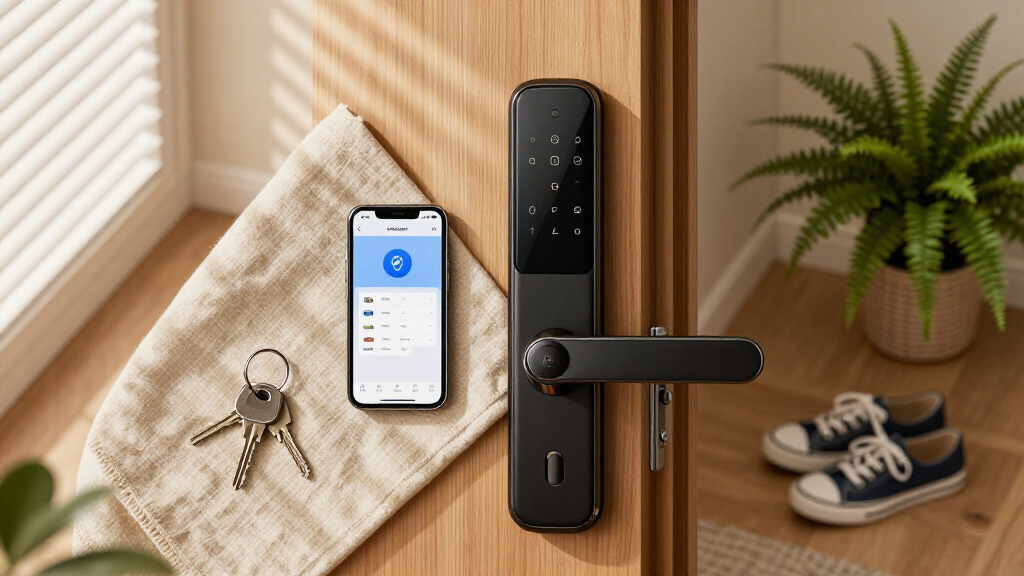
The products in this roundup were evaluated based on their auto-unlock reliability, ease of use, build quality, compatibility with smart home systems, and value for money. We prioritized locks that offer smooth, consistent auto-unlock performance, especially when approaching the door. Security features like biometric authentication and encryption were also key considerations. Additional factors included installation simplicity and app usability. The ranking reflects a balance between advanced features and everyday practicality, aiming to serve a broad range of users from tech-savvy early adopters to those seeking straightforward security upgrades.Factors to Consider When Choosing Smart Lock With Auto Unlock
Choosing the right smart lock with auto unlock requires understanding several key factors beyond basic features. It’s important to assess how well the lock integrates with your existing smart home setup, as compatibility can influence long-term convenience. Security features such as biometric options and encryption levels matter greatly, especially when auto-unlock is involved. Installation complexity varies, so consider whether you’re comfortable DIY-ing or prefer professional setup. Price points also reflect different levels of sophistication, so determine what features are worth paying for based on your security and convenience priorities. Lastly, pay attention to battery life and backup options to avoid being locked out unexpectedly.Compatibility and Ecosystem Integration
Ensuring your chosen smart lock works seamlessly with your existing smart home devices—such as Alexa, Google Assistant, Apple HomeKit, or Zigbee—can make a big difference in daily convenience. Some locks support multiple ecosystems out of the box, which is ideal for future-proofing your setup. Compatibility issues can lead to frustration or limited functionality, so double-check device requirements and integration options before purchasing. If automation is a priority, look for locks that support standard protocols like Matter or Z-Wave for wider compatibility.
Security Features and Authentication Methods
The auto-unlock feature should not compromise security. Biometric options like fingerprint or facial recognition offer quick access while maintaining high security levels, especially if paired with encryption. Mechanical backups or keypad options can provide peace of mind during power or connectivity outages. Consider locks with tamper alarms or alarm integration for added safety. Remember, the best auto-unlock system is one that balances convenience with robust security measures to prevent unauthorized entry.
Ease of Installation and User Experience
Some smart locks are designed for DIY installation, while others may require professional help. Clear instructions, tool-free setups, and straightforward app interfaces make daily use easier. Auto-unlock can sometimes be temperamental due to signal interference or sensor misalignments, so look for models with customizable settings and reliable signal detection. A user-friendly app that offers remote control, activity logs, and easy management of multiple users can make a significant difference in overall satisfaction.
Battery Life and Power Backup
Auto-unlock features require continuous power, making battery life a critical factor. Locks with long-lasting batteries or low-power modes reduce maintenance and prevent lockouts. Some models include backup power options like external batteries or mechanical keys, which are essential in case of dead batteries. Regular battery monitoring and alerts can save you the inconvenience of being unable to access your home unexpectedly. Consider these aspects carefully to ensure your auto-unlock system stays operational when you need it most.
Price, Value, and Long-Term Costs
Prices for smart locks with auto unlock range from budget-friendly to premium. Cheaper models may lack advanced biometric options or seamless ecosystem integration, but they can still improve security and convenience. Investing in a higher-end lock often means better durability, more reliable auto-unlock performance, and more sophisticated security features. Think about long-term costs such as replacement batteries, potential subscription services, or firmware updates when evaluating value. The best choice depends on balancing your security needs with your budget constraints.
Frequently Asked Questions
Will auto-unlock work reliably in all weather conditions?
Auto-unlock performance can vary based on environmental factors like cold temperatures, rain, or snow that might interfere with sensors or signal strength. High-quality locks with advanced sensors tend to perform better in diverse conditions, but no system is entirely weatherproof. Some locks include adjustable sensitivity settings to improve reliability, so consider these options if you live in extreme climates. Regular maintenance and choosing a model with good reviews for outdoor use can also help ensure consistent operation.
Can I set up multiple users with different access levels?
Most smart locks with auto unlock support multiple user profiles, allowing you to grant access to family members, roommates, or service providers. These profiles can often be managed via the app, with customizable permissions and time restrictions. Setting up and managing users is typically straightforward, but some locks limit the number of profiles or require a subscription for advanced features. Check the app interface and user management options before purchasing if multiple access levels are important to you.
What happens if my phone runs out of battery or the app disconnects?
Many smart locks include mechanical keys or alternative unlocking methods as backups in case of power or connectivity failure. It’s wise to choose a lock with physical backup options to prevent lockouts. Some locks also send low-battery alerts, giving you time to replace batteries before complete failure. Ensuring redundancy in your entry system can save you from stressful situations, especially if auto-unlock relies heavily on your phone’s connectivity or battery life.
Are biometric auto-unlock options secure enough for high-security needs?
Biometric features like fingerprint or facial recognition generally provide high security while offering quick access. However, the security level depends on the sensor quality and encryption protocols used. For high-security requirements, look for locks with tamper detection, encrypted data transmission, and multi-factor authentication options. No biometric system is infallible, so combining it with other security measures, such as alarms or manual locks, can provide extra peace of mind.
How important is smart home ecosystem compatibility when choosing a lock?
Compatibility with your existing smart home setup is essential for a seamless experience. If you already use voice assistants like Alexa or Google Assistant, choosing a lock that integrates easily can streamline daily routines. Ecosystem compatibility also affects automation possibilities, such as automatically locking the door when you leave or unlocking for specific users. Assess your current devices and future plans when selecting a lock to ensure it fits well into your smart home ecosystem and enhances your daily convenience.
Conclusion
The best overall smart lock with auto unlock for most users is the SwitchBot Lock Vision Pro, thanks to its advanced biometric features and reliable performance. For those on a budget, the Wyze Auto-Lock Bolt v2 offers solid functionality at a lower price point, making it perfect for newcomers. If you prioritize premium features and seamless ecosystem integration, the ULTRALOQ U-Bolt Pro provides a sophisticated experience with versatile unlocking options. Beginners or less tech-savvy users should focus on models with straightforward installation and simple controls, like the Wyze lock. For high-security needs, prioritize biometric options and encryption—these features are worth the extra investment. Overall, choose a model that aligns with your environment, security concerns, and daily routines to get the most value out of your auto-unlock smart lock.
As an affiliate, we earn on qualifying purchases.Fall Picks
fall essentials