Ransomware at home happens when cybercriminals exploit weak or reused passwords, unsecured Wi-Fi networks, or click on malicious links, allowing malware to encrypt your files and demand payment. To reduce this risk, make certain your devices have the latest security updates, use strong, unique passwords stored securely, and secure your Wi-Fi with a strong password and encryption like WPA3. Taking these steps can help protect your personal digital life—if you keep exploring, you’ll discover more ways to stay safe.
Key Takeaways
- Ransomware often infiltrates home devices through phishing emails and malicious links, exploiting user inattention.
- Weak or reused passwords and unsecured Wi-Fi networks create vulnerabilities for ransomware attacks.
- Outdated software and unpatched devices leave security gaps that hackers can exploit.
- Lack of security measures like two-factor authentication increases the risk of ransomware infection.
- Regularly updating security practices and using strong, unique passwords can significantly reduce ransomware threats at home.
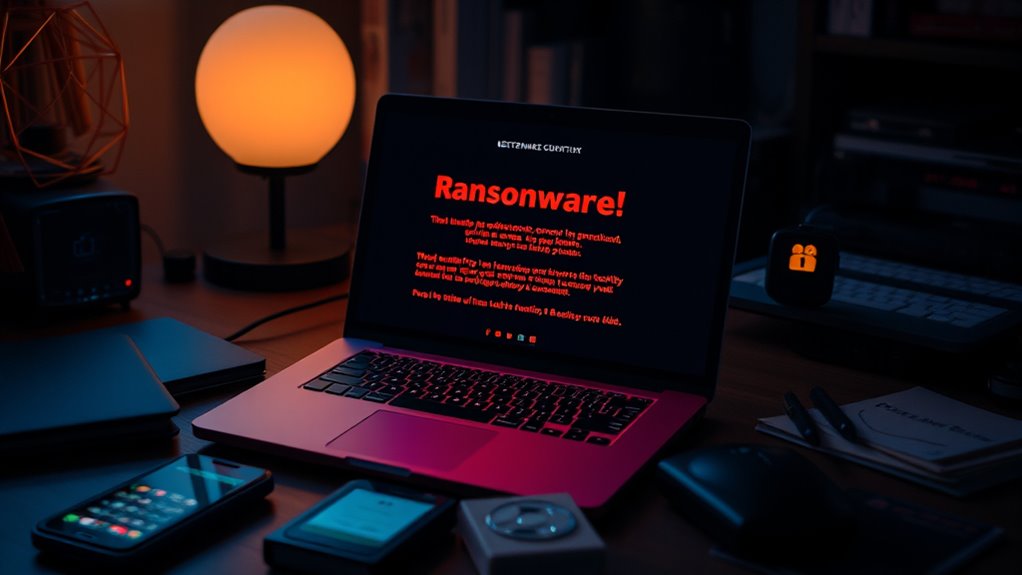
Ransomware isn’t just a threat for businesses; it’s increasingly targeting homes, putting your personal data and digital life at risk. When hackers deploy ransomware, they infect your devices, encrypting files and demanding payment to release them. Unlike large organizations, many individuals overlook the danger, assuming ransomware only affects big corporations. But the truth is, your personal devices—laptops, smartphones, and even smart home gadgets—are vulnerable. Cybercriminals often exploit weaknesses in digital privacy measures and online passwords, making it easier for ransomware to infiltrate your home network. Weak or reused passwords are an open invitation for hackers to gain access to your accounts or devices, especially if you don’t regularly update them. Strong, unique online passwords act as a critical line of defense, making it harder for cybercriminals to break in.
Your digital privacy can be compromised in several ways, especially if you neglect basic security practices. Many people overlook the importance of securing their Wi-Fi networks or fail to enable two-factor authentication on sensitive accounts. Hackers often scan for unsecured or poorly protected networks, then use those vulnerabilities to gain entry into your devices. Once inside, they can deploy ransomware or other malware that seals you out of your personal files, photos, and financial information. It’s essential to understand that ransomware doesn’t just target your files; it targets your entire digital life. If you’re not careful, your entire digital privacy can be compromised, leaving sensitive personal information exposed or stolen. Additionally, employing end-to-end encryption can significantly reduce the risk of data interception during online communications.
To reduce your risk, start by strengthening your online passwords. Use complex combinations of letters, numbers, and symbols, and avoid reusing passwords across different sites. Consider using a reputable password manager to keep track of your credentials securely. Regularly update your passwords, especially if you suspect any account breaches. Securing your Wi-Fi network with a strong, unique password and enabling encryption protocols like WPA3 can prevent unauthorized access from outsiders. Keep your devices’ operating systems and software up to date, as updates often include security patches that fix vulnerabilities hackers may exploit. Be cautious about clicking on suspicious links or downloading attachments from unknown sources, because many ransomware attacks begin with phishing emails designed to trick you into revealing your online passwords or installing malware.

Password Keeper,Auto Filling and Offline Storage Password Manager, Type-C Port, Compatible with Phones, Tablets,Computers,etc. Electronic Password Keeper is Suitable for Various APP Or Websites
- Master Password for All Accounts: Securely access all passwords with one master password
- Auto Fill and Login: Automatically fill login details on websites and apps
- Type-C Connectivity: Connects easily to phones, tablets, and computers
As an affiliate, we earn on qualifying purchases.
As an affiliate, we earn on qualifying purchases.
Frequently Asked Questions
Can Ransomware Infect Smart Home Devices?
Yes, ransomware can infect smart home devices. These devices often have smart home vulnerabilities and weak IoT security risks, making them prime targets for cybercriminals. When malware infiltrates your smart devices, it can lock your data or even control your home systems. To protect yourself, update firmware regularly, change default passwords, and use strong, unique passwords for each device. Staying vigilant helps reduce the chances of ransomware attacks on your smart home.
What Are Signs My Computer Is Ransomware-Infected?
Did you know that over 75% of ransomware victims lose access to their files? If your computer suddenly displays unusual file encryption or you see ransom notes demanding payment, it’s a clear sign of infection. You might notice files renamed with strange extensions or warning messages. Act quickly—disconnect from the internet, avoid paying the ransom, and seek professional help to prevent further damage.
Is Paying the Ransom Ever Advisable?
Paying the ransom isn’t advisable because it encourages cybercriminals and often doesn’t guarantee you’ll get your files back. Ethically, supporting illegal activities isn’t right, and legally, paying may violate laws or insurance policies. Instead, focus on prevention, backups, and recovery plans. If attacked, consult cybersecurity experts and law enforcement rather than giving in, because resisting ransom demands helps weaken ransomware groups and protect your data.
How Often Should I Back up Home Data?
Think of your data backups like watering a garden—you need to do it consistently to keep everything healthy. You should back up your home data at least once a week, especially if you change or add files frequently. This backup frequency ensures quick data recovery if you’re hit by ransomware or other issues. Regular backups let you restore your files smoothly and minimize downtime, giving you peace of mind.
Are Free Antivirus Tools Effective Against Ransomware?
Free antivirus tools can offer basic protection, but they often have limitations against ransomware. While free options may detect some threats, they typically lack advanced features found in paid versions, like real-time scanning and ransomware-specific defenses. If you’re serious about security, investing in a paid antivirus is better, as it provides all-encompassing protection. Relying solely on free tools leaves gaps that ransomware can exploit, so consider upgrading for stronger security.

TP-Link AXE5400 Tri-Band WiFi 6E Router (Archer AXE75), 2025 PCMag Editors' Choice, 2.5Gbps WAN Port for Gaming & Streaming, 6GHz Band, 160MHz, OneMesh, Dual-Core CPU, VPN & WPA3 Security
- Tri-Band WiFi 6E Router: Up to 5400 Mbps speeds for multiple devices
- 6 GHz Band for Faster Speeds: Enhanced bandwidth and low latency
- Connect More Devices: OFDMA technology increases capacity
As an affiliate, we earn on qualifying purchases.
As an affiliate, we earn on qualifying purchases.
Conclusion
If you ignore these steps, ransomware could turn your home into a digital battlefield, swallowing your files, photos, and memories in a matter of seconds. One click, one mistake, and your entire digital life could be held hostage forever. But if you stay vigilant, keep your software updated, and back up regularly, you stand a fighting chance against this relentless threat. Don’t let hackers turn your peaceful home into a nightmare—protect it now, before it’s too late.
![MixPad Multitrack Recording Software for Sound Mixing and Music Production Free [Mac Download]](https://m.media-amazon.com/images/I/51kaO82jYOL._SL500_.jpg)
MixPad Multitrack Recording Software for Sound Mixing and Music Production Free [Mac Download]
- Multi-track audio mixing: Mix audio, music, and voice tracks
- Simultaneous recording: Record multiple tracks at once
- User-friendly editing tools: Split, trim, join, and more
As an affiliate, we earn on qualifying purchases.
As an affiliate, we earn on qualifying purchases.

Thetis Pro FIDO2 Security Key, Two Factor Authentication NFC Security Key FIDO 2.0, Dual USB A Ports & Type C for Multi layered Protection (HOTP) in Windows/MacOS/Linux, Gmail, Facebook,Dropbox,Github
- Compatibility Check: Verify FIDO2 support before purchase
- NFC Functionality: NFC works via mobile authentication only
- Universal Ports: Supports USB-A, USB-C, and NFC for easy access
As an affiliate, we earn on qualifying purchases.
As an affiliate, we earn on qualifying purchases.