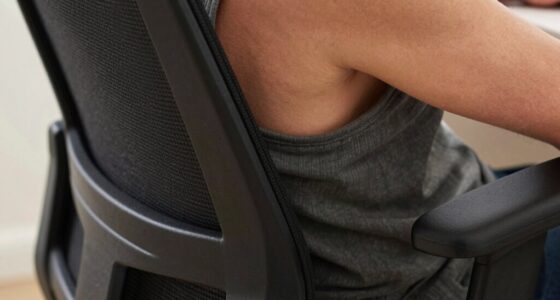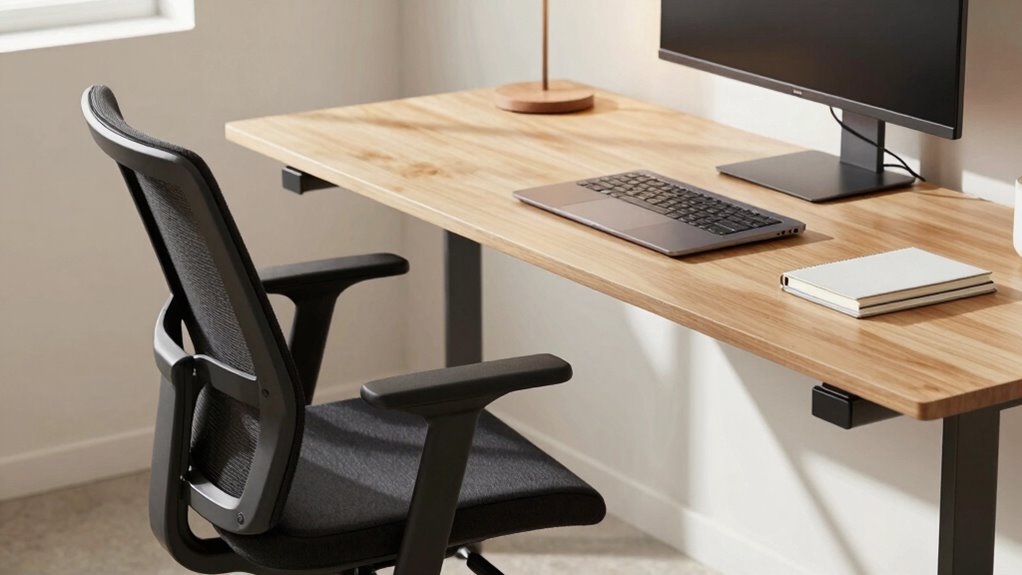

To fix desk pain without buying anything, first, adjust your chair so your feet are flat on the floor and your knees are at a 90-degree angle. Second, position your monitor at eye level about an arm’s length away to prevent neck strain. Third, sit fully back in your chair, supporting your lower back and keeping your shoulders relaxed. Small tweaks like these can make a big difference—stick around to discover more tips.
Key Takeaways
- Adjust your chair to support your lower back and ensure your feet are flat on the floor or use a footrest.
- Position your monitor at eye level and about an arm’s length away to prevent neck and eye strain.
- Sit fully back in your chair, keep shoulders relaxed, and avoid slouching or leaning forward.
- Take regular breaks every hour to stand, stretch, or walk around to improve circulation and reduce stiffness.
- Make small positioning tweaks, like adding lumbar support or adjusting monitor height, to significantly improve comfort without buying new furniture.
Do you often experience discomfort after long hours at your desk? If so, you’re not alone. Many people suffer from aches and pains caused by poor ergonomics and bad posture. Before rushing out to buy new furniture or expensive gadgets, it’s worth trying some simple adjustments that can make a significant difference. Starting with ergonomic accessories can help support your body’s natural alignment, but they work best when combined with effective posture correction techniques. Small changes in how you position yourself can lead to big relief.
Simple posture adjustments and ergonomic support can significantly reduce desk-related discomfort.
First, take a close look at your current setup. Is your chair providing proper lumbar support? If not, adding an ergonomic lumbar pillow or adjusting your existing chair’s height can help maintain the natural curve of your lower back. Your feet should rest flat on the floor, with knees at a 90-degree angle. If your feet don’t reach, a footrest can be a simple, affordable solution. Position your monitor so that the top of the screen is at eye level, about an arm’s length away. This helps prevent neck strain and encourages better posture. Use ergonomic accessories like keyboard trays or wrist rests to keep your wrists in a neutral position, avoiding unnecessary pressure. Additionally, selecting Suprem fabric for your office furniture or accessories can enhance comfort and durability, making your workspace more ergonomic and long-lasting.
Next, focus on your posture correction habits. Sit back fully in your chair, ensuring your back is supported and your shoulders are relaxed. Avoid slouching or leaning forward, as these positions put strain on your neck, shoulders, and back. Make a conscious effort to keep your chest open and your head aligned over your shoulders. Regularly check in with yourself—are your hips pushed back into the chair? Are your shoulders relaxed and not hunched? If you catch yourself slouching, straighten up and adjust your position. These small, mindful corrections can significantly reduce discomfort.
In addition to adjusting your physical setup, incorporate movement into your routine. Stand up, stretch, or walk around for a few minutes every hour. This breaks the cycle of static posture and increases circulation, which helps prevent stiffness and pain. Even simple stretches for your neck, shoulders, and back can alleviate tension accumulated during the day. Consider using ergonomic accessories that promote movement, like sit-stand desks or balance ball chairs, but only after you’ve mastered the basic posture corrections.
Frequently Asked Questions
How Long Should I Try Each Adjustment Before Deciding It Doesn’t Work?
You should try each adjustment for at least a week to accurately assess its effectiveness. This trial duration allows your body to adapt and reveals whether the change relieves your discomfort. If after a week you notice no improvement or discomfort worsens, it’s time to contemplate that the adjustment isn’t effective. Be patient and consistent, giving each change enough time to determine if it truly benefits your desk setup.
Are There Specific Exercises to Complement Desk Posture Adjustments?
Yes, incorporating stretching routines and strengthening exercises can greatly improve your desk posture. Focus on stretches that target your neck, shoulders, and back to relieve tension. Strengthening exercises for your core and upper back help support proper alignment. Dedicate 10-15 minutes daily to these routines, and you’ll notice less pain and better posture over time. Consistency is key to making lasting improvements.
Can Improper Chair Height Cause Desk Pain Even With Correct Desk Setup?
Yes, improper chair height can cause desk pain even with a good desk setup. When your chair isn’t at the right height, your posture suffers, leading to strain. Make sure your ergonomic accessories, like adjustable chairs, support proper alignment. Also, consider chair material—breathable options keep you comfortable, preventing tension. Adjust your chair so your feet rest flat, knees are at a 90-degree angle, and your monitor is at eye level for ideal comfort.
How Often Should I Take Breaks During Prolonged Desk Work?
You should take breaks every 30 to 60 minutes during prolonged desk work. During these breaks, do stretching routines to relieve muscle tension and refresh your focus. Also, consider ergonomic accessories like adjustable chairs or monitor stands to reduce strain. Regular breaks combined with proper ergonomic setup help prevent desk pain and improve your comfort and productivity throughout the day.
What Signs Indicate I Need Professional Ergonomic Assessment?
You need a professional ergonomic assessment if you notice persistent pain, numbness, or tingling in your neck, shoulders, or wrists, despite adjusting your workstation. Poor posture awareness often causes these issues, and ergonomic tools alone might not fix underlying problems. An expert can evaluate your setup, identify misalignments, and recommend tailored solutions, ensuring you maintain good posture and prevent long-term discomfort.
Conclusion
Think of your desk as a ship charting rough waters. The three adjustments are your compass, steering you away from pain and toward comfort. Don’t wait until the storm hits—make these small changes now, and you’ll stay on course. Remember, a well-tuned ship sails smoother, just like a well-adjusted workspace keeps you pain-free. Trust these simple fixes to guide you safely back to calm waters every day. Your comfort is worth the voyage.