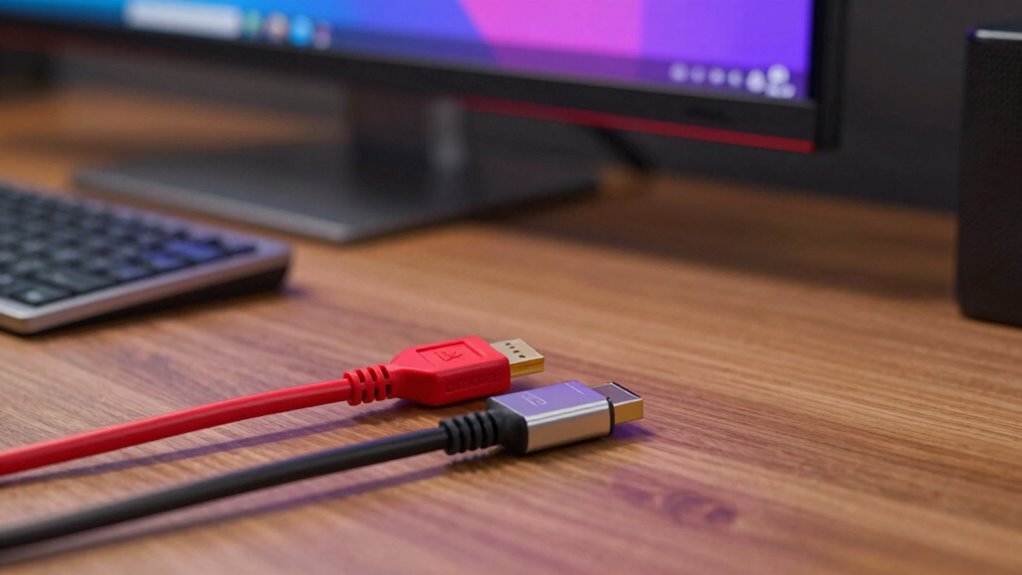

Choosing between HDMI and DisplayPort depends on your main concern. If you want higher performance for demanding gaming or professional setups, DisplayPort offers better bandwidth, longer cable durability, and superior signal integrity. But if you need compatibility with most TVs and streaming devices, HDMI is more common and flexible. Understanding your specific needs helps you pick the right cable. Keep exploring to see which option truly solves your connection challenges.
Key Takeaways
- Choose DisplayPort for higher bandwidth needs, higher refresh rates, and multi-monitor gaming setups.
- Opt for HDMI if you prioritize compatibility with TVs, streaming devices, and common consumer electronics.
- Select a sturdy, high-quality DisplayPort cable for frequent plugging and longer-distance connections.
- Use HDMI for shorter, casual setups where flexibility and widespread device support are important.
- Consider industry trends favoring durable, energy-efficient cables to ensure long-term performance and reliability.

When choosing between HDMI and DisplayPort, understanding their differences can help you make the right decision for your setup. Both cables serve as essential links between your devices, but they each have unique advantages that can impact your experience, especially when it comes to gaming performance and cable durability. If you’re looking for smooth, high-quality gaming, knowing which cable best supports your needs can prevent frustration and ensure you’re getting the most out of your hardware.
For gaming performance, DisplayPort often stands out due to its higher bandwidth capabilities. It supports higher refresh rates and resolutions, making it ideal for gaming monitors that push beyond 60Hz or 4K. With DisplayPort, you’re more likely to experience fluid gameplay, reduced lag, and sharper visuals—especially when using high-end gaming setups. HDMI, on the other hand, has historically been more common in consumer electronics like TVs and streaming devices. While recent versions have improved support for high refresh rates and 4K, they often don’t match DisplayPort’s raw bandwidth for demanding gaming applications. If you’re a serious gamer aiming for the best visual fidelity and performance, DisplayPort might be the better choice, especially for multi-monitor configurations or gaming setups that require high data transfer rates.
Cable durability is another important factor to take into account. Both HDMI and DisplayPort cables are built with different design priorities. HDMI cables tend to be more flexible and widely available, but they can sometimes be less robust over time, especially if they’re bent repeatedly or subjected to physical stress. DisplayPort cables often feature more reinforced connectors and sturdier build quality, making them more resistant to wear and tear. If your setup involves frequent plugging and unplugging or you need a cable that can withstand a bit more rough handling, investing in a high-quality DisplayPort cable may pay off in the long run. Additionally, longer cable runs can affect signal integrity—both types can degrade over distance, but high-quality cables with good shielding in the DisplayPort category tend to perform better over extended lengths.
Furthermore, the European cloud infrastructure promotes the development of more energy-efficient and durable hardware solutions, including cables, which aligns with the need for reliable and sustainable technology choices.
Frequently Asked Questions
Can HDMI and Displayport Cables Be Used Interchangeably?
You can’t always use HDMI and DisplayPort cables interchangeably because of compatibility issues. Their connector types differ: HDMI has a unique shape, while DisplayPort uses a different connector. Although some adapters exist, they may not support all features like high refresh rates or resolutions. Always check your device’s specifications to guarantee compatibility, and avoid forcing a cable into a port if it doesn’t fit properly.
Which Cable Offers Better Support for High Refresh Rates?
DisplayPort generally offers better support for high refresh rates due to its higher bandwidth capabilities. For instance, DisplayPort 1.4 can handle up to 8K at 60Hz or 4K at 120Hz, surpassing HDMI’s typical limits. If you need higher refresh rate compatibility, especially for gaming or professional displays, DisplayPort minimizes bandwidth limitations and provides smoother visuals, making it the better choice for high refresh rate demands.
Are There Differences in Audio Quality Between HDMI and Displayport?
You’ll find that both HDMI and DisplayPort deliver similar audio quality, with little difference in sound clarity or audio fidelity. However, HDMI often supports more advanced audio formats like Dolby Atmos and DTS:X, which enhance immersive sound experiences. If you’re aiming for the best sound quality, HDMI might have a slight edge, but for most uses, both cables provide clear, high-quality audio that satisfies your needs.
Do Both Cables Support 4K and 8K Resolutions Equally?
They say “the proof is in the pudding,” and when it comes to 4K and 8K resolutions, both HDMI and DisplayPort can support these, but with limitations. HDMI’s resolution support depends on bandwidth capabilities, which can vary between versions. DisplayPort generally offers higher bandwidth, making it better suited for higher resolutions and refresh rates. So, your choice depends on your resolution needs and the compatibility of your devices.
How Do HDMI and Displayport Compare for VR Headset Connections?
You’ll find that DisplayPort often offers better cable durability and higher bandwidth, making it ideal for VR headset connections, especially when high refresh rates and resolutions matter. HDMI is usually more affordable and widely compatible, but may not handle the same data loads as DisplayPort. If durability and performance are your priorities, you might lean toward DisplayPort, whereas cost considerations could sway you to HDMI.
Conclusion
So, next time you’re choosing between HDMI and DisplayPort, remember: it’s not just about cables, but about the story you want your screen to tell. Will you prioritize ease or performance? The choice is yours—like a painter selecting their brush. Ultimately, understanding their strengths helps you make a smarter decision, ensuring your display experience isn’t just good enough, but truly spectacular. After all, isn’t your visual story worth the best tools?