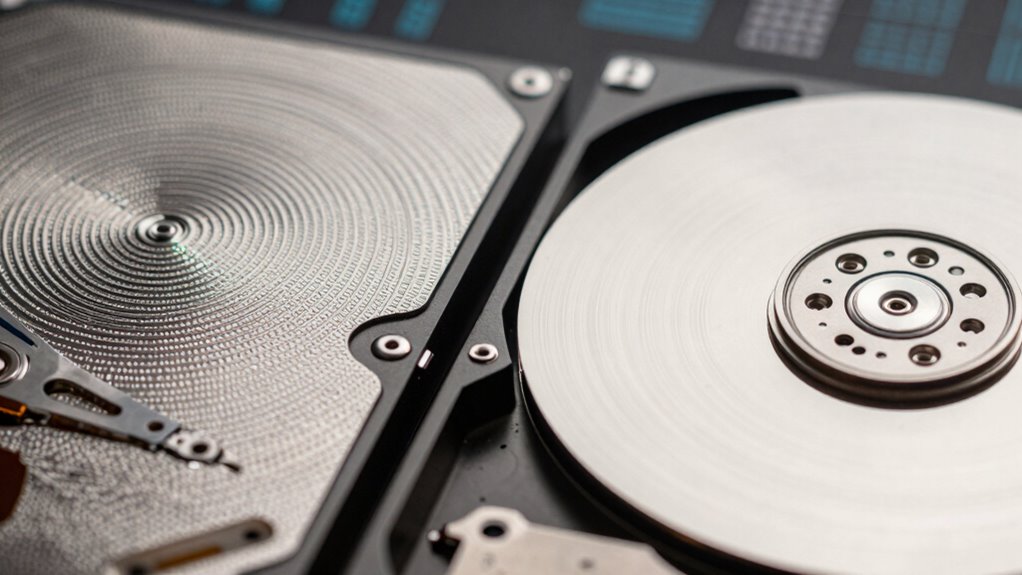

The key factor impacting performance between SMR and CMR drives is how they store data. SMR drives use overlapping tracks to increase density, making writes slower and more complex, especially during random or frequent updates. CMR drives write data in discrete, non-overlapping tracks, allowing faster, more reliable performance for intensive tasks. Understanding this difference can help you choose the right drive for your needs, and if you keep exploring, you’ll uncover even more details.
Key Takeaways
- SMR drives have slower write speeds due to overlapping tracks, impacting performance during frequent or intensive write operations.
- CMR drives handle random and high-speed writes more efficiently because of their discrete, non-overlapping track structure.
- Overlapping tracks in SMR complicate data management and recovery, potentially causing delays in data access and retrieval.
- CMR’s straightforward architecture allows for faster data recovery and easier management in complex or error scenarios.
- Cost-effective SMR storage is ideal for archival purposes, but performance drawbacks can affect active data workloads.

When choosing between SMR (Shingled Magnetic Recording) and CMR (Conventional Magnetic Recording) drives, understanding their differences is vital to making an informed decision. Both types of drives serve similar purposes but differ greatly in how they store data, which impacts performance, data recovery, and cost efficiency. As you evaluate your storage needs, keep in mind that SMR drives pack data more densely, leading to higher capacity at a lower price per terabyte. This cost efficiency makes them attractive for large-scale, archival storage where speed isn’t the top priority. However, their design can complicate data recovery, especially if data becomes corrupted or lost, because the overlapping tracks make precise data recovery more challenging. If you anticipate needing frequent data retrievals or expect to perform data recovery often, this could influence your choice.
With CMR drives, data is written in discrete, non-overlapping tracks, which makes data management easier. This structure results in better performance during write operations and easier data recovery, especially in complex scenarios like drive failures or corruption. If you work with applications that demand high-speed data access, CMR drives are usually the better choice. They tend to handle frequent updates and random write operations more efficiently, reducing the risk of data loss during recovery processes. While CMR drives might cost more upfront, their reliability and ease of data recovery can save you money in the long run by minimizing downtime and reducing the cost associated with data loss.
CMR drives offer better performance and simpler data recovery for high-speed, frequent-write applications.
Your decision should also take into account how much you value cost efficiency versus performance. SMR drives are generally more affordable initially and offer higher storage density, making them suitable for backup and long-term storage solutions. However, the challenges they present with data recovery, especially during intensive write cycles, mean you’ll need to weigh these factors carefully. Conversely, CMR drives come at a higher price point but provide more consistent performance and simpler data recovery processes, which can be vital in enterprise environments or situations where data integrity is paramount. When factoring in data recovery, it’s important to consider how the drive’s architecture influences your ability to retrieve lost data efficiently. Mishandling or misconfigurations in SMR drives can complicate recovery efforts, whereas CMR drives tend to offer more straightforward recovery options, reducing potential downtime.
Additionally, understanding the data storage architecture of each drive type can help you better anticipate potential issues in real-world scenarios. Ultimately, your choice hinges on balancing cost efficiency with your specific performance and data recovery needs. If you prioritize large storage capacity and lower costs, and can accept slower write speeds and more complex recovery, SMR drives might suit you. If your work demands rapid access, frequent writes, and simpler data recovery, investing in CMR drives makes more sense, despite their higher cost. Recognizing these distinctions can help you select the right drive for your requirements, ensuring your data remains safe and accessible, while also managing your budget effectively.
Frequently Asked Questions
How Do SMR and CMR Drives Compare in Lifespan?
You’ll find that CMR drives generally have a longer lifespan than SMR drives, mainly because they handle data retention and wear leveling more efficiently. CMR technology supports better wear leveling, reducing the risk of premature failure. SMR drives might save space but tend to wear out faster due to more intensive data rewriting. So, if longevity matters, CMR drives are usually the better choice for sustained performance.
Can I Upgrade My Existing Drive to SMR or CMR?
You can upgrade your existing drive to SMR or CMR, but first, check drive compatibility with your system. Many drives require specific firmware updates to function correctly, especially when switching between types. It’s essential to verify if your current hardware supports the new drive and update firmware accordingly. Don’t assume an upgrade is straightforward—research and confirm compatibility to avoid data loss or performance issues.
Are There Specific Use Cases Best Suited for Each Drive Type?
You’ll find CMR drives best suited for enterprise applications that require high write performance, like data centers and servers. SMR drives excel in scenarios with mostly read-heavy workloads, such as archival storage or backups. If you’re considering mobile device compatibility, verify the drive’s specifications, as not all drives support mobile environments. Choose the right type based on your workload patterns and device compatibility for ideal performance and reliability.
How Does the Cost Difference Influence Long-Term Storage Decisions?
You should consider that the cost difference influences your long-term storage decisions by impacting cost efficiency and investment risk. SMR drives are typically more affordable upfront, offering better cost efficiency for large-scale storage, but may pose higher investment risks due to performance limitations. CMR drives, although pricier initially, provide more reliable, consistent performance, reducing long-term investment risk. Balancing these factors helps you choose the best option for your storage needs.
Do SMR or CMR Drives Require Special Software for Management?
You don’t need special software to manage SMR or CMR drives, but firmware compatibility is vital for peak performance. Keep your drive’s firmware up to date to prevent data recovery challenges and guarantee smooth operation. While management tools are generally the same, understanding the drive type helps you anticipate potential data recovery issues, especially with SMR drives, which can be more complex to recover data from if problems arise.
Conclusion
Choosing between SMR and CMR drives depends on your needs, but understanding their differences can make a big difference in performance. Remember, it’s not just about picking the shiny new toy; it’s about what works best for you. If you’re aware of their quirks, you can avoid surprises down the road. In the end, knowing the ins and outs helps you make a smart choice—after all, you don’t want to be chasing your tail.