
For those seeking the best wifi 7 router under $700, this category offers a range of high-performance options suitable for demanding homes and small offices. The TP-Link Archer BE600 stands out as the overall best choice, thanks to its impressive speed and security features. ASUS ROG Rapture GT-BE98 PRO is ideal for gamers who need maximum bandwidth, while the GL.iNet GL-BE9300 provides a compact, affordable alternative. Buyers face tradeoffs between raw speed, user-friendliness, security features, and price, making it essential to understand what each router prioritizes. Continue reading for a detailed analysis of these options and more.
Listen free for 30 days with Audible
Thousands of audiobooks and originals — cancel anytime.
Start your free trialAs an affiliate, we earn on qualifying purchases.
Key Takeaways
- Top picks span a range of use cases, from gaming to mesh networking, reflecting the versatility of wifi 7 technology.
- The most expensive models tend to offer multi-gig ports and advanced security, but some budget-friendly options still deliver excellent performance.
- Many routers include features like VPN support, parental controls, and AIMesh compatibility, highlighting broader smart home integration.
- Performance differences are often linked to hardware specs like multi-band support and port speeds, but user interface usability varies widely.
- Choosing a router depends heavily on your specific needs — high speed, coverage, security, or ease of setup — rather than just raw specs.
| TP-Link Tri-Band WiFi 7 Router (Archer BE600) with 10G Port and HomeShield Security |  | Best Overall | Model: Archer BE600 | WiFi Technology: WiFi 7 | Max Speed: 5,765 Mbps | VIEW LATEST PRICE | See Our Full Breakdown |
| TP-Link Tri-Band WiFi 7 Router Archer BE700 |  | Best Value | Wi-Fi Technology: WiFi 7 | Speed: up to 15 Gbps | Bands: Tri-band (6GHz, 5GHz, 2.4GHz) | VIEW LATEST PRICE | See Our Full Breakdown |
| GL.iNet GL-BE9300 (Flint 3) Tri-Band WiFi 7 Router |  | Best for Gaming and Streaming | Product Type: Networking Router | Frequency Band: Tri-Band | Wi-Fi Standard: Wi-Fi 7 (802.11.be) | VIEW LATEST PRICE | See Our Full Breakdown |
| TP-Link Deco 7 Pro BE63 Tri-Band WiFi 7 Mesh System (3-Pack) |  | Best for Whole-Home Coverage | Wi-Fi Technology: WiFi 7 | Speed: up to 5188 Mbps (6GHz), 4324 Mbps (5GHz), 574 Mbps (2.4GHz) | Coverage: Up to 7,600 sq. ft. (3-pack) | VIEW LATEST PRICE | See Our Full Breakdown |
| ASUS ROG Rapture GT-BE98 PRO Quad-Band WiFi 7 Gaming Router |  | Best for Gaming Enthusiasts and Heavy Network Users | WiFi Standard: WiFi 7 (802.11be) | Max Speed: 30 Gbps | Channels: 320MHz in 6 GHz band | VIEW LATEST PRICE | See Our Full Breakdown |
| ASUS RT-BE55 Dual-Band WiFi 7 Router with AiMesh, 3600 Mbps, 2.5G Port, Parental Controls, VPNs, Security |  | Best for Families and Moderate Power Users | WiFi Standard: WiFi 7 (802.11be) | Speed: 3600 Mbps | Bands: Dual-band | VIEW LATEST PRICE | See Our Full Breakdown |
| TP-Link Archer BE24000 Quad-Band WiFi 7 Router with Dual 10 Gbps Multi-Gig Ethernet Ports and Touch Screen |  | Best for High-Speed, Large Coverage, and Advanced Features | Wi-Fi Standard: Wi-Fi 7 (802.11ax) | Max Speed: 24.4 Gbps | Bands: Quad-band | VIEW LATEST PRICE | See Our Full Breakdown |
| ASUS RT-BE88U Dual-Band WiFi 7 AiMesh Router with 10G Ports |  | Best for High-Speed and Seamless Whole-Home Coverage | WiFi Technology: WiFi 7 | Max Throughput: 7200 Mbps | Number of 2.5G Ports: 4 | VIEW LATEST PRICE | See Our Full Breakdown |
| GL.iNet GL-BE6500 (Flint 3e) WiFi 7 Router, High-Speed Wireless Internet with VPN, 5 x 2.5G Ethernet Ports |  | Best for Large Homes, Gaming, and Business with Built-in VPN | WiFi Standard: Wi-Fi 7 | Max Speed: 6.5 Gbps | Ethernet Ports: 5 x 2.5G | VIEW LATEST PRICE | See Our Full Breakdown |
| NETGEAR Orbi 370 Series Dual-Band WiFi 7 Mesh Network System (RBE373) with 2 Extenders |  | Best Overall WiFi 7 Mesh System for Whole-Home Coverage | Product Type: NETWORKING_ROUTER | Frequency Band: Dual-Band | Wireless Compatibility: WiFi 7 | VIEW LATEST PRICE | See Our Full Breakdown |
| TP-Link Tri-Band BE11000 Wi-Fi 7 Gaming Router Archer GE650 | 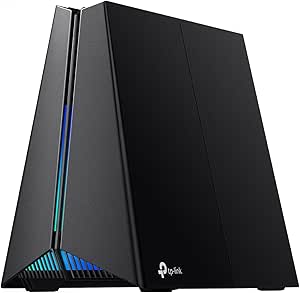 | Best for High-Speed Gaming and Streaming | Wi-Fi Standard: Wi-Fi 7 (802.11ax) | Tri-Band: Yes | Maximum Speed: 10+ Gbps | VIEW LATEST PRICE | See Our Full Breakdown |
| NETGEAR Nighthawk Tri-Band WiFi 7 Router (RS700S) – Router Only, Up to 19 Gbps, 10 Gig Internet Port, Covers 3,500 sq. ft. | 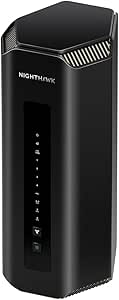 | Best High-Speed Performance with Extensive Coverage | WiFi Standard: WiFi 7 | Max Speed: up to 19 Gbps | Coverage: up to 3,500 sq. ft. | VIEW LATEST PRICE | See Our Full Breakdown |
More Details on Our Top Picks
TP-Link Tri-Band WiFi 7 Router (Archer BE600) with 10G Port and HomeShield Security
The TP-Link Archer BE600 stands out for its ability to deliver ultra-fast WiFi 7 speeds up to 5.7 Gbps across multiple bands, making it ideal for large homes with many connected devices. Compared with the TP-Link Archer BE700, it offers more extensive security features like TP-Link HomeShield and a dedicated 10G port, which benefits users needing high-speed wired connections. However, its complexity and higher price point may be overwhelming for casual users who just want reliable WiFi. This router is best suited for tech-savvy households or small offices that demand top-tier performance and security without sacrificing coverage.
Pros:- Supports WiFi 7 with speeds up to 5.7 Gbps across three bands
- Excellent coverage for large homes, up to 2,600 sq. ft.
- Includes multi-gig ports and advanced TP-Link HomeShield security
Cons:- Premium price may be prohibitive for budget-conscious buyers
- Features can be complex, requiring familiarity with advanced networking
Best for: Large households or small offices needing high-speed, reliable coverage with advanced security
Not ideal for: Casual users or those with modest internet needs who prefer simple setup and operation
- Model:Archer BE600
- WiFi Technology:WiFi 7
- Max Speed:5,765 Mbps
- Coverage:Up to 2,600 sq. ft.
- Devices Supported:Up to 120
- Ports:1x 10 Gbps WAN/LAN, 1x 2.5 Gbps WAN/LAN, 3x 2.5 Gbps LAN
Bottom line: This router is perfect for tech-savvy users seeking maximum speed and coverage with robust security features.
TP-Link Tri-Band WiFi 7 Router Archer BE700
The TP-Link Archer BE700 offers a compelling mix of high speed—up to 15 Gbps—and ease of use, making it a strong contender for users who want premium performance without paying a premium price. Its tri-band setup supports streaming, gaming, and downloads simultaneously, similar to the Archer BE600, but with even higher maximum speeds. The device includes multiple multi-gig ports and straightforward setup via the Tether app, which appeals to those who prioritize performance with minimal fuss. However, it requires a separate modem and might be more feature-rich than necessary for casual users who just need basic WiFi.
Pros:- Tri-band WiFi 7 with speeds up to 15 Gbps
- Multiple multi-gig ports support fast wired connections
- Easy setup via Tether app and voice control compatibility
Cons:- Requires separate modem for internet service
- Some advanced features may require subscriptions or additional configuration
Best for: Power users and gamers who demand top speeds and multiple wired connections with simple setup
Not ideal for: Users who already have a modem or prefer a plug-and-play experience with minimal configuration
- Wi-Fi Technology:WiFi 7
- Speed:up to 15 Gbps
- Bands:Tri-band (6GHz, 5GHz, 2.4GHz)
- Ports:1×10G+1×2.5G+2×1G
- Antennas:6 internal
- Security:TP-Link HomeShield
Bottom line: This router suits tech-savvy households seeking maximum performance without overpriced extras or complicated setup.
GL.iNet GL-BE9300 (Flint 3) Tri-Band WiFi 7 Router
The GL.iNet GL-BE9300 (Flint 3) makes a strong case for gamers and streamers wanting high speeds up to 9 Gbps and extensive coverage. Its tri-band setup and support for WiFi 7 ensure smooth performance even during intensive gaming or 4K/8K streaming, comparable to higher-priced routers like the Archer BE700. The device includes multiple security protocols and easy setup via app, making it suitable for both home and small business use. Nonetheless, it requires a firmware update at first and needs a separate modem, which could delay initial use for some users. This model is best for those who prioritize raw speed and coverage over plug-and-play simplicity.
Pros:- Supports WiFi 7 with speeds up to 9 Gbps
- Long-range coverage up to 2000 sq. ft.
- Supports multiple security protocols and simple app setup
Cons:- Initial firmware update required for optimal functioning
- No integrated modem, needs separate device
Best for: Gamers and streamers seeking high-speed, stable WiFi with extensive coverage
Not ideal for: Casual users or those seeking a simple, all-in-one device without additional setup steps
- Product Type:Networking Router
- Frequency Band:Tri-Band
- Wi-Fi Standard:Wi-Fi 7 (802.11.be)
- Maximum Speed:9 Gbps
- Coverage:Up to 2000 sq. ft.
- Ports:5 Ethernet ports
Bottom line: This router is tailored for power users who need high-speed WiFi with reliable coverage for demanding activities.
TP-Link Deco 7 Pro BE63 Tri-Band WiFi 7 Mesh System (3-Pack)
The TP-Link Deco 7 Pro BE63 excels at creating seamless, whole-home WiFi coverage for large properties, supporting over 200 devices with speeds up to 5.2 Gbps on the 6GHz band. Its mesh architecture allows easy expansion, with a 3-pack covering up to 7,600 sq. ft., surpassing standalone routers like the Archer BE600 in coverage. Setup is straightforward via the mobile app, and it includes robust security features. However, it comes at a higher cost, and some may find the extensive feature set overwhelming if only basic WiFi is needed. This system is ideal for large smart homes or multi-story residences where coverage and device capacity matter most.
Pros:- Supports speeds up to 5.2 Gbps on the 6GHz band
- Extensive coverage up to 7,600 sq. ft. with 3 units
- Supports over 200 devices with seamless roaming
Cons:- Higher overall cost than single routers
- Features may be complex for basic needs
Best for: Homeowners needing extensive, reliable WiFi coverage across a large property
Not ideal for: Small apartments or users with modest internet requirements who don’t need mesh expansion
- Wi-Fi Technology:WiFi 7
- Speed:up to 5188 Mbps (6GHz), 4324 Mbps (5GHz), 574 Mbps (2.4GHz)
- Coverage:Up to 7,600 sq. ft. (3-pack)
- Device Capacity:Over 200 devices
- Ports:Four 2.5G WAN/LAN, USB 3.0
- Security:HomeShield, VPN support
Bottom line: This mesh system is perfect for those seeking expansive, reliable WiFi coverage in large or multi-story homes.
ASUS ROG Rapture GT-BE98 PRO Quad-Band WiFi 7 Gaming Router
This router stands out for its incredible support of WiFi 7 speeds up to 30 Gbps, making it ideal for gaming and ultra-high-speed tasks. Unlike the TP-Link Archer BE24000, which offers impressive speeds but with a more user-friendly touchscreen, the ASUS ROG GT-BE98 PRO is more complex to set up, appealing to technically inclined users willing to manage advanced features. Its dual 10G ports and external antennas deliver exceptional wired and wireless coverage—perfect for gamers needing stable, low-latency connections. However, its size and price point make it less suitable for those with limited space or budget constraints. Best for gaming and power users who prioritize top-tier speed and coverage at a premium price. Not ideal for casual users or those seeking an easy plug-and-play setup.
- Supports ultra-fast WiFi 7 speeds up to 30 Gbps
- Multiple high-speed wired ports for flexible connectivity
- Enhanced coverage with external dual antennas
- Optimized for gaming with triple-level game acceleration
- Complex setup for non-technical users
- Premium price point
- Large size requiring ample space
Specs:- WiFi Standard: WiFi 7 (802.11be)
- Max Speed: 30 Gbps
- Channels: 320MHz in 6 GHz band
- Multi-link Operation: Yes
- Antenna Type: External dual-feeding antennas
- Wired Ports: 1 x 10G, 3 x 2.5G
Pros:- Supports ultra-fast WiFi 7 speeds up to 30 Gbps
- Multiple high-speed wired ports for flexible connectivity
- Enhanced coverage with external dual antennas
- Optimized for gaming with triple-level game acceleration
Cons:- Complex setup for non-technical users
- Premium price point
- Large size may require ample space
Best for: High-end gamers and users needing maximum speed and flexible wired/wireless connectivity
Not ideal for: Casual users or those with limited space or technical expertise
- WiFi Standard:WiFi 7 (802.11be)
- Max Speed:30 Gbps
- Channels:320MHz in 6 GHz band
- Multi-link Operation:Yes
- Antenna Type:External dual-feeding antennas
- Wired Ports:1 x 10G, 3 x 2.5G
Bottom line: This router is best suited for gamers and power users who need maximum performance and are comfortable with advanced setup.
ASUS RT-BE55 Dual-Band WiFi 7 Router with AiMesh, 3600 Mbps, 2.5G Port, Parental Controls, VPNs, Security
This router offers a compelling mix of speed up to 3600 Mbps and AiMesh support, making it a strong choice for larger homes needing reliable coverage. Compared with the TP-Link Archer BE24000, which emphasizes raw speed and extensive coverage, the ASUS RT-BE55 strikes a balance with a more straightforward setup and integrated parental controls. Its dual-band configuration and 2.5G port support fast connections for streaming, gaming, and smart home devices, while AiMesh allows expansion. However, its slightly lower top speed and lack of a touchscreen mean it’s less suited for those seeking the absolute fastest network or easy management interfaces. Best for families and home users who want a reliable, secure, and expandable WiFi 7 network. Not ideal for tech enthusiasts seeking the highest possible throughput or advanced customization.
- High-speed WiFi 7 performance up to 3600 Mbps
- AiMesh support for easy whole-home expansion
- Supports multiple SSIDs for parental controls and IoT
- Robust security features including VPN support
- May be complex for users unfamiliar with network setup
- Price not specified, potentially premium
- Limited to dual-band, less than some tri-band options
Specs:- WiFi Standard: WiFi 7 (802.11be)
- Speed: 3600 Mbps
- Bands: Dual-band
- Coverage: Up to 2000 ft²
- Number of SSIDs: Up to 3
- Ports: 1 x 2.5G Ethernet WAN
Pros:- High-speed WiFi 7 performance up to 3600 Mbps
- AiMesh support for seamless coverage expansion
- Supports multiple SSIDs for parental controls and IoT devices
- Strong security features including VPN support
Cons:- Setup can be complex for non-technical users
- Price may be high for some budgets
- Limited to dual-band operation
Best for: Families and home users requiring reliable, expandable WiFi coverage with security features
Not ideal for: Power users or tech enthusiasts seeking maximum throughput or multi-gig wired ports
- WiFi Standard:WiFi 7 (802.11be)
- Speed:3600 Mbps
- Bands:Dual-band
- Coverage:Up to 2000 ft²
- Number of SSIDs:Up to 3
- Ports:1 x 2.5G Ethernet WAN
Bottom line: Ideal for families or users seeking reliable, secure WiFi coverage in a large home environment.
TP-Link Archer BE24000 Quad-Band WiFi 7 Router with Dual 10 Gbps Multi-Gig Ethernet Ports and Touch Screen
This router delivers speeds up to 24.4 Gbps across four bands, making it ideal for demanding households or small businesses. Its multi-gig Ethernet ports, including dual 10 Gbps connections, provide excellent wired flexibility compared to the ASUS RT-BE88U, which offers fewer multi-gig ports. The inclusion of a touchscreen simplifies setup and management, a feature not available on most competitors like the GL.iNet Flint 3e. While its advanced features and extensive coverage are appealing, its high cost and need for a separate modem for many ISPs might deter casual users. Best for large households, tech-savvy users, or small offices who need maximum wired and wireless performance. Not ideal for budget-conscious buyers or those looking for a simple, plug-and-play setup.
- Blazing-fast Wi-Fi speeds up to 24.4 Gbps
- Multiple multi-gig Ethernet ports including dual 10 Gbps
- Intuitive touchscreen for easy management
- Excellent coverage with 12 antennas and Beamforming
- High price point
- Requires a separate modem for most ISPs
- Large size may limit placement options
Specs:- Wi-Fi Standard: Wi-Fi 7 (802.11ax)
- Max Speed: 24.4 Gbps
- Bands: Quad-band (2.4, 5, 5, 6 GHz)
- Ethernet Ports: 2 x 10 Gbps, 4 x 2.5 Gbps, 1 x 1 Gbps
- Touchscreen: Yes
- Security: TP-Link HomeShield
Pros:- Blazing-fast WiFi speeds up to 24.4 Gbps
- Multiple multi-gig Ethernet ports including dual 10 Gbps
- Easy management via integrated touchscreen
- Excellent coverage with 12 antennas and Beamforming
Cons:- High price point
- Requires separate modem for most ISPs
- Large physical size
Best for: Large households or small offices needing high-speed wireless and extensive wired options
Not ideal for: Budget-conscious or non-technical users seeking simple setup
- Wi-Fi Standard:Wi-Fi 7 (802.11ax)
- Max Speed:24.4 Gbps
- Bands:Quad-band
- Ethernet Ports:2 x 10 Gbps, 4 x 2.5 Gbps, 1 x 1 Gbps
- Touchscreen:Yes
- Security:TP-Link HomeShield
Bottom line: This router is well-suited for users needing maximum wired and wireless speed with intuitive control for demanding environments.
ASUS RT-BE88U Dual-Band WiFi 7 AiMesh Router with 10G Ports
This router excels in delivering speeds up to 7200 Mbps thanks to its dual-band WiFi 7 technology, making it a top contender for high-performance needs. Its two 10G ports, including SFP+, set it apart from models like the GL.iNet Flint 3e, which focuses more on coverage than raw speed. The extensive wired port options and AiMesh support allow easy expansion for large homes or small offices. However, its setup process can be intricate for non-technical users, and its size and premium price may not appeal to those with space or budget constraints. Best for tech-savvy users or small businesses looking for maximum wired/wireless throughput and seamless expansion. Not ideal for casual users or those seeking an easy, straightforward setup.
- Max throughput of 7200 Mbps with WiFi 7
- Multiple high-speed wired ports including 10G
- Supports AiMesh for whole-home coverage
- Advanced security with AiProtection Pro
- Complex setup for non-technical users
- High price point
- Large size requiring space
Specs:- WiFi Technology: WiFi 7
- Max Throughput: 7200 Mbps
- Number of 2.5G Ports: 4
- Number of 10G Ports: 2 (including SFP+)
- Number of 1G Ports: 4
- Security: AiProtection Pro, VPN support
Pros:- Blazing-fast WiFi 7 speeds up to 7200 Mbps
- Multiple 10G and 2.5G wired ports for flexible connectivity
- Supports AiMesh for seamless whole-home coverage
- Advanced security features included
Cons:- Complex setup process
- High cost
- Large physical footprint
Best for: Tech-savvy users or small offices needing maximum speed and network expansion
Not ideal for: Casual or less experienced users seeking simple setup and lower cost
- WiFi Technology:WiFi 7
- Max Throughput:7200 Mbps
- Number of 2.5G Ports:4
- Number of 10G Ports:2 (including SFP+)
- Number of 1G Ports:4
- Security:AiProtection Pro, VPN support
Bottom line: Best suited for users who need top-tier speed, extensive wired options, and are comfortable with technical setup.
GL.iNet GL-BE6500 (Flint 3e) WiFi 7 Router, High-Speed Wireless Internet with VPN, 5 x 2.5G Ethernet Ports
The GL.iNet Flint 3e offers speeds up to 6.5 Gbps, making it suitable for streaming, gaming, and business use in large spaces. Its five 2.5G Ethernet ports provide ample wired connectivity, surpassing many competitors in port count. The built-in VPN, parental controls, and ad-blocking make it appealing for privacy-conscious users. Unlike the ASUS RT-BE88U, which emphasizes raw speed, the Flint 3e focuses on coverage and security, making it a good fit for large homes or small offices. Its actual speeds may fluctuate based on external factors, and setup can be technical for those unfamiliar with advanced networking. Best for large households, gaming, or small business environments that need strong wireless coverage and security features. Not ideal for casual users or those seeking simple plug-and-play devices.
- Speeds up to 6.5 Gbps with WiFi 7
- Five 2.5G Ethernet ports for extensive wired connectivity
- Built-in VPN and ad-blocking features
- Coverage up to 2,500 sq ft with 12 antennas
- Speeds depend on external factors
- Setup may be complex for novices
- Premium price for advanced features
Specs:- WiFi Standard: Wi-Fi 7
- Max Speed: 6.5 Gbps
- Ethernet Ports: 5 x 2.5G
- Coverage: Up to 2,500 sq ft
- Processor: DDR4 1GB
Pros:- Ultra-fast WiFi 7 speeds up to 6.5 Gbps
- Five 2.5G Ethernet ports for extensive wired connections
- Built-in VPN and security features
- Supports coverage up to 2,500 sq ft with multiple antennas
Cons:- Speeds may vary based on external conditions
- Setup can be complex for less experienced users
- Higher price point for advanced features
Best for: Large homes, gaming setups, or small businesses needing high-speed, secure connections
Not ideal for: Basic home users or those with limited technical skills seeking simple setup
- WiFi Standard:Wi-Fi 7
- Max Speed:6.5 Gbps
- Ethernet Ports:5 x 2.5G
- Coverage:Up to 2,500 sq ft
- Processor:DDR4 1GB
Bottom line: Ideal for users needing high-speed, secure wireless coverage over large areas with multiple wired devices.
NETGEAR Orbi 370 Series Dual-Band WiFi 7 Mesh Network System (RBE373) with 2 Extenders
This mesh network system stands out for its expansive coverage, making it ideal for large households needing seamless connectivity across 6,000 sq.ft. or more. Compared to the NETGEAR Nighthawk RS700S, it offers better coverage but lacks the ultra-high speeds and 10 Gbps port. Its support for WiFi 7 ensures faster speeds and improved device handling, especially with multiple smart home gadgets and streaming devices. However, setup can be more complex, especially for non-technical users, and it requires a compatible internet plan to reach top speeds. The inclusion of security features like WPA3 adds to its appeal for secure browsing. Still, it doesn’t include a modem, so buyers need an existing internet connection. This pick makes the most sense for those prioritizing wide coverage and stable multi-device performance over the highest possible speed.
Pros:- Supports WiFi 7 for faster speeds and better multi-device management
- Whole-home coverage up to 6,000 sq.ft. with extenders
- Handles many devices simultaneously without lag
- Built-in security with WPA3
Cons:- Setup may be complex for less tech-savvy users
- Requires compatible internet plan for maximum performance
- No modem included, necessitating a separate device
Best for: Large households or multi-story homes needing extensive coverage and reliable mesh connectivity
Not ideal for: Small apartments or users seeking the absolute highest speeds for gaming or 4K streaming without mesh
- Product Type:NETWORKING_ROUTER
- Frequency Band:Dual-Band
- Wireless Compatibility:WiFi 7
- Data Transfer Rate:5 Gbps
- Connectivity Range:6000 sq.ft.
- Security Protocols:WPA3, WPA2-PSK
Bottom line: This system is ideal for large homes that need broad, reliable WiFi coverage and mesh flexibility over sheer speed.
TP-Link Tri-Band BE11000 Wi-Fi 7 Gaming Router Archer GE650
The Archer GE650 earns its place for gamers and streamers needing maximum speed, offering over 10 Gbps thanks to its tri-band setup and a powerful 1.5 GHz quad-core CPU. Compared with the NETGEAR Nighthawk RS700S, it delivers vastly higher speeds but sacrifices some coverage area, making it less suitable for large households. Its multiple gigabit ports support extensive wired connections, and game acceleration features help reduce lag and ping, giving gamers an edge. The setup is straightforward via the Tether app, although the rich feature set might overwhelm casual users. Its large size and premium price may be drawbacks for those with limited space or budget. Overall, this router is best suited for dedicated gaming setups or high-speed streaming environments that prioritize raw performance over coverage.
Pros:- Exceptional speeds exceeding 10 Gbps for gaming and 4K streaming
- Multiple gigabit ports support wired devices
- Game acceleration reduces lag and ping
- Easy setup via Tether app
Cons:- Premium price point may deter casual users
- Large size could be hard to place in small spaces
- Complex features might be unnecessary for average users
Best for: Gamers or streamers demanding ultra-fast speeds and minimal latency
Not ideal for: Users seeking broad coverage for a large home or those with a tight budget
- Wi-Fi Standard:Wi-Fi 7 (802.11ax)
- Tri-Band:Yes
- Maximum Speed:10+ Gbps
- Processor:1.5 GHz quad-core CPU
- Ports:2×5G WAN/LAN, 3×2.5G LAN, USB 3.0
- Supported Devices:Up to 100
Bottom line: This router excels for those who need max speeds for gaming and streaming, accepting a higher cost and smaller coverage area.
NETGEAR Nighthawk Tri-Band WiFi 7 Router (RS700S) – Router Only, Up to 19 Gbps, 10 Gig Internet Port, Covers 3,500 sq. ft.
The RS700S earns recognition for its impressive maximum speeds up to 19 Gbps, especially suited for heavy streaming, gaming, and AR/VR applications. Compared with the NETGEAR Orbi 370, it offers higher speed but slightly less coverage, making it a better choice for users who prioritize speed over sprawling coverage. Its 10 Gbps Ethernet port ensures rapid wired connections, ideal for tech enthusiasts with high-bandwidth needs. The sleek design packs high-performance antennas in a compact form, but it only functions as a router—buyers need a separate modem. Limited to U.S. compatibility may restrict international buyers. This router makes sense for those who want top-tier WiFi speeds in a manageable footprint, assuming they have a compatible internet plan and a separate modem.
Pros:- Up to 19 Gbps speeds for seamless high-bandwidth tasks
- Includes a 10 Gigabit Ethernet port for fast wired connections
- Sleek design with high-performance antennas
- Supports a coverage of up to 3,500 sq.ft.
Cons:- Requires a separate modem, adding to setup complexity
- Limited to U.S. compatibility
- No mesh or multi-unit support
Best for: Power users needing ultra-fast speeds for gaming, streaming, or AR/VR within a sizable but not sprawling home
Not ideal for: Large households requiring mesh coverage or users on a tight budget
- WiFi Standard:WiFi 7
- Max Speed:up to 19 Gbps
- Coverage:up to 3,500 sq. ft.
- Internet Port:10 Gigabit Ethernet
- LAN Ports:1 x 10 Gbps, 4 x 1 Gbps
- Dimensions:11.09 x 5.59 x 4.88 inches
Bottom line: This router is best for users who demand maximum speeds in a moderately sized home and already have a compatible modem setup.
How We Picked
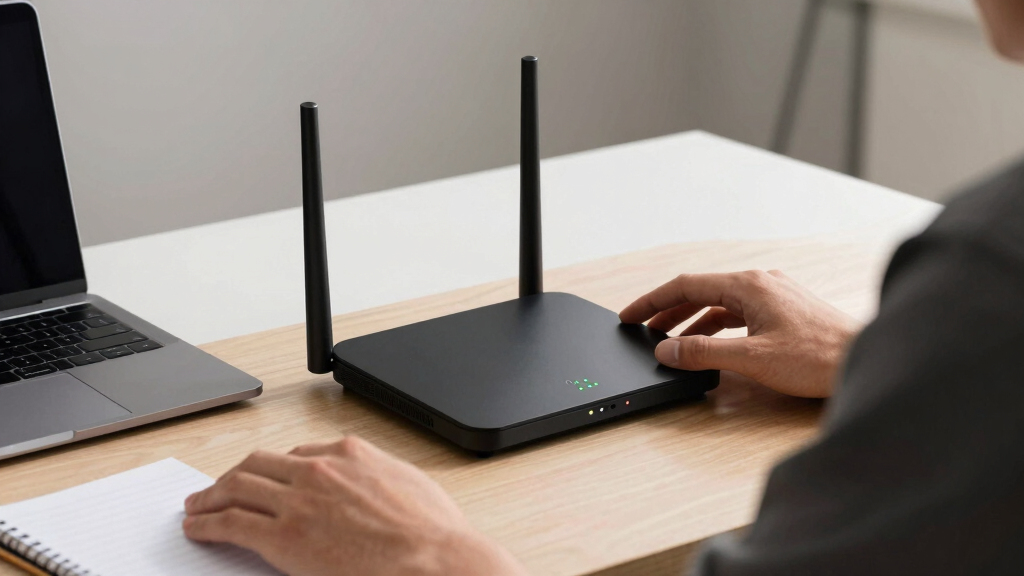
Our evaluation focused on performance metrics, build quality, ease of setup, security features, and value within the $700 price cap. We prioritized routers that demonstrate strong real-world speed, multi-device handling, and future-proofing through wifi 7 support. Compatibility with mesh systems, security options, and additional ports also played key roles, as these factors influence long-term usability. Our ranking reflects a balance between top-tier performance and practical features, ensuring each model offers a clear advantage for specific buyer needs. We aimed to identify options that deliver solid value without sacrificing essential tech innovations in the wifi 7 space.
Factors to Consider When Choosing Best Wifi 7 Router Under $700
Choosing the best wifi 7 router under $700 requires understanding several key factors. Beyond raw speed, consider coverage, security, ease of use, and future-proofing features. This guide explores critical considerations to help you avoid common pitfalls and select a router that matches your specific situation.Performance and Speed
While wifi 7 routers promise high theoretical speeds, real-world performance depends on hardware specifics like multi-band support and processing power. Evaluate whether the router can handle your internet plan’s speeds and multiple connected devices simultaneously. Over-investing in ultra-high speeds may be unnecessary if your internet service isn’t that fast, so match performance with your actual needs to avoid overspending.
Coverage and Mesh Compatibility
Coverage is critical, especially in larger homes or offices. Many wifi 7 routers support mesh systems, which can extend range seamlessly. Consider whether the router is compatible with existing mesh nodes or if you plan to expand coverage later. A mesh-ready device offers flexibility, but if you have a small space, a single high-performance router might suffice.
Security and Management Features
Security features like advanced encryption, parental controls, and integrated threat detection add value, especially in shared environments. Some routers include dedicated security services or hardware-based protections, which can be worth paying extra for. Ease of management via apps or web interfaces also influences how smoothly you’ll maintain your network, especially for non-technical users.
Ports and Connection Options
Multi-gig ports, especially 10 Gbps Ethernet, provide future-proofing for wired connections. Check if the router offers enough ports for your devices and whether they support multi-gig speeds. This can be a decisive factor if you have high-speed NAS, gaming PCs, or smart home hubs needing fast wired connectivity.
Ease of Setup and User Experience
An intuitive setup process and user-friendly interface make managing your network less frustrating. Some routers include mobile apps with guided setup, while others require more technical know-how. Consider your comfort level with networking tech—spending more upfront can save time and headaches later.
Frequently Asked Questions
Do I need a wifi 7 router if I already have wifi 6?
Upgrading to a wifi 7 router offers substantial improvements in speed, latency, and capacity, especially in busy environments with many connected devices. Wifi 7 also provides better performance for high-bandwidth activities like 4K streaming and gaming. However, to fully benefit, your devices must support wifi 7, which may take time to become widespread. For most users with wifi 6 devices, the upgrade might be more about future-proofing than immediate necessity.
Is it worth paying extra for a multi-gig port in this price range?
Multi-gig ports, like 2.5 Gbps or 10 Gbps, are valuable if you have high-speed wired devices or plan to upgrade your internet service. They reduce bottlenecks and ensure your wired connections match your internet plan’s speeds. If most of your devices are Wi-Fi only and your internet speed is below 1 Gbps, investing in multi-gig ports might offer limited immediate benefits but can add to your network’s longevity.
How important is mesh support in a router under $700?
Mesh support is highly beneficial if you need extensive coverage across a large home or office. It allows you to expand your network without sacrificing performance. However, not everyone needs mesh, especially in smaller spaces. If your environment is compact, a powerful single-router setup might be more straightforward and cost-effective.
Are security features in these routers reliable enough for sensitive data?
Most high-end routers include robust security features, including WPA3 encryption, threat detection, and automatic updates. While hardware-based security adds an extra layer of protection, no device is completely invulnerable. Regular firmware updates and good security practices remain essential, regardless of the router you choose.
Should I prioritize speed or coverage when choosing a router?
The decision depends on your home layout and device usage. If you have a large or multi-story home, coverage and mesh compatibility might be more important. If your space is small but you perform bandwidth-intensive tasks, speed and port options could take precedence. Matching your specific needs with these priorities ensures a more satisfying purchase.
Conclusion
The best overall choice for most users is the TP-Link Archer BE600, offering a balanced combination of speed, security, and ease of use. For gamers or heavy streamers, the ASUS ROG Rapture GT-BE98 PRO delivers maximum bandwidth and low latency. Budget-conscious buyers should consider the GL.iNet GL-BE9300, which provides solid wifi 7 performance without a hefty price tag. Beginners will appreciate routers with simple setup interfaces, while those needing extensive coverage should opt for mesh-compatible models. Ultimately, your decision should align with your specific priorities—whether that’s raw speed, coverage, security, or ease of management.
Back to school Picks
back to school
As an affiliate, we earn on qualifying purchases.