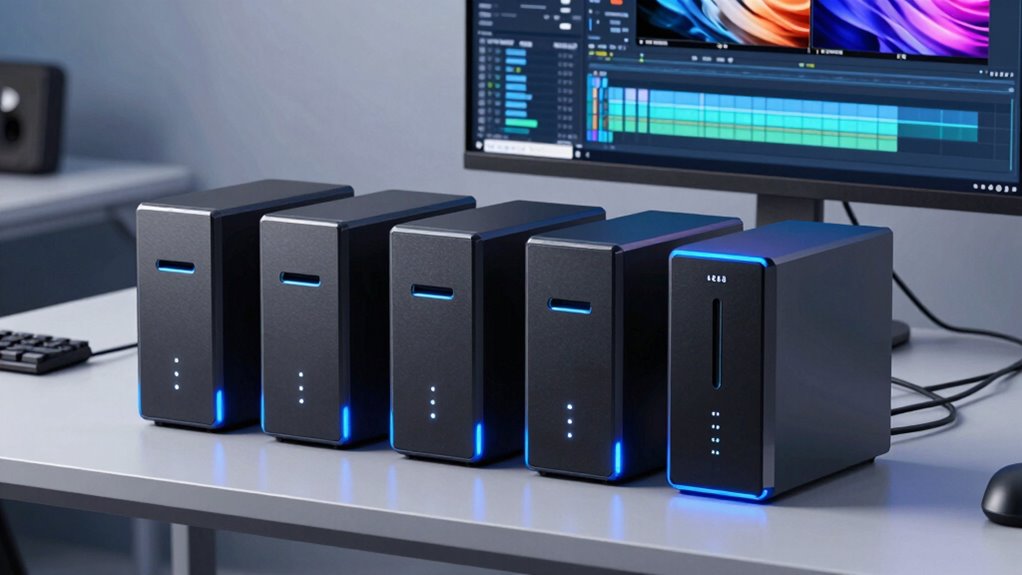

For video editors, a 4 bay NAS offers a balance of storage capacity, performance, and expandability. The Synology DS425+ stands out as the best overall choice thanks to its robust software ecosystem and reliable performance. The Asustor Lockerstor 4 Gen3 is ideal for those needing high-speed connectivity with dual 10GbE ports, making large file transfers faster. Meanwhile, the Ugreen NAS DXP4800 offers a solid option for creators and small teams on a budget. The main challenge in this category lies in balancing performance, ease of use, and future-proofing against the cost. Continue reading for a detailed breakdown of each option and what suits your workflow best.

Prime made for students and young adults
- Fast, free delivery for dorm and study essentials
- Prime Video and Amazon Music included
- Member-only deals
Key Takeaways
- The top-ranked models combine high-speed networking with strong hardware specs, critical for smooth 4K video editing.
- Price and expandability vary significantly; choosing between diskless units and pre-populated drives impacts initial costs and flexibility.
- Connectivity options like dual 1GbE versus 10GbE can greatly influence transfer times for large video files.
- Software ecosystem and user interface play a key role in ease of setup and ongoing management, especially for less tech-savvy users.
- Performance tradeoffs often involve choosing between raw CPU power and simplified, user-friendly interfaces.
| Synology DS425+ 4-Bay Diskless NAS Private Cloud Media Server |  | Best Overall for Versatile Video Editing and Data Management | Bays: 4 (diskless) | Transfer Speed: 278 MB/s | Concurrent Users: 10+ | VIEW ON AMAZON | See Our Full Breakdown |
| UGREEN NAS DXP4800 GT 4-Bay for Creators, Tech Enthusiasts and Office Teams |  | Best for High-Performance Demanding Workflows | Processor: AMD Ryzen Embedded R2514, 4 cores, up to 3.70GHz | RAM: 8GB DDR4, expandable to 64GB | Drive Bays: 4 SATA, up to 32TB each; 2 NVMe SSD slots | VIEW ON AMAZON | See Our Full Breakdown |
| Synology 4-Bay DiskStation DS925+ (Diskless) |  | Best for Scalable Storage and Data Management | Model: DS925+ | Maximum Drive Support: 9 with expansion | Network Ports: 2 x 2.5GbE | VIEW ON AMAZON | See Our Full Breakdown |
| Asustor Lockerstor 4 Gen3 AS6804T 4-Bay NAS, AMD Ryzen 3.8GHz Quad-Core, 16GB ECC DDR5, Dual 5GbE & 10GbE, Diskless |  | Best for High-End Video Editing and Virtualization | Processor: AMD Ryzen 3.8GHz Quad-Core | Memory: 16GB ECC DDR5 | Network: Dual 5GbE & 10GbE ports | VIEW ON AMAZON | See Our Full Breakdown |
| Synology DS423 4-Bay Diskless NAS for Backup, File Sharing, and Video Surveillance |  | Best Budget-Friendly for Basic Video Storage and Surveillance | Number of Bays: 4 | Warranty: 2 years | Item Type: NAS | VIEW ON AMAZON | See Our Full Breakdown |
| Synology DS1525+ Video Editing & Production Server – 5-Bay NAS, 300TB Capacity, 10GbE Ready |  | Best for High-Capacity, Collaborative Video Workflows | Number of Bays: 5 | Maximum Storage Capacity: 300TB | Network Speed: 10GbE Ready | VIEW ON AMAZON | See Our Full Breakdown |
| bay nas for video editing | Warranty |
|---|---|
| Synology DS425+ 4-Bay Diskless | 3 years |
| UGREEN NAS DXP4800 GT 4-Bay fo | — |
| Synology 4-Bay DiskStation DS9 | 3 years |
| Asustor Lockerstor 4 Gen3 AS68 | — |
| Synology DS423 4-Bay Diskless | 2 years |
| Synology DS1525+ Video Editing | 3 Years |
More Details on Our Top Picks
Synology DS425+ 4-Bay Diskless NAS Private Cloud Media Server
The Synology DS425+ stands out for its robust performance, offering up to 278 MB/s transfer speeds, making it suitable for streaming large video files and managing multiple editing workflows simultaneously. Compared to the Synology DS925+, it provides a streamlined setup without expansion options, which simplifies deployment but limits scalability. Its built-in surveillance support and snapshot technology add layers of data security that are vital for professional video environments. However, being diskless means additional drives must be purchased separately, which can increase initial costs. Its comprehensive feature set makes it a flexible choice for those needing reliable storage and media management in a compact form.
Pros:- High transfer speeds up to 278 MB/s for smooth media streaming
- Supports RAID, snapshots, and automated backups for data security
- Built-in support for 30 IP cameras enhances surveillance capabilities
- Three-year warranty with enterprise support options
Cons:- Shipped diskless, requiring additional drives for storage
- Advanced management features may need higher-tier licenses
Best for: Video editors and small creative teams seeking a reliable, all-in-one storage and media server with strong data protection features
Not ideal for: Large-scale production facilities requiring extensive scalability and drive flexibility, or users wanting an out-of-the-box solution with drives included
- Bays:4 (diskless)
- Transfer Speed:278 MB/s
- Concurrent Users:10+
- IP Camera Support:30 cameras
- Warranty:3 years
Our verdict“This NAS is ideal for creative professionals needing dependable, fast storage with strong security features, but not for those requiring immediate large-scale expansion.”
UGREEN NAS DXP4800 GT 4-Bay for Creators, Tech Enthusiasts and Office Teams
The UGREEN DXP4800 GT is designed for power users who need serious processing capability, supported by an AMD Ryzen Embedded R2514 processor with up to 3.70GHz. Compared with the Asustor Lockerstor 4, it offers a more robust CPU and larger RAM capacity, making it better suited for intensive tasks like 4K video editing and virtualization. Its expandable storage up to 144TB and dual 10GbE ports support demanding multi-user environments with fast data access. The included surveillance and backup features add operational versatility. The main tradeoff is that drives are not included, and the setup can be complex for less experienced users, especially when configuring advanced features like Docker or surveillance.
Pros:- Powerful AMD Ryzen quad-core processor for demanding tasks
- Large 16GB ECC DDR5 RAM suitable for virtualization and editing
- Dual 10GbE ports with link aggregation for fast data transfers
- Supports up to 144TB of expandable storage
Cons:- Drives are sold separately, increasing initial setup cost
- Complex setup process for advanced features like Docker and surveillance
Best for: Video editors and small creative studios needing high computing power and extensive storage options
Not ideal for: Beginners or users seeking a plug-and-play setup, as initial configuration and drive installation can be challenging
- Processor:AMD Ryzen Embedded R2514, 4 cores, up to 3.70GHz
- RAM:8GB DDR4, expandable to 64GB
- Drive Bays:4 SATA, up to 32TB each; 2 NVMe SSD slots
- Network:Dual 10GbE ports
- Storage Capacity:Up to 144TB
Our verdict“This NAS is designed for tech-savvy users who need high performance and expandability for intensive video editing and workflows, but may overwhelm beginners.”
Synology 4-Bay DiskStation DS925+ (Diskless)
The Synology DS925+ offers a flexible platform for expanding storage with support for up to nine drives via expansion units, making it suitable for growing video editing needs. Its dual 2.5GbE ports provide faster network speeds than standard gigabit, benefiting multi-user editing environments. Compared with the DS425+, the DS925+ emphasizes scalability, which is advantageous for teams planning future capacity increases. The setup can be intricate, especially for users unfamiliar with Synology’s DSM interface, and additional drives are needed to realize full storage potential. Its modular approach makes it ideal for those who anticipate expanding their storage over time.
Pros:- Supports up to nine drives with expansion units
- Dual 2.5GbE ports for faster network connectivity
- Flexible data sharing, backup, and surveillance features
- Powerful DiskStation Manager OS for management
Cons:- Requires additional drives for full capacity
- Setup and management may be complex for beginners
Best for: Growing video editing teams or small businesses preparing for future storage expansion
Not ideal for: Users who need immediate, out-of-the-box solutions with included drives, or those with minimal technical experience
- Model:DS925+
- Maximum Drive Support:9 with expansion
- Network Ports:2 x 2.5GbE
- Warranty:3 years
Our verdict“A scalable, flexible NAS suited for growing video workflows that can benefit from future expansion but needs more initial investment and technical know-how.”
Asustor Lockerstor 4 Gen3 AS6804T 4-Bay NAS, AMD Ryzen 3.8GHz Quad-Core, 16GB ECC DDR5, Dual 5GbE & 10GbE, Diskless
The Asustor Lockerstor 4 Gen3 excels with its high-performance AMD Ryzen 3.8GHz processor and 16GB ECC DDR5 RAM, making it ideal for demanding video editing, virtualization, and enterprise backup. Its dual 5GbE and 10GbE ports ensure rapid data transfer, crucial for editing high-resolution footage directly from network storage. Compared to the UGREEN DXP4800 GT, it emphasizes enterprise-grade reliability and advanced networking, but it is bulkier and more complex to set up. Being diskless, it requires drives for storage, which adds to the initial cost and setup complexity. This model suits power users who need serious performance and future-proofing.
Pros:- Powerful AMD Ryzen quad-core processor for intensive tasks
- Large 16GB ECC DDR5 RAM for stability and demanding workflows
- Dual 5GbE & 10GbE ports for rapid large file transfers
- Designed for virtualization and enterprise-grade backup
Cons:- Requires additional drives for storage capacity
- Size and setup complexity may not suit desktop environments
Best for: Professional video editors and IT-focused teams needing high-end processing and network capabilities
Not ideal for: Casual users or small teams with limited technical expertise or immediate storage needs
- Processor:AMD Ryzen 3.8GHz Quad-Core
- Memory:16GB ECC DDR5
- Network:Dual 5GbE & 10GbE ports
- Form Factor:Desktop, large
Our verdict“A high-performance NAS tailored for professionals demanding maximum power and speed, but less suitable for casual users or small setups.”
Synology DS423 4-Bay Diskless NAS for Backup, File Sharing, and Video Surveillance
The Synology DS423 provides a straightforward storage solution for home or small office use, with four bays to organize and share video files. It’s less powerful than the other models but offers essential features like file sharing, backup, and basic surveillance support. Compared with the DS425+, it lacks higher transfer speeds and advanced security features, but its simplicity makes it accessible for less technical users. Being diskless, it requires the user to select and install drives, which can be a cost-effective way to tailor storage capacity. This model suits those who want reliable storage without the need for high-end performance or scalability.
Pros:- Four bays for flexible data management
- Built-in solutions for file sharing and surveillance
- Reliable hardware with a 2-year warranty
Cons:- No included drives, so capacity depends on user installation
- Limited transfer speeds and advanced features
Best for: Home users or small businesses seeking affordable, flexible storage for backups and basic video surveillance
Not ideal for: Pro video editors or teams needing fast transfer speeds and advanced management features
- Number of Bays:4
- Warranty:2 years
- Item Type:NAS
- Model Number:DS423
Our verdict“This NAS offers a cost-effective, simple solution for basic video storage and surveillance needs, but falls short in high-performance workflows.”
Synology DS1525+ Video Editing & Production Server – 5-Bay NAS, 300TB Capacity, 10GbE Ready
The Synology DS1525+ stands out for its ability to handle large-scale video editing projects with ease, thanks to its support for up to 300TB of storage and 10GbE readiness. Compared to the Synology DS425+, which offers a more straightforward setup for smaller teams, the DS1525+ excels in multi-user environments requiring extensive media management. However, its complexity can be daunting for less technically inclined users, and the premium price reflects its professional-grade features. The expanded storage and high-speed transfer capabilities make it ideal for collaborative teams working with high-resolution footage, but a robust network infrastructure is necessary to realize its full potential.
Pros:- Supports high-speed data transfers suitable for 4K and 8K video editing
- Expandable storage up to 300TB for growing media libraries
- Facilitates multi-user workflows with advanced media management
Cons:- Setup can be complex, requiring technical expertise
- Higher price point may be prohibitive for smaller budgets
- Requires compatible network infrastructure for peak performance
Best for: Media production teams and professionals needing scalable, high-throughput storage for large video projects
Not ideal for: Small studios or individual creators with modest storage needs and limited technical support
- Number of Bays:5
- Maximum Storage Capacity:300TB
- Network Speed:10GbE Ready
- Supported Protocols:DSM, 2.5GbE, 10GbE
- Warranty:3 Years
Our verdict“This NAS is best suited for professional media teams prioritizing scalability and high-speed transfer capabilities, despite its setup complexity.”

How We Picked
These products were selected based on a combination of hardware performance, expandability, network capabilities, and overall value for video editing workflows. Preference was given to models with reliable build quality, strong CPU performance, and sufficient RAM options to handle large 4K video files. We also considered ease of use, software features, and future expandability, ensuring the options cater to both beginners and advanced users. Products were ranked to highlight those offering the best balance of speed, reliability, and cost-effectiveness for video editors working with high-resolution footage. Our evaluation avoided models with limited expandability or those lacking dedicated video editing features, focusing instead on NAS devices suited for intensive creative workloads.Factors to Consider When Choosing 4 Bay Nas For Video Editing
Choosing the right 4 bay NAS for video editing involves understanding several key factors that influence performance, usability, and long-term value. While hardware specs are important, other aspects like network speed, software support, and expandability can make a significant difference in your editing experience. Being aware of common pitfalls, such as underestimating storage needs or overpaying for unnecessary features, can save you money and frustration. Here, I outline critical factors to consider before making a purchase to ensure your NAS aligns with your workflow and budget.Performance and Hardware Specifications
Video editing demands high processing power and fast data transfer speeds. Look for NAS units with multi-core CPUs, ample RAM (at least 4GB, ideally more for intensive editing), and hardware acceleration options if available. These specs directly impact how smoothly you can work with large files and multi-stream 4K or higher resolution footage. A NAS with a powerful CPU can also handle simultaneous tasks like transcoding and backups, which are common in editing workflows. However, higher specs often come with increased costs, so balancing your needs with your budget is essential.
Network Connectivity
Fast network speeds are fundamental for efficient video editing, especially when working with large files stored remotely. While 1GbE ports are standard, models with dual 10GbE ports or multi-gigabit ports significantly reduce transfer times. If your editing setup includes a 10GbE switch, opting for a NAS with 10GbE support is advisable. Conversely, if your network is limited to Gigabit Ethernet, prioritize models with high-performance CPU and SSD caching to minimize bottlenecks. Network flexibility can save you hours of waiting and improve your overall editing efficiency.
Expandable Storage and Drive Compatibility
While a 4 bay NAS offers a fixed number of drives, consider models that support drive expansion or have flexible RAID configurations. Compatibility with different drive sizes, SSD caching options, and hot-swappable bays can extend your storage lifespan and simplify upgrades. For video editing, SSD caching can dramatically improve read/write speeds, reducing lag during editing sessions. Be mindful of the maximum supported capacity per drive and overall system capacity to avoid bottlenecks as your project files grow.
Software Ecosystem and User Experience
A user-friendly interface and robust software tools make managing your NAS much easier, especially if you’re not an expert. Look for well-supported models with active firmware updates, comprehensive backup options, and native support for common editing workflows. Compatibility with popular media servers, transcoding tools, and cloud integration can streamline your editing pipeline. Keep in mind that some brands offer more intuitive apps and better customer support, which can be decisive if you encounter issues or need assistance.
Price, Warranty, and Support
Investing in a NAS is about balancing upfront costs with long-term reliability. Premium models often come with better warranties, faster support, and more advanced features, but at a higher price. Cheaper options might lack certain performance capabilities or expandable features, which could hinder a professional workflow. Consider the manufacturer’s reputation, availability of spare parts, and whether the support services align with your workflow needs. A well-supported device can save you time and money in the long run.
Frequently Asked Questions
Do I need a 10GbE port for video editing?
While a 10GbE port isn’t strictly necessary for all video editing setups, it can significantly reduce file transfer times when working with large 4K or higher resolution footage. If your workflow involves transferring large files frequently or streaming high-bitrate videos from the NAS, having 10GbE support is a valuable investment. However, to fully benefit from 10GbE, your network infrastructure must also support these speeds. For smaller projects or less frequent file transfers, a well-optimized Gigabit Ethernet connection may suffice, but it could become a bottleneck as your storage needs grow.
Is it better to buy a diskless NAS or one with drives included?
Choosing a diskless NAS offers flexibility in selecting drives based on your capacity needs and budget, allowing you to upgrade or replace drives over time. It also gives you control over the quality and type of drives, such as SSDs for caching or high-capacity HDDs for bulk storage. Pre-installed drives, on the other hand, simplify setup but often come with limited options and may be more expensive. For video editing, starting with a diskless model and selecting drives tailored to your workflow can provide better long-term value and performance tuning.
How much RAM do I need in a NAS for video editing?
For smooth editing of high-resolution videos, a NAS with at least 4GB of RAM is a minimum, but 8GB or more is ideal for handling multiple streams or complex projects. More RAM helps with caching and multitasking, reducing lag during editing sessions. Some models allow RAM upgrades, which is beneficial as your storage and project complexity increase. Avoid models with limited RAM capacity if you plan to work on heavy editing tasks, as insufficient memory can cause slowdowns and reduce productivity.
Should I prioritize CPU power over network speed?
The importance of CPU versus network speed depends on your specific needs. If your workflow involves intensive transcoding or real-time editing directly from the NAS, a powerful CPU will offer noticeable benefits. Conversely, if large file transfers are your primary concern, investing in high-speed network interfaces like 10GbE will be more advantageous. Ideally, a balanced approach that combines a capable CPU with fast network connectivity provides the best overall performance for video editing tasks.
Are RAID configurations important for video editing NAS?
Yes, RAID setups are vital for protecting your data and maintaining performance. Configurations like RAID 5 or RAID 10 offer redundancy, ensuring that your files are safe even if a drive fails. For video editing, RAID 0 can maximize speed but offers no data protection, which is risky for valuable projects. Choosing the right RAID level depends on your need for data security versus maximum performance. Regular backups are also recommended regardless of RAID setup to prevent data loss from other issues.
Conclusion
If you’re a professional editor or handling large-scale projects, the Synology DS425+ offers a reliable, feature-rich platform that balances speed and ease of use. For those seeking high-speed connectivity and future-proofing, the Asustor Lockerstor 4 Gen3 stands out with its dual 10GbE ports and powerful CPU. Budget-conscious creators will find the Ugreen NAS DXP4800 provides solid performance without overextending costs. Beginners or small teams should prioritize models with straightforward interfaces and robust software support, while power users need high CPU and network specs. By matching your workflow and technical comfort level with these options, you can select a NAS that enhances your video editing process now and into the future.
Fall Picks
fall essentials
As an affiliate, we earn on qualifying purchases.