

Prime made for students and young adults
- Fast, free delivery for dorm and study essentials
- Prime Video and Amazon Music included
- Member-only deals
Key Takeaways
- The **TP-Link TL-SG216E** is a strong all-round choice when 16 Gigabit ports and VLAN support matter more than PoE or multi-gig speeds.
- The **SODOLA 8-Port 2.5Gb** is the standout for faster wired links, but its multi-gig focus is unnecessary if all connected devices use standard Gigabit Ethernet.
- The **TL-SG205E** and **TL-SG108E** show how a small VLAN network can start with five or eight ports, while the 16- and 24-port models offer room for more wired devices.
- PoE models such as the **NETGEAR GS308EP**, **NETGEAR GS110TP**, and **TP-Link TL-SG1218MPE** can power compatible access points or cameras, but buyers should match the switch’s power budget to their devices.
- Easy Smart and web-managed switches suit basic VLAN separation; buyers who need advanced monitoring, routing, or policy controls should check the exact management feature set before choosing.
| TP-Link TL-SG1024DE 24-Port Gigabit Easy Smart Managed Ethernet Switch |  | Best for Larger Wired Networks | Ports: 24 x 10/100/1000 Mbps RJ45 | Data transfer rate: 1000 Mbps | Management features: VLAN, QoS, IGMP snooping, link aggregation, port mirroring, loop prevention, cable diagnostics | VIEW ON AMAZON | See Our Full Breakdown |
| SODOLA 8-Port 2.5Gb Web Managed Switch with 10G SFP+ |  | Best for Multi-Gig VLAN Networks | Ports: 8 x 2.5G Base-T and 1 x 10G SFP+ | Management: Web managed | Management features: LACP, VLAN, QoS, IGMP snooping, port-based access control | VIEW ON AMAZON | See Our Full Breakdown |
| TP-Link TL-SG205E 5-Port Gigabit Easy Managed Switch |  | Best for Beginners | Model: TL-SG205E | Ports: 5 | Port speed: Gigabit | VIEW ON AMAZON | See Our Full Breakdown |
| STEAMEMO 8-Port Gigabit Managed PoE+ Switch with 2 Gigabit Uplinks, 120W, VLAN/QoS, Fanless Metal |  | Best for VLAN-Capable PoE Installs | Ports: 8 x Gigabit PoE+ and 2 x Gigabit uplink | PoE standards: IEEE 802.3af/at | Maximum PoE per port: 30W | VIEW ON AMAZON | See Our Full Breakdown |
| NETGEAR 8-Port Gigabit Ethernet Easy Smart Managed PoE+ Switch (GS308EP) |  | Best for Compact PoE Setups | Ethernet ports: 8 | Port speed: 1.0 Gbps | PoE+ ports: 8 | VIEW ON AMAZON | See Our Full Breakdown |
| TP-Link TL-SG108E 8-Port Gigabit Easy Smart Managed Switch |  | Best Value for Basic VLANs | Ports: 8 Gigabit Ethernet | Management: Easy Smart via web interface or free software | VLAN capacity: Up to 32 simultaneous VLANs | VIEW ON AMAZON | See Our Full Breakdown |
| TP-Link TL-SG216E 16-Port Gigabit Easy Managed Switch | 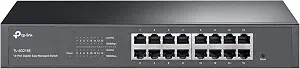 | Best for More Wired Devices | Ports: 16 | Port speed: Gigabit | Management: Easy Managed | VIEW ON AMAZON | See Our Full Breakdown |
| TP-Link TL-SG1218MPE 18-Port Gigabit Easy Smart PoE+ Switch |  | Best for VLANs and PoE Devices | Total ports: 18 Gigabit ports | PoE+ ports: 16 | Non-PoE ports: 2 | VIEW ON AMAZON | See Our Full Breakdown |
| NETGEAR GS110TP 10-Port PoE Gigabit Ethernet Smart Managed Network Switch |  | Best Compact PoE and Fiber Pick | Total ports: 10 | Ethernet ports: 8 Gigabit PoE+ | SFP ports: 2 x 1G SFP | VIEW ON AMAZON | See Our Full Breakdown |
| TP-Link TL-SG208E 8-Port Gigabit Easy Managed Switch |  | Best for Omada Central Management | Ports: 8 RJ45 | Data rate: 1 Gbps | Management: Omada SDN Controller and Omada App | VIEW ON AMAZON | See Our Full Breakdown |
| NETGEAR 8-Port Gigabit Ethernet Easy Smart Managed Network Switch (GS308E) |  | Best for Quiet Home VLANs | Ports: 8 RJ45 | Port speed: 1 Gbps | VLAN support: Up to 64 VLANs | VIEW ON AMAZON | See Our Full Breakdown |
| TP-Link Omada ES208G 8-Port Gigabit Easy Managed Switch |  | Best for Omada App Management | Ports: 8 RJ45 | Port speed: 10/100/1000 Mbps | Management: Easy Managed, Omada cloud via web and app | VIEW ON AMAZON | See Our Full Breakdown |
| Zyxel GS1200-10V3 8-Port Web-Managed Gigabit Ethernet Switch |  | Best for Fiber Uplinks | Ethernet ports: 8 RJ45 Gigabit | SFP slots: 2 Gigabit | Switching capacity: 20 Gbps | VIEW ON AMAZON | See Our Full Breakdown |
| TP-Link TL-SG1016DE 16-Port Gigabit Easy Smart Managed Switch |  | Best for Growing Wired Networks | Ports: 16 Gigabit | Product type: Easy Smart managed switch | VLAN: VLAN features for traffic segmentation | VIEW ON AMAZON | See Our Full Breakdown |
| managed switch with vlan support | Management | Ports |
|---|---|---|
| TP-Link TL-SG1024DE 24-Port Gi | — | 24 x 10/100/1000 Mbps RJ45 |
| SODOLA 8-Port 2.5Gb Web Manage | Web managed | 8 x 2.5G Base-T and 1 x 10G SFP+ |
| TP-Link TL-SG205E 5-Port Gigab | Omada SDN Controller and Omada App | 5 |
| STEAMEMO 8-Port Gigabit Manage | Web interface, desktop software, mobile app | 8 x Gigabit PoE+ and 2 x Gigabit uplink |
| NETGEAR 8-Port Gigabit Etherne | Easy Smart Managed | — |
| TP-Link TL-SG108E 8-Port Gigab | Easy Smart via web interface or free software | 8 Gigabit Ethernet |
| TP-Link TL-SG216E 16-Port Giga | Easy Managed | 16 |
| TP-Link TL-SG1218MPE 18-Port G | Web-based Easy Smart | — |
| NETGEAR GS110TP 10-Port PoE Gi | Smart Managed; SNMP support | — |
| TP-Link TL-SG208E 8-Port Gigab | Omada SDN Controller and Omada App | 8 RJ45 |
| NETGEAR 8-Port Gigabit Etherne | Web-based Easy Smart GUI | 8 RJ45 |
| TP-Link Omada ES208G 8-Port Gi | Easy Managed, Omada cloud via web and app | 8 RJ45 |
| Zyxel GS1200-10V3 8-Port Web-M | Web-based GUI | — |
| TP-Link TL-SG1016DE 16-Port Gi | — | 16 Gigabit |
More Details on Our Top Picks
TP-Link TL-SG1024DE 24-Port Gigabit Easy Smart Managed Ethernet Switch
The TL-SG1024DE makes the most sense when VLAN separation needs to cover many wired devices: its 24 Gigabit ports leave room for office computers, printers, access points, and future additions. VLAN, QoS, IGMP snooping, and link aggregation give a small office practical ways to organize traffic and connect compatible equipment. Compared with the five-port TP-Link TL-SG205E, it offers far more room to grow, while giving up the compact footprint that suits a desk-side setup. Its easy-smart feature set is aimed at straightforward network management rather than buyers seeking advanced enterprise controls. The metal case can sit on a desktop or mount in a rack, but the 24-port format takes more space than an eight-port switch. Choose it for port capacity; skip it if most ports would sit unused.
Pros:- 24 Gigabit ports support larger wired networks
- VLAN, QoS, IGMP snooping, and link aggregation support useful network segmentation and traffic handling
- Port mirroring and cable diagnostics aid troubleshooting
- Metal case supports desktop or rackmount placement
Cons:- Its 24-port size is excessive for small home networks
- Easy-smart management may not meet needs for advanced enterprise configuration
Best for: Small offices that need VLAN support across many wired devices and want room for additional connections.
Not ideal for: Home users with only a few wired devices, since its 24-port chassis takes more space than a compact switch.
- Ports:24 x 10/100/1000 Mbps RJ45
- Data transfer rate:1000 Mbps
- Management features:VLAN, QoS, IGMP snooping, link aggregation, port mirroring, loop prevention, cable diagnostics
- Jumbo frame:9K
- Case:Metal
- Mounting:Desktop or rackmount
- Dimensions:11.6 x 7.1 x 1.7 inches
- Weight:3.7 pounds
- Warranty:3 years
Our verdict“Choose the TL-SG1024DE when a small office needs VLAN-capable switching across many Gigabit connections.”
SODOLA 8-Port 2.5Gb Web Managed Switch with 10G SFP+
The SODOLA stands apart from the Gigabit-focused options here by pairing eight 2.5G Ethernet ports with a 10G SFP+ slot. That extra bandwidth can help when VLAN-separated workstations, a NAS, or access points need faster links; VLAN support is part of its web-managed feature set, alongside QoS, LACP, and IGMP snooping. Compared with the TP-Link TL-SG1024DE, it has far fewer copper ports, but provides faster ones and a compact, fanless aluminum body. Its web interface avoids requiring a CLI, though buyers still need compatible multi-gig devices to benefit from the faster ports. There is only one SFP+ slot, which limits uplink expansion. This is a targeted upgrade for a compact, high-throughput network, not the economical fit for an all-Gigabit setup.
Pros:- Eight 2.5G Base-T ports support faster local device links
- 10G SFP+ slot provides a high-speed uplink option
- Web management includes VLAN, QoS, LACP, and IGMP snooping
- Fanless aluminum housing is compact and supports magnetic feet
Cons:- Only one SFP+ slot limits uplink expansion
- Multi-gig speeds require compatible connected devices
- Eight copper ports offer less connection capacity than 16- or 24-port alternatives
Best for: Home-lab owners or small creative teams separating multi-gig NAS, workstation, and access-point traffic with VLANs.
Not ideal for: Buyers who need many low-cost Gigabit ports or lack 2.5G-capable devices to use its faster interfaces.
- Ports:8 x 2.5G Base-T and 1 x 10G SFP+
- Management:Web managed
- Management features:LACP, VLAN, QoS, IGMP snooping, port-based access control
- Backward compatibility:1G and 100M devices
- Cooling:Fanless passive cooling
- Case:Aluminum alloy
- Mounting:Magnetic pads or rubber feet
- Dimensions:6.3 x 3.58 x 0.98 inches
- Weight:0.88 pounds
Our verdict“Pick the SODOLA when VLAN segmentation needs to coexist with multi-gig links in a compact, silent switch.”
TP-Link TL-SG205E 5-Port Gigabit Easy Managed Switch
For a first VLAN-capable switch, the TL-SG205E keeps the scope small: five Gigabit ports cover a router, a computer, an access point, and a couple of other wired devices without inviting a larger installation than needed. It supports VLAN, QoS, and IGMP snooping, with Omada SDN Controller and app management for buyers who want centralized oversight as their setup grows. Compared with the TP-Link TL-SG1024DE, it trades substantial port capacity for a compact, small-network role. Its easy-managed approach suits basic segmentation, while its feature set may fall short for users who need advanced controls from a fully managed switch. Five ports also leave little room for expansion; choose it for a small home office, not a growing branch network.
Pros:- VLAN support suits basic network segmentation
- Omada SDN Controller and app provide centralized management options
- QoS and IGMP snooping add useful traffic controls
- Five Gigabit ports fit a small wired setup
Cons:- Five ports leave limited room for expansion
- Easy-managed feature set may not satisfy advanced configuration needs
Best for: Home-office users learning to separate work, personal, and smart-home devices across a few wired connections.
Not ideal for: Small businesses expecting to add many wired devices or needing a broader, advanced managed feature set.
- Model:TL-SG205E
- Ports:5
- Port speed:Gigabit
- Switch type:Easy Managed
- Management:Omada SDN Controller and Omada App
- Network features:VLAN, QoS, IGMP snooping, storm control
- Additional features:Flow control, loopback detection, port isolation, port mirroring, LAG
Our verdict“Choose the TL-SG205E for learning and managing VLANs in a small home-office network with few wired devices.”
STEAMEMO 8-Port Gigabit Managed PoE+ Switch with 2 Gigabit Uplinks, 120W, VLAN/QoS, Fanless Metal
The STEAMEMO combines VLAN management with power for devices that may need separate network segments, such as cameras and access points. Its eight PoE+ ports supply up to 30W each, while a 120W total budget gives the installer room to power several devices; two Gigabit uplinks keep those powered connections distinct from the uplink paths. Compared with the NETGEAR GS308EP, it offers nearly twice the stated total PoE budget, which can matter when more devices draw power, but comes with a one-year replacement warranty. Web, desktop, and mobile management offer several setup paths, and VLAN, QoS, and DHCP snooping cover practical network controls. The fanless metal chassis can mount on a wall, though 120W still sets a ceiling for a cluster of high-draw devices.
Pros:- Eight PoE+ ports support powered cameras and access points
- 120W total PoE budget exceeds the NETGEAR GS308EP’s stated 62W
- VLAN, QoS, DHCP snooping, and port mirroring support network management
- Fanless metal housing supports desktop or wall mounting
Cons:- 120W total budget can constrain a group of high-power devices
- One-year replacement warranty is shorter than the TP-Link TL-SG1024DE’s stated three years
- Managed features may be unnecessary in a simple plug-and-play network
Best for: Small offices or home-security installers powering several VLAN-separated cameras and access points over Ethernet.
Not ideal for: Plug-and-play users who do not need PoE or buyers who require a longer stated warranty.
- Ports:8 x Gigabit PoE+ and 2 x Gigabit uplink
- PoE standards:IEEE 802.3af/at
- Maximum PoE per port:30W
- Total PoE budget:120W
- Management:Web interface, desktop software, mobile app
- Network features:VLAN, QoS, DHCP snooping, port mirroring, storm control, static MAC addressing, flow control
- Protection:4KV lightning, short-circuit, overcurrent, and overload protection
- Cooling and housing:Fanless metal
- Warranty:1-year replacement warranty
Our verdict“Choose the STEAMEMO when you need VLAN controls and a comparatively large PoE budget for cameras or access points.”
NETGEAR 8-Port Gigabit Ethernet Easy Smart Managed PoE+ Switch (GS308EP)
The NETGEAR GS308EP is a compact way to add VLAN segmentation and PoE to a small network without stepping up to the STEAMEMO’s larger power budget. It has eight Gigabit PoE+ ports, per-port PoE controls, and a stated 62W budget, so a buyer can manage modest powered-device needs while keeping the switch fanless. VLAN, QoS, and port monitoring offer practical tools for separating and checking traffic. Compared with the STEAMEMO 8-Port, this model provides less total PoE capacity, making it a better fit for a few low- or moderate-draw devices than a larger camera installation. Uninterrupted PoE is also listed among its features, but the supplied product data does not specify power behavior or additional uplink ports. Its main limitation is that 62W can be quickly allocated across several devices.
Pros:- Eight Gigabit PoE+ ports combine data and power connections
- VLAN and QoS support basic network segmentation and traffic handling
- Per-port PoE controls and port monitoring aid management
- Fanless metal design supports quiet desktop or wall placement
Cons:- 62W total PoE budget is lower than the STEAMEMO 8-Port’s 120W
- Product data does not specify dedicated uplink ports
- Easy-smart management may not suit buyers needing advanced managed controls
Best for: Home offices and small shops that need VLAN segmentation plus PoE for a few access points, phones, or cameras.
Not ideal for: Installers powering many or high-draw PoE devices, since its total budget is 62W.
- Ethernet ports:8
- Port speed:1.0 Gbps
- PoE+ ports:8
- PoE power budget:62W
- Management:Easy Smart Managed
- Features:VLAN, QoS, port monitoring, per-port PoE controls, uninterrupted PoE
- Design:Fanless metal
- Mounting:Desktop or wall mount
Our verdict“Choose the GS308EP for a small VLAN network that needs quiet switching and PoE for a modest number of devices.”
TP-Link TL-SG108E 8-Port Gigabit Easy Smart Managed Switch
The TL-SG108E is a straightforward step up from an unmanaged switch when I need to separate devices into VLANs without adding PoE or a large port count. It supports up to 32 simultaneous VLANs, plus port mirroring, QoS, and link aggregation, giving a small office useful controls in a compact metal enclosure. Compared with the PoE-focused NETGEAR GS110TP, it gives up powered ports and SFP connectivity but keeps the setup centered on ordinary Ethernet devices. Its Easy Smart management is also less advanced than a fully managed platform, and the supplied management software is Windows-only. I’d choose it for a modest wired network where core VLAN functions matter more than central controller features or deep configuration.
Pros:- Supports up to 32 simultaneous VLANs with several VLAN modes
- Includes QoS, port mirroring, loop prevention, and link aggregation
- Metal housing with shielded ports and desktop or wall-mount placement
- Power-saving technology adjusts consumption based on link status and cable length
Cons:- Easy Smart management lacks the depth of a fully managed switch
- Management software and support are not officially available for macOS
Best for: Home offices and small businesses separating guest, work, and device traffic across up to eight wired connections
Not ideal for: Mac-first administrators who depend on the Windows-only management software, or networks needing advanced managed-switch controls
- Ports:8 Gigabit Ethernet
- Management:Easy Smart via web interface or free software
- VLAN capacity:Up to 32 simultaneous VLANs
- VLAN modes:Port-based, tag-based, MTU, and 802.1Q
- QoS:Port-based, 802.1p, and DSCP
- Other features:IGMP Snooping, port mirroring, loop prevention, cable diagnostics, and link aggregation
- Enclosure and placement:Metal housing; desktop or wall mount
- Warranty:3 years
Our verdict“Choose the TL-SG108E for affordable, practical VLAN separation on a small network that does not need PoE or advanced management.”
TP-Link TL-SG216E 16-Port Gigabit Easy Managed Switch
The TL-SG216E is the capacity-first pick in this group: its 16 Gigabit ports can connect more wired clients than the eight-port TL-SG108E without moving to the 18-port PoE design of the TL-SG1218MPE. That makes it a plausible fit when the main problem is running out of switch ports while keeping VLAN-capable management in the mix. The limitation is the sparse product information: it confirms Easy Managed operation and Gigabit connectivity, but gives no VLAN modes, VLAN count, or other management details. I can’t compare its VLAN flexibility confidently with the better-documented options here. Buyers should verify the VLAN controls they need before choosing it; the larger port count alone does not establish deeper management.
Pros:- Provides 16 ports for larger groups of wired devices
- Gigabit connectivity across the stated ports
- Easy Managed designation indicates a managed-use position in the lineup
Cons:- Available product data does not specify VLAN capacity or supported VLAN modes
- No supplied details confirm QoS, monitoring, or other management features
Best for: Small offices adding wired workstations, printers, and access points that want a 16-port Easy Managed switch
Not ideal for: Buyers who need confirmed VLAN modes, detailed management capabilities, or PoE for connected devices
- Ports:16
- Port speed:Gigabit
- Management:Easy Managed
Our verdict“Consider the TL-SG216E when 16 Gigabit ports are the priority, after confirming that its VLAN controls meet your network needs.”
TP-Link TL-SG1218MPE 18-Port Gigabit Easy Smart PoE+ Switch
The TL-SG1218MPE pairs VLAN segmentation with power for cameras, access points, and phones: 16 PoE+ ports share a 250 W budget, alongside two non-PoE Gigabit ports and two combo SFP slots. That makes it a stronger fit for a surveillance or small business installation than the non-PoE TL-SG108E, which is simpler when connected devices already have their own power. Web-based Easy Smart management adds VLAN, QoS, and IGMP Snooping controls, while PoE auto recovery can restart an unresponsive powered device. The tradeoff is scale and power planning: the budget is shared, and lower-priority ports may shut off when demand reaches its limit. I’d pick it when consolidating switch ports and device power matters more than keeping the setup small.
Pros:- 16 PoE+ ports with up to 30 W per port and a 250 W total budget
- Supports VLAN, QoS, and IGMP Snooping through web-based management
- Two combo SFP slots provide additional connection options
- PoE auto recovery can restart dropped or unresponsive devices
Cons:- The 250 W shared budget can disable lower-priority ports under high demand
- Larger port and PoE capacity may be unnecessary for a small network with self-powered devices
Best for: Small offices and camera installations powering multiple PoE devices while separating traffic with VLANs
Not ideal for: Compact networks with few wired devices, no PoE equipment, or power needs that could exceed the shared budget
- Total ports:18 Gigabit ports
- PoE+ ports:16
- Non-PoE ports:2
- PoE standard:IEEE 802.3at/af
- PoE budget:250 W total; up to 30 W per PoE port
- SFP:2 combo SFP slots
- Management:Web-based Easy Smart
- Features:VLAN, QoS, IGMP Snooping, PoE auto recovery, and port priority overload protection
Our verdict“Choose the TL-SG1218MPE when a VLAN-capable switch also needs to power many cameras, access points, or phones.”
NETGEAR GS110TP 10-Port PoE Gigabit Ethernet Smart Managed Network Switch
The GS110TP suits a compact setup that needs both powered Ethernet and a fiber option: it combines eight Gigabit PoE+ ports with two 1G SFP ports in a metal desktop or wall-mount enclosure. Compared with the TL-SG1218MPE, it serves fewer powered devices and has a much smaller stated PoE budget, but its ten-port footprint may fit a branch office or small equipment area better. Smart management and SNMP support give network administrators monitoring tools, while the available details do not spell out VLAN modes or capacity. I’d check that its VLAN controls cover the intended segmentation before buying. The 55 W PoE budget also calls for a count and power check if the plan includes several high-draw devices.
Pros:- Combines eight Gigabit PoE+ ports with two 1G SFP ports
- Smart management includes SNMP support
- Compact metal enclosure supports desktop or wall mounting
Cons:- 55 W total PoE budget can limit the number or power draw of connected devices
- Available details do not state VLAN modes or capacity
- Ethernet and SFP connections are limited to 1G
Best for: Small branch offices needing VLAN-capable smart management, a few PoE+ devices, and SFP fiber uplinks
Not ideal for: Installations powering many devices or requiring more than 1G Ethernet and SFP connections
- Total ports:10
- Ethernet ports:8 Gigabit PoE+
- SFP ports:2 x 1G SFP
- PoE budget:55 W
- Management:Smart Managed; SNMP support
- Remote management:NETGEAR Insight included for 1 year
- Mounting:Desktop or wall mount
- Enclosure:Compact metal
Our verdict“Pick the GS110TP for a compact branch network that needs a few PoE+ connections and fiber ports, after checking its VLAN feature set.”
TP-Link TL-SG208E 8-Port Gigabit Easy Managed Switch
The TL-SG208E is the eight-port choice for buyers who want VLAN controls tied into TP-Link’s Omada SDN Controller and app. VLAN, QoS, IGMP Snooping, port mirroring, and loopback detection give it a more controller-oriented management story than the basic TL-SG108E, which is a simpler fit when standalone Easy Smart features are enough. The Omada path can help bring switch settings into a broader small-network workflow, but its full management capabilities require controller setup. That adds work for an owner who just wants a few isolated device groups and no centralized administration. It also has no stated PoE ports, so cameras or access points still need separate power. I’d choose it for an Omada-based network, not just for VLANs alone.
Pros:- Supports centralized management through Omada SDN Controller and Omada App
- Includes VLAN, QoS, IGMP Snooping, and port mirroring
- Fanless metal housing with shielded ports
- Gigabit RJ45 connectivity for up to eight devices
Cons:- Full management capabilities require Omada controller setup
- No PoE ports are specified, so powered devices need another power source
Best for: Small businesses already using or planning an Omada network that need an eight-port VLAN-capable switch
Not ideal for: Plug-and-play buyers who do not want controller setup, or installations needing PoE from the switch
- Ports:8 RJ45
- Data rate:1 Gbps
- Management:Omada SDN Controller and Omada App
- Switch type:Managed
- Features:VLAN, QoS, IGMP Snooping, port mirroring, and loopback detection
- Enclosure:Fanless metal with shielded ports
- Weight:0.66 kg (1.46 lb)
Our verdict“Choose the TL-SG208E when centralized Omada management is part of the plan and eight non-PoE Gigabit ports are enough.”
NETGEAR 8-Port Gigabit Ethernet Easy Smart Managed Network Switch (GS308E)
The NETGEAR GS308E suits a home office or small network that needs VLAN separation without adding fan noise. Its eight gigabit ports and browser-based controls cover common tasks such as isolating devices, prioritizing traffic with QoS, and checking connections with port mirroring and cable tests. Compared with the TP-Link Omada ES208G, it has a stated limit of up to 64 VLANs and built-in loop detection and broadcast storm control, while the Omada adds app and cloud management. The tradeoff is a basic Easy Smart feature set: buyers who need more advanced network controls may outgrow it, and configuration happens through a web interface rather than a dedicated app. Its fanless metal case and desktop or wall mounting make it a tidy fit where quiet operation matters.
Pros:- Supports up to 64 VLANs for separating common home or small-office device groups
- Fanless metal housing runs silently and supports desktop or wall mounting
- QoS, IGMP snooping, port mirroring, and cable testing cover useful traffic and troubleshooting tasks
- Loop detection and broadcast storm control add safeguards against common network disruptions
Cons:- Eight ports can be limiting as a wired network grows
- Easy Smart management lacks the depth expected for advanced enterprise networks
- Configuration uses a web interface rather than a dedicated management app
Best for: Home office owners who want silent gigabit ports and straightforward VLAN separation for work, guest, and smart-home devices
Not ideal for: Network administrators who need advanced enterprise controls, or buyers who need more than eight wired ports
- Ports:8 RJ45
- Port speed:1 Gbps
- VLAN support:Up to 64 VLANs
- Management:Web-based Easy Smart GUI
- Network features:QoS, IGMP snooping, port mirroring, cable test
- Protection:DoS prevention, loop detection, broadcast storm control
- Housing and cooling:Fanless metal
- Mounting:Desktop or wall mount
Our verdict“Choose the GS308E for quiet, web-managed VLAN separation in a small network; skip it if you need app-based control or room to grow beyond eight ports.”
TP-Link Omada ES208G 8-Port Gigabit Easy Managed Switch
The Omada ES208G is the better fit for buyers who want to manage VLAN-capable switching alongside other Omada network gear through a shared web or app interface. Its eight gigabit RJ45 ports, VLAN support, and port isolation give small surveillance or office networks ways to separate and contain device traffic. Cloud and app management distinguish it from the NETGEAR GS308E, whose listed management is through a web GUI; NETGEAR, in turn, specifies support for up to 64 VLANs and includes features such as port mirroring. The ES208G’s loop prevention and IGMP snooping suit camera traffic, but its description notes that cable testing and QoS may take extra configuration. I would favor it when centralized Omada control is part of the setup, rather than for buyers seeking a stand-alone switch with the most detailed published specifications.
Pros:- Omada cloud management is available through web and app
- VLAN and port isolation support network segmentation
- Loop prevention and IGMP snooping suit surveillance network use
- Cable testing and QoS are included among the listed features
Cons:- Cable testing and QoS may require additional configuration
- Only eight RJ45 ports are listed
- The supplied product data does not specify VLAN capacity or switching capacity
Best for: Small-business and surveillance installers who already manage Omada devices and want app or cloud access to an eight-port VLAN switch
Not ideal for: Buyers who need a stated VLAN capacity, extensive standalone management details, or a switch with more than eight ports
- Ports:8 RJ45
- Port speed:10/100/1000 Mbps
- Management:Easy Managed, Omada cloud via web and app
- VLAN:Supported
- Port isolation:Supported
- Network features:QoS, IGMP snooping
- Reliability and diagnostics:Automatic loop prevention, cable testing
Our verdict“Pick the ES208G if Omada app or cloud management matters to your small VLAN network, and compare the GS308E if you want a published VLAN limit and port mirroring.”
Zyxel GS1200-10V3 8-Port Web-Managed Gigabit Ethernet Switch
The Zyxel GS1200-10V3 stands apart for a VLAN-focused network that needs fiber uplink options: alongside eight gigabit RJ45 ports, it has two gigabit SFP slots. That makes it a stronger match than the all-RJ45 NETGEAR GS308E when a separate fiber connection or SFP link aggregation matters. Its browser interface includes VLANs, QoS, IGMP snooping, port mirroring, and LACP, giving a small office practical ways to separate traffic and combine compatible links. The tradeoff is that management is web-based, and advanced features may take hands-on configuration. Eight copper ports may also be tight for a growing wired network, even with the SFP uplinks. Passive cooling and LED ECO mode are useful when the switch will sit in a quiet workspace or visible equipment area.
Pros:- Two gigabit SFP slots add fiber uplink options
- VLANs, QoS, IGMP snooping, and LACP support flexible traffic handling
- Port mirroring helps with network monitoring
- Fanless cooling and LED ECO mode suit quiet or visible installations
Cons:- Only eight RJ45 gigabit ports are available for wired devices
- Advanced configuration is done through a web GUI and may require setup work
- SFP slots do not add additional RJ45 device ports
Best for: Small offices with fiber-capable uplinks that need VLANs, link aggregation, and silent operation in a compact switch
Not ideal for: Buyers who need more than eight copper Ethernet ports, app-based management, or advanced enterprise switching controls
- Ethernet ports:8 RJ45 Gigabit
- SFP slots:2 Gigabit
- Switching capacity:20 Gbps
- Forwarding rate:14.88 Mpps
- Management:Web-based GUI
- Supported features:VLAN, port-based QoS, IGMP snooping v1/v2/v3, port mirroring, LACP
- MAC address table:4K entries
- Cooling and energy:Fanless passive cooling, IEEE 802.3az, LED ECO mode
Our verdict“Choose the Zyxel when SFP uplinks and LACP matter alongside VLANs; choose the NETGEAR GS308E for an all-copper setup with a stated VLAN limit.”
TP-Link TL-SG1016DE 16-Port Gigabit Easy Smart Managed Switch
The TP-Link TL-SG1016DE is the capacity pick in this batch: its 16 gigabit ports give a growing office more room for wired computers, access points, and other network gear than the eight-port NETGEAR GS308E or Omada ES208G. VLAN features and port- or tag-based QoS help separate traffic and prioritize it, while port mirroring and cable diagnostics give an administrator tools to investigate problems. Sixteen ports without stepping beyond Easy Smart management is its defining balance. It does not offer the Zyxel GS1200-10V3’s listed SFP uplinks or LACP, so it is less suited to fiber connections or link aggregation. The supplied data also describes the VLAN feature as abundant without giving a VLAN count. Its 9K jumbo frames and three-year warranty add practical detail for buyers planning a stable small-office installation.
Pros:- Sixteen gigabit ports provide twice the RJ45 capacity of the eight-port options in this batch
- VLAN support and port- and tag-based QoS help segment and prioritize traffic
- Port mirroring, loop prevention, and cable diagnostics aid routine troubleshooting
- Supports 9K jumbo frames and includes a three-year warranty
Cons:- Easy Smart management may not meet advanced enterprise networking needs
- No SFP uplinks or LACP are listed, unlike the Zyxel GS1200-10V3
- The supplied specifications do not state a VLAN capacity
Best for: Small offices adding wired devices that need 16 gigabit ports, VLAN segmentation, and basic monitoring in one switch
Not ideal for: Buyers who need SFP fiber uplinks, LACP, more than 16 ports, or advanced enterprise management
- Ports:16 Gigabit
- Product type:Easy Smart managed switch
- VLAN:VLAN features for traffic segmentation
- QoS:Port-based and tag-based
- Jumbo frames:9K
- Network monitoring:Port mirroring, loop prevention, cable diagnostics
- IGMP snooping:Supported
- Warranty:3 years
Our verdict“Choose the TL-SG1016DE when 16 gigabit ports and straightforward VLAN controls matter more than fiber uplinks or advanced management.”

How We Picked
I compared these switches on the features that affect a VLAN network day to day: VLAN configuration, port count and speed, PoE support, physical design, and the management tools available. I also weighed how much network a model can serve without adding unneeded complexity. A small five- or eight-port switch can be a better fit for a desk or home office, while a 16- or 24-port unit earns its place when a network has many wired devices.
The ranking favors a useful balance of VLAN capability, capacity, and practical flexibility. Models with PoE rank well for networks that power access points or cameras, while the SODOLA 2.5Gb serves a narrower need for faster links. The Easy Smart and web-managed models are aimed at VLAN basics; none should be assumed to provide the same depth of controls as a fully featured enterprise switch. Product names and listed specifications inform this comparison, so buyers should confirm firmware, management features, and PoE budgets for their specific setup.
Factors to Consider When Choosing Managed Switch With Vlan Support
The right switch depends on the shape of your network, not just the presence of a VLAN feature. I’d start by mapping the devices that need wired connections and identifying which ones need power or faster-than-Gigabit links.Count ports with room for change
Count the devices that will connect directly to the switch, including access points, printers, cameras, and any uplink to a router or another switch. Leave a few open ports for additions, since a switch that is full can force you to add another device and complicate cabling. A compact five- or eight-port model can handle a small office, but a larger switch may be tidier if several rooms feed into one wiring point. Remember that the router and any inter-switch link also occupy ports. Port count is about the network you expect to build, not only the devices on your desk today.
Match VLAN needs to management depth
VLAN support can mean different things across product lines, so check whether the switch supports the tagging and port assignment your network design requires. If you only need to separate a guest network from trusted devices, an Easy Smart interface may be enough. More demanding setups may call for controls such as ACLs, detailed monitoring, or management across multiple switches. A VLAN-capable switch does not automatically create secure separation by itself: the router, access points, and port settings must agree on how traffic is handled. Sketch which devices belong together before configuring anything.
Decide whether PoE saves effort
PoE can remove the need for separate power adapters for compatible cameras, access points, and phones. That can simplify ceiling or wall installations where outlets are scarce. Check both the switch’s total power budget and the power required by each attached device; a port supporting PoE does not mean every port can supply maximum power at once. If your devices use their own adapters and sit near outlets, a non-PoE switch avoids paying for capacity you will not use. Also confirm the PoE standard required by the endpoints.
Choose link speed based on actual traffic
Gigabit Ethernet remains suitable for many home and small-office networks, including internet access and ordinary file sharing. Multi-gig ports can help when your router, computer, storage device, and cabling all support the higher rate. A single 2.5Gb switch will not make a Gigabit-only endpoint faster, and the slowest link in a path can limit throughput. Check whether faster ports serve the devices that move large files or aggregate substantial local traffic. If those links are absent, more Gigabit ports may be more useful than multi-gig capability.
Plan the physical installation
Decide where the switch will live and whether it needs to sit on a desk, mount in a rack, or operate in a quiet room. Fanless designs can suit workspaces where noise matters, while metal housings can better suit fixed installations than lightweight plastic enclosures. A rack-sized switch may provide useful capacity but needs suitable space and cable management. Think about the power outlet, ventilation, and cable routes before buying. A physically convenient switch is easier to maintain when you need to identify ports or change connections.
Frequently Asked Questions
Can I use a VLAN switch with my existing router?
Often, yes, but the router must support the VLAN behavior your network needs if traffic is to pass between VLANs or reach the internet under separate rules. A switch can assign devices to VLANs, yet it does not replace a router’s role in routing traffic between those networks. Check how the router handles VLAN tagging on its LAN ports and whether your access points can carry the same VLANs. If you only need to isolate devices at the switch, your requirements may be simpler, but verify the exact setup first. Draw the connection between router, switch, and access points before changing settings.
Will a managed switch make my network more secure automatically?
No. VLANs can help separate groups of devices, but the separation depends on correct configuration across the switch, router, and wireless access points. Misassigned ports or an unintended routing rule can let traffic cross boundaries. Start with a clear plan for which devices need to communicate, then apply only the necessary paths between groups. For internet-connected devices, consider how the router applies firewall rules to each VLAN. A managed switch provides controls; it does not decide the right security policy for you.
Should I choose PoE if I might add cameras or access points later?
PoE is useful when the likely devices support it and running separate power to their locations would be inconvenient. Before choosing a PoE model, estimate the number of endpoints and their maximum power draw, then compare that total with the switch’s budget. If those devices are only a remote possibility, a non-PoE model can be a simpler fit now, with a separate PoE switch added later if needed. Also check that the switch offers the PoE standard required by each endpoint. Planning the cable runs may matter as much as choosing the switch.
When does a 2.5Gb switch make sense over a Gigabit model?
A 2.5Gb switch makes sense when multiple parts of the network can use that speed, such as a compatible computer and network storage device transferring files locally. It may also help when a faster internet connection and router feed a capable wired network. If most endpoints and the router have Gigabit ports, faster switching alone will not raise their link speed. Check the speed of each connection in the path, including any uplink. For a mixed network, consider whether the faster ports are placed where your highest-traffic devices will connect.
Can an Easy Smart switch handle a small business VLAN setup?
It can suit a small setup that needs basic segmentation and has a modest number of wired devices. The fit depends on whether its VLAN and management controls match your network plan, including any tagged uplinks to routers or access points. A growing business may need features such as finer access rules, monitoring, or centralized management that vary by model. Compare those requirements against the switch’s documented capabilities rather than relying on the product family name. If network policy or troubleshooting needs are likely to expand, choose with that growth in mind.
Conclusion
For a balanced wired network with room to grow, I’d choose the TP-Link TL-SG216E as the best overall fit in this group. The TL-SG205E is a sensible value-oriented pick for a small setup, and its five ports keep the footprint modest; beginners who want a straightforward entry point can look at the TL-SG108E. For a premium feature priority rather than a general-purpose upgrade, the SODOLA 2.5Gb suits buyers with multi-gig devices, while the TP-Link TL-SG1218MPE is aimed at installations with several PoE endpoints. Choose the NETGEAR GS308EP or GS110TP when PoE matters in a compact network, and the TL-SG1024DE when a larger bank of Gigabit ports takes priority. Match the VLAN controls and PoE budget to your network plan before settling on a model.
Halloween Picks
halloween
As an affiliate, we earn on qualifying purchases.