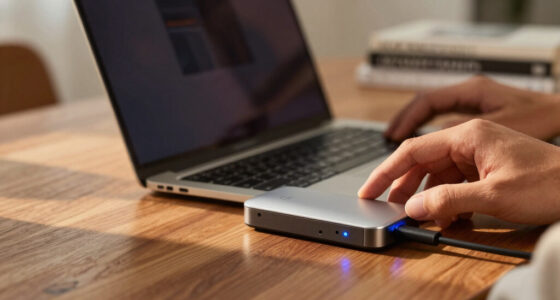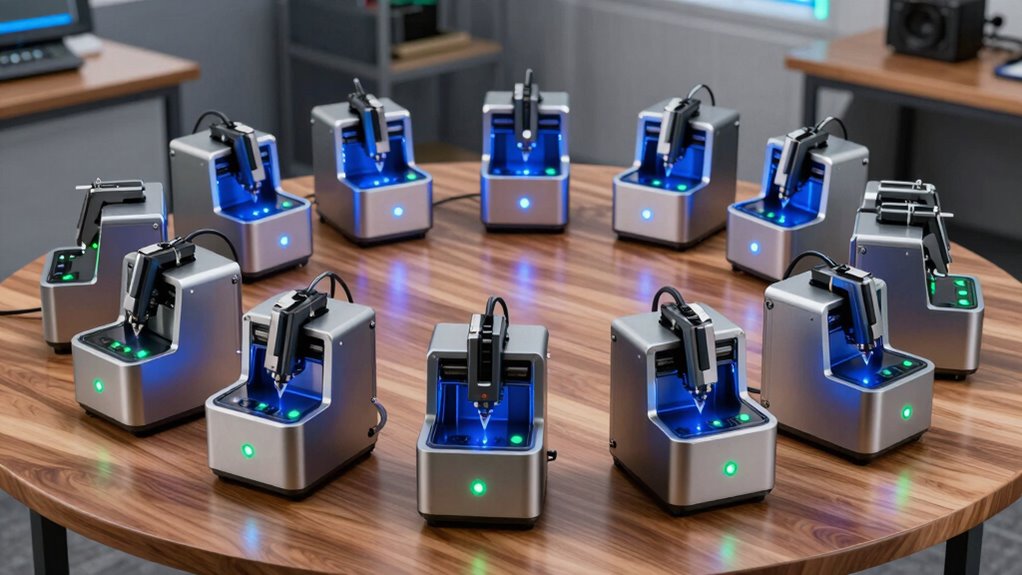
Searching for a diode laser engraver in 2026 means weighing options that balance power, precision, and ease of use. The best overall pick, the xTool M2 10W, offers a versatile combination of safety features and high-quality engraving suitable for both hobbyists and small businesses. Meanwhile, models like the WIZMAKER Wand 12W excel in affordability and simplicity, making them perfect for beginners. On the other hand, higher-powered options such as the Twotrees TTS-55 Pro 5500mW cater to serious users needing large work areas and more robust performance. The main tradeoffs across this category include balancing power versus safety, size versus precision, and initial cost versus long-term capability. Keep reading for a detailed breakdown of these options to find the best fit for your projects.

Prime made for students and young adults
- Fast, free delivery for dorm and study essentials
- Prime Video and Amazon Music included
- Member-only deals
Key Takeaways
- Higher wattage generally correlates with more versatile and faster engraving, but often comes with increased cost and complexity.
- Safety features like enclosure and automatic shutoff are critical for home use and beginners to prevent accidents.
- A larger work area enhances flexibility but may add to the machine’s size and price, making it less suitable for tight spaces.
- Dual laser systems and advanced features like autofocus and cameras offer more precision but often come at a premium.
- Budget models are suitable for light hobby use, but serious projects benefit from investing in higher-quality, more powerful machines.


| diode laser engraver | Laser Power | Material Compatibility |
|---|---|---|
| xTool M2 10W Laser Engraver wi | 10W | Wood, leather, felt, fabric, paper, and more |
| xTool F1 Ultra 20W Fiber & Dio | 20W fiber and diode lasers | Metals, wood, acrylic, leather, glass |
| LaserPecker LP1 Plus Mini Lase | — | Wood, leather, acrylic, paper, fruit, felt, bamboo |
| ATOMSTACK P1 5W Laser Engraver | 5W | Wood, bamboo, paper, leather, fabric |
| ACMER S1 Laser Engraver | 2500mW | Wood, bamboo, leather, plastic, ceramics |
| xTool S1 20W Laser Cutter and | — | Wood, Metal, Acrylic |
| xTool S1 40W Laser Cutter and | 40W (40,000mW) | Wood, Metal, Acrylic, Curved surfaces |
| ACMER S1 Laser Engraver | 3500mW | — |
| Twotrees TTS-55 Pro Laser Engr | 5500mW | — |
| xTool F2 5W IR & 15W Diode Dua | — | 300+ materials |
| xTool F2 Ultra 60W MOPA & 40W | 60W MOPA + 40W diode | — |
| K15 Pro Laser Engraver 10W-Las | 10W | Wood, acrylic, coated metal, glass |
| Twotrees TTS-10 Pro Laser Engr | 10W | Wood, metal, acrylic, glass |
More Details on Our Top Picks
xTool M2 10W Laser Engraver with Dual Cameras, Enclosed Safe Design for Home & DIY Crafts
The xTool M2 stands out for its dual cameras, which provide real-time workspace previews that greatly simplify material placement, especially compared to the LaserPecker LP1 Plus, which lacks a camera system. Its fully enclosed, safety-oriented design makes it an excellent choice for those concerned about home safety, unlike the more open ATOMSTACK P1. While the 10W laser power limits it to small-scale projects and soft materials, this tradeoff favors safety and ease of use for beginners. Its broad compatibility with various materials and user-friendly software make it suitable for creative DIYers. However, additional modules like CMYK inkjet and IR laser must be purchased separately, which could increase overall cost. This pick is ideal for hobbyists seeking a safe, versatile machine with smart preview capabilities.
Pros:- Dual cameras for precise placement and real-time workspace preview
- Enclosed design prioritizing safety for home environments
- Supports a wide range of materials and creative templates
Cons:- Limited to 10W laser power, unsuitable for heavy-duty engraving
- Additional modules like full-color printing sold separately
Best for: Home hobbyists and DIY enthusiasts who value safety and material versatility
Not ideal for: Professional sign makers or industrial users needing higher power and large-scale production
- Laser Power:10W
- Camera:Dual cameras with real-time preview
- Safety Class:Class 1
- Material Compatibility:Wood, leather, felt, fabric, paper, and more
- Power Options:Standard 10W diode laser, optional modules sold separately
- Enclosure:Fully enclosed for safety
Our verdict“This is best suited for beginners and hobbyists looking for a safe, multifunctional laser engraver for small projects.”
xTool F1 Ultra 20W Fiber & Diode Dual Laser Engraver and Cutter Machine
The xTool F1 Ultra delivers impressive speed and power with dual 20W fiber and diode lasers, making it suitable for professional-grade engraving and cutting. Its ability to handle metals, acrylic, and wood with precision exceeds the capabilities of the ACMER S1, which is more focused on detailed hobbyist work. The large, expandable working area and 16MP camera allow for complex, large-scale projects, but the setup complexity and safety precautions required for its Class 4 laser make it less beginner-friendly. The high speed of 10,000mm/s and deep engraving options are advantages for production workflows. However, the auto conveyor is sold separately and the setup may challenge users new to laser technology. This machine is best for small businesses or advanced users needing fast, versatile production capability.
Pros:- High engraving speed up to 10,000mm/s
- Supports 3D embossing and deep engraving on multiple materials
- Large, expandable workspace with high-definition detail
Cons:- Complex setup requiring technical expertise
- Auto conveyor sold separately
Best for: Small business owners or professionals demanding rapid, multi-material engraving and cutting
Not ideal for: Beginners or hobbyists seeking an easy-to-use, plug-and-play solution
- Laser Power:20W fiber and diode lasers
- Max Speed:10,000mm/s
- Working Area:220mm x 220mm, expandable to 220mm x 500mm
- Material Compatibility:Metals, wood, acrylic, leather, glass
- Cutting Thickness:Up to 15mm wood, 12mm acrylic, metal thickness varies
- Camera Resolution:16MP
Our verdict“This is ideal for users needing fast, high-power engraving and cutting on diverse materials, with a readiness for more complex setups.”
LaserPecker LP1 Plus Mini Laser Engraver for Beginners
The LaserPecker LP1 Plus excels in portability, weighing only 720g, making it perfect for outdoor and mobile applications. Its small size limits the workspace and material size, which makes it less suitable for larger projects compared to the ACMER S1. Its quick setup and simple app interface are tailored for beginners or casual users who want quick results without calibration fuss. However, the need for a compatible power bank (sold separately) and operation via smartphone can be restrictive for some, especially when working on larger items. Its limited engraving area restricts complex, detailed projects to small, personal items. This device makes sense for users seeking a lightweight, portable solution for occasional, small-scale personalization.
Pros:- Extremely portable and lightweight design
- Simple setup with no calibration needed
- Operates with a smartphone app for ease of use
Cons:- Requires separate purchase of a power bank
- Limited to small projects and materials
Best for: Casual crafters and outdoor hobbyists seeking a portable engraving tool
Not ideal for: Users requiring larger work areas or professional production capacity
- Weight:720g
- Material Compatibility:Wood, leather, acrylic, paper, fruit, felt, bamboo
- Stand:Included
- Power Source:Power bank (not included)
Our verdict“This is perfect for those who want a lightweight, portable laser engraver for small, personal projects anywhere outdoors or at events.”
ATOMSTACK P1 5W Laser Engraver Dual with Infrared Laser, Compact and Safe for Beginners
The ATOMSTACK P1 offers a compact footprint with a 5W laser and infrared auxiliary laser, making it a strong choice for beginners prioritizing safety and precision. Its fully enclosed design and FDA Class 1 certification provide peace of mind, especially compared to open-frame models like the LaserPecker LP1 Plus. While the 110x110mm engraving area is limited, it suits small decorative or personalization projects. The 0.06mm detail and 0.1mm accuracy support fine work, but the low laser power may struggle with thicker or harder materials. The need for additional accessories for expanded functionality could be a downside for those seeking an all-in-one machine. This model is best for newcomers or educators who value safety and detailed work on small items.
Pros:- Safe, fully enclosed design suitable for beginners
- High precision with fine detail and accuracy
- Compact, portable for easy setup and transport
Cons:- Limited engraving area of 110x110mm
- Laser power of only 5mW may limit material options
Best for: Beginners, educators, or hobbyists seeking a safe, precise starter laser engraver
Not ideal for: Users needing larger engraving areas or industrial-grade power
- Laser Power:5W
- Infrared Laser:1.2W
- Engraving Area:110x110mm
- Max Processing Height:50mm
- Weight:3kg / 6.7 lbs
- Material Compatibility:Wood, bamboo, paper, leather, fabric
Our verdict“This is best for beginners or educators needing a safe, precise machine for small projects and learning purposes.”
ACMER S1 Laser Engraver, 2500mW Laser Engraver Machine Higher Accuracy Lazer Cutter and Engraving Machine with Working Area 130x130mm,0.04mm Laser Spot Engraving Machines & Tools
The ACMER S1 combines high laser power with sophisticated software compatibility, making it a compelling choice for detailed work and small-scale production. Its 2500mW diode laser and 0.04mm laser spot deliver exceptional accuracy, surpassing the ATOMSTACK P1 in resolution and precision. The 130x130mm working area strikes a balance between compactness and functionality, suitable for detailed crafts and small batch production. Its compatibility with popular software like LightBurn and LaserGRBL, along with easy assembly, appeals to hobbyists and professionals alike. The main tradeoff is the relatively limited area for larger projects and the need for some technical setup. If high precision is your priority, this model offers substantial value for detailed engraving and cutting.
Pros:- High accuracy with 0.04mm laser spot
- Supports detailed engraving and cutting on various materials
- Preassembled and user-friendly for beginners
Cons:- Limited to 130x130mm working area
- Laser power of 2.5W may limit cutting thicker materials
Best for: Small business owners or hobbyists focused on high-precision projects and small batch production
Not ideal for: Users requiring larger working areas or simple plug-and-play operation
- Laser Power:2500mW
- Laser Wavelength:455±5nm
- Working Area:130x130mm
- Laser Spot:0.04mm
- Material Compatibility:Wood, bamboo, leather, plastic, ceramics
- Speed:Up to 10,000mm/min
Our verdict“This is ideal for users seeking ultra-fine detail and small-scale production with high precision capabilities.”
xTool S1 20W Laser Cutter and Engraver with Rotary Bundle
The xTool S1 20W stands out for its combination of power and size, making it ideal for sizable woodworking or metal projects. Compared to the ACMER S1 3500mW, this model offers a much larger bed, enabling bigger workpieces without sacrificing precision. Its advanced safety features, including flame sensors and an enclosed design, make it suitable for shared workspaces but add complexity to setup. While it excels in handling large materials, its high price and complex assembly might deter hobbyists or infrequent users. This engraver suits professionals or serious enthusiasts who need both capacity and safety, but it’s less suitable for casual crafters with limited space or budget.
Pros:- Large bed size (23.93″ x 15.16″) for big projects
- Powerful 20W laser for cutting thick materials
- Advanced safety features for secure operation
Cons:- Expensive, especially for casual users
- Requires significant space and complex setup
Best for: Professionals or workshops needing large, high-precision projects with safety in mind
Not ideal for: Casual hobbyists or small home workshops due to its size, cost, and setup complexity
- Power:20W
- Bed Size:23.93″ x 15.16″
- Speed:600mm/s
- Material Compatibility:Wood, Metal, Acrylic
- Laser Technology:Pin-point Positioning, AutoPassthrough
- Safety Features:Enclosed design, flame sensors, emergency stop
Our verdict“This model is best suited for established professionals who need large-scale, precise laser work with safety considerations.”
xTool S1 40W Laser Cutter and Engraver with Rotary Bundle
The xTool S1 40W offers a significant upgrade in power and speed, capable of cutting through 18mm wood and engraving on various materials with high precision. Its larger working area (23.93″ x 15.16″) and auto-focus feature make it ideal for complex, detailed work, especially compared to the smaller ACMER S1 3500mW. The 40W laser accelerates production, making it well-suited for small businesses or serious hobbyists tackling bigger projects. However, its size and price make it less suitable for casual users or those with limited workspace. If you need high throughput and versatility, this pick makes the most sense, but it demands a dedicated setup environment.
Pros:- High power (40W) for quick, deep cuts
- Auto-focus and large bed for detailed, large projects
- User-friendly software with AI design input
Cons:- Larger footprint requires ample workspace
- Higher price point and complexity may overwhelm beginners
Best for: Small business owners or advanced hobbyists needing fast, powerful large-scale engraving and cutting
Not ideal for: Beginners or users with limited space due to its size and complexity
- Laser Power:40W (40,000mW)
- Bed Size:23.93″ x 15.16″
- Max Speed:600mm/s
- Material Compatibility:Wood, Metal, Acrylic, Curved surfaces
- Safety Features:Enclosed design, flame sensors, emergency stop
- Auto-focus:Yes
Our verdict“Ideal for experienced users who require high-speed, high-power laser processing on large projects without compromise.”
ACMER S1 Laser Engraver, 3500mW, 130x130mm Working Area
The ACMER S1 3500mW excels at high-precision engraving with its 0.01mm repeatability, making it perfect for detailed work on small objects. Its preassembled design simplifies initial setup, and support for multiple software options grants versatility. Compared to larger models like the Twotrees TTS-55 Pro, this engraver is much more suitable for delicate, intricate designs within its limited 130x130mm workspace. While extremely precise, this size restricts larger projects, and some familiarity with engraving software is necessary to maximize its potential. It’s a strong choice for hobbyists or professionals focused on small, detailed pieces.
Pros:- High precision with 0.01mm repeatability
- Easy setup with preassembled design
- Supports multiple materials and software
Cons:- Limited working area (130x130mm)
- Requires some familiarity with software
Best for: Hobbyists or professionals needing high accuracy for small, detailed engravings
Not ideal for: Large-scale projects or users who require a bigger working area
- Laser Power:3500mW
- Working Area:130x130mm
- Laser Wavelength:455±5nm
- Focal Length:2mm
- Engraving Speed:10,000mm/min
- Repeatability:0.01mm
Our verdict“This engraver is well-suited for detailed, small-scale work where precision matters most.”
Twotrees TTS-55 Pro Laser Engraver 5500mW, 300x300mm Work Area
The Twotrees TTS-55 Pro provides impressive power with a 5500mW laser, combined with a large 300x300mm work area, making it ideal for both cutting and engraving on thick or tough materials. Its support for wireless control via Wi-Fi and compatibility with software like LightBurn or LaserGRBL enhances workflow flexibility. Compared to the xTool S1 40W, this model offers a larger work area and higher laser power, though it requires careful assembly and safety precautions due to its high power. Its broad capabilities make it a strong choice for hobbyists and small businesses willing to manage the learning curve and set-up demands.
Pros:- High-power laser (5500mW) for thick materials
- Large 300x300mm working area
- Wireless control enhances convenience
Cons:- Assembly can be complex and time-consuming
- High laser power demands strict safety precautions
Best for: Hobbyists or small businesses needing large, powerful cutting and engraving with wireless control
Not ideal for: Beginners or users with limited technical skills due to assembly and safety considerations
- Laser Power:5500mW
- Work Area:300 x 300 mm
- Laser Spot Size:0.06*0.46mm
- Focal Length:23mm
- Engraving Accuracy:up to 0.1mm
- Speed:up to 30,000mm/min
Our verdict“This engraver is best for users comfortable with setup and safety, seeking large-scale, high-power engraving and cutting.”
xTool F2 5W IR & 15W Diode Dual Laser Engraver, with Slide Extension, RA3 Rotary, Air Purifier, 50MP Camera, 6000mm/s Ultra Fast, 3D Embossing, Color Marking on Metal, Portable Laser Engraving Machine
The xTool F2 stands out for its dual-laser setup, combining a 15W diode with a 5W IR laser, making it suitable for a wide array of materials including metals and thick substrates. Compared with the Twotrees TTS-10 Pro, which offers a larger work area but only a single laser type, the F2’s dual lasers provide greater flexibility and faster multi-material processing. The inclusion of a 50MP camera ensures precise alignment, and ultra-fast speeds up to 6000mm/s cut down production time significantly, ideal for small businesses and on-site customization. However, as a Class 4 laser, it necessitates strict safety measures, and its complexity might challenge beginners. Overall, this model suits those seeking speed, adaptability, and professional-quality results in a portable package.
Pros:- Dual-laser system enables versatile material processing
- High-resolution 50MP camera for precise positioning
- Ultra-fast speeds improve productivity
Cons:- Class 4 laser requires careful safety precautions
- Setup and operation can be complex for new users
Best for: Small business owners and hobbyists needing rapid, multi-material engraving with high precision
Not ideal for: Complete beginners or environments where strict safety controls are difficult to maintain
- Laser Power (Diode):15W
- Laser Power (IR):5W
- Camera Resolution:50MP
- Max Speed:6000mm/s
- Material Compatibility:300+ materials
- Size & Weight:Fully assembled, 4.6kg
Our verdict“This laser engraver is perfect for users demanding speed, versatility, and professional results in a portable form factor.”
xTool F2 Ultra 60W MOPA & 40W Diode Dual Laser Engraver
The xTool F2 Ultra offers a substantial upgrade in power with a 60W MOPA fiber laser combined with a 40W diode, enabling deep, detailed engravings on metals, wood, and acrylic. Compared to the k15 Pro, which is more compact and beginner-friendly, the F2 Ultra’s robust power and AI features cater to professional environments demanding high-volume, high-precision work. Its ability to produce over 100 vibrant colors on metal and operate at speeds up to 15,000mm/s makes it suitable for commercial production. The setup, however, is complex, and the high laser power requires stringent safety protocols, making it less approachable for casual hobbyists. This model is best for experienced users seeking maximum versatility and speed in a large-format, high-power machine.
Pros:- High-power 60W MOPA laser for deep metal engraving
- Over 100 vibrant color options on metal
- Fast operation with a large, expandable workspace
Cons:- Requires strict safety measures due to high laser power
- Complex setup and learning curve for new users
Best for: Professional engravers and high-volume manufacturing setups needing powerful dual-laser capabilities
Not ideal for: Beginners or home hobbyists without safety infrastructure for Class 4 lasers
- Laser Power:60W MOPA + 40W diode
- Engraving Material Compatibility:Metals, wood, acrylic, leather, glass
- Max Cutting Thickness:2 mm metal, 20 mm acrylic
- Camera Resolution:Dual 48MP
- Max Speed:15,000mm/s
- Work Area:8.7″ x 8.7″ (expandable)
Our verdict“This engraver is ideal for professionals seeking high-power, high-speed dual-laser performance at a larger scale.”
K15 Pro Laser Engraver 10W-Laser Engraving Machine for Coated Metal Wood Acrylic Glass Stone, 7.9″x11.8″ (Near A4) Work Area Offline Engraving CNC DIY Lazer Cutter for Home & Crafting
The K15 Pro is designed for ease of use, offering a 10W diode laser combined with features like AI-assisted design, offline operation, and a compact A4-sized work area. Compared with the xTool F2, which is more versatile and faster, the K15 Pro emphasizes simplicity and affordability for newcomers or small craft businesses. Its one-touch focus, 4K resolution, and lightweight design make it accessible, while the upgrade options support growth into metal engraving. However, it doesn’t match the speed or material versatility of higher-end models, and its small work area limits larger projects. Overall, this machine makes sense for hobbyists and small entrepreneurs prioritizing straightforward operation and reliable quality.
Pros:- User-friendly with one-touch focus and smart memory
- Supports offline operation via TF card
- High-precision 4K engraving for fine details
Cons:- Limited work area restricts larger projects
- Lower laser power may struggle with thick or tough materials
Best for: Beginners and small craft businesses seeking an easy-to-use, upgradeable laser for detailed projects
Not ideal for: Users needing large-scale production or working with uncoated metals without surface prep
- Laser Power:10W
- Work Area:7.9″ x 11.8″
- Engraving Resolution:4K
- Speed:15,000mm/min
- Material Compatibility:Wood, acrylic, coated metal, glass
- Control:Offline via TF card, wireless app
Our verdict“This engraver offers a straightforward, reliable option for beginners and small-scale creators ready to expand their craft portfolio.”
Twotrees TTS-10 Pro Laser Engraver, 10W High Power, 300x300mm Work Area, Compatible with Wood, Metal, Acrylic, Glass
The Twotrees TTS-10 Pro offers a substantial 300x300mm work area and a 10W laser, making it suitable for larger projects that require deep engraving on various materials. Compared to the xTool F2, which prioritizes speed and portability, the TTS-10 Pro emphasizes size and power, fitting well in workshops or studios with bigger workpieces. Its full metal frame promises durability, and compatibility with multiple materials extends its versatility. However, it lacks some of the high-speed features of the F2 and requires more space and setup effort. This machine is best for users who need to work on sizeable items like furniture, signs, or multiple smaller pieces simultaneously, rather than rapid batch production.
Pros:- Large 300x300mm work area for bigger projects
- High-power 10W laser for deep, detailed engraving
- Full metal construction ensures durability
Cons:- Slower than ultra-fast models like F2 or F2 Ultra
- Requires more space and longer setup time
Best for: Small workshops or hobbyists focused on large-scale or deep engravings across diverse materials
Not ideal for: Users who prioritize ultra-fast speeds or compact, portable machines for small projects
- Laser Power:10W
- Work Area:300x300mm
- Laser Spot Size:0.069mm
- Material Compatibility:Wood, metal, acrylic, glass
- Dimensions:22.4 x 20 x 6.29 inches
- Certification:CE, FCC, ROHS, FDA, UL62368
Our verdict“This engraver is well-suited for those who need a spacious, powerful machine for large or deep engraving tasks without the necessity for rapid throughput.”
How We Picked
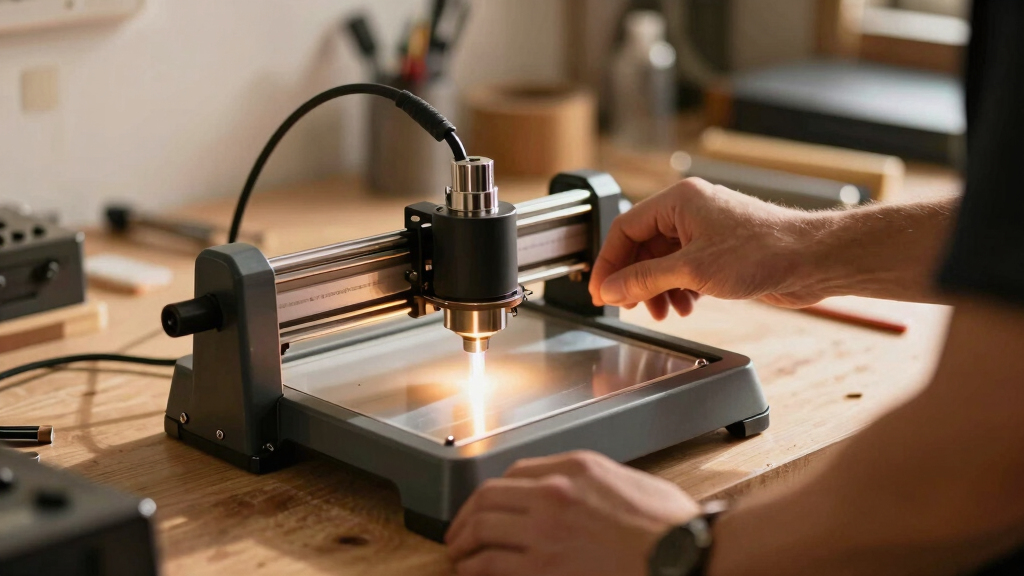
The products in this roundup were selected based on a combination of performance, build quality, safety features, versatility, and value for money. We prioritized models that cater to a broad range of users—from beginners to experienced hobbyists and small business owners—while ensuring each offers reliable operation and consistent engraving results. Machines with good user feedback, innovative features, and a balance of power and safety earned higher rankings. Our evaluation also considered ease of setup and maintenance, ensuring that each option is practical for typical use cases. This approach guarantees that the ranking reflects real-world utility and value, not just specifications on paper.Factors to Consider When Choosing Diode Laser Engraver
Choosing the right diode laser engraver requires understanding several key factors that influence performance, safety, and usability. Beyond just comparing specs, buyers should consider how the machine fits into their workflow, safety requirements, and long-term needs. Making informed decisions helps avoid costly mistakes and ensures the investment aligns with your project scope and skill level. The following sections highlight the most important considerations to keep in mind when selecting a diode laser engraver.Power and Speed
Power determines how quickly and effectively the laser can engrave or cut different materials. Higher wattage lasers, like 20W or above, can handle thicker or denser materials and produce faster results, especially useful for commercial use. However, more powerful units tend to be bulkier and more expensive, which might be unnecessary for light hobby work. Speed is also essential; a faster engraver can complete projects more efficiently but may require more precise calibration. Balancing power and speed with your specific project needs is critical to avoid over-investing in features you won’t use.
Safety Features
Safety should never be overlooked, especially for home or beginner users. Look for models with enclosed designs, automatic shutoff, or interlock systems that prevent accidental exposure to laser beams. Adequate ventilation or air filtration is also vital to manage fumes produced during engraving. Investing in a machine with robust safety features reduces risks and makes regular use more comfortable. Failing to prioritize safety can lead to accidents or health issues, especially with higher wattage lasers.
Work Area Size
The size of the engraving bed directly impacts what projects you can undertake. Larger areas, like 300x300mm, give more flexibility for bigger designs or multiple pieces at once, but also increase the machine’s footprint and cost. Smaller work areas, such as 130x130mm, are more compact and budget-friendly but limit project size. Consider your typical project dimensions and storage space when choosing. Opting for a slightly larger bed than currently needed can future-proof your setup as skills and project scope grow.
Material Compatibility and Versatility
Different diode laser engravers vary in their ability to work with diverse materials like wood, acrylic, leather, metal, and coated glass. Machines with adjustable power settings and specialized laser types, such as dual fiber and diode, expand material options. Some models include features like color marking or 3D embossing that open new creative avenues. Understanding your primary materials and desired effects helps select a machine that meets those needs without overpaying for unnecessary features.
Ease of Use and Maintenance
Beginners should prioritize user-friendly interfaces, clear instructions, and straightforward calibration processes. Machines with intuitive software, touchscreens, or integrated cameras simplify operation. Maintenance requirements, including lens cleaning and part replacement, vary across models; choosing a machine with accessible components can save time and frustration. Investing in a reliable, easy-to-maintain machine encourages consistent results and reduces downtime, especially for hobbyists and small-scale entrepreneurs.
Frequently Asked Questions
Can I engrave metal with a diode laser engraver?
Yes, but with some limitations. Most diode laser engravers are better suited for non-metallic materials like wood, plastic, or leather. However, certain models with higher power or specialized laser modules can mark coated metals or perform color engraving on metal surfaces. For deep engraving or cutting metal, a fiber laser is typically required, but diode lasers can handle light marking or surface etching effectively when paired with suitable coatings or treatments. Always check the machine’s material compatibility before starting metal projects.
Is a higher wattage laser always better for my needs?
Not necessarily. While higher wattage lasers can engrave and cut thicker materials faster, they also tend to be more expensive, larger, and potentially more complex to operate safely. For light hobbyist projects or small crafts, a 5W to 10W laser often provides sufficient power with easier handling. If you plan to work with thicker materials regularly or need faster production, investing in a higher wattage machine makes sense. Balance your project requirements with safety considerations and budget constraints.
What safety precautions should I consider with diode laser engravers?
Safety features like enclosures, automatic shutoff, and emergency stop buttons are essential. Always wear appropriate laser safety glasses designed for the specific wavelength. Ensure proper ventilation or air filtration to manage fumes and particles. Keep the machine on a stable surface away from children or pets, and never leave it unattended during operation. Regularly inspecting lenses and safety interlocks helps prevent accidents, making the workspace safer for ongoing use.
How much maintenance does a diode laser engraver require?
Maintenance typically involves cleaning the laser lens and mirrors, checking for dust or debris that could affect performance, and replacing worn parts like fans or belts. Most models require minimal routine care, but neglecting cleaning can lead to reduced engraving quality or even damage the laser diode. Following the manufacturer’s maintenance schedule and storing the machine in a clean, dust-free environment prolongs its lifespan and ensures consistent results. Proper maintenance is a small investment that pays off in longevity and performance.
Can I upgrade or modify my diode laser engraver later?
Many diode laser engravers offer some scope for upgrades, such as installing larger lenses, adding external cooling, or improving software features. However, significant modifications, like increasing power beyond the original specifications, can be risky and may void warranties. It’s best to choose a machine with scalable features if you anticipate needing more capability in the future. Always consult the manufacturer or a professional before attempting hardware upgrades to avoid damaging your machine or compromising safety.
Conclusion
For casual hobbyists or small-scale artisans, the LaserPecker LP1 Plus stands out as an affordable, easy-to-use option that delivers reliable results. The xTool M2 10W offers a balanced mix of power, safety, and versatility, making it the best overall choice for most users. Serious makers or small business owners needing larger work areas and higher power should consider the Twotrees TTS-55 Pro 5500mW for its extensive capabilities. Beginners should prioritize safety features and ease of use, while experienced users may opt for models with advanced features like dual lasers or integrated cameras. Choose the machine that best matches your project scope, skill level, and safety requirements to get the most out of your investment.
Halloween Picks
halloween
As an affiliate, we earn on qualifying purchases.