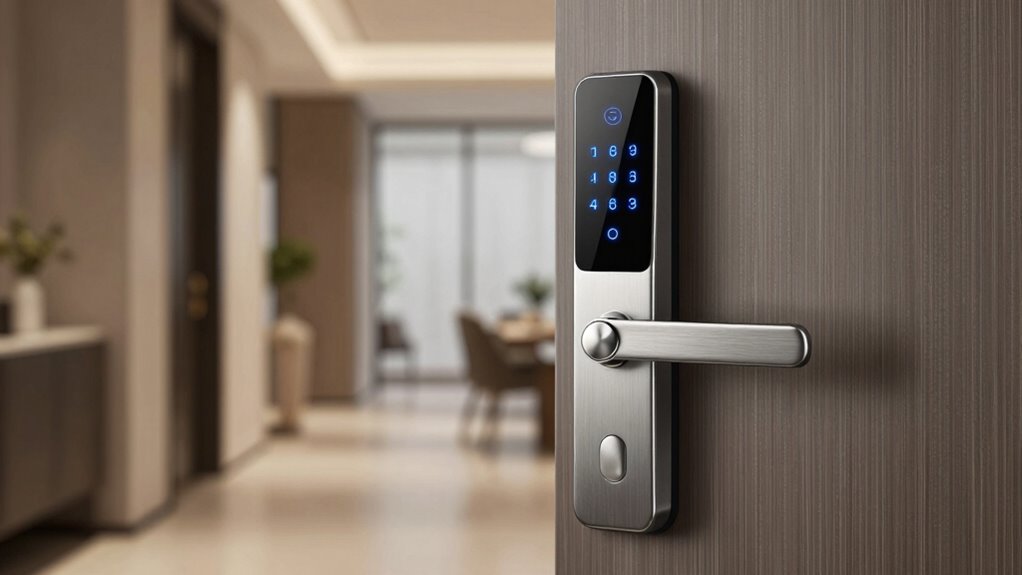

Renters often face unique challenges when choosing a smart lock, from installation restrictions to the need for temporary solutions. The Philips Wi-Fi Smart Deadbolt stands out as the best overall pick for its balance of ease of use and versatility. The August Wi-Fi Smart Lock (4th Generation) offers seamless integration with existing locks, making it ideal for those who want a quick upgrade. For renters seeking affordability, the Wyze Auto-Lock Bolt v2 provides reliable keyless entry without breaking the bank. However, tradeoffs such as limited customization or potential compatibility issues can influence the best choice. Continue reading to see how these options compare and find the perfect fit for your rental setup.

Prime made for students and young adults
- Fast, free delivery for dorm and study essentials
- Prime Video and Amazon Music included
- Member-only deals
Key Takeaways
- Top picks balance ease of installation with smart features suitable for renters.
- Compatibility with existing deadbolts and smart home systems is a key differentiator.
- Affordable options often trade off some advanced features or durability.
- Battery life and auto-lock functions are critical for hassle-free use in rental scenarios.
- Higher-end models excel in integration but may have complex setup processes.
| Philips Wi-Fi Smart Deadbolt Lock, Keyless Entry Door Lock |  | Best Overall for Flexibility and Security | Connectivity: Wi-Fi 2.4GHz | Power: Requires AA alkaline batteries (not included) | Compatibility: Doors 1-3/8″ to 2″ thick | VIEW ON AMAZON | See Our Full Breakdown |
| SwitchBot WiFi Smart Lock Pro + Hub Mini Matter, Keyless Entry Deadbolt |  | Best for Compatibility with Smart Home Ecosystems | Compatibility: Most North American single-cylinder deadbolts | Includes: 1 Lock Pro, 1 Hub Mini | Battery: 4 × AA batteries (included) | VIEW ON AMAZON | See Our Full Breakdown |
| August Wi-Fi Smart Lock (4th Generation) |  | Best for Smart Home Integration and Ease of Use | Compatibility: Most single cylinder deadbolts | Connectivity: Wi-Fi (802.11 b/g/n 2.4GHz or 5GHz) | Installation: Fits most deadbolts, about 10 minutes | VIEW ON AMAZON | See Our Full Breakdown |
| Sesame 5 Smart Lock – Bluetooth Electronic Deadbolt with Auto-Lock and Keyless Entry |  | Best for No-Tools, No-Wiring Rental Upgrades | Connectivity: Bluetooth, Wi-Fi via Hub3 | Control Methods: iPhone, Apple Watch, NFC, Alexa, Google Assistant, Siri | Auto-Lock Timer: 3 seconds to 1 hour | VIEW ON AMAZON | See Our Full Breakdown |
| Retrofit Smart Lock for Existing Deadbolt with Wi-Fi |  | Best for Quick and Reliable Upgrades | Installation Time: 8 minutes | Battery Life: 10 months | Compatibility: Most standard US doors, Schlage and Kwikset deadbolts | VIEW ON AMAZON | See Our Full Breakdown |
| ULTRALOQ U-Bolt Pro WiFi Smart Lock with Door Sensor |  | Best Overall for Versatile Security and Smart Home Integration | Connectivity: 2.4GHz Wi-Fi (802.11 b/g/n) | Fingerprint Storage: up to 100 fingerprints | Passcode Capacity: up to 50 codes | VIEW ON AMAZON | See Our Full Breakdown |
| Philips WiFi Smart Retrofit Lock |  | Best for Upgrading Existing Deadbolts with Remote Control | Connectivity: WiFi 2.4GHz | Battery: 2 x CR123 batteries | Auto Lock Timer: 10-180 seconds | VIEW ON AMAZON | See Our Full Breakdown |
| Wyze Auto-Lock Bolt v2 Fingerprint Smart Lock with Wi-Fi, Keyless Entry, and Backup Keys |  | Best for Fast, Multiple Unlocking Options in All Weather | Model Number: WLCKB2 | Recommended Uses: Home | Included Components: AA Battery x8, Wyze Lock Bolt v2 | VIEW ON AMAZON | See Our Full Breakdown |
| ULTRALOQ Bolt SE Wi-Fi Smart Lock with Matter over Thread and App Remote Access |  | Best for Long Battery Life and Advanced Connectivity | Fingerprint Capacity: 50 fingerprints | Passcode Capacity: 50 passcodes | Connectivity: Wi-Fi 2.4 GHz, Matter over Thread | VIEW ON AMAZON | See Our Full Breakdown |
| Anona Holo Wi-Fi Smart Lock with Keypad, Keyless Entry Deadbolt Door Lock with App Remote Control, AutoLock & Anomaly Detection |  | Best for Easy Installation with Smart Security Features | Compatibility: Alexa, Apple HomeKit | Installation: Non-destructive, fits most deadbolts | Power: 4 AA batteries, lasts 4-6 months | VIEW ON AMAZON | See Our Full Breakdown |
| Lockly Secure Pro Wi-Fi Smart Lock with Handle |  | Best Overall for Versatile Access and Remote Management | Brand: Lockly | Model Number: PGD628W | Included Components: Lockly smart lock | VIEW ON AMAZON | See Our Full Breakdown |
| Philips Wi-Fi Smart Door Lock with Handle, Keyless Entry, Fingerprint, App Control, Auto-Lock, Keypad Deadbolt |  | Best for Simplicity and Basic Keyless Convenience | Fingerprint Storage: 50 fingerprints | Wi-Fi Compatibility: 2.4GHz only | Auto-Lock Timer: 5 to 180 seconds | VIEW ON AMAZON | See Our Full Breakdown |
| Smart Lock Ultra with Keypad, Fingerprint Door Lock, App Remote Control, Built-in WiFi Deadbolt, Auto Unlock, Waterproof, Easy Install, Supports Alexa and Google |  | Best for Smart Home Integration and Long Battery Life | Power Source: Battery Powered | Compatible Devices: Apple Home, Alexa, Google Assistant | Connectivity Technology: Wireless | VIEW ON AMAZON | See Our Full Breakdown |
| Geek Smart Fingerprint Deadbolt with App and Keypad for Front Door |  | Best for Easy Installation and Versatile Access Control | Unlock Methods: Fingerprint, keypad, key, app, FOB card | Battery: 4 AA batteries (not included) | Emergency Charge Port: Type-C USB | VIEW ON AMAZON | See Our Full Breakdown |
| smart lock for renter | Connectivity | Compatibility |
|---|---|---|
| Philips Wi-Fi Smart Deadbolt L | Wi-Fi 2.4GHz | Doors 1-3/8" to 2" thick |
| SwitchBot WiFi Smart Lock Pro | WiFi, Matter, HomeKit, Alexa, Google Assistant | Most North American single-cylinder deadbolts |
| August Wi-Fi Smart Lock | Wi-Fi (802.11 b/g/n 2.4GHz or 5GHz) | Most single cylinder deadbolts |
| Sesame 5 Smart Lock | Bluetooth, Wi-Fi via Hub3 | Works with 99% of keys, with optional adapters |
| Retrofit Smart Lock for Existi | — | Most standard US doors, Schlage and Kwikset deadbolts |
| ULTRALOQ U-Bolt Pro WiFi Smart | 2.4GHz Wi-Fi (802.11 b/g/n) | — |
| Philips WiFi Smart Retrofit Lo | WiFi 2.4GHz | — |
| Wyze Auto-Lock Bolt v2 Fingerp | Wi-Fi | — |
| ULTRALOQ Bolt SE Wi-Fi Smart L | Wi-Fi 2.4 GHz, Matter over Thread | — |
| Anona Holo Wi-Fi Smart Lock wi | — | Alexa, Apple HomeKit |
| Lockly Secure Pro Wi-Fi Smart | — | — |
| Philips Wi-Fi Smart Door Lock | — | — |
| Smart Lock Ultra with Keypad | — | — |
| Geek Smart Fingerprint Deadbol | — | Standard doors, 2-1/8" hole, 35-54mm thickness |
More Details on Our Top Picks
Philips Wi-Fi Smart Deadbolt Lock, Keyless Entry Door Lock
The Philips Wi-Fi Smart Deadbolt offers a versatile array of unlocking options, including app control, passcodes, fingerprint, and voice commands, making it a strong choice for renters who want flexible access. Compared to the August Wi-Fi Smart Lock, it provides more passcode management and real-time notifications, though it lacks a door sensor, which some users find limiting for security monitoring. Its easy DIY installation suits most standard doors, but the need for separate batteries and support only for 2.4GHz Wi-Fi can be minor inconveniences. This lock stands out for its multi-modal access and remote control capabilities, making it ideal for those prioritizing convenience and security.
Pros:- Supports multiple unlocking methods including app, passcode, fingerprint, and voice control
- Remote access and real-time notifications enhance security and convenience
- Easy to install on most standard doors without professional help
Cons:- Batteries are not included, requiring an extra purchase
- Supports only 2.4GHz Wi-Fi networks, limiting network flexibility
- No integrated door sensor for monitoring door status
Best for: Renters who want a highly flexible, multi-access solution with remote notifications
Not ideal for: Renters with limited Wi-Fi networks or those seeking integrated door sensors for additional security
- Connectivity:Wi-Fi 2.4GHz
- Power:Requires AA alkaline batteries (not included)
- Compatibility:Doors 1-3/8″ to 2″ thick
- Range:65 ft
- Voice Control:Alexa, Google Assistant
- Auto-Lock:Yes, 10-180 seconds
- Remote Access:Yes
- Number of Passcodes:Up to 100
Our verdict“This lock is best suited for renters seeking a versatile, secure, and easily installable smart deadbolt with remote control features.”
SwitchBot WiFi Smart Lock Pro + Hub Mini Matter, Keyless Entry Deadbolt
The SwitchBot WiFi Smart Lock Pro excels in supporting multiple smart home platforms, including Matter, Siri, Alexa, and Google Assistant, making it an excellent choice for renters with existing smart setups. Its retrofit design allows installation without damaging existing locks, unlike some other models like the August, which may require more extensive modifications. However, the necessity of purchasing the separate keypad for keyless entry and confirming deadbolt compatibility adds some planning. Its auto-lock feature boosts security, but it’s less suitable for renters whose locks are incompatible with its retrofit system. This pick is ideal for tech-savvy renters looking for broad platform support and easy installation.
Pros:- Supports multiple platforms including Matter, Siri, Alexa, and Google Assistant
- Retrofit installation requires no damage or drilling, perfect for rentals
- Auto-lock feature enhances security
Cons:- Keypad/Touchpad sold separately, increasing overall cost
- Not compatible with Jimmy Proof and Mortise locks
- Requires verification of deadbolt compatibility before purchase
Best for: Renters who want compatibility across multiple smart home systems without replacing their entire lock setup
Not ideal for: Renters with non-standard deadbolts or those needing built-in keypad and biometric features without extra purchases
- Compatibility:Most North American single-cylinder deadbolts
- Includes:1 Lock Pro, 1 Hub Mini
- Battery:4 × AA batteries (included)
- Battery Life:6–9 months
- Connectivity:WiFi, Matter, HomeKit, Alexa, Google Assistant
- Supported Unlock Methods:Fingerprint, passcode, one-time code, remote unlock, voice command
Our verdict“This lock is ideal for renters wanting broad smart home integration and an easy retrofit installation with minimal disruption.”
August Wi-Fi Smart Lock (4th Generation)
The August Wi-Fi Smart Lock makes it simple to control your existing deadbolt remotely, especially for renters who want a straightforward, no-fuss upgrade. Its quick installation on most single cylinder deadbolts allows for easy setup, and it offers automatic locking and unlocking features that work seamlessly with the August app and popular smart home systems like Alexa, Google, and Apple HomeKit. Compared to the Philips Wi-Fi Deadbolt, August’s auto-unlock adds convenience but requires Wi-Fi for full functionality, which could be a limitation in areas with unstable internet. Additional purchases are necessary for keypad or biometric options, which might be a downside for those seeking all-in-one security. This lock best suits renters prioritizing ease of use and deep integration with existing smart home systems.
Pros:- Simple installation on most deadbolts, with no wiring needed
- Remote control and monitoring via app
- Works with multiple smart home platforms including Alexa, Google, and Apple
Cons:- Requires Wi-Fi connection for full feature set
- Additional purchase needed for keypad and biometric features
- May not fit all door types or deadbolt styles
Best for: Renters who want an easy-to-install, integrated smart lock with auto-unlock features
Not ideal for: Renters without reliable Wi-Fi or those needing built-in keypad and biometric security from day one
- Compatibility:Most single cylinder deadbolts
- Connectivity:Wi-Fi (802.11 b/g/n 2.4GHz or 5GHz)
- Installation:Fits most deadbolts, about 10 minutes
- Features:Auto-Unlock, DoorSense, remote access
- Supported Platforms:Amazon Alexa, Google Assistant, Apple HomeKit, Samsung SmartThings
Our verdict“This lock is ideal for renters seeking effortless installation and smart integration with auto-unlock convenience.”
Sesame 5 Smart Lock – Bluetooth Electronic Deadbolt with Auto-Lock and Keyless Entry
The Sesame 5 offers a straightforward, tool-free installation, making it especially appealing for renters who want a quick upgrade without damaging their doors. Its Bluetooth connectivity and support for NFC tags, voice assistants, and smartphone control provide flexible access options. The auto-lock feature adds security, but since remote Wi-Fi control requires the Hub3, users need to purchase that separately, which adds complexity and cost compared to simpler models like the Retrofit Lock. Unlike the Philips or August locks, Sesame 5’s no-drill, adhesive mounting makes it a top choice for temporary setups, but it may be less suitable for doors with unusual configurations or high-security needs. This option is perfect for renters seeking a simple, tool-free, keyless upgrade with multiple control methods.
Pros:- Easy no-drill, no-wiring installation with adhesive mount
- Supports multiple control options including NFC, voice, and smartphone apps
- Auto-lock enhances daily security
Cons:- Requires Hub3 for remote Wi-Fi control, adding extra cost
- Custom adapters may be needed for some keys
- Bluetooth range limited compared to Wi-Fi locks
Best for: Renters wanting an easy, no-wiring, damage-free smart lock with Bluetooth and NFC options
Not ideal for: Renters needing full Wi-Fi remote access without extra purchases or those with specialty lock types
- Connectivity:Bluetooth, Wi-Fi via Hub3
- Control Methods:iPhone, Apple Watch, NFC, Alexa, Google Assistant, Siri
- Auto-Lock Timer:3 seconds to 1 hour
- Installation:No-drill, adhesive mount
- Compatibility:Works with 99% of keys, with optional adapters
Our verdict“This lock is best suited for renters seeking a quick, tool-free upgrade with versatile control options and auto-lock security.”
Retrofit Smart Lock for Existing Deadbolt with Wi-Fi
The Retrofit Smart Lock offers a highly practical upgrade path for renters who want a fast, DIY solution that maintains their existing keys. Its 8-minute installation involves no wiring or drilling, making it ideal for temporary or rental setups. The built-in Wi-Fi provides remote control, auto-lock, and door ajar alerts, with long battery life of up to 10 months. Compared to the Philips or August locks, it offers a more simplified installation process with the added benefit of backup keys. However, it requires a 2.4GHz Wi-Fi network and additional keypad purchases for full keyless convenience, which could be a drawback for some renters seeking all features integrated from the start. This lock is best for renters wanting a reliable, straightforward upgrade that doesn’t alter their existing door hardware.
Pros:- Simple 8-minute DIY installation without wiring or drilling
- Long battery life with proactive alerts
- Remote control and monitoring via app
Cons:- Requires 2.4GHz Wi-Fi network, limiting connectivity options
- Additional keypad sold separately for full keyless access
- Dependent on Wi-Fi connection for remote features
Best for: Renters needing a quick, easy, and reliable Wi-Fi upgrade compatible with standard deadbolts
Not ideal for: Renters without stable 2.4GHz Wi-Fi or those requiring integrated keypad and biometric features immediately
- Installation Time:8 minutes
- Battery Life:10 months
- Compatibility:Most standard US doors, Schlage and Kwikset deadbolts
- Wi-Fi:2.4GHz, no hub required
- Material:Anodized aluminum
- Power Source:Coreless DC motor
Our verdict“This pick is ideal for renters seeking a straightforward, reliable Wi-Fi upgrade that keeps their existing keys intact.”
ULTRALOQ U-Bolt Pro WiFi Smart Lock with Door Sensor
The ULTRALOQ U-Bolt Pro stands out for its multi-method access—fingerprint, passcode, voice, and remote control—making it a flexible choice for renters who want convenience without sacrificing security. Its ANSI Grade 1 certification and weatherproof design ensure durability, especially useful if your rental is exposed to the elements. Compared to the Wyze Bolt v2, it offers more robust security features but at the cost of requiring a 2.4GHz Wi-Fi network and not supporting 5GHz, which could be a limitation in some setups. Its easy installation on most standard doors makes it suitable for renters who want a quick upgrade without hardware changes. However, it’s incompatible with metal doors, narrowing its applicability. This pick makes the most sense for renters seeking a high-security, durable lock with remote management capabilities, but those with metal doors or limited Wi-Fi options should consider alternatives.
Pros:- Multiple entry methods including fingerprint, passcode, and voice commands
- Remote control and activity logs via smartphone app
- Weatherproof and certified for durability
Cons:- Not compatible with metal doors, limiting installation options
- Requires a 2.4GHz Wi-Fi network, which may be less common in some homes
Best for: Renters who want a secure, weatherproof, and versatile lock that integrates seamlessly with their smart home system.
Not ideal for: Tenants with metal doors or Wi-Fi networks that don’t support 2.4GHz, as this lock is incompatible or limited in those environments.
- Connectivity:2.4GHz Wi-Fi (802.11 b/g/n)
- Fingerprint Storage:up to 100 fingerprints
- Passcode Capacity:up to 50 codes
- Certification:ANSI Grade 1
- Weatherproof Rating:IP65
- Installation:Fits most US standard doors, not recommended for metal doors
Our verdict“Ideal for renters seeking a highly secure, versatile smart lock with remote access, provided their door type and Wi-Fi setup are compatible.”
Philips WiFi Smart Retrofit Lock
The Philips WiFi Smart Retrofit Lock makes upgrading your current deadbolt straightforward, especially for renters who prefer not to change their door hardware. Its easy retrofit design allows quick installation, and its compatibility with voice assistants like Alexa and Google Assistant provides hands-free convenience. Compared with the ULTRALOQ U-Bolt Pro, it’s more suited for renters who want a simple upgrade rather than a full replacement, but its reliance on Wi-Fi means battery life can vary with usage. The auto-lock feature adds security, though the interior knob operation may be less secure than external hardware. Suitable for those who prioritize quick installation and voice control, but less ideal for homes with unstable Wi-Fi or heavy usage of auto-lock features.
Pros:- Easy to upgrade existing deadbolt without replacing exterior hardware
- Supports remote control and real-time notifications
- Works with Alexa and Google Assistant
Cons:- Requires 2.4GHz Wi-Fi network, which may impact reliability
- Battery life may vary with usage
Best for: Renters wanting an easy-to-install upgrade to existing deadbolts with remote access and voice control features.
Not ideal for: Tenants concerned about Wi-Fi stability or who need a more secure exterior hardware solution, since the interior knob is less tamper-resistant.
- Connectivity:WiFi 2.4GHz
- Battery:2 x CR123 batteries
- Auto Lock Timer:10-180 seconds
- Battery Life:Up to 4 months
- Voice Assistant Compatibility:Alexa, Google Assistant
Our verdict“A solid choice for renters seeking a quick upgrade with remote control and voice support, provided their Wi-Fi is stable and secure.”
Wyze Auto-Lock Bolt v2 Fingerprint Smart Lock with Wi-Fi, Keyless Entry, and Backup Keys
The Wyze Bolt v2 offers rapid fingerprint unlocking—under half a second—which is ideal for busy renters who want quick access. Its AI self-learning technology improves recognition over time, reducing false rejections. Compared to the ULTRALOQ U-Bolt Pro, it provides a similar remote control feature but is less weatherproof, rated only IP53, making it less suited for exposed locations. Its durability, with weather resistance and backup keys, makes it versatile for various environments. However, reliance on Wi-Fi for remote features means stability is key, and its IP53 rating may not withstand harsh weather as well as more durable options. This lock suits tenants who prioritize speed and multiple access methods but need to consider environmental exposure.
Pros:- Unlocks in 0.5 seconds with fingerprint scanner
- AI self-learning technology improves recognition
- Multiple unlocking options including keypad, app, fingerprint, and backup keys
Cons:- Weather resistance rated only IP53, less suited for harsh weather
- Requires Wi-Fi connection for remote control
Best for: Renters who want fast, reliable fingerprint access and multiple entry options in moderate weather conditions.
Not ideal for: Tenants in harsh climates or exposed outdoor environments where higher weatherproof ratings are necessary.
- Model Number:WLCKB2
- Recommended Uses:Home
- Included Components:AA Battery x8, Wyze Lock Bolt v2
- Weather Resistance:IP53
- Battery Life:Up to 8 months
- Connectivity:Wi-Fi
- Fingerprint Capacity:Up to 50 fingerprints
Our verdict“Perfect for renters seeking quick, multiple access methods, especially fingerprint recognition, in environments with moderate weather conditions.”
ULTRALOQ Bolt SE Wi-Fi Smart Lock with Matter over Thread and App Remote Access
The ULTRALOQ Bolt SE offers an impressive 18-month battery life, a major advantage over many competitors like the Wyze Bolt v2, which requires more frequent charging. Its support for Matter over Thread and Wi-Fi makes it compatible with a variety of smart home ecosystems, ideal for renters with future-proof setups. Its easy DIY installation and IP65 weather resistance make it suitable for most environments. However, it requires a compatible Thread hub for remote access via Thread, which could add complexity or cost. The absence of a door sensor means activity monitoring is limited, and Wi-Fi only supports 2.4 GHz, which might affect connectivity in some homes. This is a good option for renters looking for reliability and long-term low-maintenance operation.
Pros:- Supports multiple access methods including fingerprint, passcodes, app, and voice
- Long battery life of up to 18 months reduces maintenance
- Weather-resistant with easy DIY installation
Cons:- Requires a Thread hub for remote access via Thread, adding complexity
- Door sensor not included, limiting activity tracking
Best for: Renters who want a durable, long-lasting smart lock with broad compatibility and future-proof connectivity features.
Not ideal for: Tenants without a Thread hub or those needing integrated activity monitoring via door sensors, as these features are less accessible or require additional setup.
- Fingerprint Capacity:50 fingerprints
- Passcode Capacity:50 passcodes
- Connectivity:Wi-Fi 2.4 GHz, Matter over Thread
- Battery Life:Up to 18 months
- Weather Resistance:IP65 Waterproof
- Material:Zinc alloy
- Auto Lock:Yes
Our verdict“Best suited for tenants seeking a reliable, long-lasting smart lock with broad connectivity options, provided they have or are willing to get a Thread hub.”
Anona Holo Wi-Fi Smart Lock with Keypad, Keyless Entry Deadbolt Door Lock with App Remote Control, AutoLock & Anomaly Detection
The Anona Holo Wi-Fi Smart Lock emphasizes ease of installation, making it ideal for renters wary of complex setup. Its auto-lock and anomaly detection enhance security, while compatibility with both Alexa and Apple HomeKit provides flexible voice control options. Compared to the ULTRALOQ models, it’s more straightforward to install on most standard deadbolts without damaging the door, but its battery life of 4-6 months means frequent replacements could be necessary. Its remote control capability and guest access features make it convenient for rentals with multiple users. However, reliance on Wi-Fi and the potential complexity of app setup may be a barrier for some users. This lock is best for renters who value simple, secure access management without complicated hardware changes.
Pros:- Easy, non-destructive installation on most standard deadbolts
- Supports voice control with Alexa and Apple HomeKit
- Auto-lock and anomaly detection enhance security
Cons:- Battery life of 4-6 months requires regular replacement
- Wi-Fi reliance may complicate remote access in poor connectivity areas
Best for: Renters who want a straightforward, easy-to-install smart lock with auto-lock, anomaly detection, and compatibility with popular voice assistants.
Not ideal for: Tenants in environments where battery replacement frequency is problematic or with unstable Wi-Fi, as battery life is limited and remote features depend on connectivity.
- Compatibility:Alexa, Apple HomeKit
- Installation:Non-destructive, fits most deadbolts
- Power:4 AA batteries, lasts 4-6 months
- Features:Auto-lock, anomaly detection
Our verdict“An excellent choice for renters seeking a user-friendly, secure smart lock with auto-lock and smart features, as long as battery life and Wi-Fi stability are manageable.”
Lockly Secure Pro Wi-Fi Smart Lock with Handle
The Lockly Secure Pro stands out for its comprehensive access options, combining biometric fingerprint, PIN Genie keypad, app control, voice commands, and physical keys. Compared with the Philips Wi-Fi Smart Door Lock, it offers more backup options, making it ideal for renters who want flexible entry methods. Its real-time alerts and remote management via app provide peace of mind, but setup can be complex for less tech-savvy users. The need for an optional Wi-Fi hub adds an extra step, and its higher price might be a consideration for budget-conscious renters. Overall, this lock suits those seeking a highly customizable and reliable solution, despite a steeper learning curve and cost.
Pros:- Multiple access methods including biometric, PIN, app, and keys
- Real-time activity alerts and remote management via app
- Backup emergency features ensure continuous operation
Cons:- Setup may be complex for some users
- Requires optional Wi-Fi hub for extended functionality
- Higher price point compared to basic locks
Best for: Renters who want multiple secure access options and advanced remote control features
Not ideal for: Renters seeking a straightforward, plug-and-play solution with minimal setup or budget constraints
- Brand:Lockly
- Model Number:PGD628W
- Included Components:Lockly smart lock
- Recommended Uses:Door Lock, Home Security, Residential
Our verdict“This pick is best suited for tech-savvy renters who value flexibility and remote control, and are willing to handle a more involved setup.”
Philips Wi-Fi Smart Door Lock with Handle, Keyless Entry, Fingerprint, App Control, Auto-Lock, Keypad Deadbolt
The Philips Wi-Fi Smart Door Lock offers a solid mix of biometric fingerprint recognition, keypad entry, and app control, making it suitable for renters who want straightforward keyless access. Compared with the Lockly Secure Pro, it has fewer unlocking methods but simplifies daily use with auto-lock and customizable access modes. Its reliance on 2.4GHz Wi-Fi and the need for 8 AA batteries (not included) might pose some inconveniences, especially if batteries run out unexpectedly. Setup can be tricky for those unfamiliar with tech, but once installed, it provides reliable, secure access for users seeking basic smart lock functions. This lock is ideal for renters prioritizing ease of use over extensive customization.
Pros:- Multiple unlocking options including fingerprint, PIN, app, and voice
- Auto-lock feature enhances security without user intervention
- Real-time monitoring and notifications via app
Cons:- Requires 8 AA batteries which are not included
- Limited to 2.4GHz Wi-Fi networks, reducing compatibility options
- Complex setup may challenge less tech-savvy users
Best for: Renters who desire a reliable, easy-to-use keyless lock with essential features
Not ideal for: Renters wanting advanced multi-factor access options or who prefer Wi-Fi networks beyond 2.4GHz
- Fingerprint Storage:50 fingerprints
- Wi-Fi Compatibility:2.4GHz only
- Auto-Lock Timer:5 to 180 seconds
- Battery Type:8 AA batteries (not included)
- Warranty:2 years
Our verdict“This lock is best for renters seeking simple, reliable keyless entry with basic smart features, accepting some setup effort and network limitations.”
Smart Lock Ultra with Keypad, Fingerprint Door Lock, App Remote Control, Built-in WiFi Deadbolt, Auto Unlock, Waterproof, Easy Install, Supports Alexa and Google
The Smart Lock Ultra excels in supporting multiple unlocking methods, including fingerprint, app control, and voice assistants like Alexa and Google. Its long-lasting 12-month battery life and straightforward installation make it attractive for renters who want a seamless smart home experience. Compared to the Lockly Secure Pro, it might lack some advanced backup options but compensates with wide compatibility and easy setup. It’s not fully compatible with European locksets without extra accessories and might require professional installation for best results. This lock suits renters who prioritize compatibility with major smart home ecosystems and require a durable, long-lasting device.
Pros:- Multiple secure unlocking options including fingerprint and app control
- Supports Alexa, Google, and Apple HomeKit for full smart home integration
- Battery life up to 12 months with easy installation
Cons:- Not directly compatible with European locksets without additional parts
- Requires a separate SwitchBot Hub mini for some features
- May need professional installation for optimal setup
Best for: Renters invested in smart home ecosystems seeking easy installation and long battery life
Not ideal for: Renters looking for advanced biometric options or who need European lock compatibility without additional accessories
- Power Source:Battery Powered
- Compatible Devices:Apple Home, Alexa, Google Assistant
- Connectivity Technology:Wireless
- Battery Average Life:12 months
- Item Dimensions:2.4 x 2.5 x 4.8 inches
Our verdict“This pick is ideal for renters wanting a durable, ecosystem-compatible smart lock with long battery life and straightforward installation.”
Geek Smart Fingerprint Deadbolt with App and Keypad for Front Door
The Geek Smart Fingerprint Deadbolt offers multiple unlocking methods—fingerprint, keypad, app, key, and FOB card—making it highly versatile for renters. Its quick, approximately 15-minute installation on standard doors makes it a practical choice for those who want a hassle-free upgrade. Compared with the Smart Lock Ultra, it relies on a Wi-Fi gateway (sold separately) for remote control, which adds an extra step but keeps the device straightforward for local access. Its support for temporary guest access via one-time passwords is useful for short-term visitors, while battery replacement and emergency charging are simple. This lock suits renters who want multiple access options with easy setup and flexible guest management, despite needing an additional gateway for remote features.
Pros:- Multiple unlocking options including fingerprint, keypad, app, key, and FOB card
- Supports temporary guest access with one-time passwords
- Easy installation on standard doors
Cons:- Requires separate Wi-Fi gateway for remote control
- Batteries not included
- Limited to standard door sizes
Best for: Renters seeking a multi-method smart lock with quick installation and guest access features
Not ideal for: Renters who prefer an all-in-one, Wi-Fi-integrated solution without additional gateways or who need European lock compatibility
- Unlock Methods:Fingerprint, keypad, key, app, FOB card
- Battery:4 AA batteries (not included)
- Emergency Charge Port:Type-C USB
- Compatibility:Standard doors, 2-1/8″ hole, 35-54mm thickness
- Remote Control:Yes (with gateway, sold separately)
Our verdict“This lock is best for renters wanting flexible access methods and quick setup, accepting the extra step of installing a gateway for remote features.”

How We Picked
I evaluated each smart lock based on performance, ease of installation, compatibility with rental restrictions, build quality, and smart home integration. Products were rated on how well they suit renters who need temporary, non-invasive solutions, and whether they offer features like keyless entry, auto-lock, and remote control. Price, user reviews, and brand reliability also played a role, with a focus on models that provide straightforward use without permanent modifications. The ranking reflects a balance between affordability, functionality, and renter-friendly features to help users find practical, versatile options.Factors to Consider When Choosing Smart Lock For Renters
Choosing the right smart lock for renting involves considering several factors that ensure ease of use, legal compliance, and safety. Renters should prioritize models that require no permanent modifications, offer flexible access options, and integrate smoothly with existing systems. Understanding these key considerations helps avoid common pitfalls, such as incompatible hardware or overly complicated installation processes. A well-chosen lock can provide peace of mind without risking damage to the property or violating lease terms.Installation and Compatibility
For renters, a primary concern is whether a smart lock can be installed without altering the existing door hardware. Look for models that are designed for easy, non-invasive installation—many use adhesive or clamp mechanisms. Compatibility with your current deadbolt or door setup is also vital; some locks retrofit existing hardware, while others require full replacement. Choosing a model that fits your door type and can be removed easily minimizes the risk of lease violations or damage.
Smart Home Integration and Connectivity
Integration with smart home ecosystems like Alexa, Google Assistant, or Apple HomeKit can enhance convenience, especially if you already use these platforms. Wireless connectivity (Wi-Fi, Bluetooth, or Thread) impacts how effortlessly you can control and monitor your lock remotely. Keep in mind that some models require hubs or bridges, which add complexity and cost. Opt for a system that offers reliable, secure connectivity suited for remote access without overly complicated setup.
Security and Reliability
Security features like auto-lock, tamper alerts, and robust encryption are non-negotiable for renters. A lock that offers keypad codes, fingerprint access, or temporary virtual keys can improve control over who enters your space. Battery life also matters—frequent replacements or unexpected power loss can be frustrating. Prioritize models with low maintenance, reliable alarms, and backup options to ensure your home remains secure at all times.
Price and Value
There’s a wide range of prices in this category, often reflecting feature sets and build quality. While budget models can be effective, they sometimes lack durability or advanced security features. Conversely, premium options offer enhanced integration and durability but come at a higher cost. Consider how much value you need—if you only require basic keyless entry, a lower-cost model may suffice; for more features, investing in a slightly pricier lock could pay off in convenience.
Legal and Lease Considerations
Always verify your lease agreement and landlord policies before installing a smart lock. Many landlords prefer non-invasive solutions that leave no permanent marks or modifications. Some smart locks are explicitly designed for rental use, offering temporary installation and easy removal. Overlooking this aspect can lead to disputes or even eviction risks, so choose a model that clearly states it’s suitable for renters and provides clear removal instructions.
Frequently Asked Questions
Can I install a smart lock on my rental door without violating my lease?
Most rental agreements restrict permanent modifications, so look for smart locks that attach without drilling or adhesives. Many models are designed for easy, non-invasive installation—clamp or adhesive-based solutions are common. Always review your lease and, if possible, consult your landlord before installation. Choosing a lock that is easily removable helps avoid damage or lease violations, giving you peace of mind while enjoying smart features.
Will a smart lock work with my existing deadbolt?
Many smart locks are designed as retrofit solutions, compatible with standard deadbolts. Check the product specifications for compatibility with your door hardware. Some models require minimal adjustments, while others replace the entire lockset. If your current deadbolt is non-standard or older, you may need additional adapters or to opt for a different model. Confirming compatibility before purchase prevents installation surprises and ensures seamless operation.
Are smart locks secure enough for rental properties?
High-quality smart locks incorporate strong encryption, tamper alerts, and multiple access methods, making them reliable for security. Features like auto-lock, temporary virtual keys, and activity logs add layers of safety. However, no lock is entirely foolproof; always combine smart locks with good security practices. Regular firmware updates and choosing reputable brands significantly enhance protection, giving renters confidence in their home security.
How long does the battery last on a typical smart lock for renters?
Battery life varies across models, generally ranging from several months to over a year on a single charge or set of batteries. Locks with low-battery alerts help prevent lockouts. For renters, a long-lasting battery reduces maintenance and inconvenience. Some models offer backup power options or manual keys, providing extra reassurance. Always check the manufacturer’s estimates and consider models that prioritize low power consumption for hassle-free use.
Can I control a smart lock remotely if I travel or am away from home?
Yes, most smart locks with Wi-Fi or cellular connectivity allow remote control via smartphone apps. Features like virtual keys and activity tracking enable you to grant access or monitor entry from anywhere. Make sure your chosen lock is compatible with your home Wi-Fi network and has a reliable app interface. Remote access provides flexibility and peace of mind, but ensure your device and app are secure to prevent unauthorized entry.
Conclusion
For those who prioritize ease of installation and seamless integration, the August Wi-Fi Smart Lock offers a quick upgrade for existing deadbolts. Renters seeking a budget-friendly, straightforward solution should consider the Wyze Auto-Lock Bolt v2, which provides reliable keyless entry at a lower cost. If you desire a premium, feature-rich system with advanced security, the Lockly Secure Pro fits well, though it requires a higher investment. Beginners or tenants with strict landlord policies will benefit most from models designed for non-invasive, temporary installation, while those needing advanced smart home compatibility should look for locks with broad ecosystem support. The right choice depends on your specific rental situation, budget, and security needs—this roundup aims to guide you toward the best fit.
As an affiliate, we earn on qualifying purchases.Halloween Picks
halloween