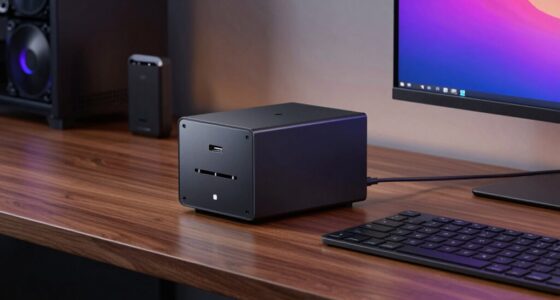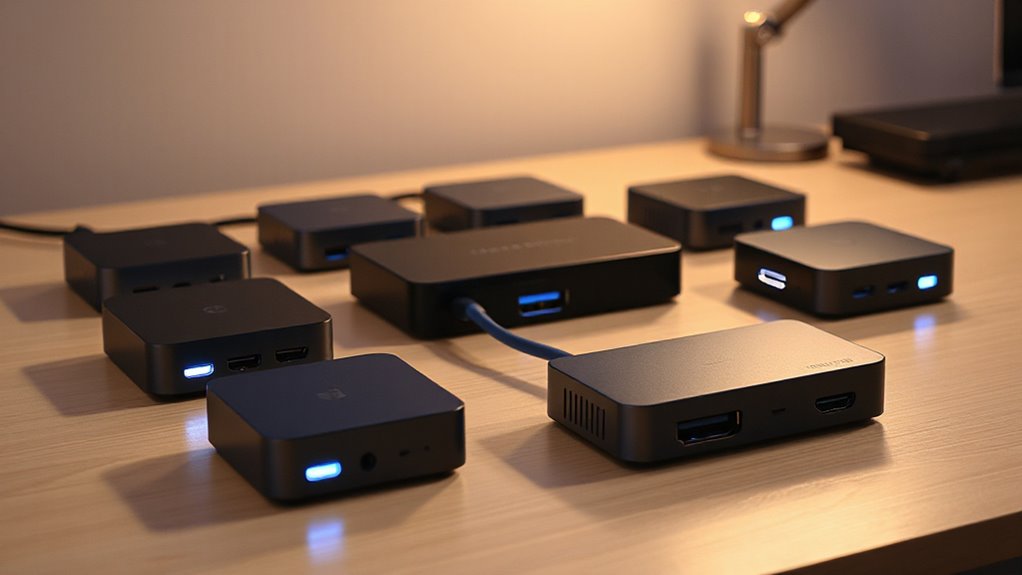
If you’re looking for the best Thunderbolt docks with HDMI 2.1 support in 2026, I’ve got you covered. Top options like the Anker Prime TB5, Plugable’s dual 4K docks, and Dell’s SD25TB4 deliver high-resolution, 8K or multiple 4K displays, plus fast data transfer rates. Many also offer robust power delivery for charging your device. To find the perfect fit for your setup, keep exploring the options I highlight next.
Key Takeaways
- Look for docks supporting HDMI 2.1 with 8K at 30Hz or 4K at 120Hz for future-proof high-resolution displays.
- Prioritize models compatible with Thunderbolt 4 or Thunderbolt 5 for maximum bandwidth and multi-display support.
- Check for sufficient power delivery (100W+) to charge high-performance laptops simultaneously via the dock.
- Consider docks with multiple HDMI 2.1 ports to support dual or triple high-resolution monitors.
- Opt for well-built, compact designs with high data transfer speeds (up to 40Gbps) for seamless multitasking and professional workflows.
| Anker Prime TB5 Thunderbolt 5 Docking Station | 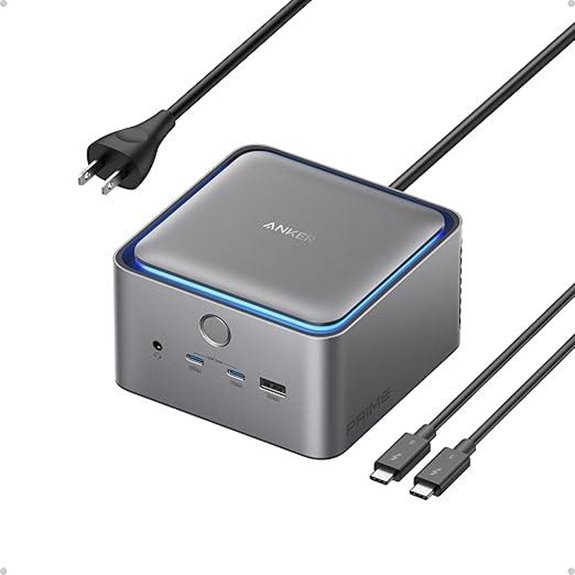 | Best Overall | Number of HDMI Ports: 1 HDMI 2.1 or DisplayPort 2.1 output | Power Delivery (Wattage): Up to 140W | Data Transfer Speed: 120Gbps Thunderbolt 5 | VIEW LATEST PRICE | See Our Full Breakdown |
| Plugable USB-C Docking Station with Dual 4K HDMI | 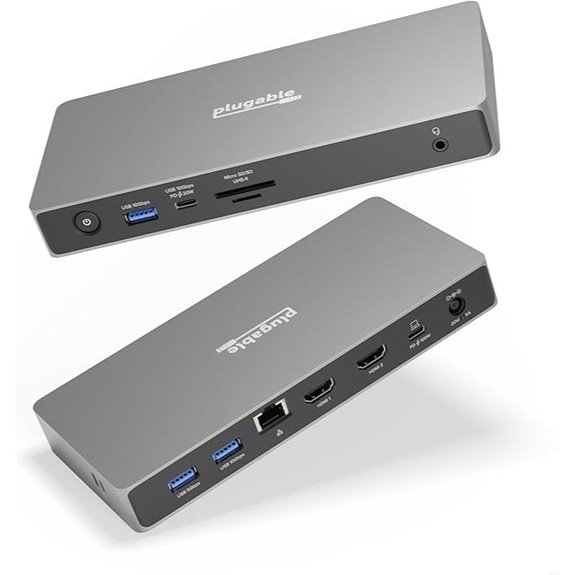 | Best for Dual Monitors | Number of HDMI Ports: 2 HDMI 2.1 ports | Power Delivery (Wattage): Up to 100W | Data Transfer Speed: 40Gbps USB4 | VIEW LATEST PRICE | See Our Full Breakdown |
| Plugable 16-in-1 Thunderbolt 4 Dock with Dual 4K Monitors | 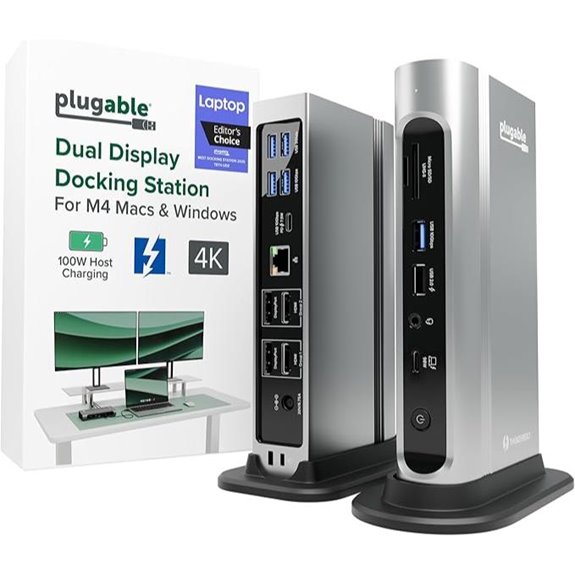 | Creative Professional Favorite | Number of HDMI Ports: 2 HDMI/DisplayPort options | Power Delivery (Wattage): Up to 100W | Data Transfer Speed: 40Gbps Thunderbolt 4 | VIEW LATEST PRICE | See Our Full Breakdown |
| Dell Thunderbolt 4 Smart Dock SD25TB4 (130W 4K Displays) | 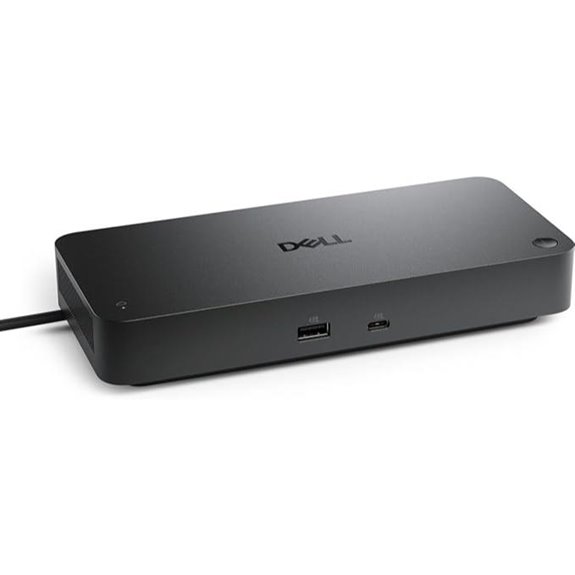 | Enterprise Solution | Number of HDMI Ports: 1 HDMI 2.1 port + DisplayPort | Power Delivery (Wattage): Up to 130W | Data Transfer Speed: Dual Thunderbolt 4, high-speed data | VIEW LATEST PRICE | See Our Full Breakdown |
| Sabrent Thunderbolt 4 Docking Station with USB-C/USB-A | 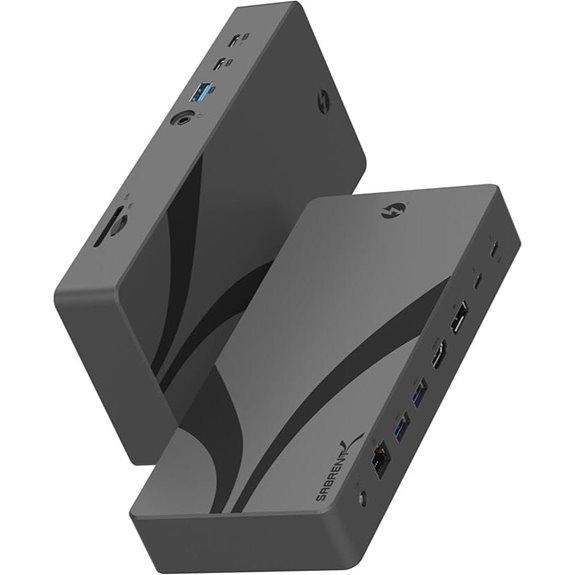 | High-Speed Power User | Number of HDMI Ports: 1 HDMI 2.1 port + DisplayPort (via USB-C) | Power Delivery (Wattage): Up to 100W | Data Transfer Speed: 40Gbps Thunderbolt 4 / USB4 | VIEW LATEST PRICE | See Our Full Breakdown |
| Anker 778 Thunderbolt Docking Station (12-in-1) | 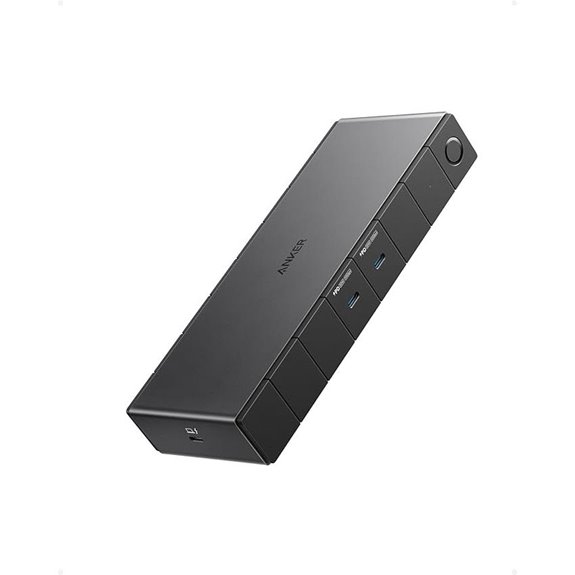 | Best Compact Hub | Number of HDMI Ports: 1 HDMI 2.1 port + DisplayPort | Power Delivery (Wattage): Up to 100W | Data Transfer Speed: 40Gbps Thunderbolt 4 | VIEW LATEST PRICE | See Our Full Breakdown |
| Cable Matters USB C Hub with HDMI 2.1 and Ethernet | 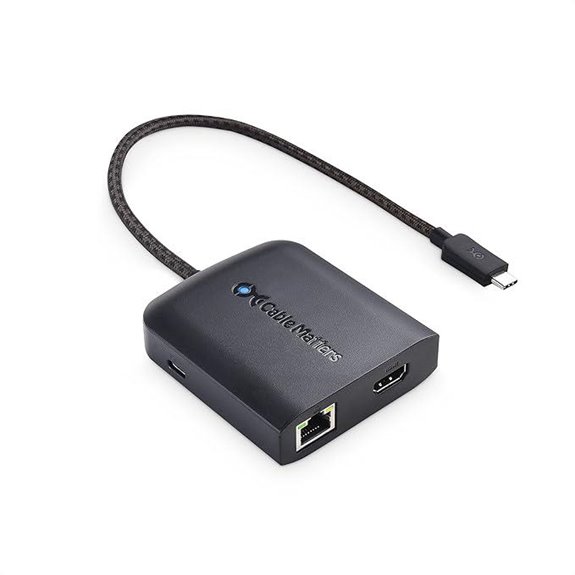 | All-in-One Powerhouse | Number of HDMI Ports: 1 HDMI 2.1 port + DisplayPort | Power Delivery (Wattage): 100W | Data Transfer Speed: 40Gbps Thunderbolt 4 / USB4 | VIEW LATEST PRICE | See Our Full Breakdown |
| Plugable Thunderbolt 4 Dock for MacBooks | 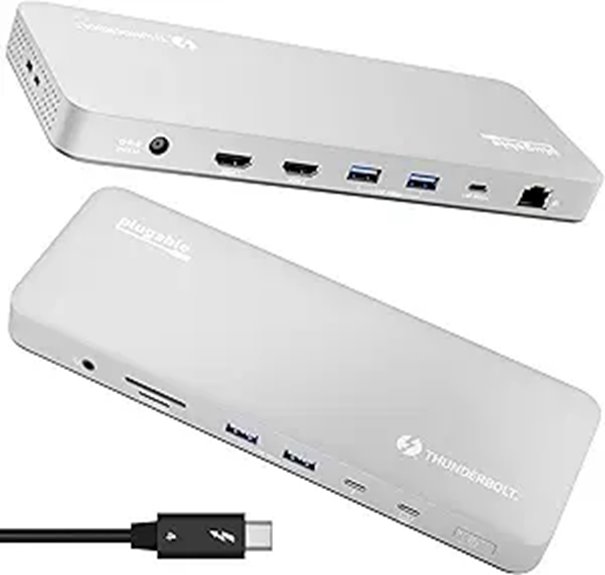 | MacBook Optimized | Number of HDMI Ports: 2 HDMI (via dual outputs) | Power Delivery (Wattage): 100W | Data Transfer Speed: 40Gbps Thunderbolt 4 | VIEW LATEST PRICE | See Our Full Breakdown |
| Amazon Basics Thunderbolt4/USB4 Docking Station | 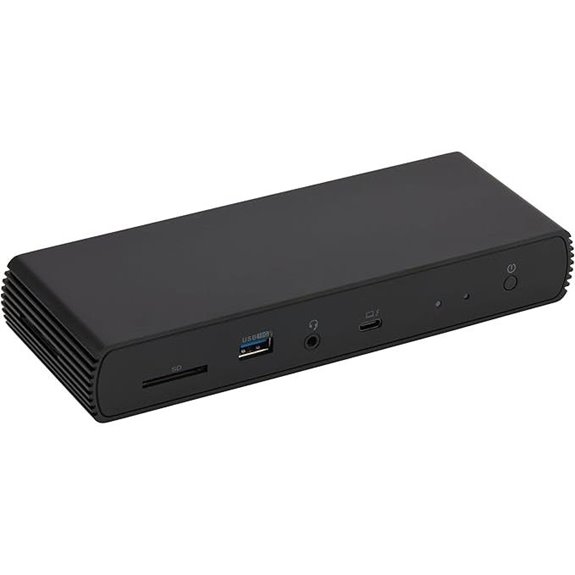 | Budget-Friendly Choice | Number of HDMI Ports: 1 HDMI 2.1 port | Power Delivery (Wattage): Up to 96W | Data Transfer Speed: 40Gbps Thunderbolt 4 / USB4 | VIEW LATEST PRICE | See Our Full Breakdown |
More Details on Our Top Picks
Anker Prime TB5 Thunderbolt 5 Docking Station
If you’re looking for a top-tier Thunderbolt dock that can handle demanding workflows, the Anker Prime TB5 Thunderbolt 5 Docking Station is an excellent choice. It offers 14-in-1 connectivity with a Thunderbolt 5 upstream port, two downstream ports, multiple USB-C and USB-A ports, SD and TF card readers, Ethernet, audio jack, and HDMI 2.1 or DisplayPort 2.1 outputs. Its advanced active cooling system prevents overheating during intensive tasks. With ultra-fast data transfer speeds of up to 120Gbps and support for dual 8K displays, it’s perfect for creative professionals and power users seeking performance, versatility, and reliable connectivity in one sleek device.
- Number of HDMI Ports:1 HDMI 2.1 or DisplayPort 2.1 output
- Power Delivery (Wattage):Up to 140W
- Data Transfer Speed:120Gbps Thunderbolt 5
- Display Support:Dual 8K@60Hz (single or dual display)
- Compatibility:Windows, MacBooks (M1/M2/M3), Thunderbolt 4/5
- Additional Ports:USB-C, USB-A, SD/TF, Ethernet, Audio
- Additional Feature:Supports dual 8K displays
- Additional Feature:Advanced active cooling system
- Additional Feature:Includes a 3.3 ft TB5 cable
Plugable USB-C Docking Station with Dual 4K HDMI
The Plugable USB-C Docking Station with Dual 4K HDMI is an excellent choice for power users who need top-tier display performance and versatile connectivity. It offers USB4 with 40Gbps data transfer and dual HDMI 2.1 ports supporting 4K at 120Hz, plus an 8K 60Hz single monitor. The dock includes three USB ports, a 10Gbps USB-C port with 20W fast charging, Ethernet, SD card reader, and a combo audio jack. It delivers 100W power delivery, negotiating power based on device needs, and is driverless on Windows 11. Designed for demanding tasks, it’s perfect for content creation, gaming, and multi-display setups.
- Number of HDMI Ports:2 HDMI 2.1 ports
- Power Delivery (Wattage):Up to 100W
- Data Transfer Speed:40Gbps USB4
- Display Support:Dual 4K@120Hz, 8K@60Hz
- Compatibility:Windows 11, USB4, Thunderbolt 4
- Additional Ports:USB-A, USB-C, Ethernet, SD
- Additional Feature:Driverless on Windows 11
- Additional Feature:Supports dual 4K at 120Hz
- Additional Feature:20W USB-C fast charging
Plugable 16-in-1 Thunderbolt 4 Dock with Dual 4K Monitors
For professionals who need a sleek, reliable docking solution that supports dual 4K displays without compromising performance, the Plugable 16-in-1 Thunderbolt 4 Dock stands out. It enables two 4K 60Hz monitors via HDMI or DisplayPort, compatible with MacBook Air/Pro, Windows, USB4, Thunderbolt 4/5, and USB-C laptops. The dock offers 100W Power Delivery, so your laptop stays charged all day, plus 7 USB ports, Ethernet, SD card readers, and audio jacks. Recognized as Laptop Mag’s 2025 Dock of the Year, it’s a versatile choice for multitasking, content creation, and professional workflows, all in a compact, UL-tested design.
- Number of HDMI Ports:2 HDMI/DisplayPort options
- Power Delivery (Wattage):Up to 100W
- Data Transfer Speed:40Gbps Thunderbolt 4
- Display Support:Dual 4K@60Hz
- Compatibility:Windows, MacBook, USB4, Thunderbolt 4
- Additional Ports:7 USB ports, SD, Ethernet
- Additional Feature:Recognized as Laptop Mag 2025 Dock of the Year
- Additional Feature:Supports up to two 4K 60Hz monitors
- Additional Feature:Certified for macOS and Windows
Dell Thunderbolt 4 Smart Dock SD25TB4 (130W 4K Displays)
Creative professionals and power users will appreciate the Dell Thunderbolt 4 Smart Dock SD25TB4, especially with its support for up to four 4K displays via HDMI 2.1, DisplayPort 1.4, USB-C, and Thunderbolt 4 ports. It offers fast data transfer, chaining up to six devices, and high compatibility for creative, data, and AI workloads. With 130W charging for Dell laptops and 96W for others, it keeps your devices powered efficiently. Network options include 2.5GbE Ethernet and Wi-Fi management, while security features like WPA3 encryption and DMA protection safeguard your data. Its eco-friendly design with recycled materials rounds out its versatile, professional appeal.
- Number of HDMI Ports:1 HDMI 2.1 port + DisplayPort
- Power Delivery (Wattage):Up to 130W
- Data Transfer Speed:Dual Thunderbolt 4, high-speed data
- Display Support:Up to 4 x 4K@60Hz
- Compatibility:Windows, Dell, Thunderbolt 4
- Additional Ports:USB-C, USB-A, Ethernet, Audio
- Additional Feature:Supports up to four 4K displays
- Additional Feature:130W Dell device charging
- Additional Feature:Remote dock management features
Sabrent Thunderbolt 4 Docking Station with USB-C/USB-A
Looking for a versatile docking station that can handle multiple high-resolution displays and fast data transfer? The Sabrent Thunderbolt 4 Docking Station with USB-C/USB-A checks all those boxes. It offers blazing 40Gbps transfer speeds, USB4 compliance, and backward compatibility with Thunderbolt 3. With DisplayPort 1.4 and HDMI 2.1 outputs, it supports up to 8K at 30Hz or 4K at 144Hz across multiple monitors. It also features several USB ports, Ethernet, audio jacks, and SD card readers, making it an all-in-one solution for professional setups. Compatibility spans Windows, macOS, and Linux, with added security options.
- Number of HDMI Ports:1 HDMI 2.1 port + DisplayPort (via USB-C)
- Power Delivery (Wattage):Up to 100W
- Data Transfer Speed:40Gbps Thunderbolt 4 / USB4
- Display Support:Dual 4K@60Hz or single 8K@30Hz
- Compatibility:Windows, macOS, Thunderbolt 4/USB4
- Additional Ports:USB-A, USB-C, Ethernet, SD
- Additional Feature:Supports 8K@30Hz and 4K@144Hz
- Additional Feature:Includes 3 USB 3.2 Gen 2×1
- Additional Feature:Supports HDR and HDCP 2.3
Anker 778 Thunderbolt Docking Station (12-in-1)
The Anker 778 Thunderbolt Docking Station stands out as a top choice for professionals and power users who need versatile, high-speed connectivity in a compact design. It offers 12-in-1 ports, including a 100W Thunderbolt 4 upstream port, Thunderbolt 4 downstream port, multiple USB-C and USB-A ports, Ethernet, and dual DisplayPorts. With Thunderbolt 4’s 40 Gbps bandwidth, it supports 8K displays and fast file transfers simultaneously. It also provides up to 100W charging for laptops and 30W for other devices. Compatible with Dell and HP laptops, it’s perfect for high-performance setups—though it’s not compatible with M1/M2 MacBooks.
- Number of HDMI Ports:1 HDMI 2.1 port + DisplayPort
- Power Delivery (Wattage):Up to 100W
- Data Transfer Speed:40Gbps Thunderbolt 4
- Display Support:Up to 8K@30Hz or dual 4K@60Hz
- Compatibility:Dell, HP, Windows, Thunderbolt 4
- Additional Ports:Multiple USB-A, USB-C, Ethernet
- Additional Feature:Supports four displays in 4K
- Additional Feature:180W power adapter included
- Additional Feature:2 DisplayPorts for multiple monitors
Cable Matters USB C Hub with HDMI 2.1 and Ethernet
If you’re seeking a versatile hub that combines high-resolution video output with reliable wired connectivity, the Cable Matters USB C Hub with HDMI 2.1 and Ethernet stands out. It offers an 8K HDMI port supporting up to 8K@30Hz or 4K@120Hz, perfect for ultra-high-res displays and gaming. The hub includes two USB-A ports, 100W charging, and gigabit Ethernet for stable network connections. It’s compatible with a wide range of devices, including laptops, tablets, and Thunderbolt 4/5 systems. With HDR support and firmware updates for 120Hz refresh rates, it’s an excellent choice for professionals and gamers seeking sharp visuals and dependable wired networking.
- Number of HDMI Ports:1 HDMI 2.1 port + DisplayPort
- Power Delivery (Wattage):100W
- Data Transfer Speed:40Gbps Thunderbolt 4 / USB4
- Display Support:8K@30Hz or dual 4K@60Hz
- Compatibility:Windows, Mac, Thunderbolt 4/USB-C
- Additional Ports:USB-A, USB-C, Ethernet, Audio
- Additional Feature:Supports HDR content display
- Additional Feature:100W pass-through charging
- Additional Feature:Supports Thunderbolt 4/5, USB4
Plugable Thunderbolt 4 Dock for MacBooks
For MacBook users seeking a versatile, high-performance docking solution, the Plugable Thunderbolt 4 Dock stands out thanks to its seamless, driverless setup and extensive connectivity options. It offers 13 ports, including Thunderbolt 4, USB-C, multiple USB-A, SD card reader, Ethernet, and audio, all powered by 100W charging. It supports up to two 4K 60Hz HDMI displays on M4/M5 MacBooks and M3 Macs in clamshell mode, making it ideal for creative tasks and multitasking. Compatible with Windows systems and built for reliability, this dock simplifies connectivity while reducing clutter, offering a robust, plug-and-play experience.
- Number of HDMI Ports:2 HDMI (via dual outputs)
- Power Delivery (Wattage):100W
- Data Transfer Speed:40Gbps Thunderbolt 4
- Display Support:Dual 4K@60Hz (MacBooks), single 6K in some cases
- Compatibility:MacBooks (M4/M5, M1/M2/M3), Windows, Thunderbolt 4
- Additional Ports:USB-C, USB-A, SD, Ethernet
- Additional Feature:Supports dual 4K 60Hz displays
- Additional Feature:Compact, durable design
- Additional Feature:Includes lifetime support
Amazon Basics Thunderbolt4/USB4 Docking Station
Designed for professionals who need reliable, versatile connectivity, the Amazon Basics Thunderbolt4/USB4 Docking Station offers a solid balance of ports and performance. It features two Thunderbolt 4 ports, an HDMI 2.1 port supporting 8K30Hz, three USB A 3.1 ports, an RJ45 Ethernet port, and supports dual 4K@60Hz displays. Compatible with Windows 10+ laptops with Thunderbolt 4, it also works with non-M1/M2 MacBooks running macOS 11+ but isn’t compatible with Linux or Chrome OS. Supporting up to 96W PD charging, it’s compact and travel-friendly, making it ideal for on-the-go professionals who need seamless, high-quality connections.
- Number of HDMI Ports:1 HDMI 2.1 port
- Power Delivery (Wattage):Up to 96W
- Data Transfer Speed:40Gbps Thunderbolt 4 / USB4
- Display Support:Dual 4K@60Hz
- Compatibility:Windows, macOS (non-M1/M2), Thunderbolt 4
- Additional Ports:USB-A, USB-C, SD, Ethernet
- Additional Feature:Supports dual 4K@60Hz displays
- Additional Feature:Compact, travel-friendly size
- Additional Feature:30-day return policy
Factors to Consider When Choosing a Thunderbolt Dock With HDMI 2.1
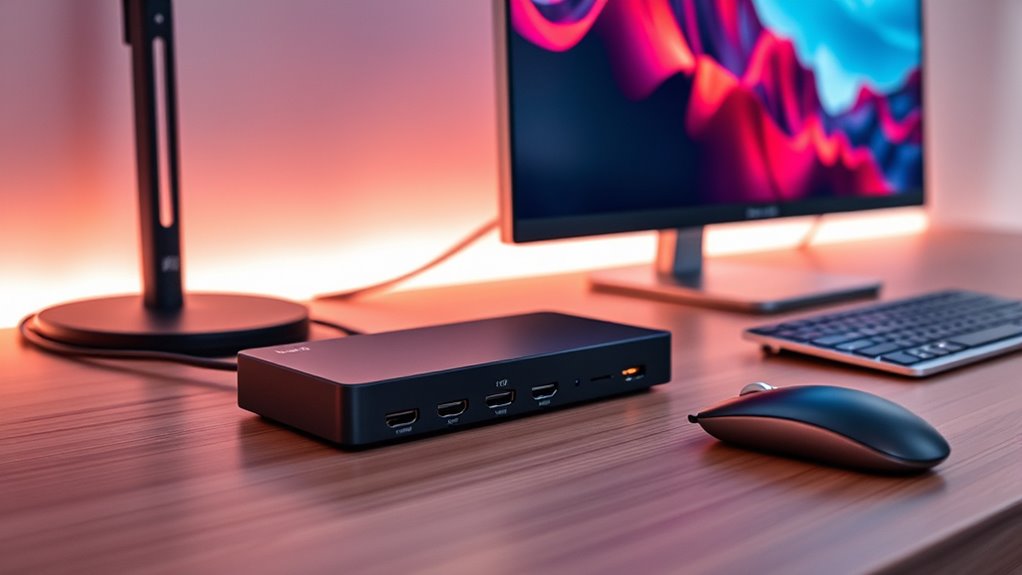
When choosing a Thunderbolt dock with HDMI 2.1, I focus on compatibility with my devices and the display resolutions I need. I also consider power delivery to make certain my laptop stays charged and the number of HDMI ports for my setup. Finally, I check data transfer speeds to verify I can handle my workload efficiently.
Compatibility With Devices
Choosing the right Thunderbolt dock with HDMI 2.1 hinges on ensuring compatibility with your device’s hardware and software. First, verify that your operating system supports the dock, whether it’s Windows 10+, macOS 11+, or specific MacBook models. Next, check if your device has the necessary Thunderbolt 4, Thunderbolt 5, or USB4 port to fully leverage HDMI 2.1 features. Confirm that the dock can deliver adequate power, especially if your laptop depends on Thunderbolt or USB-C charging. Also, verify that your graphics hardware can support high resolutions like 4K or 8K at 120Hz or higher, as HDMI 2.1’s capabilities rely on hardware support. Finally, review whether the dock supports multiple displays and can handle your desired number and resolution of external monitors simultaneously.
Supported Display Resolutions
The supported display resolutions of Thunderbolt docks with HDMI 2.1 are a crucial factor to contemplate because they determine the quality and clarity of your visuals. These docks can support resolutions up to 8K at 60Hz, delivering ultra-high-definition images. Many models also enable dual 4K displays at 120Hz, making them perfect for gaming or professional workflows requiring high refresh rates. Keep in mind, the maximum resolution and refresh rate depend on your device’s graphics capabilities and the dock’s specifications. Additionally, HDMI 2.1’s support for HDR and higher refresh rates enhances color accuracy and visual clarity at high resolutions. However, some resolutions and features might need firmware updates or specific hardware configurations to work correctly, so always verify compatibility before purchasing.
Power Delivery Capabilities
Power delivery (PD) capabilities are a key factor to contemplate because they directly impact how effectively your dock can charge your laptop and power connected devices. I recommend choosing a dock that supports PD with wattage ratings matching or exceeding your laptop’s requirements, like 100W or more. It’s crucial to verify that the PD protocol is compatible with your device for fast, efficient charging without issues. Docks with adjustable or variable power output are great because they can handle multiple devices with different power needs simultaneously. Also, check if the PD port can deliver enough wattage to charge high-power laptops while running peripherals. Using a dock with lower wattage PD can slow down charging or prevent full charging of power-hungry devices, so choose wisely.
Number Of HDMI Ports
Ever wondered how many HDMI 2.1 ports you really need on a Thunderbolt dock? The number of ports directly impacts how many external displays you can connect at once, which is vital for multitasking or immersive entertainment. If you work with multiple high-resolution screens, dual or even triple 4K or 8K displays become essential, and having multiple HDMI ports makes this possible without extra adapters or splitters. HDMI 2.1 ports also support higher bandwidths, enabling features like 4K at 120Hz or 8K at 60Hz across multiple outputs. Your specific needs depend on your workflow and display setup. More ports give you flexibility, but only if you plan to run several high-res displays simultaneously.
Data Transfer Speeds
When choosing a Thunderbolt dock with HDMI 2.1, understanding data transfer speeds is vital to guaranteeing it meets your needs. These docks support transfer rates up to 40Gbps, allowing rapid file transfers and smooth operation of high-bandwidth peripherals. For example, transferring a 150GB video takes roughly 25 seconds, which is incredibly efficient. Faster transfer speeds enable seamless multitasking, real-time editing, and maintaining productivity without lag. Compatibility with Thunderbolt 4 and USB4 ensures consistent high-speed connections even when multiple devices are connected simultaneously. For professionals working with 4K video editing, 3D rendering, or high-resolution gaming, maintaining high data transfer speeds is essential. Choosing a dock with robust transfer capabilities guarantees smoother workflows and reduces bottlenecks in demanding applications.
Build Quality And Design
Choosing a Thunderbolt dock with HDMI 2.1 means prioritizing build quality and design, as these factors directly impact durability and daily usability. A well-constructed dock made from high-quality materials like aluminum or reinforced plastic resists wear and ensures better heat dissipation, extending its lifespan. An ergonomic, compact design makes it easy to carry without sacrificing access to ports or connection stability. Precise manufacturing and sturdy construction reduce the risk of loose connections or damage over time. Additionally, features like heat sinks or active cooling systems help maintain ideal performance during intensive use. Ultimately, a thoughtfully designed dock not only looks sleek but also provides reliable performance day after day, making it a worthwhile investment for long-term durability and convenience.
Additional Connectivity Options
Additional connectivity options play a crucial role in maximizing the versatility of a Thunderbolt dock with HDMI 2.1. Having multiple USB-C and USB-A ports allows me to connect external drives, keyboards, and mice effortlessly. Ethernet ports, whether 1Gbps or higher, guarantee stable wired internet for data-heavy tasks. Some docks include audio jacks like headphone or microphone ports, which are essential for audio input and output. Card reader slots, such as SD or microSD, make transferring files from cameras quick and straightforward. Power delivery ports, offering up to 100W or more, enable me to charge devices while working without needing extra adapters. These additional options considerably expand the dock’s functionality, making it a complete hub for my workspace needs.
Price And Warranty
A key factor to contemplate is the warranty coverage, which typically lasts between 12 and 24 months. A longer warranty often signals higher quality and shows that the manufacturer trusts their product. It’s important to check whether the warranty covers both parts and labor or just specific components, as this impacts repair costs. Also, consider the manufacturer’s reputation for customer service—quick, helpful support makes a big difference if issues arise. Make sure to understand the registration process and any exclusions that could limit your ability to claim repairs or replacements. Price is also a key consideration; sometimes paying a bit more for a longer warranty provides better value and peace of mind in the long run.
Frequently Asked Questions
What Is the Maximum Data Transfer Speed Supported by HDMI 2.1?
The maximum data transfer speed supported by HDMI 2.1 is 48 Gbps. I find this impressive because it allows for ultra-high-definition video and high-fidelity audio, perfect for gaming, professional video editing, and immersive media experiences. This speed guarantees smooth, high-quality content delivery without lag or compression issues. If you’re looking for a future-proof connection, HDMI 2.1’s 48 Gbps capability is definitely worth considering.
Are Thunderbolt Docks Compatible With Windows and Mac Systems?
Are Thunderbolt docks compatible with both Windows and Mac systems? Absolutely. I’ve used them on both platforms with ease, thanks to their broad compatibility and versatile design. Thunderbolt technology is designed to work seamlessly across different operating systems, making it ideal for mixed environments. So whether you’re on a Mac or Windows PC, you can confidently connect your devices without worrying about compatibility issues.
Can Multiple Docks Be Connected Simultaneously for Expanded Connectivity?
Yes, you can connect multiple docks at the same time for expanded connectivity. I’ve done this myself to increase port options and improve workflow. Just make sure your system supports daisy chaining or multiple Thunderbolt connections, and check each dock’s compatibility. Keep in mind, connecting too many devices can affect performance, so balance your setup based on your actual needs and system capabilities.
Do These Docks Support 8K Resolution via HDMI 2.1?
Yes, many Thunderbolt docks with HDMI 2.1 do support 8K resolution, but it’s not universal. I recommend checking the specifications of each dock because some can handle 8K at 60Hz, while others might be limited to 4K. If 8K is vital for you, look for docks explicitly listing 8K support at 60Hz via HDMI 2.1 to guarantee you’ll get the clarity and performance you need.
Is Daisy-Chaining Multiple Thunderbolt Devices Possible With These Docks?
Daisy-chaining multiple Thunderbolt devices is definitely possible with these docks. I’ve tried it myself, and it’s a real time-saver—kind of like hitting two birds with one stone. Just make sure your dock supports Thunderbolt 3 or 4, and check the specs for daisy-chain capabilities. Keep in mind, the more devices you connect, the more power and bandwidth you’ll need to keep things running smoothly.
Conclusion
Choosing the right Thunderbolt dock with HDMI 2.1 is like finding the perfect key to unleash seamless connectivity. Each of these options offers something unique, whether it’s power, versatility, or compatibility. So, take your time to weigh what’s most important for your setup. With the right dock, you’ll enjoy smooth, high-quality connections that make your workspace feel as effortless as a breeze. Happy docking!