To transform paper piles into searchable digital files, start by gathering and organizing your documents to guarantee a smooth workflow. Then, carefully scan each document, checking for clarity and accuracy. Use OCR software to create searchable files, and verify the results thoroughly. Organize the digital files with appropriate metadata and store them securely with backups. If you keep going, you’ll discover detailed steps to streamline your entire document scanning process efficiently.
Key Takeaways
- Organize and prepare physical documents by sorting, removing staples, and ensuring good condition for smooth scanning.
- Scan documents carefully, verifying image quality and utilizing automatic enhancement features when available.
- Perform quality control to ensure digital images accurately reflect the originals, minimizing errors.
- Use OCR software to create searchable files, then review and correct OCR output for accuracy.
- Organize, tag, and securely store digital files with proper metadata for easy retrieval and long-term preservation.
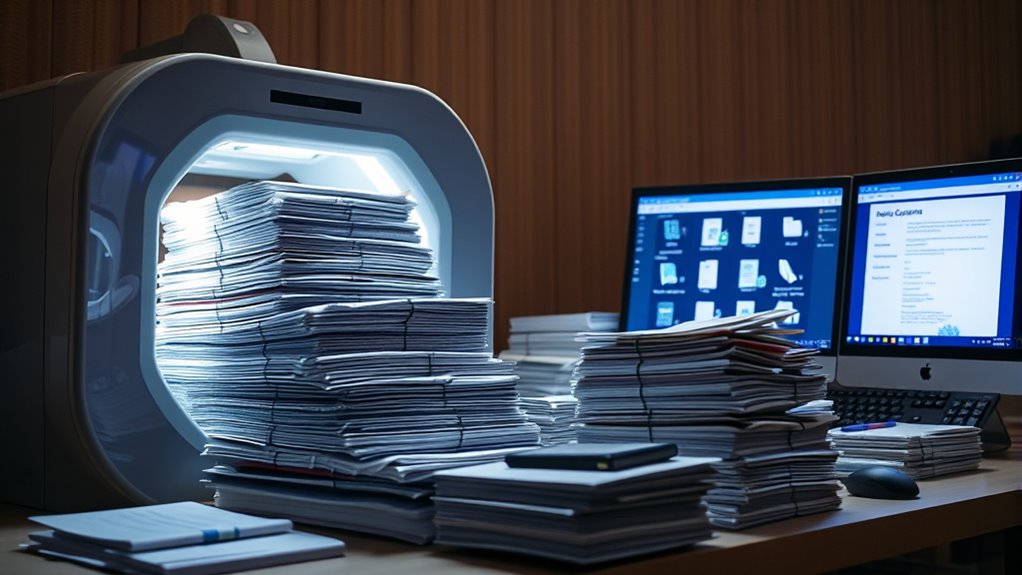
Have you ever wondered how organizations efficiently convert paper documents into digital formats? The process begins with digital archiving, which is essential for long-term storage and easy retrieval. To start, you gather all the paper documents that need digitizing, sorting them by type, importance, or department. Proper organization at this stage makes the entire workflow smoother and reduces the risk of losing vital information. Once sorted, you prepare the documents for scanning by removing staples, paper clips, and ensuring they’re in good condition; this step helps prevent jams or damage to scanning equipment.
As you load the documents into the scanner, your focus shifts to maintaining quality control. Ensuring each page is scanned clearly and accurately is critical because poor image quality can hinder future searches or lead to data misinterpretation. Many modern scanners offer automatic image enhancement features, but it’s still necessary to verify that the scans meet your organization’s standards. Regularly checking sample images, adjusting scanner settings, and cleaning the scanner glass help uphold consistent quality. This attention to detail minimizes errors and guarantees that the digital copies are faithful representations of the original documents. Additionally, understanding the importance of content accuracy in document scanning ensures the reliability of your digital archive.
Once scanned, the digital files are often processed through optical character recognition (OCR) software, transforming static images into searchable and editable documents. During this phase, quality control continues to be vital. You need to review the OCR output for accuracy, correcting any misread characters or formatting issues. This step ensures that future searches yield precise results and that the digital archive maintains its integrity. Proper quality control not only improves usability but also saves time in the long run, as it prevents the need for extensive rework or manual data entry later.
After verifying the quality, you organize the digital files into a logical folder structure or a document management system, tagging them with relevant metadata for easy retrieval. This step enhances digital archiving, making it simple for users to locate specific files quickly. Once organized, the files are securely stored in a designated digital repository, with appropriate backups and access controls in place. This thorough approach to document scanning guarantees that your organization’s digital archive remains reliable, searchable, and protected.
Throughout the entire workflow, maintaining a focus on quality control and proper digital archiving practices ensures that your shift from paper to digital isn’t just efficient but also accurate and durable. By paying close attention to each step—from initial sorting and preparation to scanning, OCR, and final organization—you build a digital archive that supports your organization’s needs now and into the future.
Frequently Asked Questions
What Are the Best Storage Methods for Digital Documents?
You should store digital documents in reliable cloud storage, which offers easy access and automatic syncing across devices. Additionally, implement backup solutions like external drives or secure cloud backups to protect against data loss. Regularly update your storage and backup systems, and organize files with clear naming conventions and folders. This approach guarantees your files stay safe, accessible, and easy to find whenever you need them.
How Long Should Scanned Files Be Retained?
Coincidentally, the length of time you should retain scanned files depends on your document retention policies and legal compliance. Typically, you keep financial records for seven years and tax documents for at least seven years. Legal requirements vary, so check regulations relevant to your industry. Regularly review and update your retention schedule to guarantee you’re compliant, avoiding unnecessary storage costs and potential legal issues.
Can OCR Convert Handwritten Notes Into Searchable Text?
OCR can convert handwritten notes into searchable text through handwriting recognition, but it has limitations. You might find that it works well with clear, neat handwriting, but struggles with messy or cursive scripts. Keep in mind that OCR limitations mean you’ll need to review and correct the converted text afterward. To improve accuracy, use high-quality scans and, if possible, opt for digital note-taking tools designed for handwriting recognition.
What Security Measures Protect Sensitive Scanned Documents?
You wonder what secures your sensitive scanned documents, right? Well, it starts with encrypted storage that keeps your files safe from prying eyes. But that’s not all—strict access controls limit who can view or edit your documents, adding another layer of protection. Together, these measures create a formidable barrier, ensuring your confidential information stays private and protected in the digital world.
How to Troubleshoot Common Scanning Errors Effectively?
When troubleshooting common scanning errors, start by checking error detection alerts on your scanner. Confirm calibration techniques are up-to-date, as misaligned sensors cause issues. Clean the scanner glass and rollers regularly, and verify software settings. If errors persist, restart the device and update firmware. Keeping a troubleshooting checklist handy helps you identify issues quickly, maintaining smooth operation and avoiding prolonged downtime.
Conclusion
By streamlining your document scanning workflow, you turn chaos into clarity and paper piles into searchable files. Remember, a well-organized system saves time and prevents headaches down the line. As the saying goes, “A stitch in time saves nine.” Taking the effort now to establish a smooth process guarantees your digital files stay accessible and secure, making your workday easier and more efficient. Start today, and watch your workflow transform for the better.