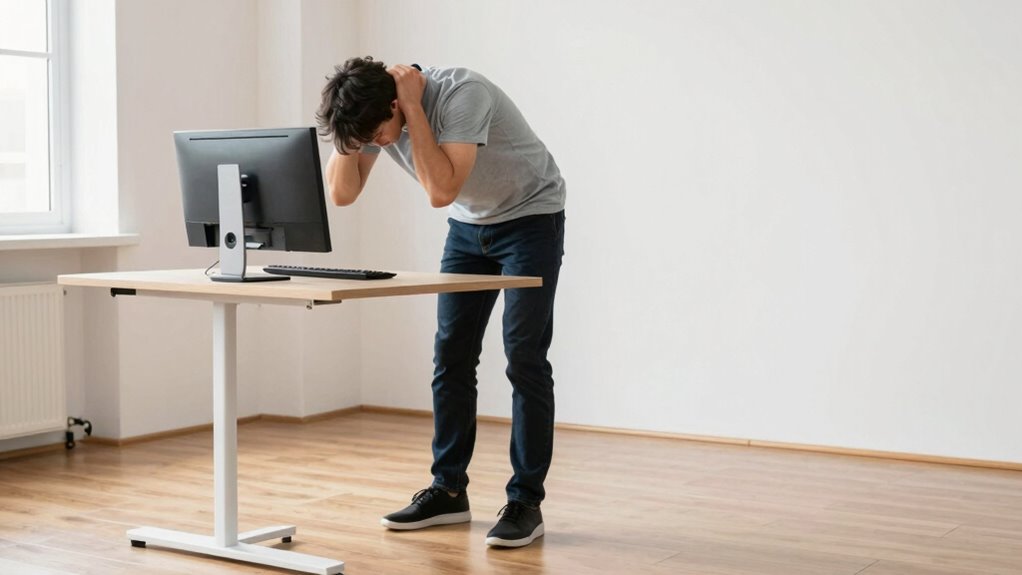
If you set your standing desk too high or too low, you risk causing more pain than sitting ever will. A height that doesn’t enable your elbows to stay at a 90-degree angle or forces you to reach or hunch can strain your neck, shoulders, and lower back. Poor alignment can lead to muscle tension and long-term discomfort. To avoid these issues, proper setup is essential—stick around to discover how to optimize your workspace right.
Key Takeaways
- Setting the standing desk too high causes shoulder elevation and neck tension, leading to discomfort.
- Adjusting the desk too low forces forward leaning, stressing the lower back and shoulders.
- Incorrect monitor height at a standing desk can cause neck strain from looking downward or upward.
- Failing to maintain elbows at a 90-degree angle increases arm and shoulder fatigue.
- Not incorporating ergonomic accessories or regular adjustments results in persistent pain and strain.

Many people make the mistake of setting their standing desk at the wrong height, which can lead to discomfort and even injury over time. This common error often results from not paying attention to proper ergonomic setup. When your desk isn’t aligned correctly, you’re more likely to experience muscle strain, especially in your neck, shoulders, and back. To avoid this, you should consider using ergonomic accessories, such as adjustable monitor stands or keyboard trays, which help fine-tune your workspace to fit your body perfectly. Without these tools, you might find yourself reaching or hunching, which puts unnecessary stress on your muscles and joints.
If your standing desk is too high, you’ll tend to elevate your shoulders, leading to tension and fatigue in your neck and upper back. Conversely, if it’s too low, you’ll have to bend or hunch forward, causing strain in your lower back and shoulders. Both scenarios increase your risk of developing chronic pain and reduce your productivity. It’s essential to set your desk at a height where your elbows are bent at roughly a 90-degree angle, with your wrists straight and your monitor at eye level. This position minimizes muscle strain and keeps your body in a neutral, comfortable posture.
Using ergonomic accessories can make a significant difference. For example, an adjustable keyboard tray allows you to position your keyboard at the right height, preventing wrist strain and promoting better arm posture. Similarly, a monitor riser places your screen at eye level, reducing neck strain and encouraging proper alignment. These ergonomic adjustments help create a workspace that supports your body rather than fights against it. Additionally, regularly adjusting your workspace can help you sustain ergonomic benefits and prevent repetitive strain injuries. Incorporating proper ergonomic principles into your setup is crucial for long-term comfort and health.

ErGear Height Adjustable Electric Standing Desk, 48 x 24 Inches Sit Stand up Desk, Memory Computer Home Office Desk, Black
Electric Height Adjustable Standing Desk for Comfortable Work – Switch effortlessly between sitting and standing with this electric…
As an affiliate, we earn on qualifying purchases.
As an affiliate, we earn on qualifying purchases.
Frequently Asked Questions
How Do I Determine the Correct Standing Desk Height for My Body?
To determine the correct standing desk height for your body, start by adjusting it so your elbows are at a 90-degree angle when your arms rest comfortably at your sides. Make sure your wrists are in a proper wrist positioning, not bending up or down. Use desk height calibration to fine-tune, so your monitor is at eye level, reducing neck strain and promoting ergonomic comfort during your workday.
Can Adjusting My Desk Height Reduce Neck and Shoulder Pain?
Yes, adjusting your desk height can considerably reduce neck and shoulder pain. Make sure your ergonomic chair supports good posture and keeps your feet flat on the ground. Position your keyboard at elbow height, so your arms are relaxed and shoulders stay down. When your monitor is at eye level, it prevents you from looking down or up, easing neck strain. Proper desk height, combined with ergonomic support, promotes comfort and reduces pain.
What Are Signs My Standing Desk Is Set at the Wrong Height?
If your neck feels like it’s auditioning for a contortionist act or your shoulders are craving a break from constant tension, your standing desk might be set wrong. Signs include poor desk posture, like slouching or craning your neck, and awkward foot positioning that leaves you off balance. When your feet feel unsteady or your back aches after a short time, it’s time to tweak that height for comfort and proper alignment.
How Often Should I Change My Desk Height During the Day?
You should adjust your desk height every 30 to 60 minutes to maintain ergonomic comfort and prevent strain. Incorporate ergonomic accessories like anti-fatigue mats or adjustable footrests to support frequent adjustments. Pay attention to your body’s signals—if you notice discomfort or fatigue, it’s time to change your desk height. Regular adjustments help you stay comfortable, reduce pain, and improve your overall posture throughout the day.
Are There Ergonomic Tools to Help Set the Perfect Desk Height?
Yes, ergonomic accessories and desk height guides can help you find the perfect desk height. Ergonomic accessories like adjustable monitor arms or footrests support proper alignment, while desk height guides provide clear measurements to guarantee your setup is comfortable. Using these tools, you can easily customize your workspace to reduce strain and prevent pain. Regularly checking and adjusting your desk height with these aids keeps your posture ideal throughout the day.

HUANUO FlowLift™ Dual Monitor Stand, Fully Adjustable Gaming Monitor Desk Mount for 13–32″ Computer Screens, Full Motion VESA 75×75/100×100 with C-Clamp & Grommet Base, Each Arm Holds 4.4 to 19.8 lbs
Compatible with Wide Screens – To ensure compatibility with the dual monitor mount, your each monitor must meet…
As an affiliate, we earn on qualifying purchases.
As an affiliate, we earn on qualifying purchases.
Conclusion
To avoid pain, avoid the common standing desk mistake: setting the height too high or too low. Instead, focus on proper alignment—eliminate strain, promote comfort, and enhance productivity. Adjust your desk to your natural elbow height, keep your shoulders relaxed, and maintain good posture. By doing so, you’ll prevent discomfort, support your health, and make standing work a sustainable, pain-free part of your day. Stand smart, stand comfortable, stand pain-free.

VIVO Large Keyboard Tray Under Desk Pull Out with Extra Sturdy C Clamp Mount System, 27 (33 Including Clamps) x 11 Inch Slide-Out Platform Computer Drawer for Typing, Black, MOUNT-KB05E
Saves Desk Space: This 26.8” (32.5" including clamps) x 11” under-desk keyboard tray holds your keyboard, mouse, and…
As an affiliate, we earn on qualifying purchases.
As an affiliate, we earn on qualifying purchases.
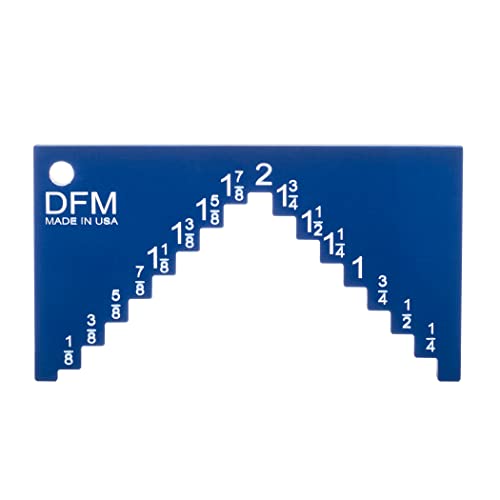
DFM Tool Works Saw Height Gauge – Precision Table Saw and Router Table Tool for Alignment and Calibration – 1/4" Wide Steps in 1/8" Increments & 1/4" Thick for Self Standing – Made in USA
EXCEPTIONAL ACCURACY FOR TABLE SAWS: Elevate your woodworking precision with DFM Tool Works' saw blade depth gauge. Achieve…
As an affiliate, we earn on qualifying purchases.
As an affiliate, we earn on qualifying purchases.