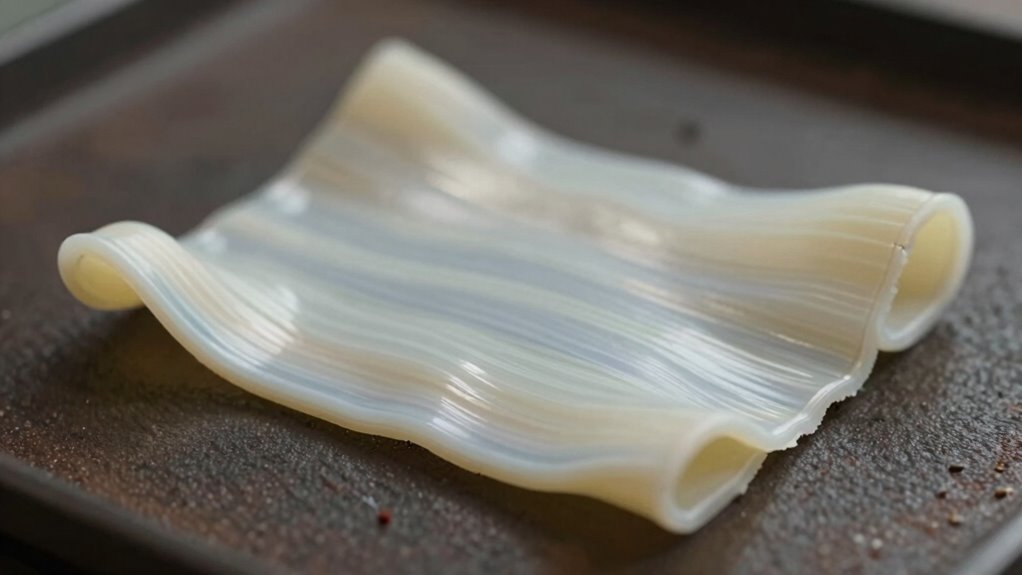

Prints warp when temperature isn’t set correctly, bed adhesion is poor, or the surface isn’t leveled properly. If your filament cools unevenly or the bed isn’t clean and well-calibrated, the print can lift or distort. Using the right temperature, ensuring the bed is level, and adding adhesion aids like glue or tape help prevent warping. Want to master these fixes? Keep exploring to learn more tips for perfect prints.
Key Takeaways
- Improper bed leveling causes uneven adhesion, leading to edges lifting and warping during printing.
- Using incorrect filament temperatures reduces adhesion and increases the chance of deformation.
- Filament shrinkage, especially with materials like ABS, contributes to warping as the material cools.
- Inadequate bed surface preparation or insufficient adhesion aids can cause the print to lift and warp.
- Simple fixes include proper bed leveling, applying adhesion aids, and adjusting temperature settings to improve print stability.
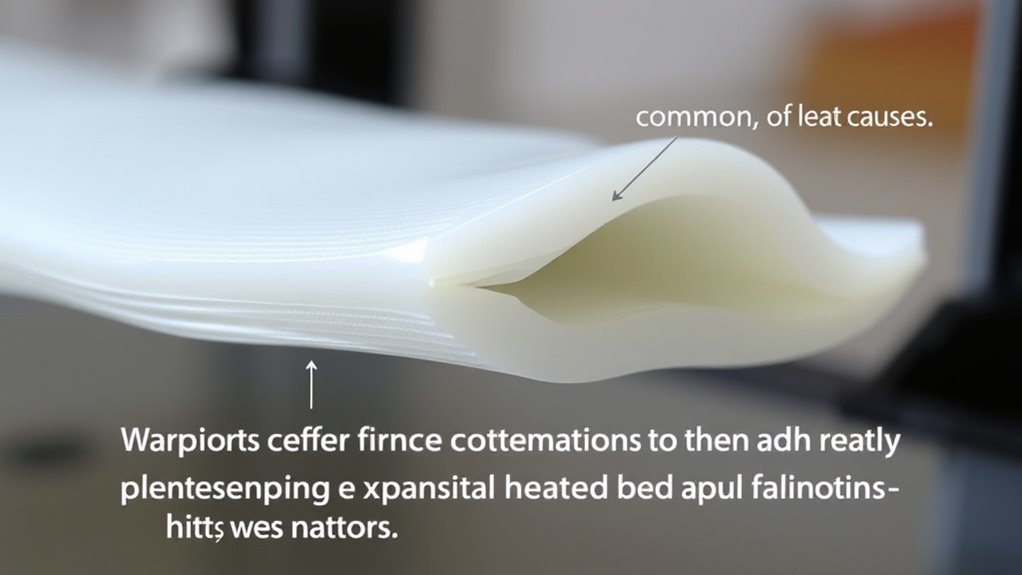
Print warping occurs when printed material or the printed surface deforms, often leading to crooked or distorted images. This issue is common among 3D printers and can be frustrating to troubleshoot. One key factor influencing warping is the type of filament you use. Different filament types, like ABS, PLA, or PETG, have unique properties that affect how they adhere to the print bed and how prone they are to warping. For instance, ABS tends to shrink more as it cools, increasing the likelihood of warping, while PLA generally adheres better and warps less. Understanding these differences can help you choose the right filament for your project and set realistic expectations for print quality.
Print warping happens when printed surfaces deform, causing crooked images—different filaments like ABS and PLA have unique adhesion and warping tendencies.
Another essential aspect is bed leveling. Proper bed leveling ensures the print surface is perfectly flat and the nozzle maintains the correct distance from the bed during printing. If the bed is uneven or the nozzle is too far from the surface, the filament may not bond properly at the edges, causing warping or curling. Regularly checking and adjusting your bed level is a simple but effective way to minimize print deformation. Many 3D printers feature manual or automatic bed leveling systems, and taking the time to calibrate them correctly can dramatically improve adhesion and reduce warping issues.
When dealing with filament types, it’s important to consider the printing temperature as well. Some filaments require higher temperatures to bond properly, but too high a temperature can cause excessive warping, especially with materials like ABS. Setting the correct temperature for your filament type, as recommended by the manufacturer, can help maintain a stable print bed adhesion and prevent deformation. If you’re switching filament types, always adjust your temperature settings accordingly to match the specific filament’s needs.
Bed leveling is particularly essential when printing with filaments that tend to warp more. A well-leveled bed ensures the first few layers stick firmly and evenly. If the first layer is uneven or too thin in some areas, it can lift or curl as the print progresses. Many users find that adding an adhesion aid, like a glue stick or painter’s tape, and ensuring a clean, dust-free bed surface can further improve adhesion and reduce warping risks linked to filament types.

Filament Friday E-Leveler 2 – The Original 3D Printer Electronic Bed Leveling Tool
FILAMENT FRIDAY E-LEVELER 2: The original electronic bed leveling tool created and featured by Chuck Hellebuyck on the…
As an affiliate, we earn on qualifying purchases.
As an affiliate, we earn on qualifying purchases.
Frequently Asked Questions
Can Specific Filament Brands Reduce Warping Issues?
Yes, choosing filament brands with good reputation can reduce warping issues. These brands often prioritize filament consistency, ensuring your prints are more reliable and less prone to warping. When you pick reputable brands, you benefit from quality control and better materials, which help maintain stable temperatures and adhesion. This consistency makes your printing process smoother, helping you achieve cleaner, more accurate prints with fewer warping problems.
How Does Print Speed Influence Warping?
Think of print speed as the heartbeat of your 3D print. When you increase it, your layers might not have enough time to bond properly, causing warping. Faster speeds often require adjustments in layer height and nozzle temperature to make certain of good adhesion. Slowing down lets each layer settle, reducing warping. By balancing speed with appropriate layer height and nozzle temperature, you create a steady rhythm for a smoother, warp-free print.
Are There Environmental Factors Affecting Print Warping?
Environmental factors definitely impact print warping. You should store filament properly in a dry, airtight container to prevent moisture absorption, which can cause uneven extrusion and warping. Also, ambient humidity levels affect filament quality; high humidity makes filament brittle and prone to warping. make certain your printing area stays stable in temperature and humidity, and keep filament dry. These steps help reduce warping and improve your print quality.
What Role Does Print Bed Material Play in Adhesion?
You’ll find that print bed material greatly impacts adhesion. Textured beds, like those with a PEI surface or BuildTak, help your print stick better by increasing grip. Using adhesion promoters, such as glue sticks or hairspray, creates a sticky layer that enhances adhesion, preventing warping. Choosing the right bed material and applying the appropriate adhesion aids guarantee your prints stay firmly in place, reducing warping and improving overall print quality.
Can Software Settings Prevent Warping Effectively?
Think of your 3D print as a delicate dance—software settings can lead or misstep. By fine-tuning temperature, enabling proper adhesion, and ensuring accurate nozzle calibration, you prevent warping effectively. Store filament properly to avoid moisture that can cause uneven extrusion. Adjust your settings in slicing software, focusing on bed temperature and cooling, to keep the print stable and flat, transforming chaos into a masterpiece.

Magigoo – MO2016 All-in-One 3D Printer Adhesive Glue – ABS, PLA, PETG, HIPS, and TPU Flex Filament on Glass, PEI, Buildtak, Kapton – 3D Printing Accessories, Supplies, and Materials (50mL)
WORKS ON MULTIPLE FILAMENTS: This versatile 3D printer glue is ideal for securing prints made with ABS, PLA,…
As an affiliate, we earn on qualifying purchases.
As an affiliate, we earn on qualifying purchases.
Conclusion
Now that you know the secrets behind print warping, you’ll be unstoppable! With just a few tweaks—tweaking your temperature, improving adhesion, and trying simple fixes—you’ll turn your prints from a warping disaster into flawless masterpieces. Say goodbye to those catastrophic curls and hello to smooth, perfect layers. Soon, you’ll be the hero of your 3D printing world, conquering warps like a pro and creating jaw-dropping prints that leave everyone in awe.

SUNLU PETG Filament 1.75mm 4KG Bundle (4x1kg Black),Good Layer Adhesion,Weather-Resistant & High Impact for Outdoor Parts and Mechanical Gears, Less Stringing, Dimensional Accuracy +/- 0.02mm.
①【PETG Filament 1.75mm】SUNLU PETG 3D Printer Filament combines the advantages of both PLA and ABS 3D printer filament,…
As an affiliate, we earn on qualifying purchases.
As an affiliate, we earn on qualifying purchases.
76pcs 3D Printer Tools Kit with Bag, 3D Printer Accessories includes Digital Caliper, Hygrometer, PTFE Tube Kit, Deburring Tool, Scrapers, Nozzle Cleaning, for Bambu Lab, Ender 3, FDM/SLA Printers etc
【Must-Have 76-Piece 3D Printer Toolkit | 1-Year Warranty】 This kit features every tool you need for a professional…
As an affiliate, we earn on qualifying purchases.
As an affiliate, we earn on qualifying purchases.