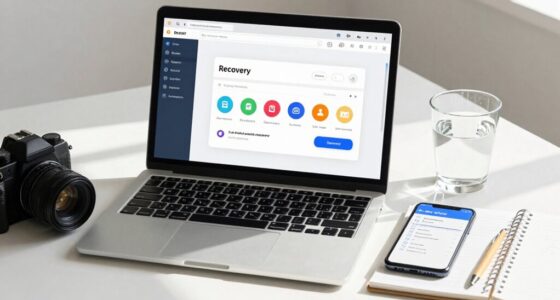

When choosing between local and cloud backups, you weigh control, security, and costs. Local backups give you direct access and quick restores but require managing physical devices and ensuring they’re secure. Cloud backups offer off-site protection, automatic updates, and minimal management, but depend on your provider’s security and ongoing subscription fees. Each has advantages and risks; understanding these tradeoffs helps you pick what’s best for your needs. If you keep exploring, you’ll uncover ways to optimize your data protection strategies.
Key Takeaways
- Local backups offer immediate access and control but are vulnerable to physical damage or theft.
- Cloud backups provide off-site protection and automatic updates, reducing risk from local disasters.
- Local solutions require manual management and security measures, while cloud services handle security and maintenance professionally.
- Upfront hardware costs for local backups are higher, whereas cloud backups involve ongoing subscription fees.
- Choosing between them depends on priorities like control, security, cost, and disaster recovery needs.

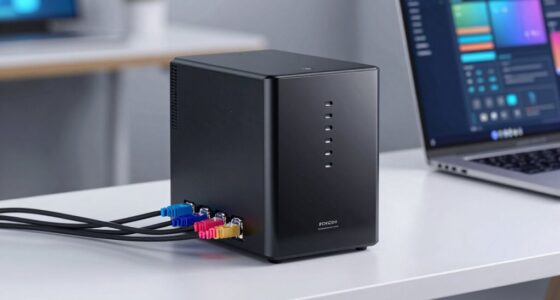
When it comes to safeguarding your data, choosing between local and cloud backup options can feel overwhelming. You want to ensure your files are protected, accessible when needed, and secure from threats. Understanding the differences in data security and how the costs compare helps you make an informed decision. Local backups involve storing your data on external drives, such as hard disks or NAS devices, physically located near you. This method offers direct control over your files, allowing quick access and restoring data without depending on internet speed. However, it also comes with risks. If your physical backup device gets damaged, stolen, or corrupted, your data could be lost. You need to implement proper security measures, like encryption and regular updates, to prevent unauthorized access. The security of local backups depends heavily on how well you protect the physical device and implement security protocols.
On the other hand, cloud backups store your data on remote servers managed by a service provider, accessed over the internet. This offers the advantage of off-site storage, protecting your data from local disasters like fire, flooding, or theft. Cloud providers typically employ robust security measures, including encryption during data transfer and at rest, multi-factor authentication, and regular security audits. These layers of security help safeguard your data from cyber threats. Still, trusting a third-party provider introduces some concerns. You’re relying on their security practices, which may vary, and there’s always a risk of data breaches, though reputable providers work hard to minimize this. Additionally, the technology behind cloud storage continues to evolve, offering improved security features and reliability over time.
Cost comparison is another critical factor. Local backups usually require an upfront investment in hardware, which can be costly initially but doesn’t incur ongoing fees. You pay once for external drives or network storage, and then manage your backups internally. Cloud backup services, meanwhile, typically operate on a subscription model. While this can be more affordable initially, the ongoing fees can add up over time, especially if you need large storage capacities. Additionally, internet bandwidth costs and potential data transfer limitations might influence your overall expenses.
Ultimately, your choice hinges on balancing these tradeoffs. If you prioritize having direct control over your data and want to avoid monthly fees, local backups might be more suitable. If you prefer off-site protection, minimal management, and enhanced security features provided by experts, cloud backups could be the better option. Carefully evaluating your data security needs and conducting a thorough cost comparison helps you pick the solution that best aligns with your priorities.
Frequently Asked Questions
How Secure Are Local Backups Compared to Cloud Backups?
Local backups can be very secure if you use strong encryption techniques and strict access controls. You have direct control over physical security and can implement custom encryption, reducing risks of unauthorized access. Cloud backups also use advanced encryption and access controls, but depend on the provider’s security measures. Ultimately, your security depends on how well you manage encryption techniques and access controls, whether local or cloud.
What Is the Cost Difference Over Time Between Local and Cloud Backups?
Over time, you’ll notice a pricing disparity between local and cloud backups. Local backups involve upfront costs for hardware, but ongoing expenses are minimal, leading to better long-term savings. Cloud backups charge monthly or yearly fees, which can add up considerably over years. If you’re looking to save long-term, investing in local backup solutions might be more cost-effective, especially as your storage needs grow.
How Do Backups Perform During a Disaster Recovery Scenario?
During a disaster response, backups are vital for quick recovery. With local backups, you can restore data faster because it’s stored nearby, boosting recovery speed. Cloud backups may take longer due to internet transfer times, but they offer remote access when local systems are compromised. Overall, local backups excel in rapid recovery, while cloud backups provide flexibility and safety from physical damage, making your disaster response more resilient.
Can Both Local and Cloud Backups Be Used Simultaneously?
Think of it as having both the safety net and the trampoline—yes, you can use local and cloud backups simultaneously. A hybrid strategy with backup integration guarantees your data is protected from every angle. By combining these methods, you minimize risks and maximize recovery options, just like a well-rounded safety plan. This approach offers resilience, flexibility, and peace of mind, knowing your data’s safeguarded in multiple ways.
What Are the Best Practices for Encrypting Backup Data?
You should encrypt your backup data using strong encryption standards like AES-256. Keep your encryption keys secure through proper key management practices, such as storing keys separately from backups and rotating them regularly. Always guarantee backups are encrypted before transfer and storage, whether local or cloud. Regularly review your encryption protocols and access controls to prevent unauthorized access and maintain data privacy and integrity.
Conclusion
Choosing between local and cloud backups is like picking between a trusty old compass and a high-tech GPS—you’ll want both for a well-rounded navigation. While local backups offer quick access and control, cloud backups provide convenience and peace of mind. Consider your needs carefully, and don’t put all your eggs in one basket. By balancing both, you create a safety net that’s as sturdy as a fortress, keeping your data safe no matter what storms come your way.