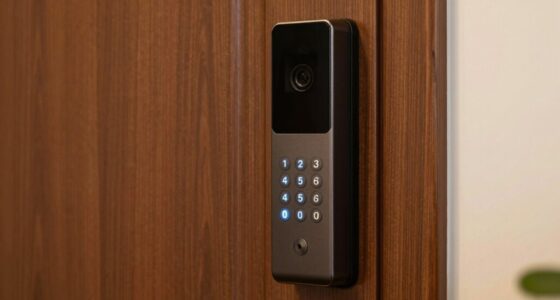

Smart devices need different security rules because each one has unique functions and vulnerabilities that require tailored protection. High-risk devices like smart locks need stricter measures, while other gadgets may require less intense safeguards. Applying the same rules to all devices can leave gaps in your security. By customizing your security approach, you can better prevent breaches and keep your home safer. Keep exploring ways to strengthen your defenses and stay ahead of threats.
Listen free for 30 days with Audible
Thousands of audiobooks and originals — cancel anytime.
As an affiliate, we earn on qualifying purchases.
Key Takeaways
- Different device functions and risk levels require tailored security measures for effective protection.
- High-risk devices like smart locks need stricter rules to prevent unauthorized access.
- Customized rules address specific vulnerabilities unique to each device type.
- Segmentation isolates sensitive devices, reducing potential damage from breaches.
- Layered, adaptive security strategies ensure comprehensive protection against evolving threats.

Have you ever wondered how secure your smart devices really are? With the increasing number of connected gadgets in your home or office, understanding why they need different security rules becomes essential. Unlike traditional computers, smart devices often operate with limited security measures, making them attractive targets for cybercriminals. To protect your network and personal information, you need to implement specific security rules tailored to each device’s role and vulnerabilities.
One of the key elements in securing smart devices is guaranteeing proper device authentication. When devices authenticate correctly, they verify their identity before connecting to your network or communicating with other devices. Without this step, malicious actors can impersonate a legitimate device, gaining unauthorized access. Strong device authentication methods, such as unique passwords, digital certificates, or biometric verification, guarantee that only trusted devices can join your network. This process acts as the first line of defense, preventing intruders from exploiting weak points in your smart ecosystem.
In addition to authentication, network segmentation plays an essential role. Instead of allowing all devices to connect on the same network, you split them into separate segments based on their function or security level. For instance, your smart security cameras and home assistants should be isolated from devices that store sensitive information or hold financial data. By segmenting your network, you contain potential breaches, preventing hackers from moving laterally across your entire system. Even if a smart device becomes compromised, its limited access within a separate network segment reduces the risk of broader damage. Understanding the importance of device vulnerabilities helps in prioritizing security measures effectively. Additionally, regularly updating firmware and security patches on your devices is crucial to close known security gaps, especially since many devices come with default settings that may be inherently insecure. Keeping software current helps mitigate known vulnerabilities that cybercriminals often exploit. Staying aware of emerging threats is also vital for adapting your security strategies over time.
Different types of smart devices demand different security rules because their vulnerabilities vary. A smart thermostat may not handle the same security protocols as a smart lock or a security camera. Applying a one-size-fits-all approach leaves gaps in your defenses. Instead, customizing security measures based on each device’s function and risk profile ensures complete protection. For example, high-risk devices like smart locks should have stricter device authentication and be placed in highly secure network segments, whereas less critical devices might have more relaxed rules. Being aware of the security needs of each device helps in designing an effective protection plan.
Ultimately, your smart devices are only as secure as the rules you set for them. Implementing strong device authentication, segmenting your network, and tailoring security rules to each device’s needs form a layered defense that greatly enhances your overall security posture. By taking these steps, you can enjoy the convenience of smart technology without exposing yourself to unnecessary risks. Protecting your digital environment requires ongoing vigilance, but with the right security rules, you can keep intruders out and your data safe.
smart device security authentication tools
As an affiliate, we earn on qualifying purchases.
As an affiliate, we earn on qualifying purchases.
Frequently Asked Questions
How Do Smart Devices Communicate Securely With Each Other?
You guarantee smart devices communicate securely by implementing device authentication, which verifies each device’s identity before connection. Once authenticated, they use encrypted communication to protect data from eavesdropping or tampering. This means your devices exchange information in a secret code only they can understand, keeping your network safe. By using strong authentication methods and encryption protocols, you create a secure environment where devices can interact confidently without risking sensitive information.
Are There Standardized Security Protocols for All Smart Devices?
There aren’t universal security protocols for all smart devices; instead, manufacturers adopt various standards. Notably, a recent survey found that over 60% of smart devices lack proper device authentication, making them vulnerable. You should look for devices that follow robust encryption standards and implement strong device authentication. These measures ensure your device’s data stays protected and communication remains secure, reducing the risk of breaches and unauthorized access.
How Often Should Firmware Updates Be Applied?
You should apply firmware updates as soon as they’re available, ideally within a few days. Regular update frequency helps you patch firmware vulnerabilities promptly, reducing the risk of security breaches. Delaying updates leaves your devices exposed to known exploits. Keep an eye on device notifications and manufacturer alerts, and establish a routine to check for updates regularly, ensuring your smart devices stay secure against evolving threats.
What Are Common Signs of a Compromised Smart Device?
Your smart device might be sending out distress signals like sluggish performance, unexplained data usage, or strange behaviors. If you notice device encryption suddenly weakening or user authentication failing unexpectedly, these are signs it’s compromised. Think of it as your device’s way of whispering for help—stay vigilant and check for these signs regularly to keep your device secure and your personal information safe.
Can Smart Devices Be Hacked Remotely Without Physical Access?
Yes, smart devices can be hacked remotely without physical access, especially if encryption protocols and user authentication aren’t strong enough. Hackers exploit weak encryption or bypass poor authentication methods to gain control. To protect yourself, make sure your device uses up-to-date encryption and robust user authentication. Regularly update firmware and change default passwords. These steps make it harder for cybercriminals to breach your smart devices remotely.
network segmentation for smart home devices
As an affiliate, we earn on qualifying purchases.
As an affiliate, we earn on qualifying purchases.
Conclusion
In the world of smart devices, security rules are your shield against potential threats—think of them as the moat protecting your digital castle. Without tailored rules, you leave your devices vulnerable, like a ship without a rudder. By setting specific security guidelines, you keep your smart home safe and sound, ensuring your connected life remains a smooth sailing journey. Remember, in this digital age, your security rules are the anchor that keeps everything steady.
firmware update tools for smart devices
As an affiliate, we earn on qualifying purchases.
As an affiliate, we earn on qualifying purchases.
As an affiliate, we earn on qualifying purchases.
Flea & tick season Picks
flea and tick prevention
As an affiliate, we earn on qualifying purchases.