
You really need Ethernet when your online activities demand consistent, high-stability connections—like streaming high-def videos, online gaming, or transferring large files. If your Wi-Fi frequently drops or weakens, especially during important tasks, Ethernet offers a reliable solution. Devices like your desktop, smart TV, or gaming consoles benefit most from a wired connection. To guarantee you get the best experience, understanding when Ethernet is essential can make a big difference; keep going to find out more.

Prime made for students and young adults
- Fast, free delivery for dorm and study essentials
- Prime Video and Amazon Music included
- Member-only deals
Key Takeaways
- Use Ethernet when a stable, high-speed connection is essential for activities like online gaming or streaming HD videos.
- Opt for Ethernet if Wi-Fi signals are frequently weak or disrupted, affecting your online tasks.
- Choose Ethernet for devices handling large data transfers or critical work tasks requiring minimal latency.
- Rely on Ethernet when wireless interference from walls or electronics impairs Wi-Fi performance.
- Implement Ethernet for consistent connectivity during important virtual meetings or remote work.
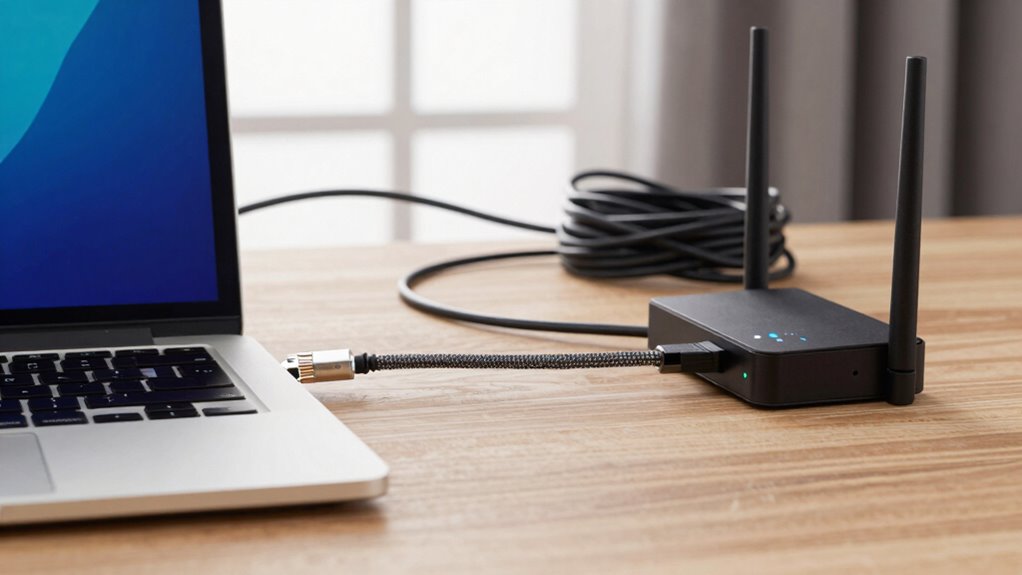
In today’s connected world, you might wonder if Wi-Fi is enough for your internet needs, but there’s a simple rule that can help you decide when Ethernet is truly necessary. If your priority is consistent network performance, then Ethernet becomes the clear choice. Wi-Fi offers wireless flexibility, allowing you to move around freely and connect multiple devices without cords. However, this convenience often comes at the expense of network stability. Wireless signals can be disrupted by walls, furniture, or interference from other electronic devices. If you’re streaming high-definition videos, gaming, or working from home with critical online tasks, relying solely on Wi-Fi might cause frustrating lag or disconnects.
Ethernet provides a wired connection that’s more reliable and stable. When your work or entertainment depends on a steady internet connection, Ethernet reduces the chances of signal drops and latency issues. This stability is crucial if you’re handling large files, participating in video conferences, or engaging in online gaming where rapid response times matter. The simple rule? When your activities require unwavering network stability, Ethernet is the way to go.
For stable internet during large files, video calls, or gaming, Ethernet is the best choice for reliable performance.
On the other hand, if your internet use is mostly casual—such as browsing social media, reading articles, or light streaming—Wi-Fi’s wireless flexibility often suffices. It allows you to connect from anywhere in your home without being tethered to a router. But if you notice that your Wi-Fi connection frequently weakens or experiences interruptions during these activities, it might be time to consider Ethernet for those specific devices or tasks. You don’t necessarily need to run Ethernet cables everywhere, but connecting your desktop, gaming console, or smart TV with a wired connection can significantly improve performance where it counts. Additionally, understanding the interference factors that impact wireless signals can help you decide whether Ethernet is worth implementing for certain devices. Optimizing your home network can also reduce interference issues and improve stability.
The key is understanding the trade-offs. Wireless flexibility offers convenience, but it can compromise network stability. Conversely, Ethernet sacrifices some mobility for a more dependable connection. The simple rule? When your activities demand a stable and fast connection, then Ethernet is the smarter choice. For casual browsing or when convenience outweighs performance, Wi-Fi remains suitable. Recognizing this distinction helps you make smarter decisions about when to prioritize stability over flexibility, ensuring your internet experience aligns with your needs. Additionally, proper placement of your router can help maximize Wi-Fi reliability and reduce the need for wired connections in some cases.
As an affiliate, we earn on qualifying purchases.
Frequently Asked Questions
Can Ethernet Be Used Outdoors Effectively?
Yes, Ethernet can be used outdoors effectively if you choose cables designed for outdoor durability and weather resistance. Look for Ethernet cables with rugged jackets that resist moisture, UV rays, and temperature fluctuations. Proper installation, such as burying cables underground or using weatherproof enclosures, guarantees reliable connectivity. When you select the right outdoor-rated Ethernet, you can enjoy stable, high-speed network access even in harsh weather conditions.
How Does Ethernet Compare to Wi-Fi in Latency?
Ethernet typically offers lower latency than Wi-Fi, making it better for real-time applications like gaming or video calls. Its stable connection enhances network security and simplifies bandwidth management, reducing interference and signal drops. With Ethernet, you get a predictable, fast response time, ensuring smoother performance. Wi-Fi might be convenient, but for critical tasks requiring minimal delay, Ethernet’s consistent latency makes it the superior choice.
Is Ethernet Suitable for Gaming Setups?
Yes, Ethernet is ideal for gaming setups because it offers lower latency and more stable connections, ensuring smoother gameplay. While wireless flexibility is tempting, Ethernet minimizes lag spikes and packet loss, giving you a competitive edge. Plus, it’s more secure, reducing the risk of unauthorized access during intense gaming sessions. If you’re serious about gaming performance, prioritizing Ethernet over Wi-Fi makes a significant difference.
What Are the Costs Associated With Installing Ethernet?
The costs of installing Ethernet involve a thorough cost analysis, including equipment and labor. You’ll need to budget for Ethernet cables, switches, and possibly professional installation, which can increase expenses. Installation challenges like routing cables through walls or ceilings may require extra tools or expertise, adding to the overall cost. Planning ahead helps you balance the benefits of reliable, high-speed connections against these potential expenses.
Can Ethernet Cables Be Hidden Easily in a Home?
Hiding Ethernet cables is like weaving a secret thread through your home, making it nearly invisible. You can easily achieve cable concealment by running cables along baseboards, behind furniture, or within wall cavities. For aesthetic integration, use cable raceways, conduits, or paintable covers to blend cables seamlessly into your decor. With a bit of planning, you’ll keep your space tidy while enjoying reliable wired internet without clutter.
As an affiliate, we earn on qualifying purchases.
Conclusion
So, next time you’re wondering whether Ethernet is worth it, remember this simple rule: if you need stable, fast, and reliable internet for work, gaming, or streaming without interruptions, Ethernet is your best bet. Sure, Wi-Fi is convenient, but it can’t always deliver the consistency you need. Investing in Ethernet isn’t just about speed—it’s about ensuring your connection keeps up with your demands, no matter what.
Ethernet switch for home network
As an affiliate, we earn on qualifying purchases.
As an affiliate, we earn on qualifying purchases.
wired internet connection for smart TV
As an affiliate, we earn on qualifying purchases.
As an affiliate, we earn on qualifying purchases.
Halloween Picks
halloween
As an affiliate, we earn on qualifying purchases.