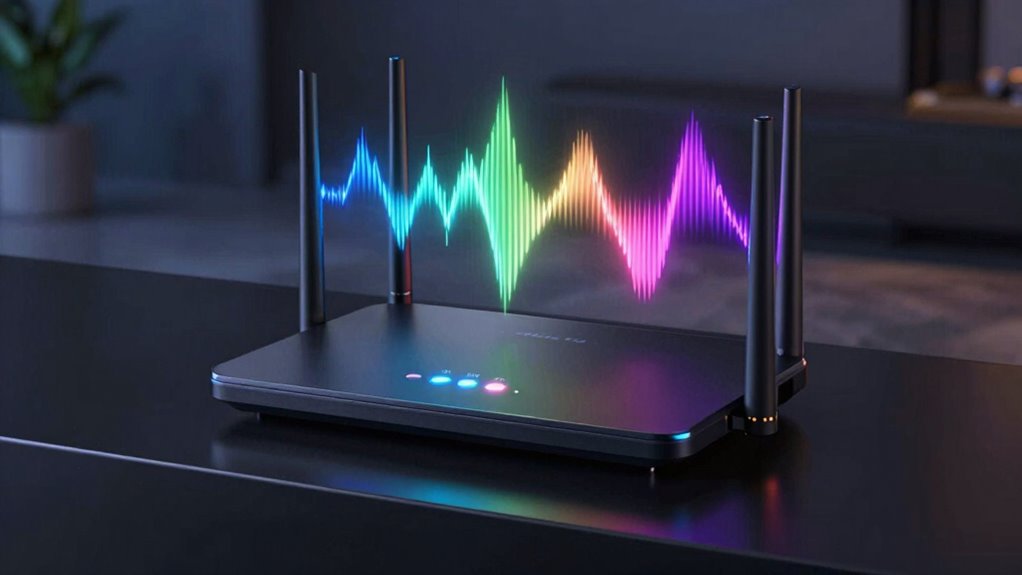

If you’re choosing between 4GHz, 5GHz, and 6GHz Wi-Fi bands, 4GHz is best for broad coverage and device compatibility over larger areas, but offers lower speeds. 5GHz provides faster speeds ideal for streaming and gaming close to your router, with less interference. 6GHz supports ultra-fast speeds and less congestion, perfect for future-proofing and high-bandwidth tasks. To find out which band suits your needs best, explore the details below.

Get school and study supplies delivered free — and shop member deals
- Fast, free delivery on millions of items
- Access to Prime Big Deal Days deals on October 6–7
- Prime Video, Amazon Music and more included
Key Takeaways
- 4GHz offers broad coverage and device compatibility, ideal for large homes and stable connections over distance.
- 5GHz provides faster speeds and less interference, perfect for streaming, gaming, and high-bandwidth activities near the router.
- 6GHz delivers ultra-fast speeds with minimal interference, suited for future-proofing and high-performance applications on compatible devices.
- 4GHz has longer range but is more crowded, while 6GHz has limited coverage but less congestion and interference.
- Device support varies: 4GHz is universally compatible, 5GHz is widely supported, and 6GHz requires newer, compatible hardware.
Have you ever wondered what distinguishes one GHz band from another? It’s a common question, especially as more devices connect to Wi-Fi networks. The main differences lie in their frequency ranges, which directly impact their performance, range, and suitability for various activities. When comparing 4GHz, 5GHz, and 6GHz bands, understanding these distinctions helps you choose the right one for your needs.
Starting with the 4GHz band, it’s the most widely compatible and established option. Nearly all Wi-Fi devices support it, making device compatibility a non-issue. This band provides a stable connection over a broader area, which means it performs well even at the edges of your Wi-Fi range. However, because it’s been around longer, it tends to be more crowded and susceptible to interference issues. Many other networks and household devices operate within this frequency, which can cause congestion and reduce your network’s overall speed and reliability. If you’re using older devices or need a dependable connection over a larger space, 4GHz might be your best bet. Additionally, its broad coverage makes it suitable for streaming and browsing throughout large homes or offices.
The 4GHz band offers broad compatibility and coverage but is more prone to congestion and interference.
Moving to the 5GHz band, you’ll notice a significant leap in speed and reduced interference issues. It’s less crowded since fewer devices operate on this frequency, leading to faster data transfer rates and more reliable performance, especially for activities like streaming, gaming, or video conferencing. However, 5GHz doesn’t cover as much distance as 4GHz, and its signals are more easily obstructed by walls and furniture. Device compatibility can also be a concern here—some older devices may not support 5GHz networks, which could limit your options. If your devices are compatible and you want higher speeds for activities close to your router, 5GHz offers a compelling advantage.
Now, looking at the emerging 6GHz band, it’s poised to offer even more benefits. This new spectrum promises ultra-fast speeds and minimal interference, thanks to its relatively new and less congested space. It’s designed to support the latest Wi-Fi standards, delivering smoother streaming and quicker downloads. Yet, because it’s still rolling out, device compatibility remains a key consideration. Not all devices currently support 6GHz, and its shorter range means you’ll need to be closer to your router for optimal performance. If you have compatible devices and want to future-proof your network, 6GHz could be a game-changer, but keep in mind that interference issues are less of a concern here due to the less crowded spectrum. Moreover, advances in Wi-Fi technology are continually improving the capabilities of these bands to meet modern demands.
Frequently Asked Questions
Can Devices Automatically Switch Between 4GHZ, 5GHZ, and 6GHZ Bands?
Yes, your device can automatically switch between 4GHz, 5GHz, and 6GHz bands if it has device compatibility and band switching technology. Modern routers and devices use smart band switching to optimize connection quality, seamlessly moving between bands based on signal strength and network congestion. This feature helps maintain a stable, fast connection without you having to manually change settings, ensuring you get the best performance for your activities.
How Does Interference Impact Each GHZ Band’s Performance?
Interference sources can considerably impact each GHz band’s performance, reducing signal quality. Higher bands like 5GHz and 6GHz are more susceptible to interference from devices like cordless phones and microwaves, which can cause signal disruptions. The 4GHz band is more resistant due to its lower frequency, but it still can be affected by obstacles like walls. To maintain the best performance, minimize interference sources near your router.
Are There Security Concerns Unique to 6GHZ Networks?
Think of 6GHz networks as uncharted territory with unique security concerns. While they offer faster speeds, they also face encryption vulnerabilities and limited hardware compatibility. You might wonder if these new signals are as secure; they aren’t inherently, so extra precautions matter. To protect your data, verify your devices and routers support robust encryption standards. Stay vigilant, because embracing new tech means balancing innovation with security.
Which Band Offers the Longest Effective Range?
You’ll find that the 4GHz band offers the longest coverage range and strongest signal strength, making it ideal for broad coverage throughout your home or office. The 5GHz band provides faster speeds but has a shorter range, while 6GHz, though promising higher speeds and less interference, currently has the shortest effective coverage. If extended reach is your priority, sticking with 4GHz guarantees you get the widest coverage and most reliable signal strength.
Do All Routers Support the 6GHZ Band?
Not all routers support the 6GHz band. Your device compatibility plays a key role, as many older routers lack this feature, and manufacturers may impose bandwidth limitations. To enjoy the benefits of 6GHz, such as faster speeds and reduced interference, you need a compatible router and device. Without these, you’ll miss out on the advantages, and your network may be constrained by older technology and bandwidth restrictions.
Conclusion
Understanding the differences between 4GHz, 5GHz, and 6GHz bands helps you select the right one for your needs. For example, if you’re streaming 4K videos or gaming online, the 5GHz band offers faster speeds and less interference. Imagine setting up a smart home—using 6GHz could future-proof your network with even more bandwidth. Choosing the right band guarantees smoother connections and better performance tailored to your activities.
Fall Picks
fall essentials
As an affiliate, we earn on qualifying purchases.