
When choosing a scanner, focus on specifications like DPI, feeder size, and daily volume. Higher DPI (600+) captures fine details, ideal for detailed images or artwork, while 300 DPI works for most documents. A larger feeder handles more pages at once, saving time for bulk tasks, and high daily volume scanners are built to withstand constant use. Understanding these specs helps guarantee you pick the right device—keep exploring to find out which features suit your workload best.
Key Takeaways
- Higher DPI (600+) captures finer details, ideal for detailed images or artwork, while 300 DPI suits everyday document scanning.
- Larger feeder capacity (e.g., 50+ pages) facilitates efficient batch scanning and reduces manual reloading.
- Daily volume requirements determine scanner durability and speed; high-volume tasks need fast, robust machines.
- For infrequent use, smaller feeders and moderate DPI settings offer cost-effective, space-saving options.
- Matching scanner specs to workload ensures optimal performance, accuracy, and efficiency in daily operations.
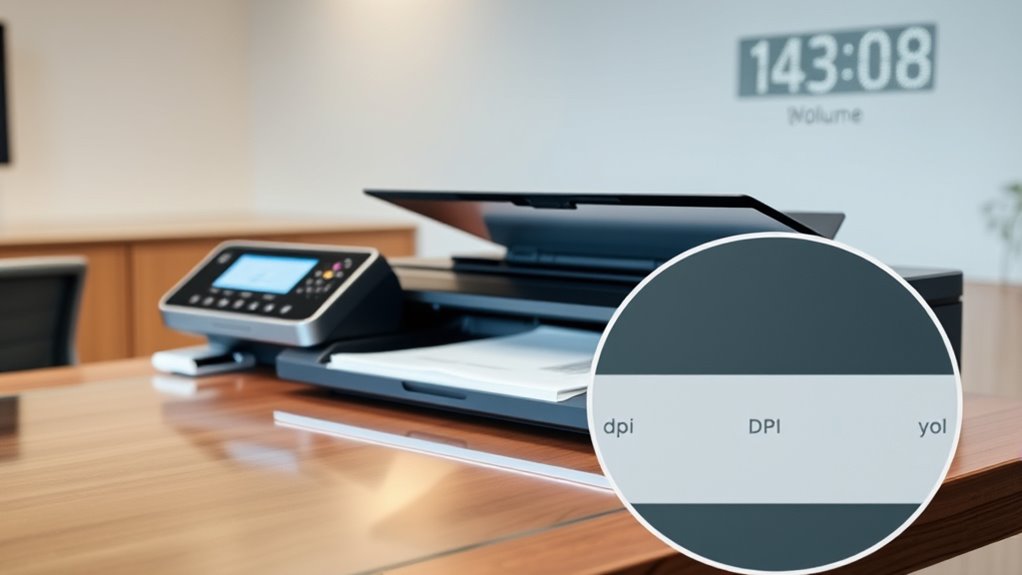
When choosing a scanner, understanding which specifications truly matter can make all the difference in getting the right device for your needs. Two essential factors to consider are document security and color accuracy. These elements guarantee your scanned documents remain confidential and that the digital images you produce are true to the original. If you’re handling sensitive materials, you’ll want a scanner that offers robust document security features, such as encrypted storage, user authentication, and secure network protocols. These features protect your data from unauthorized access and help maintain compliance with privacy standards. Equally important is color fidelity, especially if your work involves images, marketing materials, or detailed graphics. A scanner with high color accuracy guarantees that the digital output reflects the true colors of the original, which is indispensable for professional presentations or precise record-keeping. Additionally, understanding scanner resolution** in terms of DPI can ensure you select a device that captures the necessary detail without overspending. Beyond security and color, understanding the scanner’s resolution, typically measured in DPI (dots per inch), is essential. Higher DPI settings mean sharper, more detailed images, which is pivotal when you need to capture fine text or intricate graphics. For everyday document scanning, 300 DPI usually suffices, but if you’re scanning photographs or detailed artwork, consider a model with 600 DPI or higher. Matching the DPI to your specific needs prevents unnecessary expense and guarantees you get the quality you require. Feeder size is another important consideration. If your workload involves scanning large batches of documents, a scanner with a sizable automatic document feeder (ADF) can save you time and effort. A larger feeder can handle dozens or even hundreds of pages at once, streamlining your workflow. Conversely, if you only scan occasionally or work with fragile, bound, or irregularly shaped documents, a flatbed scanner might be more appropriate, offering precision over capacity. Your daily volume also influences which specifications matter most. For high-volume environments, durability, speed, and a dependable feeder are key. Look for scanners rated for heavy daily use, with fast scan speeds measured in pages per minute (PPM). This way, you avoid bottlenecks during busy periods. For lighter use, affordability** and compact size might take precedence, allowing you to find a device that fits your budget and workspace without sacrificing essential features like security and color fidelity.
Frequently Asked Questions
How Do Scanner Specs Affect Image Quality?
Scanner specs directly influence your image quality by influencing resolution clarity and color accuracy. Higher DPI settings capture more detail, resulting in sharper images. A scanner with better color depth reproduces colors more accurately, making your scans look true to the original. Choosing a scanner with appropriate specs guarantees your images are clear, vibrant, and precise, whether you’re digitizing photos, documents, or artwork.
What Is the Ideal DPI for Professional Use?
The ideal DPI for professional use is around 300-600, which can transform your scans into crystal-clear images with exceptional resolution clarity and color accuracy. Think of it as giving your documents a superhero-level upgrade, ensuring every detail stands out. Higher DPI means sharper images, perfect for archiving or printing. So, aim for this range to achieve professional quality that impresses every time you scan.
Can a Small Feeder Handle Large Scanning Jobs?
A small feeder can handle large scanning jobs if it has a high enough capacity and fast scanning speed. Look for models with a larger feeder capacity to minimize refilling, and check the scanning speed to make sure you can complete tasks efficiently. While small feeders are generally better for lighter workloads, some compact scanners are designed to manage bigger jobs with quick turnaround times.
How Often Should I Calibrate My Scanner?
Think of your scanner as a musical instrument needing tuning to stay in harmony. You should calibrate your scanner every few weeks or after any major changes in environment or usage. Regular scanner maintenance, including calibration, keeps images crisp and colors true. If you notice scans are blurry or colors off, it’s a sign to calibrate sooner. Staying consistent guarantees your scanner performs at its best, like a well-tuned instrument.
Are Higher Daily Volume Scanners More Durable?
Yes, higher daily volume scanners tend to be more durable because they’re built with robust materials and designed for frequent use. However, their longevity also depends on proper maintenance routines like regular cleaning and calibration. You should follow manufacturer guidelines for upkeep to guarantee your scanner remains reliable over time. Consistent maintenance helps prevent wear and tear, extending your scanner’s lifespan and maintaining peak performance.
Conclusion
Just like a painter chooses the right brushes, selecting the right scanner specs guarantees your work is clear and efficient. Remember, DPI, feeder size, and daily volume are your palette and canvas—guiding your productivity and quality. Don’t let the wrong tools turn your masterpiece into a blurry memory. With the right specs, you’ll be ready to capture every detail, transforming your documents from mere papers into a gallery of clarity and speed.