
If you’re looking for the 15 best document scanners with OCR for 2026, I’ve got you covered. I’ve compiled top models, from portable options like the CZUR Shine Ultra and Epson ES-50 to high-speed office scanners like the Canon R40 and Epson Workforce ES-580W. Plus, versatile document cameras and compact devices for mobile use. Keep exploring to discover which scanner best fits your needs and how to choose the right features for your workflow.
Key Takeaways
- The list includes portable, high-speed, and office-grade scanners with advanced OCR capabilities for diverse needs.
- Top models support multiple languages, automatic cropping, and easy integration with cloud and workflow software.
- Many options feature duplex scanning, high-resolution imaging, and compatibility with Windows, Mac, and mobile devices.
- The selection covers compact, lightweight devices ideal for on-the-go use and professional overhead/document cameras.
- These scanners offer user-friendly interfaces, customizable workflows, and software that enhances document digitization and management.
| CZUR Shine Ultra Portable Document Scanner with OCR | 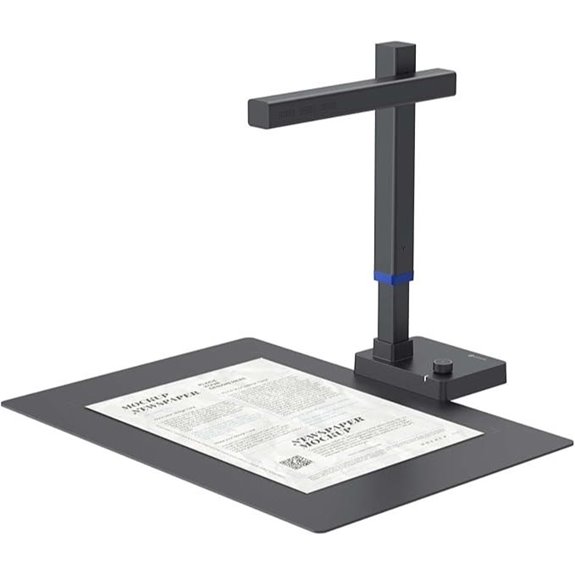 | Best Portable | Connectivity: USB (USB-C/USB-A) | Automatic Feeding: No (flat scan) | OCR Capability: Yes (over 180 languages) | VIEW LATEST PRICE | See Our Full Breakdown |
| Epson Workforce ES-580W Wireless Duplex Document Scanner | 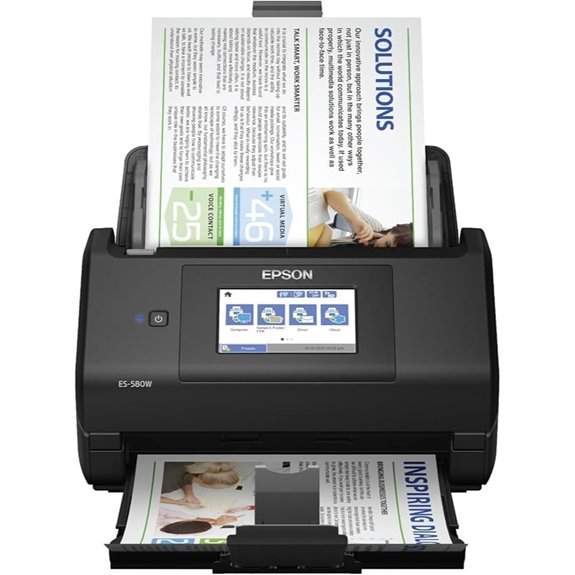 | Best Wireless | Connectivity: Wireless (Wi-Fi), USB | Automatic Feeding: Yes (100-sheet ADF) | OCR Capability: Yes (searchable PDFs, Word, Excel) | VIEW LATEST PRICE | See Our Full Breakdown |
| Canon imageFORMULA R40 Office Document Scanner | 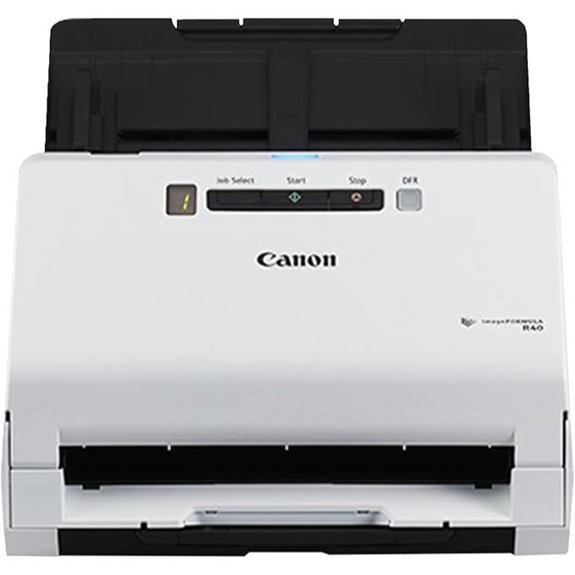 | Best Office Scanner | Connectivity: USB | Automatic Feeding: Yes (60-sheet ADF) | OCR Capability: Yes (OCR, searchable PDFs) | VIEW LATEST PRICE | See Our Full Breakdown |
| Epson WorkForce ES-50 Portable Sheet-Fed Document Scanner for PC and Mac | 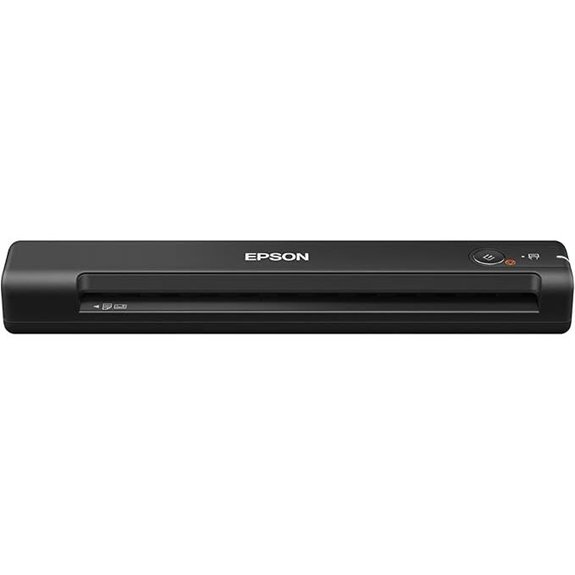 | Best On-the-Go | Connectivity: USB | Automatic Feeding: Yes (auto document feeder) | OCR Capability: Yes (OCR, searchable PDFs) | VIEW LATEST PRICE | See Our Full Breakdown |
| Epson Workforce ES-500W II Wireless Document Scanner | 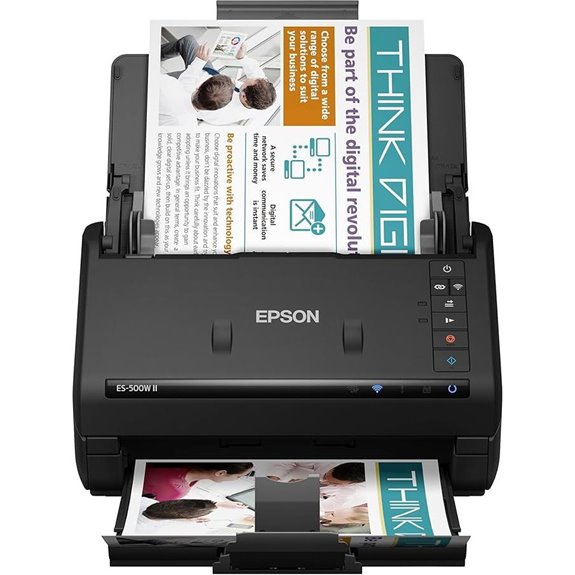 | Best Multi-Page Speed | Connectivity: Wireless (Wi-Fi), USB | Automatic Feeding: Yes (50-sheet ADF) | OCR Capability: Yes (OCR, searchable PDFs) | VIEW LATEST PRICE | See Our Full Breakdown |
| Plustek PS186 Desktop Document Scanner with ADF | 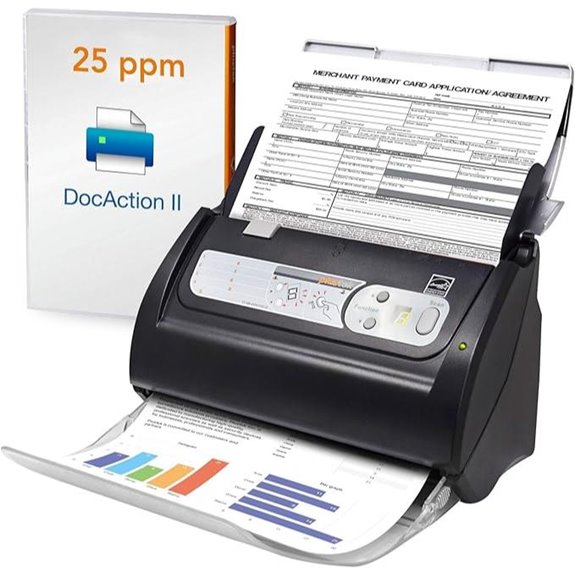 | Best Customization | Connectivity: USB | Automatic Feeding: Yes (ADF) | OCR Capability: Yes (OCR, searchable PDFs) | VIEW LATEST PRICE | See Our Full Breakdown |
| NetumScan 13MP Document Camera with OCR and Recording | 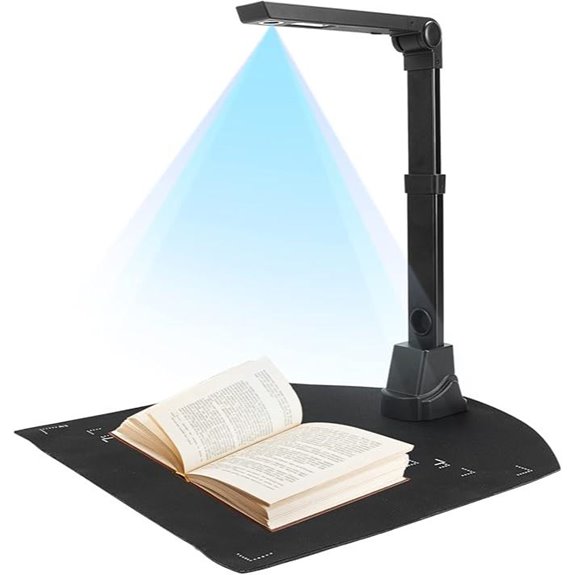 | Best Value | Connectivity: USB | Automatic Feeding: Yes (automatic categorization & ADF) | OCR Capability: Yes (OCR, editable files) | VIEW LATEST PRICE | See Our Full Breakdown |
| X1 Portable 8MP Document Scanner with OCR | 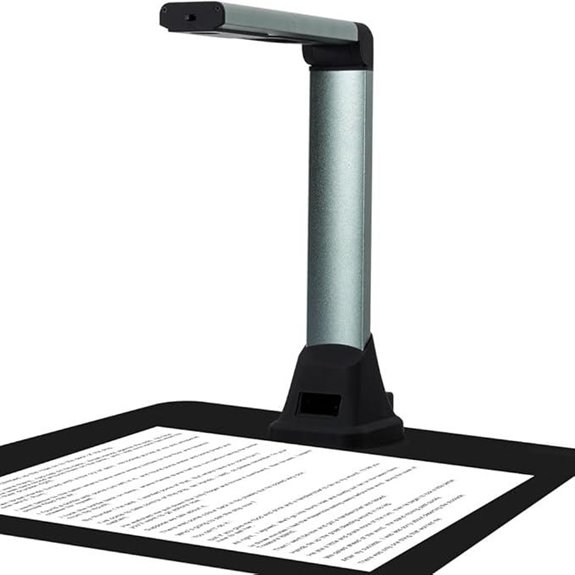 | Best For Education | Connectivity: USB | Automatic Feeding: No (manual) | OCR Capability: Yes (OCR, multiple languages) | VIEW LATEST PRICE | See Our Full Breakdown |
| Canon imageFORMULA R10 Portable Scanner | 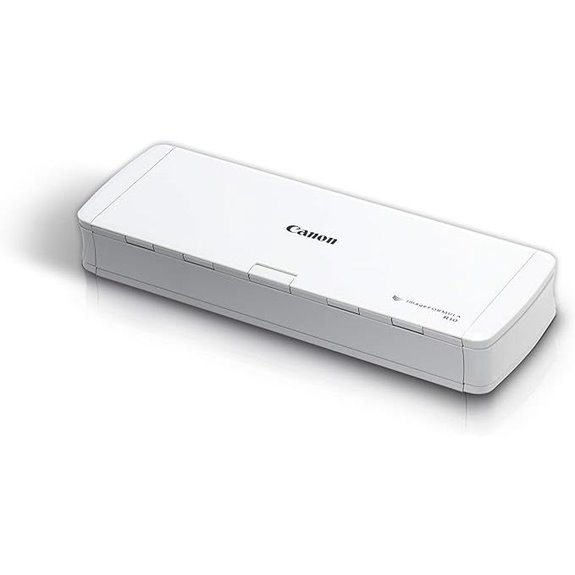 | Best Compact | Connectivity: USB | Automatic Feeding: No (single sheet) | OCR Capability: Yes (OCR, searchable PDFs) | VIEW LATEST PRICE | See Our Full Breakdown |
| Brother DS-640 Compact Mobile Document Scanner | 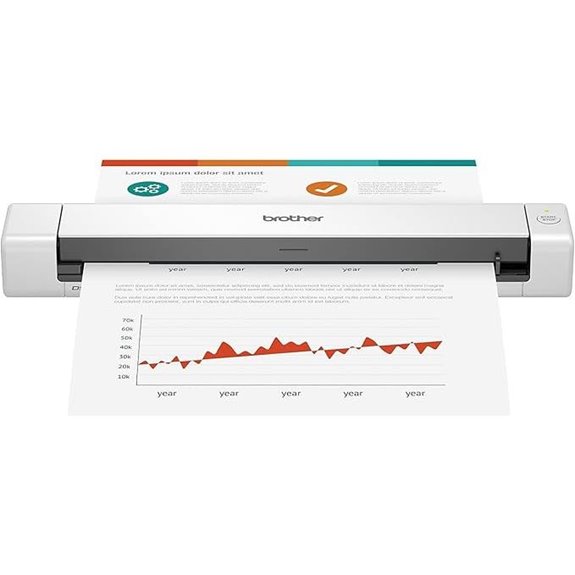 | Best Budget | Connectivity: USB, Wireless (Wi-Fi) | Automatic Feeding: Yes (ADF) | OCR Capability: Yes (OCR, searchable PDFs) | VIEW LATEST PRICE | See Our Full Breakdown |
| Brother DS-740D Duplex Compact Mobile Document Scanner | 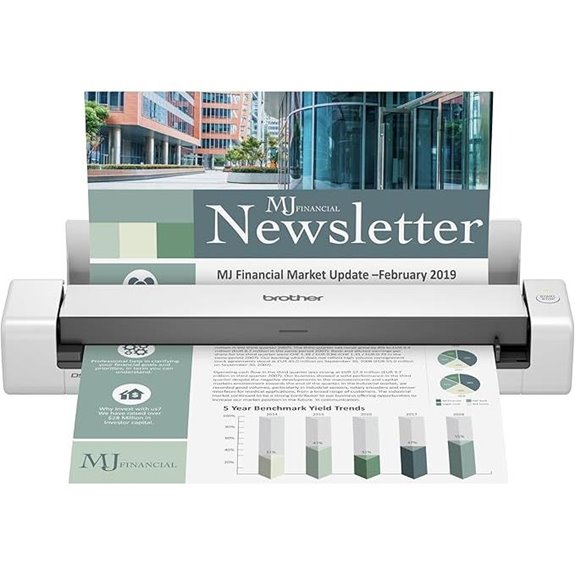 | Best Dual-Sided | Connectivity: USB, Wireless (Wi-Fi) | Automatic Feeding: Yes (auto feed) | OCR Capability: Yes (OCR, searchable PDFs) | VIEW LATEST PRICE | See Our Full Breakdown |
| Epson Workforce ES-400 II Duplex Document Scanner | 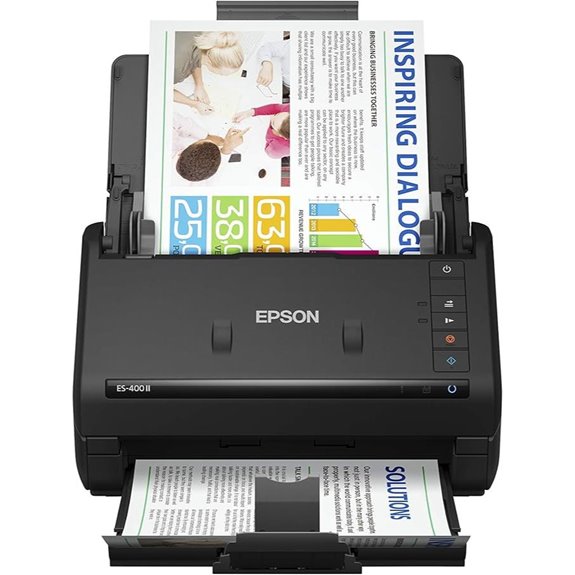 | Best Integration | Connectivity: USB | Automatic Feeding: Yes (50-sheet ADF) | OCR Capability: Yes (OCR, editable files) | VIEW LATEST PRICE | See Our Full Breakdown |
| ScanSnap iX2500 Wireless Document Scanner | 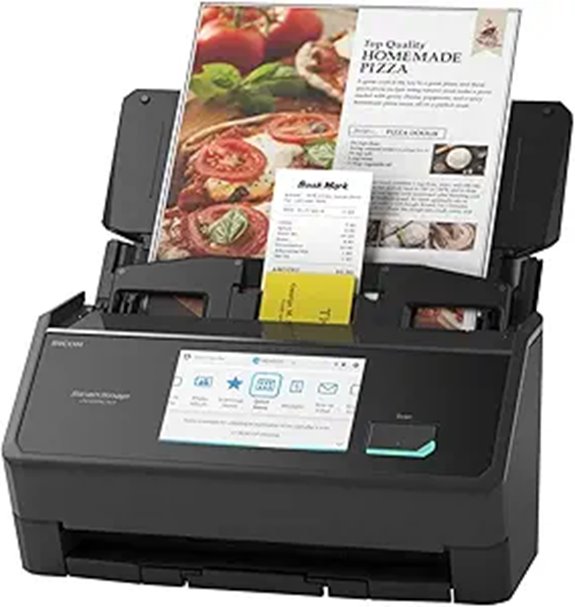 | Best Connectivity | Connectivity: Wi-Fi, USB-C | Automatic Feeding: Yes (auto document feeder) | OCR Capability: Yes (OCR, cloud, searchable PDFs) | VIEW LATEST PRICE | See Our Full Breakdown |
| CZUR Shine800-A3-Pro USB Document Camera & Scanner | 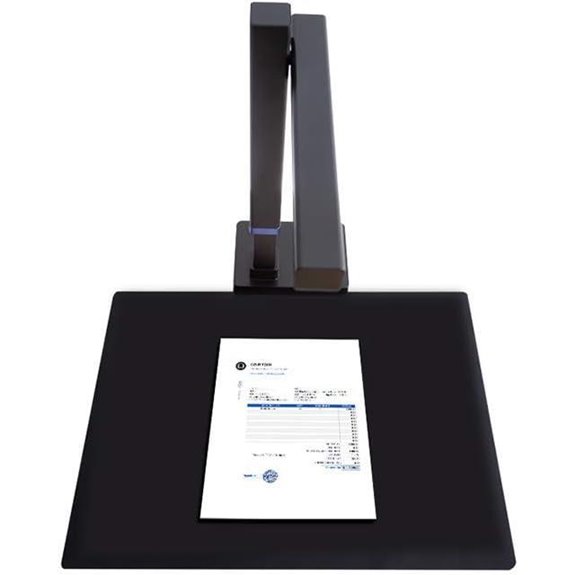 | Best Professional | Connectivity: USB | Automatic Feeding: No (manual feed) | OCR Capability: Yes (OCR, searchable PDFs) | VIEW LATEST PRICE | See Our Full Breakdown |
| ScanSnap iX1300 Wireless Duplex Document Scanner | 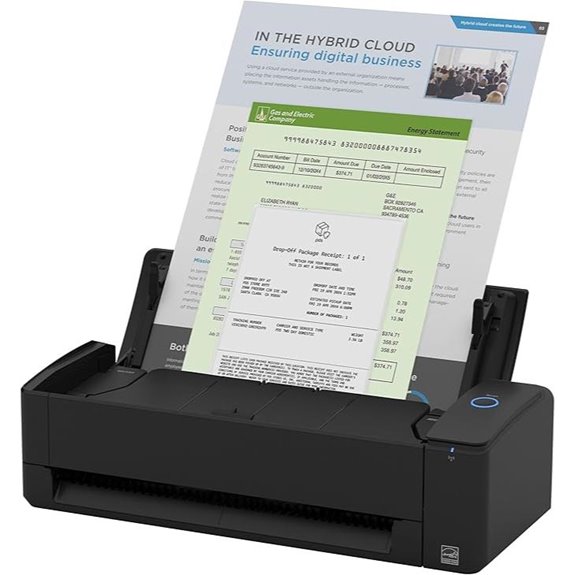 | Best Space-Saving | Connectivity: USB, Wi-Fi | Automatic Feeding: Yes (auto document feeder) | OCR Capability: Yes (OCR, searchable PDFs) | VIEW LATEST PRICE | See Our Full Breakdown |
More Details on Our Top Picks
CZUR Shine Ultra Portable Document Scanner with OCR
If you’re looking for a portable scanner that combines speed, versatility, and advanced OCR, the CZUR Shine Ultra Portable Document Scanner is an excellent choice. It works seamlessly with Windows and macOS but isn’t compatible with Android or iOS. You can scan flat papers and objects up to A3 and A4 sizes quickly—about one second per page. Its CMOS 13MP camera delivers high-resolution images, and OCR supports over 180 languages, making text extraction easy. Features like auto cropping, smart paging, and a foot pedal make operation smooth. Its foldable, lightweight design (around 4 lbs) guarantees portability for both desktop and on-the-go scanning needs.
- Connectivity:USB (USB-C/USB-A)
- Automatic Feeding:No (flat scan)
- OCR Capability:Yes (over 180 languages)
- Document Size Support:A3/A4
- Speed (Pages/Minutes):~1 sec/page
- Portability:Foldable, lightweight (~4 lbs)
- Additional Feature:Foldable, portable design
- Additional Feature:Foot pedal operation
- Additional Feature:Supports curved page flattening
Epson Workforce ES-580W Wireless Duplex Document Scanner
The Epson Workforce ES-580W Wireless Duplex Document Scanner stands out as an excellent choice for busy professionals and small offices that need fast, reliable scanning with minimal hassle. Its 4.3″ touchscreen makes operation straightforward, while wireless connectivity allows direct scans to smartphones, tablets, or cloud services like Dropbox and Google Drive—no computer needed. With a 100-sheet auto feeder and speeds up to 35 pages per minute, it handles high-volume tasks efficiently. Support for duplex scanning, OCR, and conversion to editable files streamline workflows. Compact and compatible with PC and Mac, this scanner combines speed, versatility, and ease of use in a sleek design.
- Connectivity:Wireless (Wi-Fi), USB
- Automatic Feeding:Yes (100-sheet ADF)
- OCR Capability:Yes (searchable PDFs, Word, Excel)
- Document Size Support:Multiple sizes, including long documents
- Speed (Pages/Minutes):Up to 35 ppm
- Portability:Desktop, portable
- Additional Feature:4.3″ touchscreen interface
- Additional Feature:Supports cloud storage
- Additional Feature:Wireless to multiple devices
Canon imageFORMULA R40 Office Document Scanner
The Canon imageFORMULA R40 Office Document Scanner stands out for those needing fast, reliable scanning of a wide variety of documents. It supports both Windows and Mac, offering duplex scanning and simple setup via USB. With speeds up to 40 ppm simplex and 80 ipm duplex, it effortlessly handles receipts, photos, reports, and long documents up to 118 inches. Its 60-sheet automatic feeder and one-touch operation improve efficiency. The scanner includes Canon’s CaptureOnTouch software and free OCR tools, making it easy to convert scans into editable files. Backed by a one-year warranty and US-based support, it’s a dependable choice for busy offices.
- Connectivity:USB
- Automatic Feeding:Yes (60-sheet ADF)
- OCR Capability:Yes (OCR, searchable PDFs)
- Document Size Support:Up to 118” long, various sizes
- Speed (Pages/Minutes):Up to 40 ppm
- Portability:Desktop
- Additional Feature:Long Document Mode
- Additional Feature:60-sheet auto feeder
- Additional Feature:Broad software compatibility
Epson WorkForce ES-50 Portable Sheet-Fed Document Scanner for PC and Mac
For professionals and students who need a portable, reliable scanner that works seamlessly with both PC and Mac, the Epson WorkForce ES-50 is an excellent choice. It’s the fastest and lightest mobile single-sheet-fed scanner in its class, with broad software compatibility thanks to its TWAIN driver. Its compact design makes it easy to carry anywhere, handling documents up to 8.5 x 72 inches, ID cards, and receipts. With a quick 5.5-second scan per page and automatic feeding, it speeds up workflows. The included Epson ScanSmart software, featuring Nuance OCR, creates searchable PDFs and editable files, making digitization simple and efficient.
- Connectivity:USB
- Automatic Feeding:Yes (auto document feeder)
- OCR Capability:Yes (OCR, searchable PDFs)
- Document Size Support:Up to 8.5 x 72 inches
- Speed (Pages/Minutes):No ppm specified, fast for portable
- Portability:Portable, small
- Additional Feature:Ultra-compact size
- Additional Feature:No external power needed
- Additional Feature:Automatic multi-page merging
Epson Workforce ES-500W II Wireless Document Scanner
If you need a reliable scanner that combines fast, high-quality document handling with wireless convenience, the Epson Workforce ES-500W II stands out. It scans up to 35 pages per minute, capturing both sides in a single pass with its advanced technology. The 50-sheet auto feeder handles various paper types and sizes, including long pages and business cards, while ultrasonic detection prevents page mishandling. With easy wireless scanning via the Epson Smart Panel app, you can send files directly to your devices or cloud services. The included software creates searchable PDFs with OCR and converts documents into editable Word and Excel files, making organization effortless.
- Connectivity:Wireless (Wi-Fi), USB
- Automatic Feeding:Yes (50-sheet ADF)
- OCR Capability:Yes (OCR, searchable PDFs)
- Document Size Support:Various sizes, long pages up to 240 inches
- Speed (Pages/Minutes):Up to 35 ppm
- Portability:Portable, compact
- Additional Feature:Wireless to multiple devices
- Additional Feature:Ultrasonic double feed detection
- Additional Feature:Auto image adjustments
Plustek PS186 Desktop Document Scanner with ADF
Designed for small offices and busy professionals, the Plustek PS186 Desktop Document Scanner with ADF streamlines document management with its 50-page auto document feeder. I appreciate its compatibility with Windows 7 through 11, ensuring smooth integration into most setups. The scanner offers up to 255 customizable scan profiles and single-touch operation for quick, efficient scans. Its OCR capability converts paper documents into searchable, editable files, supporting PDF, JPEG, TIFF, and PNG formats. Advanced features like auto-rotation, cropping, and barcode recognition make image processing effortless. Plus, easy file transfer to FTP or NAS simplifies document organization, making it a versatile tool for any workspace.
- Connectivity:USB
- Automatic Feeding:Yes (ADF)
- OCR Capability:Yes (OCR, searchable PDFs)
- Document Size Support:Various, including long documents
- Speed (Pages/Minutes):Speed not specified
- Portability:Desktop
- Additional Feature:255 customizable presets
- Additional Feature:Supports FTP/NAS transfer
- Additional Feature:Auto categorization via barcodes
NetumScan 13MP Document Camera with OCR and Recording
The NetumScan 13MP Document Camera with OCR and Recording stands out as an excellent choice for educators and professionals who need versatile, high-quality scanning and live projection capabilities. Its foldable, lightweight aluminum body makes it portable and easy to set up. With a 1300W CMOS sensor and built-in LED lights, it captures bright, detailed images of documents up to A3/A4 in various lighting conditions. The camera supports smart scanning with automatic correction and high-accuracy OCR that converts images into editable text. Plus, its live projection and recording features make remote teaching and presentations more interactive and engaging.
- Connectivity:USB
- Automatic Feeding:Yes (automatic categorization & ADF)
- OCR Capability:Yes (OCR, editable files)
- Document Size Support:A3/A4
- Speed (Pages/Minutes):Fast, automatic correction
- Portability:Foldable, portable (~4 lbs)
- Additional Feature:Live video projection
- Additional Feature:98%+ OCR accuracy
- Additional Feature:Adjustable height/angle
X1 Portable 8MP Document Scanner with OCR
The X1 Portable 8MP Document Scanner with OCR is perfect for educators, students, and remote workers who need quick, reliable document digitization on the go. Its 8MP HD overhead camera scans A4 documents in about 2 seconds, making it ideal for fast-paced environments. The lightweight, foldable design ensures easy portability and storage, while six LED lights provide bright scans even in low light. Compatible with Windows only, it connects via USB and comes with software supporting auto correction, image segmentation, and OCR in over 100 languages with up to 95% accuracy. It’s a versatile tool for converting paper into searchable, editable digital formats effortlessly.
- Connectivity:USB
- Automatic Feeding:No (manual)
- OCR Capability:Yes (OCR, multiple languages)
- Document Size Support:A4, documents and objects
- Speed (Pages/Minutes):~2 sec/page
- Portability:Lightweight, foldable
- Additional Feature:Real-time video recording
- Additional Feature:Auto correction features
- Additional Feature:Foldable, lightweight design
Canon imageFORMULA R10 Portable Scanner
Looking for a portable scanner that effortlessly keeps up with your busy, mobile lifestyle? The Canon imageFORMULA R10 is exactly what you need. This compact, USB-powered device works smoothly with Windows and Mac laptops or desktops, making it perfect for home, school, or remote work. It handles receipts, business cards, reports, and more, scanning both sides in color or black-and-white at up to 12 pages per minute. Its automatic feeder and simple software make scanning quick and straightforward. Plus, it produces high-quality images while consuming less energy, earning ENERGY STAR certification. The R10 is a reliable, user-friendly choice for frequent, on-the-go scanning.
- Connectivity:USB
- Automatic Feeding:No (single sheet)
- OCR Capability:Yes (OCR, searchable PDFs)
- Document Size Support:Various, including receipts, cards
- Speed (Pages/Minutes):Up to 12 ppm
- Portability:Compact, portable
- Additional Feature:ENERGY STAR certified
- Additional Feature:Easy preview software
- Additional Feature:Supports various media types
Brother DS-640 Compact Mobile Document Scanner
If you need a portable scanner that combines speed, versatility, and ease of use, the Brother DS-640 Compact Mobile Document Scanner is an excellent choice. Its sleek, lightweight design measures just 1.5” x 2” x 11.9” and weighs around 1.5 pounds, making it perfect for on-the-go scanning. It scans up to 16 pages per minute in color or black-and-white at 300 dpi, handling documents like receipts, invoices, and even long sheets up to 72 inches. It can also scan ID cards and business cards through the same feed. Powered via USB, it supports multiple OS and offers software for OCR, editing, and cloud sharing.
- Connectivity:USB, Wireless (Wi-Fi)
- Automatic Feeding:Yes (ADF)
- OCR Capability:Yes (OCR, searchable PDFs)
- Document Size Support:Up to 72 inches long
- Speed (Pages/Minutes):Up to 16 ppm
- Portability:Compact, portable (~1.5 lbs)
- Additional Feature:Slim, lightweight build
- Additional Feature:Supports multiple OS
- Additional Feature:Automatic image enhancement
Brother DS-740D Duplex Compact Mobile Document Scanner
For busy professionals or students who need a portable yet efficient scanner, the Brother DS-740D Duplex Compact Mobile Document Scanner offers an excellent solution. It can scan single and double-sided documents in a single pass at up to 16 pages per minute, with color scans matching black and white speeds. Its ultra-compact design fits easily into bags or pockets, and the Desk Saving Design reduces desk space. Powered via micro USB, it works without an outlet and supports Windows, Mac, and Linux. With included software, automatic color detection, OCR, and image enhancements, it’s perfect for digitizing receipts, IDs, and two-sided documents on the go.
- Connectivity:USB, Wireless (Wi-Fi)
- Automatic Feeding:Yes (auto feed)
- OCR Capability:Yes (OCR, searchable PDFs)
- Document Size Support:Various, including small cards
- Speed (Pages/Minutes):Up to 16 ppm
- Portability:Ultra-compact, portable
- Additional Feature:Multi-feed detection
- Additional Feature:Compact desk-saving size
- Additional Feature:Supports multiple “Scan to”
Epson Workforce ES-400 II Duplex Document Scanner
The Epson Workforce ES-400 II Duplex Document Scanner stands out with its fast, efficient scanning capabilities, making it an excellent choice for busy offices and remote workers who need to process large volumes of documents quickly. It features a 50-sheet Auto Document Feeder that handles stacks effortlessly, boosting productivity. The included Epson ScanSmart software makes previewing, emailing, and uploading to cloud services simple, while image adjustment tools optimize scan quality. Its TWAIN driver guarantees compatibility with most workflow software, and direct scanning to email or cloud platforms like Dropbox and Google Drive streamlines sharing. Plus, it creates searchable PDFs with OCR, converting scans into editable files easily.
- Connectivity:USB
- Automatic Feeding:Yes (50-sheet ADF)
- OCR Capability:Yes (OCR, editable files)
- Document Size Support:Various, including long pages
- Speed (Pages/Minutes):High-speed, details not specified
- Portability:Compact, desktop
- Additional Feature:Seamless workflow integration
- Additional Feature:Supports multiple cloud services
- Additional Feature:Automatic file naming
ScanSnap iX2500 Wireless Document Scanner
The ScanSnap iX2500 Wireless Document Scanner stands out with its rapid 45 pages per minute double-sided scanning, making it ideal for busy offices and productivity-focused users. Its large 5″ touchscreen and 100-sheet auto document feeder streamline workflows, while support for Wi-Fi 6 and USB-C guarantees fast, secure wireless or wired connections. It automatically optimizes, names, and sorts files, simplifying document management. Built to prevent jams and damage, it features advanced paper handling with sensors and skew detection. Compatible with Mac and PC, it offers seamless cloud integration and future software updates, making it a versatile, reliable choice for efficient scanning and organization.
- Connectivity:Wi-Fi, USB-C
- Automatic Feeding:Yes (auto document feeder)
- OCR Capability:Yes (OCR, cloud, searchable PDFs)
- Document Size Support:Mixed sizes, documents, photos
- Speed (Pages/Minutes):45 ppm double-sided
- Portability:Desktop, Wi-Fi capable
- Additional Feature:Built-in Wi-Fi 6
- Additional Feature:Customizable interface
- Additional Feature:Multi-device compatibility
CZUR Shine800-A3-Pro USB Document Camera & Scanner
If you’re looking for a versatile scanner that excels in both professional and educational settings, the CZUR Shine800-A3-Pro is an excellent choice. This height-adjustable USB document camera and scanner supports A3 and A4 sizes, making it ideal for various document types. It offers ultra-fast scanning—under one second per page—and functions as a remote teaching camera compatible with Zoom, Google Meet, and Skype. Equipped with an 8MP CMOS camera, it captures high-resolution images and supports over 180 languages with OCR powered by ABBYY AI tech. Its portable, lightweight design and features like auto cropping and smart paging make it perfect for office, classroom, or remote work environments.
- Connectivity:USB
- Automatic Feeding:No (manual feed)
- OCR Capability:Yes (OCR, searchable PDFs)
- Document Size Support:A3/A4 and objects
- Speed (Pages/Minutes):Fast, details not specified
- Portability:Portable, foldable
- Additional Feature:High-resolution CMOS camera
- Additional Feature:Remote teaching camera
- Additional Feature:Supports 180+ languages
ScanSnap iX1300 Wireless Duplex Document Scanner
Designed for small offices and home setups, the ScanSnap iX1300 Wireless Duplex Document Scanner offers a compact, space-saving design that doesn’t compromise on performance. It stays out of the way during use, freeing up desk space, and fits easily into tight areas. This scanner handles various document types, including thick papers and plastic cards, with speeds up to 30 pages per minute for double-sided scanning. It features automatic de-skew, color optimization, and blank page removal for high-quality results with minimal effort. Plus, single-touch operation and quick access to favorite apps make it simple to use, whether you’re a beginner or experienced user.
- Connectivity:USB, Wi-Fi
- Automatic Feeding:Yes (auto document feeder)
- OCR Capability:Yes (OCR, searchable PDFs)
- Document Size Support:Various, including thick documents
- Speed (Pages/Minutes):Up to 30 ppm duplex
- Portability:Small, space-saving design
- Additional Feature:Space-saving design
- Additional Feature:Drag-and-drop interface
- Additional Feature:Supports Chromebook app
Factors to Consider When Choosing a Document Scanner With OCR
When choosing a document scanner with OCR, I focus on several key factors to guarantee it fits my needs. I consider compatibility options, scanning speed and quality, OCR language support, portability, and connectivity features. These points help me select a device that’s efficient, versatile, and easy to use.
Compatibility Options
Choosing a document scanner with OCR requires careful attention to compatibility options to guarantee it fits seamlessly into your existing setup. First, verify that the scanner supports your operating system—whether Windows, macOS, or Linux—to ensure smooth integration. If you work with multiple languages, check if the OCR software can handle various scripts, especially non-English ones. Connectivity options are also vital; confirm whether the device connects via USB, Wi-Fi, or Ethernet, and make sure it’s compatible with your network and hardware. Additionally, review the scanner’s software requirements and driver support to stay current with updates. Lastly, consider how well it supports file formats like searchable PDFs, Word, or Excel, so it aligns with your document management needs.
Scanning Speed & Quality
Selecting a scanner that matches your workflow means paying close attention to its speed and image quality. Faster scanners, like those reaching 35 pages per minute, boost productivity during high-volume tasks, saving you time. High-resolution outputs, such as 340 DPI, ensure your digital copies are sharp and detailed, perfect for professional use. The quality of OCR directly affects text recognition accuracy; advanced OCR can achieve over 95% accuracy across multiple languages. Features like auto cropping, auto page detection, and image enhancement help produce clearer scans with less distortion. Consistent image clarity is essential, especially when digitizing mixed media or delicate documents. Overall, prioritizing speed and quality guarantees efficient, reliable digitization that meets both your volume and clarity needs.
OCR Language Support
Have you considered whether the OCR software on a scanner supports the languages you work with? It’s vital because some models only recognize a limited set of languages, which could hinder your workflow. Check how many languages the scanner’s OCR engine can handle—advanced options can recognize over 180 languages, including complex scripts. If you often work with multilingual documents, verify whether the OCR can accurately process multiple languages in a single scan. Also, make sure it supports the specific characters, symbols, or alphabets relevant to your field. Accuracy is key; a high recognition rate, like 98% or above, ensures reliable results across different languages. Selecting a scanner with extensive language support guarantees smoother, more precise digitization tailored to your needs.
Portability & Design
When evaluating a document scanner with OCR, portability and design are crucial factors that can make or break your workflow, especially if you frequently work on the go. I look for compact, lightweight models that are easy to carry and fit into my bag without hassle. Foldable or slim designs maximize portability while maintaining full scanning functionality. Stability features like adjustable arms or foldable components help guarantee ergonomic handling during mobile use. I also consider whether the scanner comes with a protective case or cover, which adds durability and makes transport safer. Additionally, a user-friendly design that allows quick setup and operation in various environments is essential. These features guarantee I can scan efficiently anytime, anywhere, without sacrificing performance or convenience.
Connectivity Features
Connectivity features play a essential role in guaranteeing your document scanner integrates smoothly into your workflow. I look for wireless options like Wi-Fi or Bluetooth, which allow flexible placement and remote operation. It’s important that the scanner supports multiple connection types, including USB, Ethernet, or cloud-based services, so it fits seamlessly with various devices and systems. Compatibility across operating systems such as Windows, macOS, and Linux is crucial for effortless connectivity. I also prioritize scanners with built-in Wi-Fi 6 or dual-band Wi-Fi for faster, more reliable wireless data transfer. Additionally, cloud integration capabilities, enabling direct scan storage to platforms like Google Drive, Dropbox, or OneDrive, greatly enhance accessibility and collaboration. These features ensure my scanner adapts to my needs and keeps my workflow efficient.
Software Integration
Choosing the right OCR software is essential for seamless integration with your existing document management systems. You want software that’s compatible with your current platforms and supports the necessary file formats to prevent compatibility issues. It’s also important to contemplate whether the scanner integrates smoothly with cloud services like Google Drive, OneDrive, or Dropbox, making file access and sharing easier. High accuracy and multi-language support in the OCR feature help reduce manual corrections, saving time. Additionally, batch processing capabilities allow you to handle multiple documents efficiently, especially important for high-volume tasks. In conclusion, a user-friendly interface and customizable workflows can streamline your scanning and OCR processes, making your overall experience more efficient and less frustrating.
Frequently Asked Questions
How Do OCR Accuracy Rates Vary Among Different Scanners?
OCR accuracy rates can vary markedly among different scanners. I’ve noticed that high-end models with advanced sensors and better software tend to deliver accuracy rates above 95%, especially with clear, high-quality documents. Conversely, budget scanners or those with lower resolution often struggle, especially with handwritten or poorly lit texts. Overall, investing in a scanner with robust OCR features makes a noticeable difference in accuracy and efficiency.
What Is the Typical Lifespan of a Document Scanner With OCR?
A typical document scanner with OCR lasts about 5 to 7 years with proper care. I’ve found that regular maintenance, avoiding overuse, and keeping the device clean can extend its lifespan. While high-quality models tend to last longer, cheaper options may need replacement sooner. I suggest investing in a reliable brand and following the manufacturer’s guidelines to maximize your scanner’s longevity and performance.
Are There Specific Security Features for Sensitive Document Scanning?
Imagine your sensitive documents wrapped in a digital shield—that’s what security features do for scanning. I look for scanners with encryption, secure user access, and automatic data deletion. These features act like an invisible barrier, protecting your data from unauthorized eyes. When shopping, I prioritize devices with robust security, because safeguarding my sensitive info isn’t just smart, it’s essential in today’s digital world.
Can These Scanners Handle Multiple Languages With OCR?
Yes, most of these scanners can handle multiple languages with OCR. I’ve found that many models support a wide range of languages, including non-Latin scripts, which is great for multilingual documents. They use advanced recognition algorithms to accurately scan and convert text from various languages. Just make sure to check the specifications of each model to guarantee it covers the languages you need, as capabilities can vary.
What Maintenance Is Required to Keep OCR Functions Optimal?
A stitch in time saves nine, and regular maintenance keeps OCR running smoothly. I recommend updating scanner drivers and OCR software regularly, cleaning scanner glass and sensors to prevent dirt build-up, and calibrating the system to guarantee accuracy. Keep firmware current and run periodic test scans to catch issues early. Staying proactive with these steps ensures your OCR functions stay sharp and reliable for all your document needs.
Conclusion
So, as I was comparing these scanners, it struck me how I kept stumbling upon the CZUR Shine Ultra and Epson ES-580W—almost like they were meant for me. Choosing the right OCR scanner isn’t just about specs; it’s about finding that perfect fit. Sometimes, the best device finds you when you least expect it. Trust your instincts, and you might just discover a scanner that feels like it was made for your needs, too.