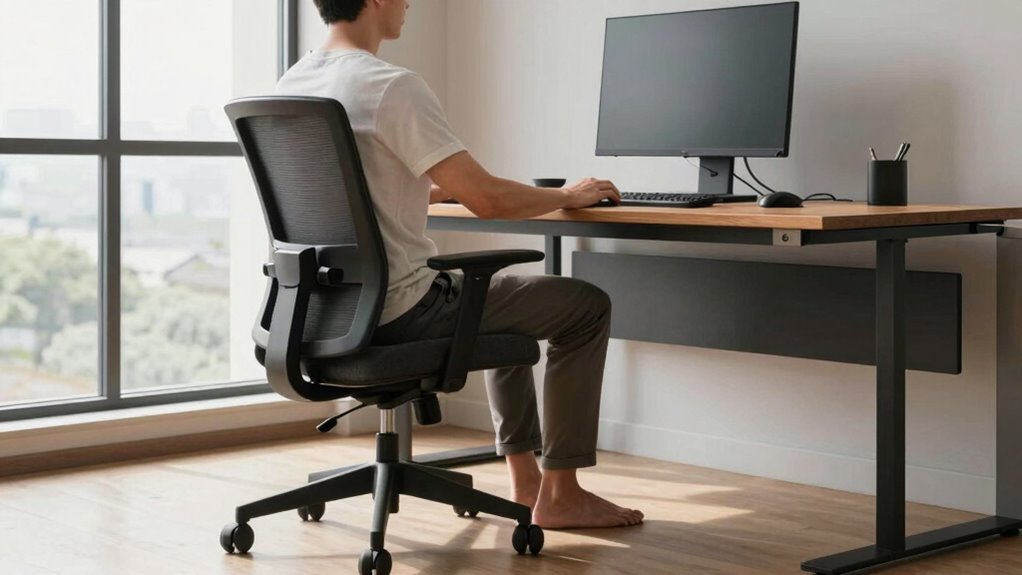

To fix pain without chasing gadgets, focus on proper ergonomics through simple, consistent habits. Keep your ears aligned with your shoulders, and make certain your hips stay directly under your shoulders when sitting. Adjust your workspace so your monitor is at eye level and your chair supports your lower back. Take regular breaks to stretch and reset your posture. Small, mindful adjustments can prevent discomfort and improve your overall comfort—stay tuned to learn more effective tips.

Prime made for students and young adults
- Fast, free delivery for dorm and study essentials
- Prime Video and Amazon Music included
- Member-only deals
Key Takeaways
- Focus on body awareness and make small, consistent posture adjustments during work.
- Ensure proper workstation setup, like monitor at eye level and feet flat on the ground.
- Incorporate regular breaks to stand, stretch, and reset your posture naturally.
- Keep ears aligned with shoulders and hips under shoulders to maintain a natural spine curve.
- Prioritize comfort and ergonomics through mindful movements rather than relying on gadgets.
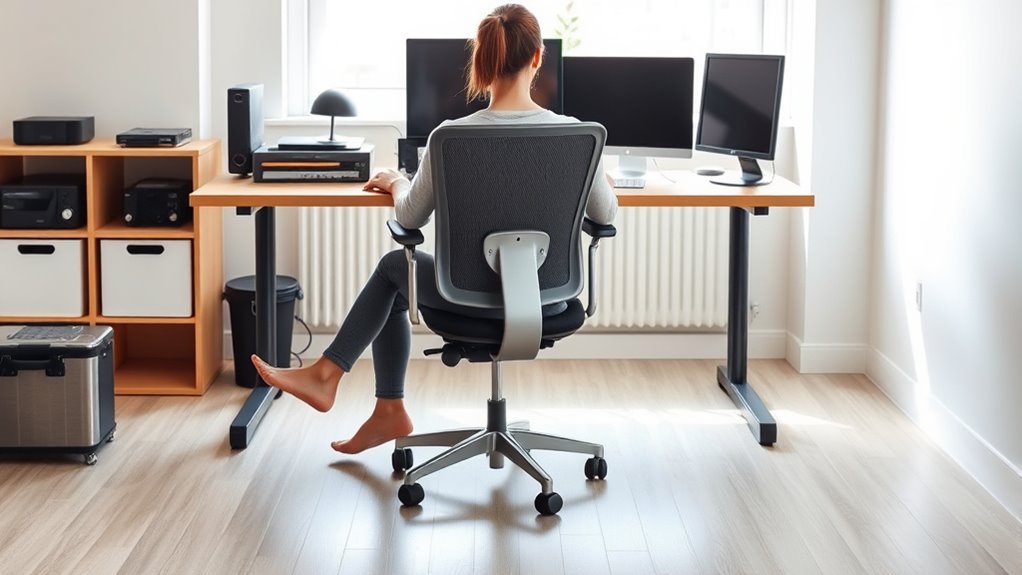
Have you ever wondered how proper ergonomics can improve your comfort and productivity? It’s a simple question, but the answer can transform the way you work and feel every day. When you focus on posture correction and workstation setup, you can substantially reduce pain and prevent long-term injuries without chasing after costly gadgets or gimmicks. Your body is designed to move and rest in balanced ways, and small adjustments can make a big difference.
Start by examining your posture. Sitting or standing with proper alignment takes just a few mindful tweaks, but it can dramatically lessen strain on your neck, shoulders, and back. Keep your ears aligned with your shoulders and your hips directly under your shoulders when sitting. Avoid slouching or leaning forward, which puts unnecessary pressure on your spine. Engage your core muscles to support your lower back, and make sure your feet are flat on the ground or on a footrest. These simple posture correction steps help maintain a natural curve in your spine, reducing discomfort and fatigue.
Align your ears with your shoulders and keep your hips under your shoulders to reduce strain and improve comfort.
Next, focus on your workstation setup. Your desk, chair, and computer should work together to support your body’s natural position. Adjust your chair height so that your elbows rest at a 90-degree angle when typing, and your wrists stay straight. Your monitor should be positioned at eye level, about an arm’s length away, to prevent craning your neck or squinting. If your workspace doesn’t allow for this ideal setup, consider using books or risers to elevate your monitor or adjusting your chair height accordingly. Keep frequently used items within easy reach to avoid unnecessary stretching or twisting. Proper workstation setup minimizes awkward movements and repetitive strain, helping you stay comfortable throughout your workday.
Incorporating these ergonomic principles doesn’t require fancy equipment or expensive gadgets. It’s about being mindful of your body’s needs and making strategic adjustments. Take regular breaks to stand, stretch, and reset your posture. Even a quick pause every hour can prevent stiffness and fatigue. Remember, consistency is key. Small, consistent efforts to improve your posture correction and workstation setup will pay off over time, reducing pain and boosting your overall productivity. Additionally, understanding the importance of load calculations can help you set up your workspace more effectively and prevent overexertion. By prioritizing proper ergonomics, you’re investing in your health and well-being, allowing you to work longer and more comfortably without chasing after the latest ergonomic gadgets. Your body will thank you for making these simple, effective changes, and you’ll notice the difference in both how you feel and how efficiently you work.
ergonomic office chair with lumbar support
As an affiliate, we earn on qualifying purchases.
As an affiliate, we earn on qualifying purchases.
Frequently Asked Questions
How Quickly Can Ergonomic Changes Reduce Pain Symptoms?
You can often notice pain relief within days of making ergonomic changes after an assessment. By identifying and addressing poor posture, workstation setup, and movement habits, you’re actively managing pain. Consistently applying ergonomic principles accelerates recovery, reducing discomfort quickly. Keep in mind, individual responses vary, but with focused pain management and proper adjustments, you’ll likely experience noticeable improvements in a short period.
Are There Ergonomic Principles Specific to Children or Seniors?
Ergonomic principles for children and seniors are like tailored suits, fitting their unique needs perfectly. For children, focus on child ergonomics by ensuring proper desk and chair height, supporting healthy growth. For seniors, address senior ergonomic needs by emphasizing easy-to-access tools, supportive seating, and posture adjustments. You should adapt standard principles to their specific physical and developmental stages, creating safe, comfortable environments that reduce pain and promote well-being.
What Are Common Ergonomic Mistakes in Small Home Offices?
You often make ergonomic mistakes in your small home office by neglecting proper desk posture and chair height. Slouching or leaning forward strains your neck and back, while a chair that’s too high or low causes discomfort and poor support. Keep your feet flat on the floor, adjust your chair so your elbows are at a 90-degree angle, and maintain a neutral spine to prevent pain and improve comfort during work.
Can Ergonomics Improve Mental Health Alongside Physical Comfort?
Think of your workspace as a garden; nurturing physical comfort and mental health helps it flourish. Ergonomics can improve your mental well-being by reducing physical strain and discomfort, which often leads to stress. Incorporate mindfulness techniques and ergonomic education into your routine to stay aware of your body’s needs. When you care for your physical environment, you cultivate a calmer, more focused mind, boosting overall mental health.
How Do Cultural Differences Influence Ergonomic Practices?
Cultural differences shape ergonomic practices by influencing workspace norms and comfort expectations. You should consider local customs and work habits when implementing ergonomic customization strategies, ensuring they align with cultural norms. For example, in some cultures, collaborative spaces are preferred, so adapt your setup accordingly. Respecting these differences helps you create a more inclusive environment that promotes comfort, productivity, and well-being across diverse workplaces.
As an affiliate, we earn on qualifying purchases.
Conclusion
By applying these ergonomic principles, you might just find relief from pain, often when you least expect it. It’s funny how small adjustments—like proper posture or positioning—can make a big difference, almost as if the right setup was waiting for you all along. No need to chase every gadget; sometimes, the simplest changes are all it takes. So, stay mindful of your habits—you might discover relief where you thought there was only discomfort.
As an affiliate, we earn on qualifying purchases.
As an affiliate, we earn on qualifying purchases.
Fall Picks
fall essentials
As an affiliate, we earn on qualifying purchases.