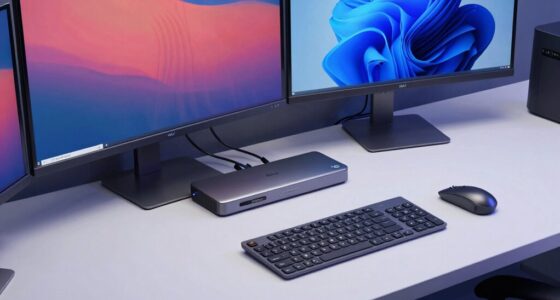
To avoid “it works sometimes” video bugs, choose cables made with high-quality materials, sturdy connectors, and good shielding against interference. Verify the cable has reinforced strain relief to prevent internal damage and maintain consistent connections. Inferior cables often break down internally, causing signal issues. Investing in reputable brands with durable design helps guarantee a more stable, bug-free video experience. Keep these tips in mind, and you’ll discover more ways to improve your setup.

Prime made for students and young adults
- Fast, free delivery for dorm and study essentials
- Prime Video and Amazon Music included
- Member-only deals
Key Takeaways
- Choose cables with high-quality shielding and insulation to prevent external interference and signal degradation.
- Opt for well-constructed cables with reinforced strain relief to avoid internal wire breaks and maintain stable connections.
- Use connectors made from durable materials like gold-plated contacts for corrosion resistance and reliable signal transfer.
- Invest in reputable brands known for superior build quality to ensure consistent performance and longevity.
- Regularly inspect cables for visible damage or wear and replace any that show signs of internal wire or connector deterioration.
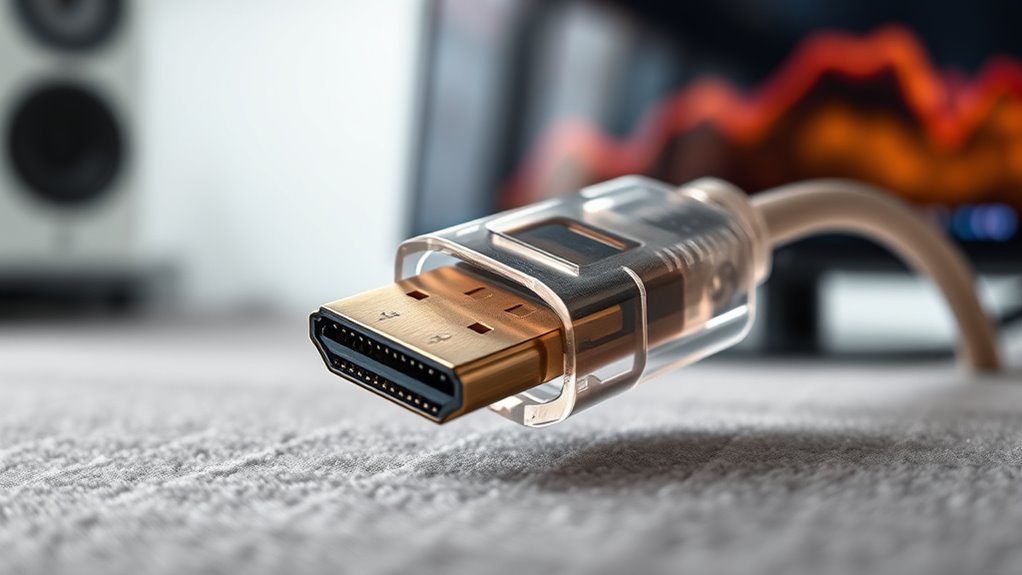
Have you ever wondered why some cables last longer and perform better than others? The answer often comes down to the quality of the materials used and how well they’re constructed. When it comes to video bugs that seem to appear and disappear, the root cause is frequently related to the cable’s ability to maintain a stable connection. Poor-quality cables can introduce signal interference, which disrupts your video feed and causes the frustrating “it works sometimes” problem. To avoid this, you need to pay close attention to the cable’s design, especially its shielding and insulation. Good shielding minimizes external interference, ensuring your signal stays steady even in environments filled with electronic noise. If your cable isn’t well-shielded, external signals can bleed into your connection, leading to flickering, lag, or complete signal loss. A high-quality cable will also have robust insulation that prevents signal degradation over time, maintaining image clarity and smoothness. Additionally, choosing cables with proper material selection can make a significant difference in durability and performance. Connector durability plays a vital role in overall cable performance. Over time, connectors can become loose, corroded, or damaged, which hampers the cable’s ability to transmit a clean signal. You might notice that your video feed cuts out or becomes grainy just when you think everything is working perfectly. That’s often a sign that the connector’s internal contacts are compromised. When you choose a cable with durable connectors, you’re investing in a product designed to withstand frequent plugging and unplugging, physical stress, and environmental factors like humidity or temperature changes. Look for connectors made from high-quality materials such as gold-plated contacts, which resist corrosion and ensure consistent conductivity. Additionally, a solid, well-constructed connector will fit snugly and lock into place, reducing the likelihood of loose connections that cause intermittent signal issues. Another important aspect is the overall build quality of the cable. Cheaper cables tend to use inferior materials, which can lead to breakage or internal wire damage that’s invisible on the surface but impacts signal quality. When you select a cable with reinforced strain relief and quality insulation, you extend its lifespan and minimize the chances of internal breaks that cause intermittent bugs. Remember, investing in a reputable brand or a well-reviewed product often means you’re getting better signal integrity and connector durability. When all these elements come together—effective shielding, high-quality connectors, and sturdy construction—you markedly reduce the chances of encountering those maddening “it works sometimes” video bugs. The result is a more reliable, consistent connection that keeps your video streaming smooth and bug-free.
As an affiliate, we earn on qualifying purchases.
Frequently Asked Questions
Can Low-Quality Cables Damage My Devices?
Yes, low-quality cables can damage your devices. Poor cable shielding allows interference, which may harm sensitive electronics, and cheap connector materials can cause poor connections or short circuits. Over time, these issues can lead to device malfunctions or permanent damage. To safeguard your devices, always choose cables with solid shielding and high-quality connector materials. Investing in good cables ensures safer, more reliable connections and extends your devices’ lifespan.
How Can I Test Cable Durability at Home?
Think of your cable as a bridge. To test its durability at home, perform stress testing by gently bending and twisting it in various directions, watching for any signs of cable compression or fraying. This helps reveal weak spots. You can also check if the cable still transmits data or power reliably after these tests. If it shows signs of stress, it’s time to replace it before it causes issues.
Do Premium Cables Guarantee Bug-Free Video Quality?
Premium cables don’t guarantee bug-free video quality, but they substantially reduce issues caused by signal interference and compatibility issues. When you choose high-quality cables, you improve the chances of a stable connection, minimizing flickering or lag. However, even top-tier cables can encounter problems if other factors, like faulty ports or incompatible devices, are present. Always ensure your setup is compatible and test your cables regularly for consistent, high-quality video output.
Are There Specific Brands Known for Reliable Cables?
You should look for brands with strong reputation and proper cable certifications, as they tend to offer more reliable cables. Brands like Belkin, Anker, and Cable Matters are known for their quality and durability. These brands prioritize rigorous testing and certification standards, reducing the chances of video bugs. When choosing cables, always check reviews and certification labels to guarantee you’re getting a dependable product that minimizes connection issues.
How Often Should I Replace My Video Cables?
You should replace your video cables every 2-3 years, especially if you notice reduced cable flexibility or visible connector corrosion. Over time, cables lose their flexibility, making them prone to damage, and corrosion can disrupt connections, causing video bugs. Regularly inspect your cables, and replace them when they show signs of wear or damage to maintain peak signal quality and avoid intermittent issues.
As an affiliate, we earn on qualifying purchases.
Conclusion
Remember, a chain is only as strong as its weakest link. When it comes to your cables, don’t settle for subpar quality—invest in good ones to prevent frustrating bugs. Regularly check your cables and replace damaged ones before they cause issues. By doing so, you’ll keep your videos smooth and reliable. After all, a stitch in time saves nine, and in this case, saves you hours of troubleshooting. Stay proactive and enjoy seamless viewing!
As an affiliate, we earn on qualifying purchases.
As an affiliate, we earn on qualifying purchases.
Columbus Day / Indigenous Peoples' Day Picks
long weekend sales
As an affiliate, we earn on qualifying purchases.