
Creating a “Stop Doing” list helps you cut out unnecessary tasks and distractions, freeing up more time and mental space than planning alone. By identifying what wastes your energy and delegating routine chores, you focus on high-impact activities that truly matter. Eliminating distractions like notifications and clutter boosts your focus and reduces stress. Keep exploring these strategies, and you’ll discover how doing less can actually lead to more productive, fulfilling results.
Open a free Amazon Business account
Business pricing, bulk buying and tax-exempt orders.
As an affiliate, we earn on qualifying purchases.
Key Takeaways
- Eliminating unnecessary tasks and distractions creates immediate free time, often more impactful than detailed planning.
- Delegating routine or low-priority activities frees mental space and time for high-value work.
- Turning off non-essential notifications reduces interruptions, maximizing focus with minimal effort.
- Setting specific times for checking emails and social media prevents constant disruptions.
- Prioritizing quality over quantity ensures effort is concentrated on meaningful tasks, reducing the need for extensive planning.
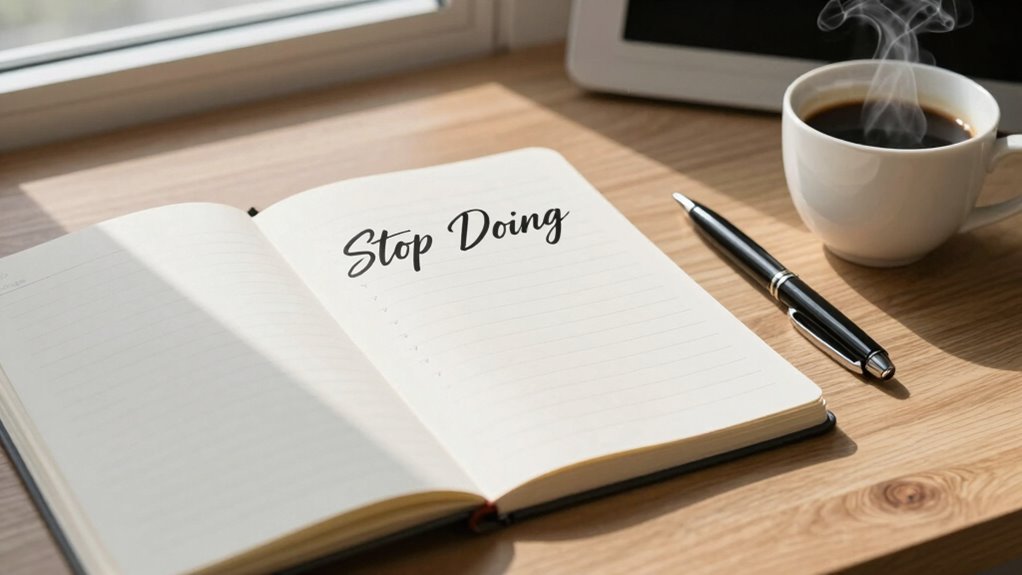
Have you ever felt overwhelmed by everything you think you need to do? It’s a common experience, and it often leads to burnout or paralysis. Instead of just adding more to your to-do list, consider the power of a “Stop Doing” list. This isn’t about planning more; it’s about cutting out unnecessary tasks and distractions that drain your energy and focus. When you identify what to stop, you create space for what truly matters. One of the most effective ways to do this is by delegating tasks that don’t require your specific skills. You don’t have to do everything yourself. Find trusted colleagues or team members to handle routine or low-priority tasks. Delegating isn’t a sign of weakness; it’s a strategic move to free up your time for high-impact activities. When you lighten your workload this way, you’re less likely to feel overwhelmed and more likely to concentrate on what only you can do.
Eliminating distractions is equally essential. In a world filled with constant notifications, social media, and interruptions, your focus becomes fragmented. Make a conscious effort to identify what pulls your attention away from your most important work. Turn off non-essential notifications, set designated times to check email, and create a workspace free of clutter. The goal is to minimize anything that pulls you out of your flow. When you cut out distractions, you’re able to work more efficiently and with greater clarity. This process of elimination is often more effective than trying to cram more into your day. It’s about doing less, but doing it better. Understanding task management can help you prioritize what truly deserves your attention. Recognizing distraction reduction as a key component of productivity can help you build sustainable habits that support your focus over the long term. Additionally, cultivating awareness around productivity strategies can empower you to make better choices about how you spend your time. Developing a clear understanding of cloud-based tools can further streamline your workflow and facilitate delegation, especially in remote or distributed teams. Incorporating mindful planning can further enhance your ability to identify what truly deserves your focus and energy.
Your “Stop Doing” list isn’t a rejection of productivity—it’s a way to streamline it. By actively choosing to stop certain activities, you free mental and physical space for what really matters. It’s not about being lazy or avoiding responsibilities; it’s about being intentional with your time. When you delegate tasks and eliminate distractions, you create a more focused environment that allows you to work smarter, not harder. You’ll find that your energy levels increase, your stress decreases, and your time opens up for the things that truly align with your goals. The biggest productivity leap often comes from removing the unnecessary, not adding more. So, start identifying those tasks and distractions today, and watch how much more you accomplish with less effort.

ProCase Hearing Protection Ear Muffs NRR 28dB, Noise Cancelling Headphones
- Hearing Protection Rating: NRR 28 dB, ANSI S3.19 certified
- Adjustable Headband: Fits most head sizes comfortably
- Universal Compatibility: Compatible with most eyeglasses
As an affiliate, we earn on qualifying purchases.
As an affiliate, we earn on qualifying purchases.
Frequently Asked Questions
How Do I Identify Activities to Include on My “Stop Doing” List?
To identify activities for your “stop doing” list, use prioritization strategies to assess how each task impacts your goals. Notice habits that waste time or drain energy, and consider whether they’re worth continuing. Be honest about what’s non-essential, and challenge yourself to replace or eliminate these activities. Over time, habit formation will help you stick to your list, freeing up more time for what truly matters.
Can the “Stop Doing” List Improve Work-Life Balance Effectively?
Imagine you stop checking non-essential emails during work hours. This simple action boosts your time management and enhances work-life balance. A “stop doing” list streamlines your focus, making you more productive and reducing burnout. By eliminating low-value activities, you free up time for personal pursuits, showing that deliberate stops are powerful productivity strategies. This approach helps you create healthier boundaries, leading to a more fulfilling work and personal life.
How Often Should I Review and Update My “Stop Doing” List?
You should review and update your “stop doing” list weekly using prioritization techniques to identify tasks that no longer serve your goals. Regular check-ins guarantee you stay aligned with your productivity tools, helping you cut unnecessary commitments. This habit keeps your list fresh, allowing you to focus on what truly matters, boost efficiency, and free up more time for meaningful activities. Consistency is key for sustained work-life balance.
What Are Common Challenges When Implementing a “Stop Doing” List?
You might face challenges like sticking to your “stop doing” list, which requires strong prioritization strategies. Habit formation plays a key role; breaking old routines and creating new ones can be tough. You may also struggle with external pressures or guilt about dropping certain tasks. To overcome these, consistently remind yourself of your goals, and reinforce positive habits that support your “stop doing” choices, making it easier to stay committed.
How Does the “Stop Doing” List Differ From Traditional To-Do Lists?
A “stop doing” list differs from traditional to-do lists by focusing on eliminating unproductive habits instead of adding tasks. You actively identify and cut habits that waste your time, improving your time management and freeing up space for what truly matters. This approach helps you form better habits and streamlines your workflow, making your overall productivity more sustainable and less overwhelming.

OPNICE Desk Organizer and Accessories, 2-Tier Computer Monitor Stand Riser with Drawer and 2 Pen Holders, Laptop Stand, Office Desk Accessories for Office Supplies, Black
- Ergonomic Design: Elevates monitor for comfortable viewing
- Space Saving: Includes drawer and pen holders for organization
- Durable and Stable: Made of sturdy metal for long-lasting support
As an affiliate, we earn on qualifying purchases.
As an affiliate, we earn on qualifying purchases.
Conclusion
So, why not ditch the endless to-do lists and craft a “Stop Doing” list instead? It’s the ultimate hack to reclaim your time—because life’s too short to waste on things that don’t matter. After all, who needs more productivity when you could just stop doing the stuff that drains you? Embrace the art of doing less, and watch your free time multiply faster than your to-do list ever could. Cheers to finally freeing yourself!

Digital Calendar Wall Planner 10.1 Inch Touch Screen WiFi picture frame
- All-in-One Family Command Center: Replaces paper notes and planners
- Real-Time Cross-Platform Sync: Supports Google, Apple, Yahoo, Outlook, Cozi
- Color-Coded Chores & Rewards: Uses colors for family management and rewards
As an affiliate, we earn on qualifying purchases.
As an affiliate, we earn on qualifying purchases.
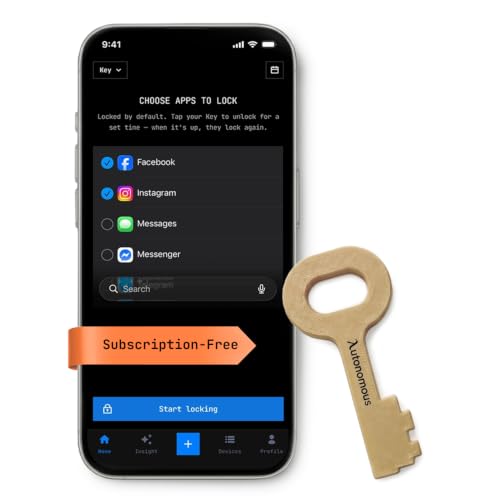
Autonomous Key Access Blocker Device for Cell Phones, Block Distracting Apps, Reduces Screen Time & Improves Focus with AI Insights, Subscription-Free Productivity Gadget for iPhone & Android (Brown)
- Instant App Locking: Locks apps instantly without relying on willpower
- Physical Lock Mechanism: Uses NFC-based physical lock for distraction control
- Works with iPhone and Android: Compatible with iOS 15+ and Android 8+
As an affiliate, we earn on qualifying purchases.
As an affiliate, we earn on qualifying purchases.
Flea & tick season Picks
flea and tick prevention
As an affiliate, we earn on qualifying purchases.