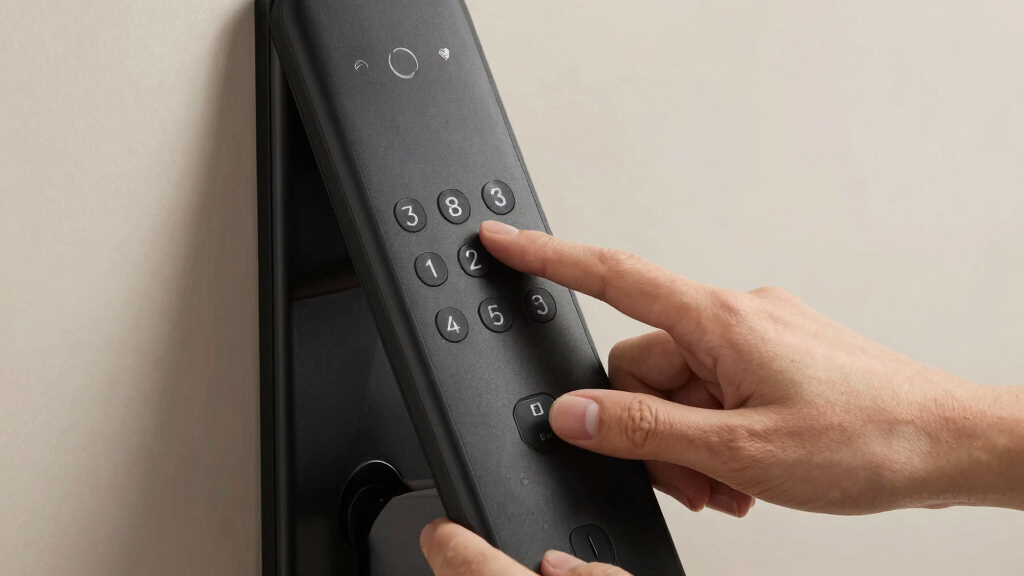

When searching for the best smart lock with keypad, the main tradeoffs often involve balancing security features, ease of installation, and smart home compatibility. The top pick, the Yale August Wi-Fi Smart Lock with Keypad, stands out for its seamless integration and straightforward setup. Meanwhile, options like the Schlage Encode deliver advanced features but come at a higher price, while more budget-friendly models may compromise on app control or build quality. Understanding what matters most—whether convenience, security, or smart home integration—helps narrow your choices. Keep reading for a detailed comparison of 15 leading smart locks with keypads to find the best fit for your needs.
Key Takeaways
- The most versatile models combine Wi-Fi connectivity with robust keypad security, making remote access easy and reliable.
- Higher-priced options typically offer better build quality, more advanced features, and easier installation processes.
- Budget-friendly locks often sacrifice some smart features or durability, making them suitable for less demanding use cases.
- Smart home compatibility varies widely, so consider whether you need integration with Alexa, Google Assistant, or other systems.
- Ease of setup and user management are critical for households with multiple users or frequent guest access.


More Details on Our Top Picks
Yale August Wi-Fi Smart Lock with Keypad Touch in Black
This Yale August model stands out for its seamless integration of multiple access methods, including fingerprint, keypad, and smartphone app, making it a flexible choice for varied user preferences. It excels in easy installation, fitting onto existing deadbolts without hardware changes, and adds the convenience of remote control and activity tracking. Compared to the Philips WiFi Keypad Lock, Yale’s auto-lock and auto-unlock features enhance daily usability, though reliance on a Wi-Fi connection for remote features introduces occasional connectivity concerns. Its activity feed provides peace of mind, especially for busy households or renters managing multiple users. However, battery life details are vague, and the keypad placement may need consideration based on door setup. This lock suits tech-savvy homeowners seeking a comprehensive, adaptable solution.
Pros:- Easy installation without replacing existing deadbolt
- Supports multiple access methods including fingerprint and custom codes
- Remote control and activity monitoring via app
- Auto-lock and auto-unlock features for added convenience
Cons:- Requires Wi-Fi for remote features, which could be unreliable in some areas
- Battery life specifics are not provided, potentially leading to surprises
Best for: Homeowners who want a flexible, feature-rich lock with multiple access options and activity monitoring
Not ideal for: Users with limited Wi-Fi stability or those looking for a budget-friendly, straightforward upgrade
- Compatibility:Works with existing deadbolt
- Connectivity:Wi-Fi built-in
- Unlock Methods:Fingerprint, keypad codes, smartphone app
- Auto-Lock:Yes
- Auto-Unlock:Yes
- Activity Monitoring:24/7 Activity Feed
Bottom line: This lock is best for those who prioritize flexibility, remote access, and activity monitoring in a smart lock system.
Smart Door Handle Lock with Keypad: Yamiry Fingerprint Smart Knob
The Yamiry Fingerprint Smart Knob shines by offering multiple unlocking methods, including fingerprint, app control, passcodes, key fobs, and voice commands. Its quick, tool-free installation takes roughly 10 minutes, making it suitable for renters or homeowners looking for a versatile upgrade. Compared to the Philips WiFi Lock, Yamiry’s inclusion of physical keys and key fobs provides backup options that enhance security and usability. Its activity tracking via the app helps monitor access, making it appealing for property managers or busy families. The need for a separate WiFi gateway for remote voice control is a minor inconvenience, and battery life details are lacking, which could be a downside for heavy usage. Overall, this lock offers a flexible, easy-to-install solution for those who want a multi-access smart knob.
Pros:- Multiple unlocking options including fingerprint and app
- Easy, quick installation without extra drilling
- Reversible handle for both left/right doors
- Remote access management and activity logs
Cons:- Requires separate WiFi gateway for remote voice control
- Battery life details are not specified, risking unexpected power loss
Best for: Landlords, renters, or homeowners who want a quick-install, multi-access smart lock
Not ideal for: Users seeking integrated Wi-Fi control without additional accessories or those concerned about app complexity
- Product Type:Lock
- Recommended Uses:Indoors and exterior doors
- Unlocking Options:Fingerprint, app, passcode, key fob, mechanical key, voice
- Included Components:Exterior and interior assemblies, 2 key fobs, 2 mechanical keys
- Customer Reviews:4.3/5
- Best Sellers Rank:#2,027 in Tools & Home Improvement
Bottom line: This lock suits users needing a flexible, easy-to-install lock with multiple access options for quick setup and management.
Philips WiFi Keypad Door Lock with Handle, Built-in WiFi, APP Remote Control
The Philips WiFi Keypad Lock offers rapid fingerprint unlocking at just 0.3 seconds, making it an attractive choice for busy households. Its built-in WiFi and app control enable remote management, while its compatibility with Alexa and Google Assistant adds voice command convenience. Compared to the Philips Smart Lock with Handles, this model emphasizes quick biometric access, ideal for those prioritizing speed over extensive multi-user management. However, it requires 8 AA batteries (not included), and users must ensure proper door measurements during installation. The reliance on WiFi for remote features means connectivity issues could impact daily use. The auto-lock feature enhances security, but the absence of a built-in sensor for auto-locking means users need to remember to fully close doors for security.
Pros:- Rapid fingerprint unlocking in 0.3 seconds
- Supports remote control via app
- Compatible with Alexa and Google Assistant
- Auto-lock feature for added security
Cons:- Batteries not included, requiring 8 AA batteries
- WiFi dependency can cause remote control issues
Best for: Busy households seeking quick, biometric access with remote management capabilities
Not ideal for: Users with unreliable WiFi or who prefer simpler, battery-free mechanical locks
- Connectivity:WiFi (2.4GHz)
- Control:App, Voice (Alexa, Google)
- Fingerprint Speed:0.3 seconds
- PIN Code Options:Permanent, one-time, periodic, recurring
- Auto Lock:Yes, 0-180 seconds
- Power:8 AA batteries (not included)
Bottom line: This lock is best for those needing fast biometric access combined with remote management for busy households.
Philips Smart Lock with Handles, Keyless Entry Door Lock Set
This Philips set includes two lever handles and a digital keypad deadbolt, making it a comprehensive upgrade for standard doors. Its Bluetooth connectivity allows remote access, with support for fingerprint, PIN, key, and app control, providing multiple layers of convenience. Compared with the Yamiry Fingerprint Smart Knob, Philips’ inclusion of a keypad and Bluetooth expands access options, suitable for households with multiple users or for rental properties. The auto-lock feature adds security, but the absence of WiFi means remote access relies solely on Bluetooth within a limited range of 8-10 meters. Battery replacement is necessary to maintain operation, which could be a concern for long-term maintenance. Overall, it offers a solid balance of ease of use and security for standard doors.
Pros:- Multiple unlocking options including fingerprint, PIN, key, and app
- Bluetooth and app control for remote access
- Easy installation on most standard doors
- Auto-lock feature enhances security
Cons:- Requires separate accessories for WiFi and voice control
- No built-in sensor for auto-locking, depends on door fully closing
Best for: Families or property managers wanting a versatile, multi-method lock with easy installation
Not ideal for: Those seeking WiFi-based remote control or voice assistant integration without extra accessories
- Includes:2 lever handles, smart lock
- Unlocking Methods:Fingerprint, PIN, key, app
- Bluetooth Range:8-10 meters
- Fingerprint Capacity:Up to 50 fingerprints
- PIN Codes:Unlimited one-time, 100 user PINs
- Compatibility:Most standard doors (1-3/8″ to 1-3/4″)
Bottom line: Ideal for users who want multi-method access combined with straightforward installation and auto-locking features.
Teeho TE001 Keyless Entry Door Lock with Keypad – Satin Nickel
The Teeho TE001 stands out for its straightforward installation process, making it an excellent choice for DIYers or those replacing an existing deadbolt. Compared to the Keypad & Key Smart Door Lock, it offers a more traditional look and simpler setup, but with fewer user codes (support for multiple codes, yet limited to basic functions). Its weather-resistant aluminum alloy construction ensures durability outdoors, but it requires 4 AA batteries (not included) and supports only specific door thicknesses, which could be limiting. This lock is perfect for homeowners who want a reliable, low-maintenance keypad deadbolt without complicated features.
Pros:- Simple, tool-free installation
- Supports multiple user codes and temporary access
- Weather-resistant and durable construction
- Long battery life with low battery indicator
Cons:- Requires 4 AA batteries (not included)
- Limited to certain door thicknesses
- No remote access or app integration
Best for: Homeowners seeking an easy-to-install, weather-resistant keypad lock for primary entry doors.
Not ideal for: Renters or those needing advanced remote features, as it lacks app control and WiFi connectivity.
- Product Type:Keyless Entry Door Lock
- Model Number:TE001
- Material:Aluminum Alloy
- Finish:Satin Nickel
- Battery:4 AA batteries (not included)
- Battery Life:Up to 365 days
- Weather Resistance:IP54
- Dimensions:5.12 x 2.95 x 1.3 inches
Bottom line: This pick makes the most sense for homeowners who want a straightforward, durable keypad lock without extra bells and whistles.
Keypad & Key Smart Door Lock, 50 User Codes, Waterproof, Auto Lock – Matte Black
The Keypad & Key Smart Door Lock offers a substantial advantage in user management, supporting up to 50 customizable codes, making it ideal for shared environments like offices or rental properties. Compared to the Sifely Fingerprint Smart Lock, it lacks biometric access but compensates with a high number of user codes and a weatherproof build. Its IP65 rating ensures resilience against the elements, and the backlit keypad enables easy operation even at night. However, it requires 4 AAA batteries, which may need frequent replacement, and it doesn’t include a traditional key override, potentially leaving some users feeling less secure if batteries die unexpectedly. This lock is best suited for users prioritizing capacity and weather resistance over biometric features.
Pros:- Supports up to 50 user codes
- Weatherproof and durable design
- Backlit keypad for night use
- Easy installation on various door types
Cons:- Requires 4 AAA batteries (may need frequent replacement)
- No traditional key backup
- Setup process can be complex for some users
Best for: Property managers or busy households that need to manage many access codes in tough outdoor conditions.
Not ideal for: Individuals seeking biometric security or traditional key backup, as this lock depends solely on electronic codes and batteries.
- User Codes:50
- Material:Premium metal with plating finish
- Battery Life:18 months with 4 AAA batteries
- Battery Backup:Type-C USB
- Weather Resistance:IP65
- Door Thickness Compatibility:1-3/8″ to 2-1/2″
Bottom line: This lock is ideal for environments demanding high user capacity and weather resistance, with some tradeoffs in backup options.
Fingerprint Smart Door Lock with Handle & Keypad – No More Lost Keys, Keyless Entry & Remote Access
The Sifely Fingerprint Smart Door Lock excels in offering multiple access methods—fingerprint, keypad, app, FOB, and traditional key—making it highly flexible for families or Airbnb hosts. It supports remote management via app and integrates with voice assistants like Alexa and Google, unlike simpler keypad-only locks. Its DIY installation makes it suitable for most standard doors, but the lack of specific battery life details and the need for an optional WiFi gateway for remote unlocking are potential drawbacks. Compared with the WiFi-enabled Philips WiFi Smart Lock, it misses some advanced connectivity features but offers a broader range of access options, especially biometric. This lock suits those who want convenience and multiple entry ways.
Pros:- Multiple access methods including fingerprint and keypad
- DIY installation suitable for most doors
- Remote app management with voice assistant compatibility
- Includes backup keys and key cards
Cons:- Requires optional WiFi Gateway for remote access
- Battery life and durability are not specified
- Setup can be complex for some users
Best for: Families or hosts needing multiple access options, including biometric, with remote control capabilities.
Not ideal for: Users seeking a fully standalone lock without the need for additional WiFi gateways or complex setup.
- Product Type:Smart Lock
- Brand:Sifely
- Model Number:Sifely S
- Warranty:One Year
- Recommended Uses:Home, Airbnb, Rental, Office
- Included Components:Mounting Plate, Rubber Gasket, Face Plate, Back Plate, Bolt, 2 Keys, 2 Key Cards
- Customer Rating:4.3/5
Bottom line: This option suits users who prioritize versatile access methods and remote control but are willing to handle a potentially complex setup process.
Philips WiFi Smart Lock with Front Door Handle Set, Built-in WiFi, APP Remote & Voice Control, Fingerprint Keyless Entry, Keypad Deadbolt, Matte Black
The Philips WiFi Smart Lock with its integrated WiFi and stylish handle set makes remote management straightforward and adds a touch of elegance. Compared with the Keypad & Key Lock, this model provides seamless app control and voice command capabilities without extra hubs, making it a premium choice for tech-savvy homeowners. Its fast fingerprint unlock (0.3 seconds) enhances convenience, while the included handle set offers a complete upgrade for your front door. However, it requires 8 AA batteries, which could mean more frequent replacements, and installation might be tricky for doors with incompatible sizes. It’s a solid pick for those who want a high-tech lock with a sleek aesthetic and remote access, though it demands some attention to compatibility.
Pros:- Built-in WiFi for remote control
- Fast fingerprint unlocking
- Supports voice commands with Alexa & Google
- Includes a stylish handle set
Cons:- Requires 8 AA batteries (more frequent replacements)
- Installation may be complex depending on door size
- Limited compatibility with very thick or thin doors
Best for: Homeowners wanting a stylish, WiFi-enabled lock with quick biometric access and remote control.
Not ideal for: Those on a tight budget or with doors outside the supported thickness range, as it has specific size requirements and higher battery needs.
- Connectivity:Built-in WiFi
- Control:APP remote, Voice control
- Unlock Method:Fingerprint, Keypad, App
- Auto Lock:Yes, customizable
- Handle Set:Included
- Battery Type:8 AA alkaline batteries
- Door Thickness Compatibility:1-3/8″ to 1-3/4″
Bottom line: This pick is excellent for users seeking a premium, WiFi-connected lock with modern aesthetics and fast biometric access, provided their door fits the specs.
Philips Wi-Fi Smart Lock Deadbolt for Front Door, Keyless Entry, Alexa & Google Assistant Compatible
This Philips model stands out for its versatile unlocking options, combining app control, fingerprint, passcodes, and voice commands, making it one of the most flexible choices. Unlike the Schlage Encode, it offers real-time notifications and remote access without requiring a hub, but it does depend on Wi-Fi stability and batteries are not included, adding some setup friction. The multiple entry methods cater to diverse user needs, especially for households with varying tech preferences. However, the lack of a door sensor means you won’t get auto-detection alerts, which some users might find inconvenient. Overall, this lock balances high-tech features with straightforward DIY installation, making it suitable for those seeking reliability and convenience in one package.
Pros:- Multiple unlocking options including app, fingerprint, passcode, and voice control
- Remote access and real-time notifications for enhanced security
- Easy DIY installation suitable for most doors
Cons:- Batteries are not included, requiring additional purchase
- Requires 2.4 GHz Wi-Fi network for remote control
- No door sensor for auto-detection of door status
Best for: Tech-savvy homeowners who want multiple access options and remote control capabilities.
Not ideal for: Users with limited Wi-Fi connectivity or those who prefer battery-included, plug-and-play solutions.
- Model Number:DDL242X-1HW
- UPC:850071183122
- Item Dimensions:6 x 2 x 1.5 inches
- Item Weight:1.4 pounds
- Power Source:4 or 8 AA alkaline batteries (not included)
Bottom line: This lock suits tech-oriented users seeking flexible access methods and remote management, despite some setup prerequisites.
TEEHO TE001 Keyless Entry Door Lock with Keypad – Smart Deadbolt Lock for Front Door – Matte Black
The TEEHO TE001 offers excellent value for those who want basic keypad access with reliable weather resistance. Compared to the Philips Wi-Fi lock, it lacks remote control features but delivers long battery life (up to a year) and straightforward installation at a lower price point. Its 20 user codes and one-time guest code make it suitable for families and rental properties, but it doesn’t support app control or voice commands, limiting modern smart home integration. Its IP54 weather resistance ensures durability outdoors, but it’s incompatible with 38mm door holes, which could be a dealbreaker for some. For budget-conscious buyers seeking a durable, easy-to-install keypad lock, this model balances cost and functionality well.
Pros:- Easy to install with just a screwdriver
- Long-lasting battery life with low battery indicator
- Weather-resistant construction suitable for outdoor use
Cons:- Requires 4 AA batteries (not included)
- Not compatible with 38mm door holes
- Limited to specific door hole size (54mm)
Best for: Renters or homeowners who prioritize durability and straightforward keypad access without smart features.
Not ideal for: Users seeking remote control, app management, or voice integration, as this model is purely keypad-based.
- Access Codes:20
- One-Time Code:Yes
- Locking Time:10-99 seconds
- Battery Life:Up to 365 days
- Material:Aluminum alloy
Bottom line: This lock provides reliable keypad security for budget-minded users who prefer straightforward, durable hardware over smart features.
Schlage Encode Smart Wi-Fi Deadbolt Lock with Touchscreen Keypad, Keyless Entry, App Control, Alexa & Google Home Compatibility, Matte Black
The Schlage Encode excels in combining high security with remote control via Wi-Fi, making it ideal for users who want peace of mind and easy management. Its BHMA security rating and customizable alarm elevate its durability against forced entry. Unlike the Philips Wi-Fi lock with handle, it features a traditional deadbolt and a touchscreen keypad, which some may find more intuitive. The main tradeoff is its battery life, which may require frequent replacements with heavy use, and it demands a stable Wi-Fi connection for seamless operation. Easy to install with the Snap ‘n Stay design, it’s perfect for those who prioritize integrated security features and straightforward app control in a traditional form factor.
Pros:- Remote control and monitoring via Wi-Fi from anywhere
- Supports multiple access codes and user management
- Built-in customizable alarm for added security
Cons:- Battery life may require frequent replacement with heavy use
- Requires stable Wi-Fi connection
- Limited to standard door sizes and backset options
Best for: Homeowners seeking a highly secure, reliable smart lock with app management and compatibility with voice assistants.
Not ideal for: Users who want biometric unlocking or prefer a more modern handle design, as this is a deadbolt with keypad only.
- Material:Matte Black finish
- Connectivity:Wi-Fi
- Control:App control via Schlage Home app, Alexa, Google Home
- Battery:Four AA batteries (included)
- Battery Life:Up to 6 months
Bottom line: This model is best for security-conscious users needing remote management and high-grade durability, despite some reliance on Wi-Fi stability.
Teeho TE001 Keyless Entry Door Lock with Keypad – Smart Deadbolt Lock for Front Door – Oil-Rubbed Bronze
The Teeho TE001 is a rugged keypad lock designed for outdoor durability and ease of use. Compared with the Philips Wi-Fi models, it lacks remote control but compensates with a weather-resistant IP54 rating and a straightforward keypad access system. Its 20 user codes and one-time guest code make it suitable for families, rentals, or outdoor storage units. It installs quickly with just a screwdriver and has an impressive battery life of up to a year. The tradeoff is its limited compatibility—specifically, it only fits certain door hole sizes—and it doesn’t support smart home integration, which could be a drawback for tech-savvy users. For those prioritizing durability and simple keypad access in outdoor environments, this lock offers solid performance.
Pros:- Easy to install with screwdriver, no wiring needed
- Weather-resistant IP54 rating for outdoor durability
- Long battery life of up to a year
Cons:- Requires 4 AA batteries (not included)
- Limited to specific door hole size (54mm)
- No smart or app control features
Best for: Outdoor property owners or rental hosts seeking a weatherproof keypad lock without smart features.
Not ideal for: Homeowners wanting remote access or voice control, as this model relies solely on keypad access and physical keys.
- Brand:Teeho
- Model Number:TE001
- Material:Aluminum alloy
- Power Source:4 AA batteries (not included)
- Battery Life:Up to 365 days
Bottom line: Ideal for outdoor use where durability and straightforward keypad access are priorities over remote control capabilities.
Philips Wi-Fi Smart Lock with Handle, Keyless Entry Keypad Door Lock with WiFi Gateway, App Control, Fingerprint Unlock, PIN Code Unlock, Auto Locking
This Philips lock with handle offers a sleek design and an impressive array of access options, including fingerprint, PIN, app, keys, and voice commands, making it one of the most feature-rich choices. Its fingerprint recognition is notably fast and accurate, offering a biometric alternative to keypad-only models like the Yale August. Unlike the Schlage Encode, it requires a Wi-Fi gateway for remote features, adding slightly more complexity and cost. The auto-lock feature and real-time notifications boost security, but installation may require some drilling, and compatibility is limited to standard doors. This pick makes the most sense for homeowners who want biometric security combined with smart control, despite the higher price and setup complexity.
Pros:- Multiple unlocking methods including fingerprint, PIN, app, keys, and voice
- Fast, accurate fingerprint recognition at 0.3 seconds
- Remote management and real-time notifications via Wi-Fi gateway
Cons:- Requires Wi-Fi gateway for remote functions, adding cost
- Installation may involve drilling for some doors
- Compatibility limited to standard door sizes
Best for: Homeowners seeking biometric unlocking with comprehensive remote management and sleek design.
Not ideal for: Budget-conscious users or those with non-standard door sizes, as installation and compatibility may be more involved.
- Type:Smart Lock with Handle
- Connectivity:Wi-Fi
- Unlock Methods:Fingerprint, PIN, App, Keys, Voice
- Fingerprint Recognition Speed:0.3 seconds
- Fingerprint Accuracy:99.99%
- Included Accessories:WiFi Gateway
Bottom line: Best suited for users wanting biometric access and a premium, feature-rich smart lock experience, accepting some setup complexity and cost.
How We Picked
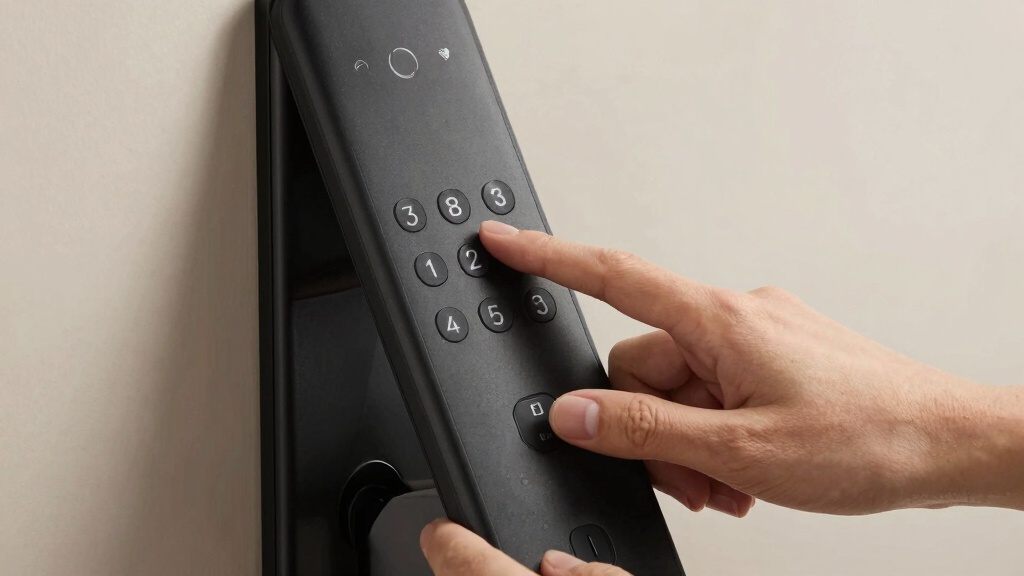
In selecting these 15 smart locks with keypads, I focused on critical factors like security features, smart home compatibility, user management, and build quality. Ease of installation and app usability also played a significant role, as these directly impact everyday convenience. Price-to-value ratio was considered to differentiate premium models from more affordable options offering good core features. To ensure relevance, only locks with real keypad functionality and reliable wireless connectivity made the list. The rankings reflect a combination of performance, versatility, and long-term value, aiming to meet a broad spectrum of user needs.Factors to Consider When Choosing Best Smart Lock With Keypad
Choosing the best smart lock with keypad involves balancing several important factors. Beyond just price, you should consider compatibility with your existing smart home devices, ease of installation, and security features like encryption and tamper alerts. User management is another key aspect—how easily can you add or remove users, and does the lock support multiple codes? Battery life and maintenance are often overlooked but crucial for reliable operation. Finally, think about whether you want a lock that supports remote access or voice control, as these features can significantly enhance convenience and security.Compatibility and Connectivity
Ensure the lock integrates smoothly with your smart home ecosystem, whether that’s Alexa, Google Assistant, or Apple HomeKit. Locks with built-in Wi-Fi or Zigbee/Z-Wave hubs tend to offer more reliable remote control. Compatibility issues are common, so verify that your existing system supports the lock before purchase. A well-integrated lock simplifies daily use and reduces frustration, especially when managing multiple devices.
Security Features
Security is paramount, so look for locks with advanced encryption, tamper alerts, and auto-locking functions. The keypad should be resistant to code guessing or hacking attempts, with features like temporary codes for guests. Consider whether the lock has physical backup options like a key override, in case of battery failure. Higher-end models often include activity logs, giving you insights into who accessed your home and when.
User Management and Access Control
Think about how many users need access and how easily you can manage their codes. Some locks support dozens of user codes, while others are limited. Look for options with scheduled or temporary codes for guests or service providers. The ability to revoke access remotely adds a layer of control, especially for busy households or rental properties.
Installation and Battery Life
Installation complexity varies; some locks are DIY-friendly with straightforward mounting, while others may require professional help. Check the compatibility with your door’s size and thickness. Battery life is another critical factor—locks with long-lasting batteries reduce maintenance hassle. Many models alert you when power is low, preventing lockouts.
Smart Features and Voice Control
Decide if remote unlocking, voice commands, or auto-unlock features are must-haves. These can dramatically improve convenience but often come with higher costs and setup requirements. Consider whether your preferred voice assistant or app ecosystem is supported. Additional features like activity logs or integration with security cameras can also influence your choice.
Frequently Asked Questions
Can I install a smart lock with keypad on any door?
Most smart locks with keypads are designed for standard residential doors, but compatibility depends on your door’s thickness, whether it has a deadbolt, and the type of latch. Many models are DIY-installable, but some may require adjustments or professional help. Always verify the dimensions and compatibility specifications before purchasing to ensure a proper fit and reliable operation.
How secure are smart keypad locks against hacking?
Smart keypad locks utilize encryption and security protocols to protect against hacking, but no device is completely invulnerable. Features like end-to-end encryption, tamper alerts, and frequent firmware updates significantly improve security. It’s wise to choose models from reputable brands and keep their firmware current to reduce vulnerabilities.
What happens if the Wi-Fi goes down or the battery dies?
Most smart locks include physical backup options, such as keys or mechanical overrides, to ensure access if power or internet connectivity fails. Battery life varies, but many locks send low-battery alerts to your phone or app. Regular maintenance and checking the backup options help prevent lockouts during outages.
Can I give temporary access codes to guests or service providers?
Yes, many smart locks support temporary or scheduled codes that you can generate via their apps. This feature allows you to control access precisely, revoke codes when no longer needed, and avoid handing out physical keys. It’s a particularly useful feature for rental properties, cleaning services, or family members.
Are smart locks with keypads compatible with existing mechanical locks?
Compatibility depends on your existing lock setup. Many smart locks are designed to replace standard deadbolts and latch mechanisms, but some require specific dimensions or configurations. If your current lock is non-standard or features a unique latch, you might need an adapter or a different model. Always check the product specifications against your existing hardware before buying.
Conclusion
For most homeowners seeking a reliable, all-around smart lock with keypad, the Yale August Wi-Fi Smart Lock offers a great balance of security, ease of use, and smart home integration—making it the best overall pick. Those prioritizing advanced features and premium build quality should consider the Schlage Encode, which delivers high-end security and smart controls. Budget-conscious buyers will find the Teeho TE001 offers decent functionality at a lower price, though with some compromises. Beginners or those installing a lock for the first time will appreciate models with straightforward setups and comprehensive backup options. For renters or temporary users, locks with flexible code management and remote control capabilities are ideal. Ultimately, your choice should align with your specific needs, budget, and existing smart home setup.