
Many people overlook app permissions, leaving sensitive data exposed and risking privacy breaches. By granting access to things like your camera, microphone, and location without thought, you may unknowingly allow apps to track or misuse your information. Managing these permissions is vital for your security but often ignored. If you want to understand how to control and protect your data effectively, there’s important information you should explore further.
Key Takeaways
- Many users overlook or forget to review app permissions regularly, risking unnecessary data access.
- Managing permissions ensures only essential features have access, reducing privacy and security risks.
- Both Android and iPhone offer settings to easily revoke or modify app permissions at any time.
- Granting permissions without understanding their purpose can lead to data misuse and privacy breaches.
- Regularly auditing permissions is a simple yet effective way to protect personal information and enhance security.

WeHere 60 Key Lock Box, Smart Key Cabinet with Key Management System (Track Key Borrow/Return), Bluetooth App, Dynamic/Static Password Unlock, Wall-Mount Commercial Key Storage Box for Office,School
Bluetooth & Remote App Control–Unlock the cabinet locally via Bluetooth using the app, or manage access remotely when…
As an affiliate, we earn on qualifying purchases.
As an affiliate, we earn on qualifying purchases.
Why App Permissions Matter for Your Privacy and Security
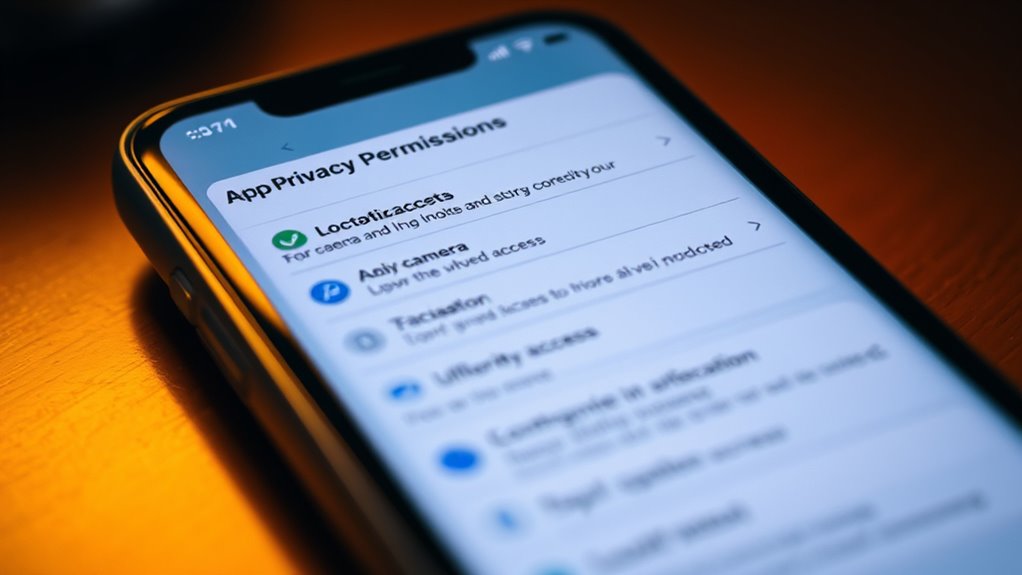
App permissions are essential because they control what data and features an app can access on your device. When permissions are transparent, you can see exactly what information an app requests and why. This permission transparency boosts your user awareness, helping you make informed decisions about granting access. Without clear permission prompts, you might unknowingly give apps access to sensitive data like your location, contacts, or camera. This can put your privacy at risk if apps misuse or mishandle your information. Ensuring you understand what permissions you’re granting keeps your data secure and limits potential vulnerabilities. By staying aware of app permissions, you protect yourself from unwanted data collection and reduce the chances of malicious activity on your device. Additionally, understanding app permission management helps you maintain control over your digital footprint and enhances your overall security. Being proactive about permission reviews allows you to revoke unnecessary access and further safeguard your personal information.

App Protection and Privacy Mastery: How to Secure Mobile Apps, Control Permissions, and Stop Apps From Tracking Your Data (Mobile Security & App Protection Academy)
As an affiliate, we earn on qualifying purchases.
As an affiliate, we earn on qualifying purchases.
What Are App Permissions and Why Are They Important?

App permissions control what data and features your apps can access on your device. Knowing how they work helps you understand the privacy risks involved and take steps to safeguard yourself. Managing permissions effectively ensures your information stays secure without limiting your app experience. Additionally, understanding local automation and cross-platform integration can help you better control your smart home devices and protect your privacy. Recognizing the key brands recognized for quality and durability in various app functions can guide you toward more reliable app choices, further enhancing your digital security and trustworthiness. Being aware of the different cookie categories and how they influence your browsing can further enhance your online security and privacy. Understanding the impact of cookies on your browsing experience allows you to make informed decisions about your online privacy and security. Recognizing the importance of trustworthy information helps you make better decisions about the apps you use and the permissions you grant.
App Permission Basics
Have you ever wondered what permissions apps request and why they matter? App permissions are requests made by apps to access certain features or data on your device, like location, camera, or contacts. Understanding these permissions helps you make better choices about what to allow. Permission best practices include reviewing permissions carefully and only granting what’s necessary. Many people fall for app permission myths, like believing all permissions are harmless or that denying permissions breaks functionality. In reality, some permissions are essential for app performance, but others can be unnecessary or intrusive. Knowing the basics helps you stay in control of your privacy and security. Being informed about app permissions is the first step to managing your digital footprint effectively.
Privacy Risks Involved
Understanding the privacy risks associated with app permissions is essential because granting access to certain data or features can expose you to potential misuse or breaches. When you allow apps to access sensitive information, such as location or contacts, you rely on them to handle that data securely. Without proper data encryption, your information could be intercepted or accessed by malicious actors. Some apps might collect more data than necessary or share it with third parties, increasing your exposure to privacy violations. Even if permissions seem harmless, they can be exploited if the app’s security isn’t robust. Being aware of these risks helps you make informed decisions about what permissions to grant, reducing the chance of your personal data being misused or compromised. Additionally, cloud security measures are crucial for protecting sensitive data from unauthorized access during transmission and storage.
Managing Permissions Effectively
Managing permissions effectively is essential because it determines how much access you grant to each app, directly impacting your privacy and security. You should prioritize user consent by only allowing permissions that are necessary for an app’s core functions. To do this, regularly review and adjust app permissions in your device settings, especially for sensitive data like location, contacts, and camera. Permission transparency is key—understanding why an app requests certain permissions helps you decide whether to grant or deny access. Being cautious with permissions reduces risks like data theft or unauthorized tracking. Additionally, understanding the concept of sustainable privacy practices can help you develop habits that protect your personal information over time. By staying proactive, you ensure that your apps respect your privacy, giving you control over your personal information and maintaining a secure digital environment.
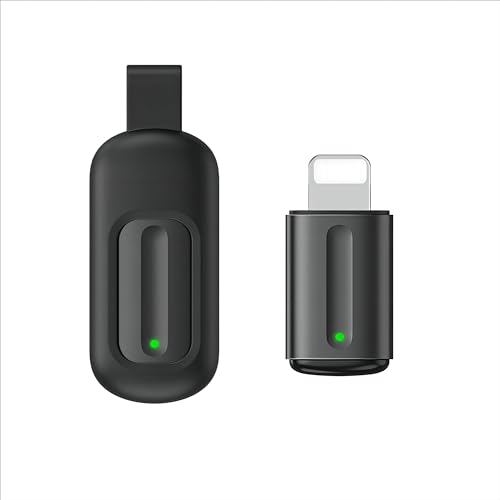
Universal Remote Control Adapter for iPhone All in One Remote Control for TV/AC/DVD Compatible with Samsung, Sony, Panasonic, Sharp, LG and More. (Black, for Lightning Plug iOS)
Compatible with more devices: Effortlessly control TVs, Set Top Boxes, Air Conditioners, Projectors, Ott-Boxes, DVDs, Amplifiers, SLRs, Fans,…
As an affiliate, we earn on qualifying purchases.
As an affiliate, we earn on qualifying purchases.
Common App Permissions and What They Do
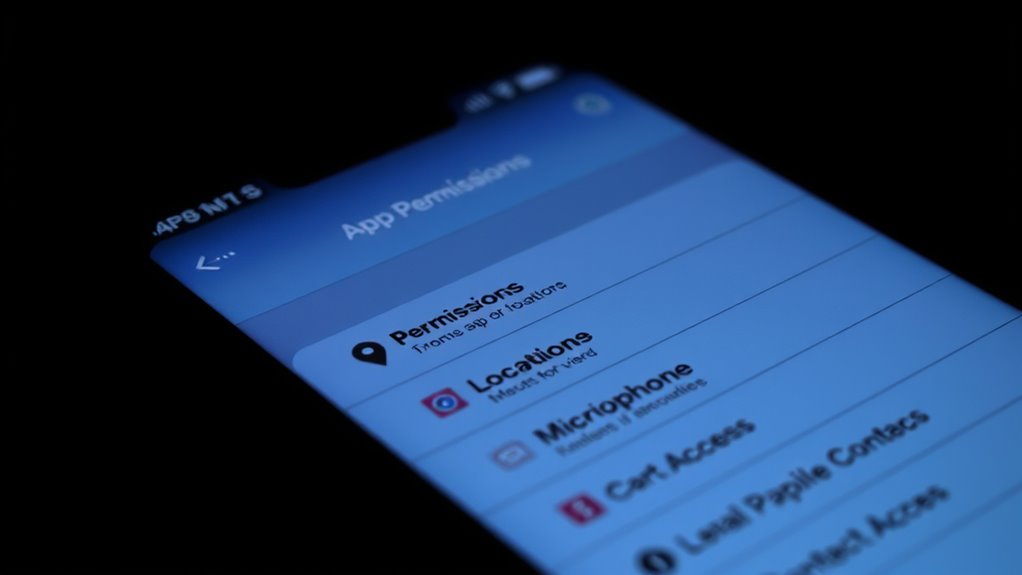
Location access helps apps know where you are, but it can also raise privacy concerns. Camera and microphone permissions let apps record images, videos, or sounds, which could be intrusive if misused. Understanding what these permissions do helps you control your privacy better. Being aware of app permissions can also help you better interpret app permissions and their potential risks. Additionally, some app permissions may inadvertently affect device security if not managed properly. Awareness of permission management practices can further enhance your overall device safety. Recognizing how certain permissions impact privacy is essential for maintaining control over your personal information.
Location Access and Privacy
When an app requests access to your device’s location, it can pinpoint your position and use that information in various ways. Location tracking can enhance app functionality, like navigation or local recommendations, but it also raises privacy concerns. Managing your privacy settings allows you to control when and which apps access your location. You can choose to allow location access only while using the app or deny it altogether, reducing unnecessary tracking. Understanding designer aesthetics can help you create a visually appealing environment that complements your privacy preferences. Properly configuring app permissions can further safeguard your personal data and prevent unwanted tracking. Being aware of the security measures in place can help protect your information from cyber threats and data breaches. Additionally, being aware of privacy controls empowers you to make smarter decisions about your digital footprint. Familiarizing yourself with permission management options can make a significant difference in maintaining your privacy.
Camera and Microphone Permissions
Have you ever wondered why some apps ask for access to your camera or microphone? These permissions are common but often overlooked. They serve specific purposes, like maintaining camera security or enabling microphone monitoring. Here’s what they typically do:
- Allow video calls and capturing photos.
- Enable voice commands and audio recordings.
- Help apps detect motion or sound for security.
- Provide real-time monitoring for privacy concerns.
While these permissions are essential for certain features, they can also pose risks if misused. Grant access only to trusted apps and review permission settings regularly. Being aware of what camera and microphone permissions do helps you control your privacy and security effectively. Remember, you hold the power to decide when and how your camera and microphone are used.
app permission audit tool
As an affiliate, we earn on qualifying purchases.
As an affiliate, we earn on qualifying purchases.
How Do Smartphone App Permissions Work?

Ever wondered how smartphone apps access certain features or data on your device? It all comes down to permission evolution and user consent. When you install an app, it may ask for specific permissions to access things like your camera, location, or contacts. In earlier versions of mobile operating systems, permissions were granted automatically during installation, which could lead to privacy issues. Modern systems now emphasize user consent, prompting you to approve or deny each request when needed. This shift gives you more control over what apps can do, making permission management clearer and more transparent. Understanding permission changes over time helps you stay informed about your privacy options. Additionally, understanding how user consent is managed is crucial for maintaining control over your personal data. By understanding how permissions work, you can better decide which access to grant, ensuring your privacy is protected while still enjoying your favorite apps’ features. Staying aware of privacy controls enables you to make more informed choices about your device security.
Risks of Ignoring App Permissions and Privacy Breaches

Ignoring app permissions can expose you to serious privacy risks, as apps may access sensitive data without your knowledge or consent. This can enlarge your digital footprint in ways you don’t anticipate. With increasing app diversity, your personal information becomes vulnerable to misuse or data breaches.
Here are some risks to contemplate:
- Unauthorized data collection that tracks your habits and location.
- Increased chances of privacy breaches exposing personal details.
- Identity theft resulting from leaked sensitive information.
- Loss of control over who accesses your data and how it’s used.
How to Check and Manage App Permissions on Android and iPhone
To protect your privacy, it’s essential to regularly check and manage app permissions on both Android and iPhone devices. This permission management helps guarantee your app privacy remains intact. On Android, go to Settings > Apps & notifications > App permissions, then review and adjust permissions for each app. On iPhone, navigate to Settings > Privacy, and select the permission category to see which apps have access. Use the toggle switches to enable or revoke permissions as needed. Here’s a quick comparison:
| Android | iPhone |
|---|---|
| Settings > Apps & notifications > App permissions | Settings > Privacy |
| Tap on individual apps to manage permissions | Tap on permission categories to review |
Regularly managing app permissions empowers you to control data sharing and enhances your overall app privacy. Being aware of permission management is a crucial part of maintaining your device’s security and respecting your personal data boundaries. Additionally, understanding app permission settings can help prevent unauthorized access to sensitive information.
Best Practices for Managing Permissions and Protecting Your Data
Managing app permissions effectively is essential for safeguarding your personal data and maintaining your privacy. To implement strong permission management and follow privacy best practices, consider these steps:
- Regularly review app permissions and revoke unnecessary access.
- Enable app-specific permissions rather than granting broad access.
- Keep your device’s software and apps updated for maximum security.
- Use privacy settings to control which permissions apps can access at any time.
What to Do If an App Misuses Permissions or Raises Concerns?

If you notice an app behaving suspiciously or making unusual permission requests, it’s important to act quickly to protect your data. First, review the app permission conflicts by checking which permissions the app has and whether they’re appropriate for its function. If you find unnecessary or invasive permissions, revoke them immediately. Use permissions troubleshooting tools on your device to reset or adjust permissions, and consider uninstalling the app if concerns persist. Report the suspicious activity to your app store or device manufacturer to flag potential security risks. Keeping your apps’ permissions in check helps prevent misuse and protects your privacy. Remember, taking prompt action minimizes the risk of data breaches or unauthorized access caused by permission misuse.
How to Stay Updated on App Permissions and Settings Changes
Staying informed about app permissions and settings changes is essential for maintaining your privacy and security. To do this effectively, follow these steps:
- Enable security notifications on your device to receive alerts about permission updates.
- Regularly check your app permissions in your device’s settings to spot any unexpected changes.
- Keep your apps and operating system updated, as updates often include important permission adjustments.
- Review app permissions after major updates or new installs to make certain no unnecessary access is granted.
Frequently Asked Questions
Can App Permissions Be Changed After Installing the App?
Yes, you can change app permissions after installing an app. You just need to go into your device’s permission settings and adjust app access for each permission you want to modify. This allows you to control what data or features apps can access, even after installation. Regularly reviewing and updating permission settings helps safeguard your privacy and ensures apps only access the information you’re comfortable sharing.
Do I Need to Grant All Permissions for Apps to Function Properly?
You don’t need to grant all permissions for apps to function properly. Permission necessity varies by app; some require only specific permissions to operate effectively. Carefully review each permission request and grant only those necessary for the app’s core functionality. This way, you protect your privacy while ensuring the app works smoothly. Remember, denying unnecessary permissions won’t hinder the app’s main features, but it may limit certain advanced capabilities.
Are App Permissions the Same Across iOS and Android Devices?
You might think app permissions are the same across iOS and Android, but platform differences and permission granularity tell a different story. Android offers more detailed control, letting you toggle specific permissions, while iOS tends to ask for broader access upfront. This means your experience with permissions varies; Android gives you more transparency and control, while iOS simplifies but limits your choices. Always review permissions carefully on both platforms to protect your privacy.
How Often Should I Review and Update App Permissions?
You should review and update your app permissions regularly, ideally every few months, to maintain privacy and security. Conduct privacy audits to identify unnecessary permissions and practice permission management to revoke any that aren’t essential. This proactive approach helps protect your data, prevents misuse, and ensures apps only access what they truly need, giving you greater control over your privacy. Don’t wait—stay vigilant and keep your permissions current.
What Are the Signs That an App Is Misusing Permissions?
Your privacy is under attack if an app suddenly acts strangely or requests permissions that seem unnecessary—like it’s sneaking around your digital fortress. Signs of misuse include unusual app behavior, such as draining battery, excessive data use, or unexpected ads. These are red flags for privacy breaches. If you notice these, review permissions immediately, and consider uninstalling or restricting access to protect yourself from potential harm.
Conclusion
By staying vigilant and regularly managing your app permissions, you’re the gatekeeper of your own privacy. Think of permissions as the keys to your digital house—only give access where it’s truly needed. Ignoring these settings is like leaving your front door wide open; it invites risks and unwelcome visitors. Take control now, and make sure your personal data remains protected—because your privacy is too valuable to leave to chance.