

To choose storage based on your workflow, focus on how you handle data regularly—consider the types, speed needs, and sharing habits. Prioritize solutions that support seamless access, collaboration, and security, like cloud integration or RAID setups, rather than reacting to fears of loss. Think about your growth and adapt storage accordingly, balancing speed and redundancy. If you keep these factors in mind, you’ll develop a storage strategy that truly fits your needs and keeps your work flowing smoothly.
Open a free Amazon Business account
Business pricing, bulk buying and tax-exempt orders.
As an affiliate, we earn on qualifying purchases.
Key Takeaways
- Assess your data types, access needs, and collaboration requirements to align storage solutions with actual workflows.
- Prioritize data redundancy and automated backups to mitigate fears of data loss or corruption.
- Incorporate cloud integration for remote access, flexible sharing, and real-time collaboration.
- Choose scalable, high-speed storage options like SSDs or cloud plans to support project growth and quick data retrieval.
- Match storage features to work habits, balancing security, accessibility, and cost-effectiveness for a resilient environment.
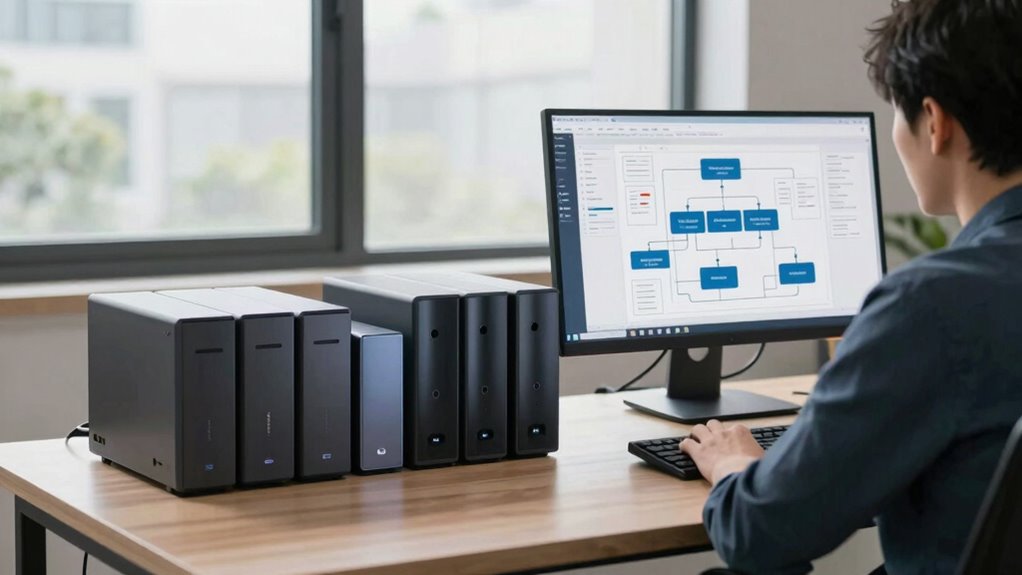
Choosing storage based on your workflow can markedly boost your workflow efficiency, especially when you understand your specific needs. When selecting storage, it’s crucial to consider how your data flows through your projects and daily tasks. Think about the kind of data you handle—large media files, sensitive documents, or a mix of both—and how quickly you need to access or share them. Your goal should be to find a system that aligns seamlessly with your workflow, not just one that offers the most space or the latest tech.
Data redundancy is a key factor to keep in mind. You want to ensure that your data is protected against loss, corruption, or hardware failure. Redundant storage options, like RAID configurations or cloud backup solutions, provide an extra layer of security. These systems automatically duplicate your data across multiple drives or servers, so even if one component fails, you don’t lose valuable work. This saves you from costly downtimes and frantic recovery efforts, allowing you to stay focused on your tasks without constantly worrying about data security. Understanding data redundancy and its benefits can help you build a more resilient storage environment. Additionally, evaluating the cost-effectiveness of different redundancy options can help you balance security and budget constraints. Incorporating automated backup strategies can further streamline your data protection efforts. Considering data recovery options is also important to ensure quick restoration in case of failure.
Another essential consideration is cloud integration. Cloud storage services enable you to access your data from anywhere, which is especially beneficial if your workflow involves collaboration or remote work. With cloud integration, you can sync files across devices effortlessly, share large files instantly, and reduce the need for physical storage hardware. Plus, many cloud providers offer automatic backups and data redundancy, ensuring your files are safe even if your local devices encounter issues. This flexibility can streamline your process, making it easier to move from concept to completion without bottlenecks.
When choosing storage based on your workflow, think about scalability. Will your storage needs grow as your projects or team expand? Opt for solutions that can easily scale up or adapt to changing demands, whether that’s adding more physical drives or expanding your cloud storage plan. Also, consider the speed of access you require. For tasks that demand rapid data retrieval, SSD-based storage or high-speed network solutions make a significant difference. Conversely, for archival purposes, traditional HDDs or cloud cold storage might be sufficient.
Ultimately, the smartest approach is to tailor your storage choices to how you work. Prioritize systems that incorporate data redundancy to safeguard your work and leverage cloud integration for flexibility and collaboration. Additionally, understanding cloud server solutions and their capabilities can help you make more informed decisions that align with your workflow. By aligning your storage with your workflow, you reduce stress, increase productivity, and create a resilient environment that adapts as your needs evolve. This way, you make informed decisions rooted in your actual work habits, not fear of data loss or hardware failure.
As an affiliate, we earn on qualifying purchases.
Frequently Asked Questions
How Do I Assess My Current Storage Needs Accurately?
You assess your current storage needs by reviewing your data volume, considering data redundancy, and analyzing your backup strategies. Track how much data you generate daily, weekly, and monthly, and identify which files are critical. Evaluate your current storage’s capacity and performance. This helps you pinpoint gaps or bottlenecks, ensuring your storage aligns with your workflow. Regularly review and adjust your storage plan to keep up with your evolving data needs.
What Are the Cost Differences Between Storage Options?
A penny saved is a penny earned, so understanding storage costs is essential. You should conduct a thorough pricing analysis and cost comparison across options like cloud, on-premises, or hybrid storage. Cloud solutions often offer flexible pricing, while on-premises may involve higher upfront costs. By evaluating these differences, you’ll find the most cost-effective choice that fits your workflow needs, helping you avoid unnecessary expenses and optimize your budget.
How Does Workflow Complexity Impact Storage Choice?
Workflow complexity directly influences your storage choice because higher complexity demands greater storage flexibility to adapt quickly. If your workflow involves diverse file types or frequent updates, opt for scalable storage solutions that enhance workflow efficiency. Simpler workflows may benefit from straightforward storage options, but complex processes require flexible, adaptable storage to keep up with evolving needs. Prioritizing storage flexibility guarantees your storage system supports your workflow’s dynamic nature.
Can Storage Solutions Scale With Future Growth?
Yes, storage solutions can scale with your future growth. You should consider options like cloud integration, which allows seamless expansion without disrupting your workflow. Additionally, prioritize data redundancy features to protect against data loss as your storage needs grow. By choosing scalable storage that incorporates these features, you guarantee smooth, reliable expansion, keeping your data accessible and secure while accommodating increasing demands.
What Security Measures Should I Consider in Storage Selection?
Did you know that 60% of data breaches involve weak security measures? When selecting storage, prioritize encryption protocols to safeguard your data and implement strict access controls to limit who can view or modify files. These security measures are essential for protecting sensitive information and maintaining trust. Always guarantee your storage solution offers robust encryption and customizable access controls, aligning security with your workflow needs without hindering productivity.
RAID storage array for data redundancy
As an affiliate, we earn on qualifying purchases.
As an affiliate, we earn on qualifying purchases.
Conclusion
Ultimately, selecting storage that aligns with your workflow gently guides you toward seamless efficiency. By attuning to your daily rhythms and subtle needs, you create a harmonious environment where data flows effortlessly. Instead of fearing the unknown, embrace the opportunity to refine your system thoughtfully. When you listen to the quiet signals of your work process, you craft a resilient foundation that gracefully adapts to your evolving demands, ensuring your digital space remains a refined extension of your professional journey.
cloud backup service subscription
As an affiliate, we earn on qualifying purchases.
As an affiliate, we earn on qualifying purchases.
As an affiliate, we earn on qualifying purchases.
Flea & tick season Picks
flea and tick prevention
As an affiliate, we earn on qualifying purchases.