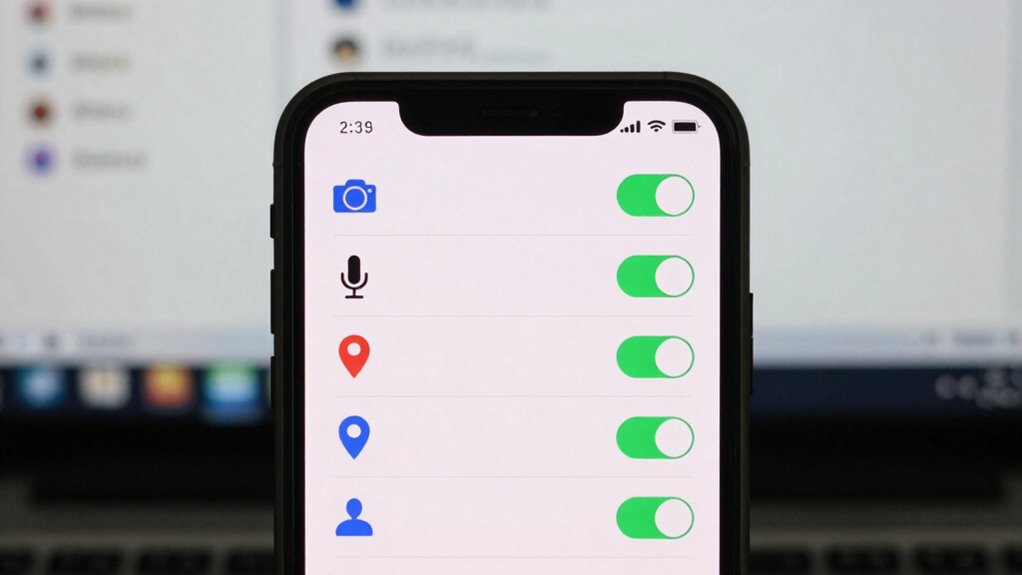

To keep your device secure, check your OS settings for app permissions monthly. Review which apps have access to sensitive features like your camera, microphone, location, and contacts. Revoke any permissions that aren’t necessary so apps can’t overreach. Regularly managing these settings helps prevent data leaks and malicious exploits. Staying on top of permission adjustments minimizes vulnerabilities and keeps your information safe. Keep going to discover a simple way to ensure your privacy remains protected.
Get ready for Prime Big Deal Days — try Prime free
Exclusive member deals on October 6–7, plus fast free delivery. Cancel anytime.
As an affiliate, we earn on qualifying purchases.
Key Takeaways
- Regularly review app permissions in OS settings to prevent unnecessary access to personal data.
- Check for permission requests during app updates to ensure no overreach occurs.
- Disable permissions like location or camera for apps that no longer need them.
- Identify and revoke permissions granted to apps that seem excessive or suspicious.
- Maintain privacy and security by staying updated on permission changes and managing them monthly.
Have you ever wondered how apps and devices decide which features they can access? It all comes down to device permissions, which are set through your OS settings. Every time you install a new app or update your device, it requests certain permissions to function properly. These permissions determine what data or features an app can access, like your camera, microphone, location, or contacts. Managing these permissions is essential for maintaining your app security and preserving your privacy controls. By reviewing them regularly, you can prevent apps from accessing sensitive information or features you’re uncomfortable sharing.
Device permissions control app access to data and features, ensuring your privacy and security.
Your device’s OS provides a straightforward way to check and adjust permissions. Most modern smartphones and computers have dedicated sections in their settings labeled “App Permissions” or “Privacy Controls.” These sections list all installed apps and the specific permissions they’ve requested. From here, you can revoke unnecessary permissions or grant new ones if needed. For example, if an app no longer needs access to your location, you should turn that permission off. Doing so minimizes the risk of misuse or accidental data leaks, which is essential for app security. It also helps you maintain control over your personal information, ensuring apps only access what’s absolutely necessary for their function.
It’s a good idea to develop the habit of checking these permissions monthly. Over time, apps may request additional permissions during updates or new features, sometimes unnecessarily. By reviewing permissions regularly, you can spot apps that have gained access to more than what’s needed and revoke permissions you’re not comfortable with. This proactive approach reduces your vulnerability to malicious exploits or data breaches. Keep in mind that some permissions, like access to your camera or microphone, can be exploited for spying if misused by malicious apps. Ensuring these permissions are tightly controlled helps protect your privacy and keeps your device secure. Vetted – Witbeck Vacuums
smartphone app permission manager
As an affiliate, we earn on qualifying purchases.
As an affiliate, we earn on qualifying purchases.
Frequently Asked Questions
How Do I Revoke App Permissions on My Device?
To revoke app permissions on your device, start by accessing your privacy settings or app permission management. Find the specific app you want to adjust, then toggle off the permissions you no longer want it to have. This process enhances your privacy settings customization, giving you control over what information apps can access. Regularly reviewing and adjusting permissions helps protect your data and keeps your device secure.
Can I Customize App Permissions for Specific Functions?
Yes, you can customize app permissions for specific functions with granular control. Most devices allow you to manage permission categories individually, like camera, microphone, or location. To do this, go into your device’s settings, select the app, and adjust the permission categories based on what you want the app to access. This way, you maintain better privacy and security, giving you control over each app’s functionalities.
What Are the Risks of Granting Excessive App Permissions?
Granting excessive app permissions is like opening Pandora’s box—you risk exposing your privacy concerns and giving apps more access than they need. This can lead to data leaks, unauthorized tracking, and compromised security. While some permissions boost app functionality, too many can backfire, making your device vulnerable. Stay vigilant, review permissions regularly, and only grant what’s necessary to keep your privacy intact and your device safe.
How Often Should I Review Device Permissions?
You should review device permissions at least once a month to follow privacy best practices and stay in control. Regular permission management tips include checking app access, revoking unnecessary permissions, and updating app settings. Doing this frequently minimizes risks, protects your data, and guarantees apps only access what they truly need. Staying proactive with permission management helps maintain your privacy and keeps your device secure over time.
Are There Differences in Permission Settings Across OS Versions?
Think of permission settings as the gates to your digital kingdom—each OS version might have different locks and keys. Yes, permission updates vary across OS versions, making some more restrictive or permissive. Newer updates often tighten security, so it’s vital to stay alert for OS version differences. Regularly reviewing these changes ensures you control who enters your world, keeping your device safe and your privacy intact.
privacy protection app for Android
As an affiliate, we earn on qualifying purchases.
As an affiliate, we earn on qualifying purchases.
Conclusion
Make checking your device permissions a monthly habit—you’ll be amazed at how much control you gain. Think of it as your secret superpower to keep hackers at bay and protect your privacy like a fortress. Don’t let sneaky apps or shady permissions go unnoticed; stay vigilant and keep your digital life secure. Trust me, this tiny routine could save you from a massive headache down the line—it’s worth every minute!
As an affiliate, we earn on qualifying purchases.
As an affiliate, we earn on qualifying purchases.
NFL season / tailgating Picks
team gear
As an affiliate, we earn on qualifying purchases.