
To make troubleshooting easier, develop the habit of maintaining an up-to-date, thorough network diagram. Regularly update it with all hardware placements, wireless security details, and network topology changes. This visual tool helps you quickly identify failure points, understand system flow, and spot security vulnerabilities. It also keeps your team aligned and prepared for upgrades or issues. Sustaining this habit streamlines problem-solving and saves time—discover how to master this approach for best network management.
Key Takeaways
- Regularly update network diagrams to reflect recent changes and hardware additions.
- Maintain detailed documentation of wireless security configurations and zones.
- Use visual maps to quickly identify failure points during troubleshooting.
- Clearly depict device locations and physical layout to diagnose hardware issues efficiently.
- Incorporate network topology diagrams to optimize performance and plan future expansions.
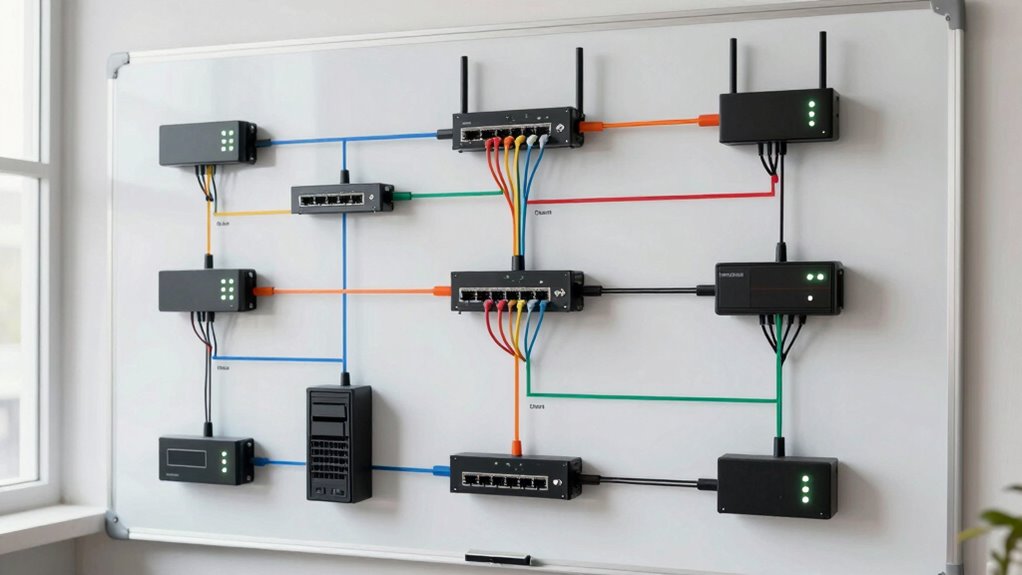
Building a network diagram might seem like a tedious task, but it’s one of the most effective habits you can develop for managing projects and understanding complex systems. When you create a clear visual map of your network, troubleshooting becomes much simpler because you can quickly identify points of failure and understand how different components connect. This habit isn’t just about drawing lines and boxes; it’s about gaining an all-encompassing view of your entire setup, including wireless security measures and hardware placement. By laying out each element explicitly, you avoid the confusion that often arises from scattered documentation or inconsistent records. Incorporating visualization techniques into your network management enhances your ability to detect issues quickly and accurately. Focusing on wireless security within your network diagram is essential. When you map out wireless access points, encryption protocols, and security zones, you create a visual reference that makes identifying vulnerabilities straightforward. You can see where weak spots might exist, such as poorly secured access points or outdated firmware, and address those issues proactively. Including details like SSID names, security types, and connection ranges helps you recognize potential interference or unauthorized access points, minimizing security risks. This visual approach keeps security at the forefront, guaranteeing you don’t overlook critical aspects during troubleshooting or upgrades. Hardware placement is another critical aspect. When you accurately depict where each device sits, from switches and routers to servers and printers, you get an immediate sense of the network’s physical layout. This clarity helps you pinpoint physical issues—like faulty cables, overheating devices, or misplaced hardware—that could disrupt service. Additionally, understanding the network topology can assist in optimizing your network’s performance and resilience. Recognizing the importance of network documentation ensures your diagrams remain comprehensive and up-to-date as your network evolves. Regularly updating your diagrams also helps in maintaining security protocols, ensuring that all security measures are current and effective. Knowing the exact placement of hardware components allows you to optimize network traffic flow and reduce latency issues, making troubleshooting faster and more targeted. Developing a comprehensive network map as part of your routine can also facilitate better planning for future expansions or modifications. Creating and maintaining detailed network diagrams isn’t just a one-time task; it’s an ongoing process that evolves with your network. As you add new devices or update security protocols, updating your diagram guarantees your visual map remains accurate. This habit reduces the time spent on troubleshooting because you always have a current reference to guide your decisions. Whether you’re investigating connectivity issues or planning upgrades, a well-maintained network diagram provides the clarity needed for swift, effective resolution. Over time, this habit transforms troubleshooting from a stressful guesswork game into a systematic, efficient process, saving you hours and reducing downtime.
As an affiliate, we earn on qualifying purchases.
Frequently Asked Questions
How Often Should Network Diagrams Be Updated?
You should update your network diagrams regularly, ideally every three to six months, or whenever significant changes occur. As network complexity increases, keeping diagrams accurate becomes essential for effective troubleshooting. Outdated diagrams can lead to misdiagnoses and longer downtime. By maintaining up-to-date diagrams, you guarantee accurate representations of your network, making troubleshooting faster and more efficient, especially when dealing with complex setups.
What Tools Are Best for Creating Network Diagrams?
You should use tools like Microsoft Visio, Lucidchart, or draw.io for creating network diagrams, as they provide clear visual representations aligned with diagram standards. These tools help you organize complex network components visually, making troubleshooting easier. They offer templates and symbols that guarantee consistency and accuracy, so your diagrams are easy to understand and maintain. Choosing the right tool streamlines updates and enhances your network management efficiency.
Can Network Diagrams Help With Security Issues?
Yes, network diagrams greatly aid with security issues. They enhance network diagram security by providing a clear visual of your infrastructure, helping you identify vulnerabilities and unauthorized access points. Maintaining diagram confidentiality ensures sensitive details aren’t exposed to outsiders. Regularly updating and securely storing these diagrams allows you to quickly respond to threats, enforce security policies, and monitor changes, ultimately strengthening your overall network security posture.
How Detailed Should a Network Diagram Be?
You should aim for a balanced level of detail in your network diagram, ensuring visual clarity without overwhelming viewers. Include essential components like servers, switches, and firewalls, but avoid excessive complexity. Focus on clarity by grouping related devices and using clear labels. Maintaining the right detail level helps you quickly identify issues during troubleshooting, making your network easier to understand and manage effectively.
Who Should Be Responsible for Maintaining Network Diagrams?
You should be the captain steering the ship when it comes to maintaining network diagrams. As the owner of network documentation standards, you’re responsible for keeping diagrams accurate and up-to-date. Think of network ownership as tending a garden—you must regularly prune and nurture it to prevent chaos during troubleshooting. By taking charge, you guarantee everyone has reliable, clear visuals, making network issues easier to spot and resolve swiftly.
As an affiliate, we earn on qualifying purchases.
Conclusion
By making network diagrams a habit, you’re building a map that turns chaos into clarity. Think of your network like a busy city; without a map, you’re lost in the traffic. But with a clear diagram, you navigate smoothly, avoiding dead ends and bottlenecks. Keep sketching and updating your diagrams regularly — they’re your GPS in the complex city of networks. Master this habit, and troubleshooting becomes a breeze rather than a storm.
As an affiliate, we earn on qualifying purchases.
As an affiliate, we earn on qualifying purchases.